
Coby CVR-22
Coby CVR-22 Portable Cassette Recorder User Manual
Model: CVR-22
Introduction
The Coby CVR-22 Portable Cassette Recorder is designed for simple and convenient audio recording and playback. Featuring one-touch recording, a built-in microphone, and a retractable handle, this device offers excellent portability for capturing audio wherever you go. Rediscover your classic tape collection or record new content with ease.
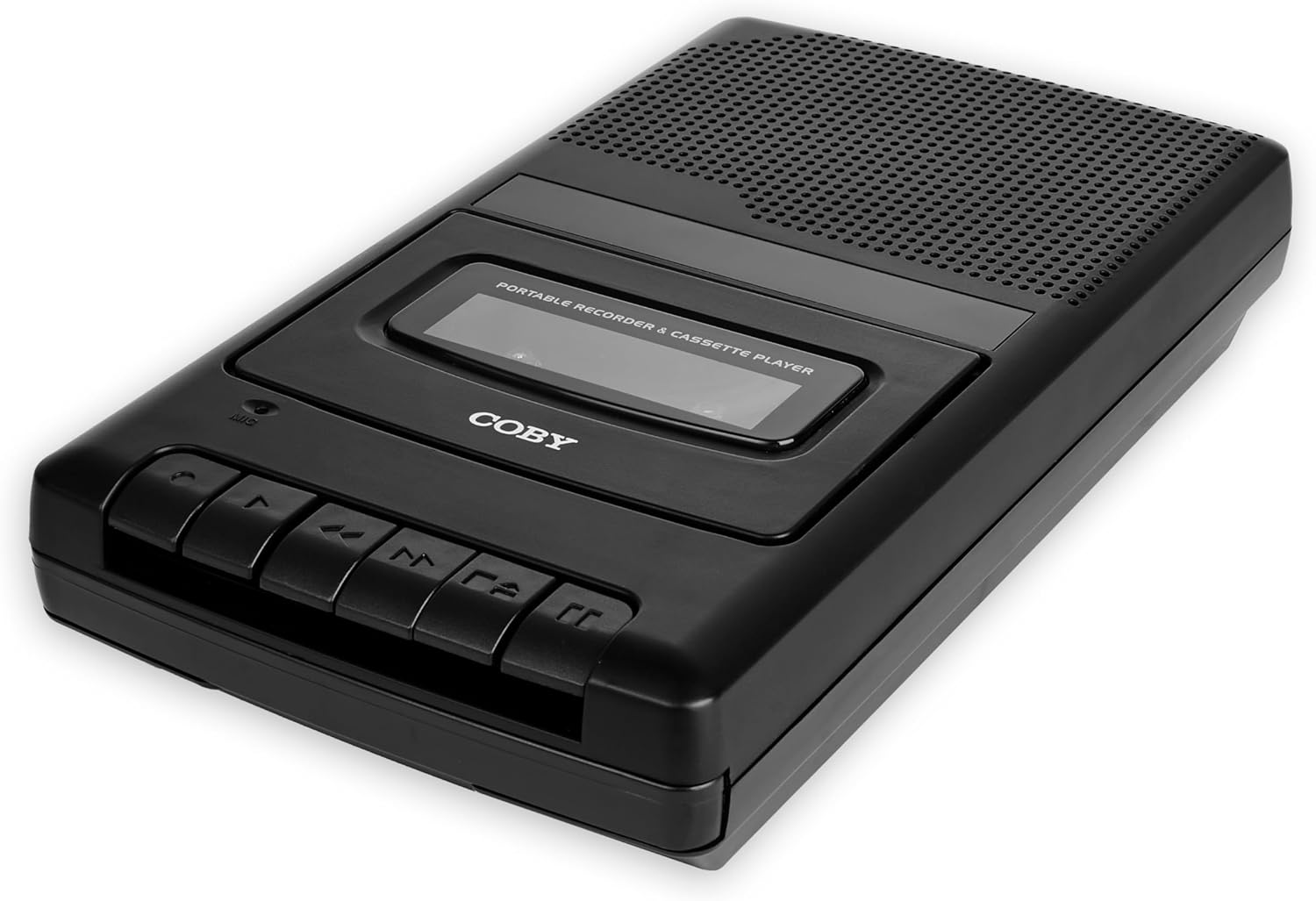
Image: The Coby CVR-22 Portable Cassette Recorder, showcasing its compact design and control buttons.
Setup
Powering the Device
The CVR-22 operates on two (2) AA batteries. Ensure batteries are inserted correctly according to polarity markings inside the battery compartment.
- Locate the battery compartment on the underside or rear of the unit.
- Open the battery compartment cover.
- Insert two AA batteries, matching the positive (+) and negative (-) terminals as indicated.
- Close the battery compartment cover securely.

Image: The Coby CVR-22 showing a cassette being inserted and indicating its 2x AA battery power requirement.
Operating Instructions
Inserting a Cassette Tape
- Press the STOP/EJECT button to open the cassette compartment door.
- Insert a standard audio cassette tape with the open edge facing upwards and the tape side facing the unit.
- Gently close the cassette compartment door until it clicks shut.
Playback
- Ensure a cassette tape is properly inserted.
- Press the PLAY button. The tape will begin to play.
- Adjust the volume using the volume control dial, typically located on the side of the unit.
- To stop playback, press the STOP/EJECT button.
- To fast forward, press the FF (Fast Forward) button.
- To rewind, press the REW (Rewind) button.

Image: A user holding the Coby CVR-22, illustrating the joy of rediscovering a classic tape collection.
Recording
The CVR-22 features one-touch recording and a built-in microphone for convenient audio capture.
- Ensure a blank or recordable cassette tape is inserted.
- Press the RECORD button (usually red). The PLAY button will also engage simultaneously.
- The built-in microphone will begin recording audio. Position the recorder appropriately for optimal sound capture.
- To stop recording, press the STOP/EJECT button.

Image: The Coby CVR-22 being used in a classroom setting, highlighting its utility for recording classes and lectures.

Image: The Coby CVR-22 positioned on a meeting table, demonstrating its suitability for recording meetings with its one-touch record button.
External Connections
The CVR-22 includes a 3.5mm headphone jack for private listening and potentially an external microphone input (check your specific unit for microphone input if needed, as the built-in mic is standard).
- Headphone Jack: Connect standard 3.5mm headphones for personal audio playback.
- External Microphone Input (if available): For higher quality recordings or specific recording scenarios, an external microphone can be connected to the designated input jack.

Image: The Coby CVR-22 connected to an external microphone setup, illustrating its built-in audio input/output ports for versatile use.
Maintenance
Cleaning the Unit
- Wipe the exterior of the unit with a soft, dry cloth.
- Do not use abrasive cleaners or solvents, as they may damage the finish.
- Periodically clean the tape head and pinch roller using a specialized cassette head cleaner or a cotton swab lightly dampened with isopropyl alcohol. This helps maintain optimal sound quality.
Battery Care
- Remove batteries if the unit will not be used for an extended period to prevent leakage.
- Dispose of used batteries responsibly according to local regulations.
Troubleshooting
| Problem | Possible Cause | Solution |
|---|---|---|
| Unit does not power on. | Dead or incorrectly inserted batteries. | Replace batteries with fresh ones, ensuring correct polarity. |
| No sound during playback. | Volume too low; headphones not connected properly; tape head dirty. | Increase volume; ensure headphones are fully inserted; clean tape head. |
| Recording is distorted or unclear. | Microphone too far from sound source; tape head dirty; faulty tape. | Move closer to sound source; clean tape head; try a different tape. |
| Tape does not move or jams. | Tape is tangled or damaged; unit mechanism issue. | Carefully remove and inspect tape; try a different tape. If issue persists, contact support. |
Specifications
| Feature | Detail |
|---|---|
| Brand | Coby |
| Model Number | CVR-22 |
| Color | Black |
| Power Source | 2 x AA Batteries (Not rechargeable) |
| Recording Medium | Cassette Tape |
| Recording Features | One-Touch Recording, Built-in Microphone, Auto-Stop |
| Playback Features | Auto-Stop |
| Audio Output | Built-in Speaker, 3.5mm Headphone Jack |
| Dimensions (D x W x H) | 14.8 cm x 25.9 cm x 5 cm (approx.) |
| Handle | Retractable |
Warranty and Support
Specific warranty information for the Coby CVR-22 Portable Cassette Recorder is not available in this manual. Please refer to the product packaging or the manufacturer's official website for detailed warranty terms and conditions.
For technical support or service inquiries, please contact Coby customer service through their official channels. Keep your purchase receipt as proof of purchase.
Manufacturer: Summit Electronics, US
Related documentsCVR-22


Ask a question about this manual
Ask about setup, troubleshooting, compatibility, parts, safety, or missing instructions. Manuals+ will review the question and use this page’s manual context to help answer it.