
1. Introduction
The TRIXIE Memory Trainer 3.0 is an advanced interactive dog puzzle designed to provide mental stimulation and enrichment for your dog. This device encourages patience and concentration as your dog learns to associate pressing a remote release button with the dispensing of treats. It is suitable for dogs of all sizes and activity levels.
2. Safety Information
Important: Always supervise your dog closely during use. Teach your dog how the game operates. Do not leave your dog unattended with the treat puzzle. Prevent your dog from chewing on the device or its components. Regularly inspect the product for any damage; discontinue use if broken. This product is intended for dogs only and is not a children's toy. When empty, store the device until the next supervised use.
3. Package Contents
- Treat Dispenser Unit
- Remote Release Button
- Booklet with Training Tips and Tricks
- Peg for securing the release button
- Suction cup for wall mounting the release button
- Instruction Manual
4. Setup
4.1. Battery Installation
The TRIXIE Memory Trainer 3.0 requires batteries for operation. Install the specified batteries into both the treat dispenser unit and the remote release button according to the polarity markings. The product requires 1 Lithium Ion battery (typically 3 AAA batteries for the remote and 4 C batteries for the dispenser, though specific battery types may vary; refer to the battery compartment for exact requirements).
4.2. Filling the Dispenser
- Open the lid of the treat dispenser unit.
- Fill the rotating reservoir with your dog's favorite dry treats or kibble. Do not overfill.
- Close the lid securely.

Image: Filling the treat dispenser with kibble.
4.3. Remote Button Placement
Place the remote release button in a location accessible to your dog. The button has an operating range of up to 43 yards (approximately 40 meters). You can vary the placement and distance between the button and the dispenser to increase the level of difficulty. Use the included peg to secure the button to the ground or the suction cup for wall mounting.

Image: Dog and owner during a training session, illustrating remote button placement.
5. Operating Instructions
5.1. Initial Training
Begin by placing the remote button close to the dispenser. Encourage your dog to press the button, perhaps by luring them with a treat. When the button is pressed, treats will be released from the dispenser. Praise your dog immediately when they successfully activate the dispenser. Repeat this process until your dog understands the cause-and-effect relationship.

Image: A dog retrieving treats from the dispenser.
5.2. Adjusting Difficulty
Once your dog masters the basic operation, increase the challenge by:
- Increasing the distance between the remote button and the dispenser.
- Placing the remote button in a different room or behind an obstacle.
- Using the rotating reservoir inside the dispenser to regulate the amount of treats released per activation.
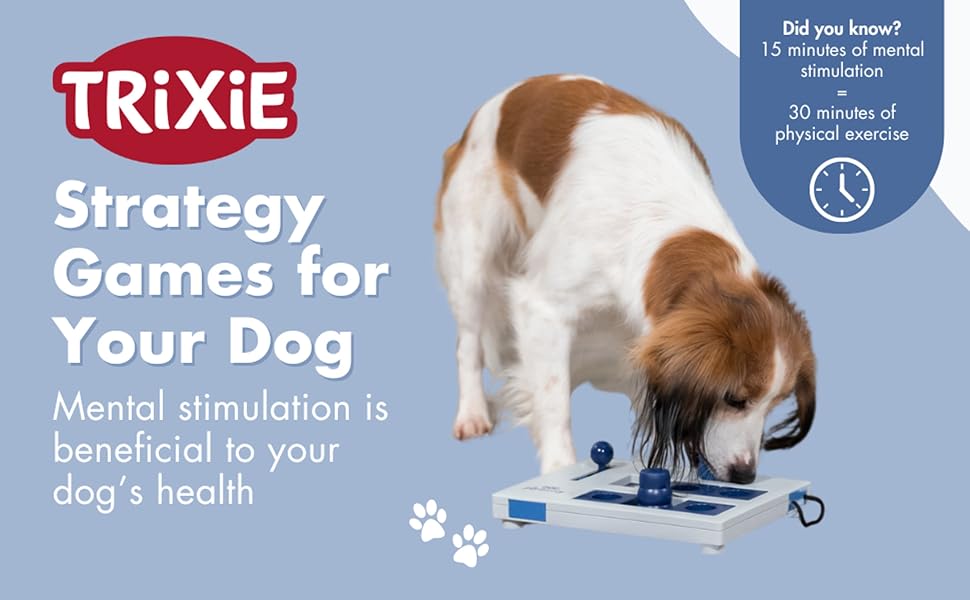
Image: The TRIXIE Memory Trainer 3.0 in use, demonstrating its role in dog enrichment.
6. Maintenance
To ensure hygiene and longevity of the product, clean it regularly. The TRIXIE Memory Trainer 3.0 is designed with pet health in mind, using BPA, Phthalate, and Lead-Free materials. It is easy to clean between uses with warm water and mild soap. The components are also dishwasher safe.
7. Troubleshooting
- Dispenser not releasing treats: Check if the rotating reservoir is properly aligned and not jammed. Ensure the dispenser has sufficient treats. Verify that the remote button batteries are functional.
- Remote button not activating dispenser: Ensure both units have fresh batteries. Check the distance between the button and the dispenser; while the range is up to 43 yards, environmental factors like walls or other electronic interference can reduce effective range. Try moving them closer.
- Dog not engaging with the toy: Revisit initial training steps. Use highly motivating treats. Ensure the environment is calm and free from distractions.
8. Specifications
| Feature | Detail |
|---|---|
| Model Number | 32040 |
| Dimensions (LxWxH) | 7.75 x 7.75 x 9.25 inches |
| Item Weight | 2.1 Pounds |
| Material | Plastic |
| Color | White/Blue |
| Remote Range | Up to 43 yards (approx. 40 meters) |
| Batteries Required | 1 Lithium Ion battery (specific types for dispenser/remote may vary) |
| Safety Features | BPA, Phthalate, and Lead-Free |
9. Warranty Information
The TRIXIE Memory Trainer 3.0 comes with a 1-year warranty from the date of purchase. This warranty covers manufacturing defects under normal use. Please retain your proof of purchase for warranty claims. For detailed terms and conditions, refer to the warranty documentation included with your product or contact customer support.
10. Support
For further assistance, questions, or to report any issues with your TRIXIE Memory Trainer 3.0, please visit the official TRIXIE website or contact their customer service department. Contact information can typically be found on the product packaging or the brand's official online presence.


