
1. Introduction to CorelDRAW X6 The Official Guide
This official guide provides comprehensive instructions for mastering CorelDRAW X6. Authored by Gary David Bouton, this book is designed to help users, from beginners to advanced professionals, harness the full power of CorelDRAW X6 for graphic design, illustration, and photo editing tasks.
The guide covers essential features, step-by-step tutorials, and practical techniques to create professional-quality designs, logos, magazine layouts, flyers, and retouch photographs using PHOTO-PAINT.
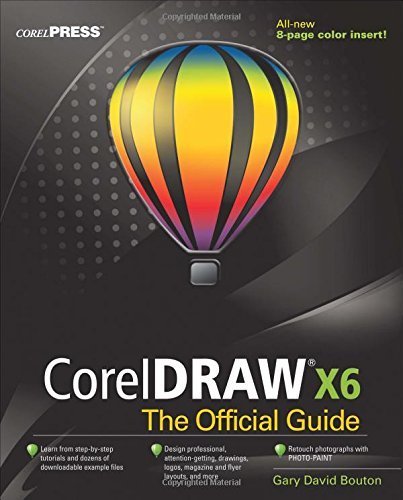
Image 1.1: Front cover of "CorelDRAW X6 The Official Guide" by Gary David Bouton. This image displays the book's title, author, and the CorelDRAW X6 logo featuring a colorful hot air balloon icon.
2. Getting Started with the Guide
2.1 Required Software
To fully utilize the tutorials and exercises within this guide, you will need access to the CorelDRAW Graphics Suite X6 software. Ensure that CorelDRAW X6 and its accompanying applications, such as PHOTO-PAINT, are installed on your computer.
2.2 Accessing Example Files
The guide references downloadable example files to accompany its step-by-step tutorials. Please refer to the book's introductory sections or the publisher's website (McGraw-Hill Osborne) for instructions on how to access and download these supplementary materials. These files are crucial for hands-on learning.
3. Using CorelDRAW X6 The Official Guide
This section outlines the recommended approach to using this guide effectively to learn CorelDRAW X6.
3.1 Navigating the Chapters
The book is structured logically, progressing from fundamental concepts to more advanced techniques. It is recommended to follow the chapters sequentially to build a solid understanding of the software. Each chapter focuses on specific tools, features, or design workflows.
3.2 Engaging with Tutorials
Each tutorial is designed to be hands-on. Follow these steps for optimal learning:
- Read the chapter introduction to understand the learning objectives.
- Open the corresponding example files in CorelDRAW X6.
- Execute each step as described in the guide, paying close attention to screenshots and detailed instructions.
- Experiment with the tools and settings beyond the tutorial's scope to deepen your understanding.
3.3 Key Areas Covered
- Vector Illustration: Creating and manipulating shapes, lines, and curves.
- Page Layout: Designing multi-page documents, brochures, and flyers.
- Typography: Working with text, fonts, and text effects.
- Image Editing with PHOTO-PAINT: Retouching photographs and applying effects.
- Color Management: Understanding and applying color principles.
- Output and Export: Preparing designs for print or web.
The guide also includes an "All-new 8-page color insert" which provides visual examples and inspiration for your designs.
4. Troubleshooting and Tips
If you encounter difficulties while following the guide or using CorelDRAW X6, consider the following:
4.1 Software Issues
- Software Not Responding: Ensure your CorelDRAW X6 installation is up-to-date. Try restarting the application or your computer.
- Missing Tools/Panels: Check the 'Window' menu in CorelDRAW to ensure all necessary dockers and toolbars are visible.
- Performance Problems: Close other demanding applications. Ensure your computer meets the minimum system requirements for CorelDRAW X6.
4.2 Guide-Related Issues
- Tutorial Steps Not Matching: Double-check that you are using CorelDRAW X6, as features may differ in other versions. Verify you have downloaded the correct example files.
- Unclear Instructions: Reread the section carefully. Sometimes a small detail can be overlooked.
5. Product Specifications
| Attribute | Detail |
|---|---|
| Title | CorelDRAW X6 The Official Guide |
| Author | Gary David Bouton |
| Publisher | McGraw-Hill Osborne |
| Publication Date | September 1, 2012 |
| Edition | 1st Edition |
| Format | Paperback |
| ASIN | B0107172KW |
| Series | The Official Guide |
6. Additional Support and Resources
For further assistance or to explore more resources related to CorelDRAW X6 or this guide:
- Publisher Website: Visit the McGraw-Hill Professional website for potential errata, updates, or supplementary materials related to the book.
- CorelDRAW Official Website: For software-specific support, updates, and community forums, refer to the official CorelDRAW website.
- Online Communities: Engage with other CorelDRAW users in online forums and communities for tips, tricks, and problem-solving.


