
Introduction
This manual provides essential information for the proper setup, operation, and maintenance of your BRESSER ExploreOne Metal Detector. Designed for junior explorers, this lightweight and adjustable metal detector is built to help discover hidden metallic objects.
Key features of your metal detector include:
- Detects objects up to 6 inches below the surface.
- Water-resistant base for use in damp conditions.
- Different tones to distinguish various precious metals.
- Built-in LED light for enhanced visibility, detachable for use as a flashlight.
- Adjustable length to accommodate users of different heights.
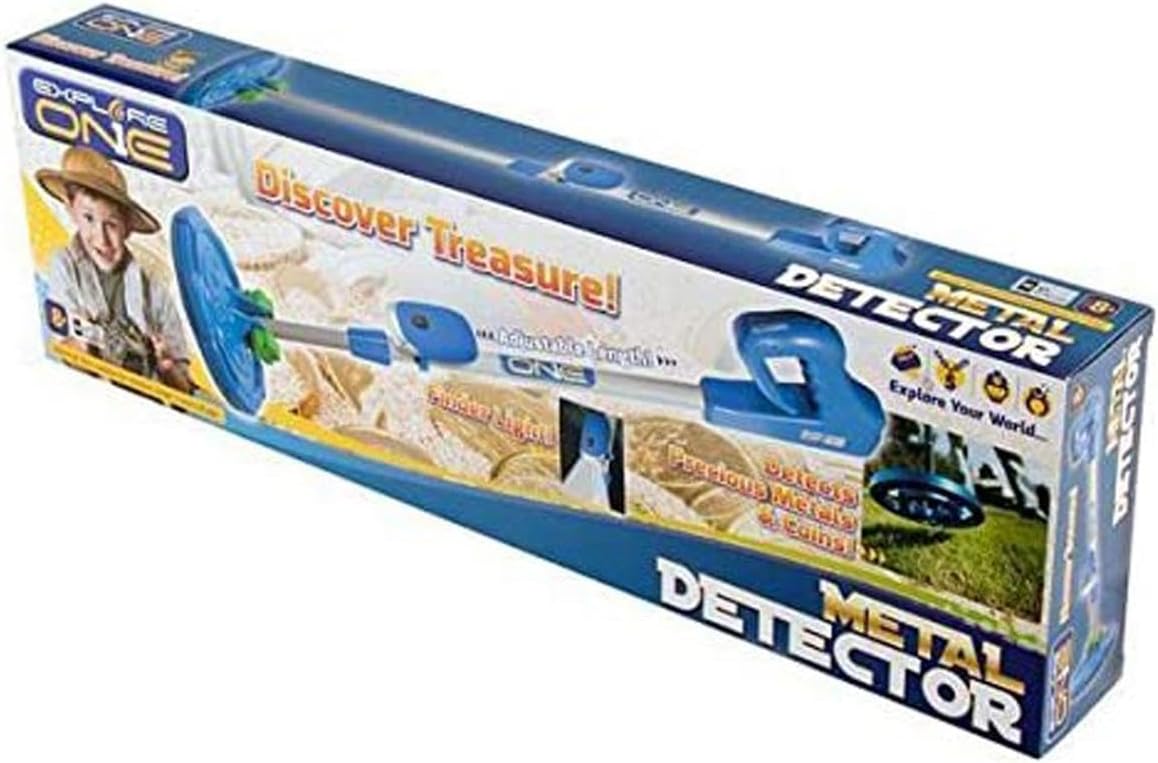
Image: The BRESSER ExploreOne Metal Detector, showcasing its blue and white design.
Setup
What's in the Box
- ExploreOne Metal Detector unit
Battery Installation
The metal detector requires one 9V battery (not included). To install the battery:
- Locate the battery compartment, typically on the handle or control unit.
- Open the battery compartment cover.
- Insert a fresh 9V battery, ensuring correct polarity (+/-).
- Close the battery compartment cover securely.
Assembly
Your metal detector is designed for easy assembly and adjustment:
- Connect the search coil to the lower stem.
- Attach the lower stem to the main adjustable shaft.
- Secure the control unit/handle to the top of the shaft.
- Adjust the shaft length to a comfortable height for the user. Loosen the locking collar, extend or retract the shaft, and then tighten the collar to secure.
- The LED light can be attached to the shaft for illumination or detached for use as a handheld flashlight.

Image: Close-up of the metal detector's search coil and adjustable lower shaft connection.
Operating Instructions
Basic Operation
To begin searching for metallic objects:
- Turn on the metal detector using the power switch on the control unit.
- Hold the detector with the search coil parallel to the ground, about 1-2 inches above the surface.
- Sweep the search coil slowly from side to side in overlapping motions.
- When a metallic object is detected, the unit will emit an audible beep. The louder the beep, the closer you are to the object.
Detection Tones
The metal detector uses different tones to help identify various types of metals. Familiarize yourself with these tones by testing the detector on known metal objects (e.g., coins, aluminum foil, iron) before searching.
LED Light Usage
The built-in LED light provides illumination in low-light conditions. It can be used while attached to the detector for searching at dusk or detached and used as a standalone flashlight for examining discoveries.
Water Resistance
The search coil and lower stem are water-resistant, allowing for detection in shallow puddles or damp soil. Note: The main control unit and battery compartment are not waterproof and should not be submerged.
Video: An overview of the BRESSER ExploreOne Metal Detector, demonstrating its features and use in various environments.
Maintenance
- Cleaning: After each use, wipe down the detector with a soft, damp cloth. Avoid harsh chemicals or abrasive cleaners. Ensure the search coil is clean of dirt and debris.
- Battery Care: Remove the 9V battery if the detector will not be used for an extended period to prevent leakage and damage.
- Storage: Store the metal detector in a cool, dry place away from direct sunlight and extreme temperatures.
Troubleshooting
| Problem | Possible Cause | Solution |
|---|---|---|
| Detector does not turn on. | Dead or incorrectly installed battery. | Check battery polarity; replace with a fresh 9V battery. |
| Weak or inconsistent detection. | Low battery; too fast sweeping; interference. | Replace battery; sweep slower; move away from large metal objects or electrical lines. |
| LED light not working. | Light switch off; battery issue. | Ensure light switch is on; check main unit battery or if light has its own small battery, check that. |
Specifications
| Feature | Detail |
|---|---|
| Brand | BRESSER |
| Model Number | 88-20001 |
| Color | Blue and White |
| Material | Plastic |
| Power Source | Battery (1 x 9V required) |
| Item Weight | 2.05 pounds |
| Product Dimensions | 23.5 x 2.75 x 7.25 inches |
| Adjustable Length | Yes |
| International Protection Rating | IP54 (Water-resistant search coil) |
| Working Distance (Detection Depth) | Up to 6 inches |
| Recommended Age | 8 - 15 years |
Warranty and Support
This product typically comes with a limited manufacturer's warranty. Please refer to the packaging or the manufacturer's official website for specific warranty terms and conditions.
For technical support, questions, or assistance, please contact BRESSER customer service. You may reach them at 866.252.3811.