
1. Introduction
This manual provides instructions for the installation and maintenance of UpStart Components replacement vacuum bags and cartridge filter. These components are designed for compatibility with Shop-Vac CH87-650C models, as well as Shop-Vac 90661 bags and 90304 filters. Proper installation and regular maintenance ensure optimal performance of your wet/dry vacuum cleaner.
2. Safety Information
- Always disconnect the vacuum cleaner from the power source before installing or replacing bags and filters.
- Wear appropriate personal protective equipment, such as gloves, to avoid contact with dust and debris.
- Ensure all components are correctly seated and secured before operating the vacuum cleaner.
- Do not use damaged bags or filters, as this can compromise vacuum performance and filtration.
3. Package Contents
Your package should contain the following items:
- 3 x UpStart Components Replacement Vacuum Bags (compatible with Shop-Vac 90661)
- 1 x UpStart Components Replacement Cartridge Filter (compatible with Shop-Vac 90304)

Image: The product packaging showing three vacuum bags and one cartridge filter.

Image: A stack of three replacement vacuum bags.
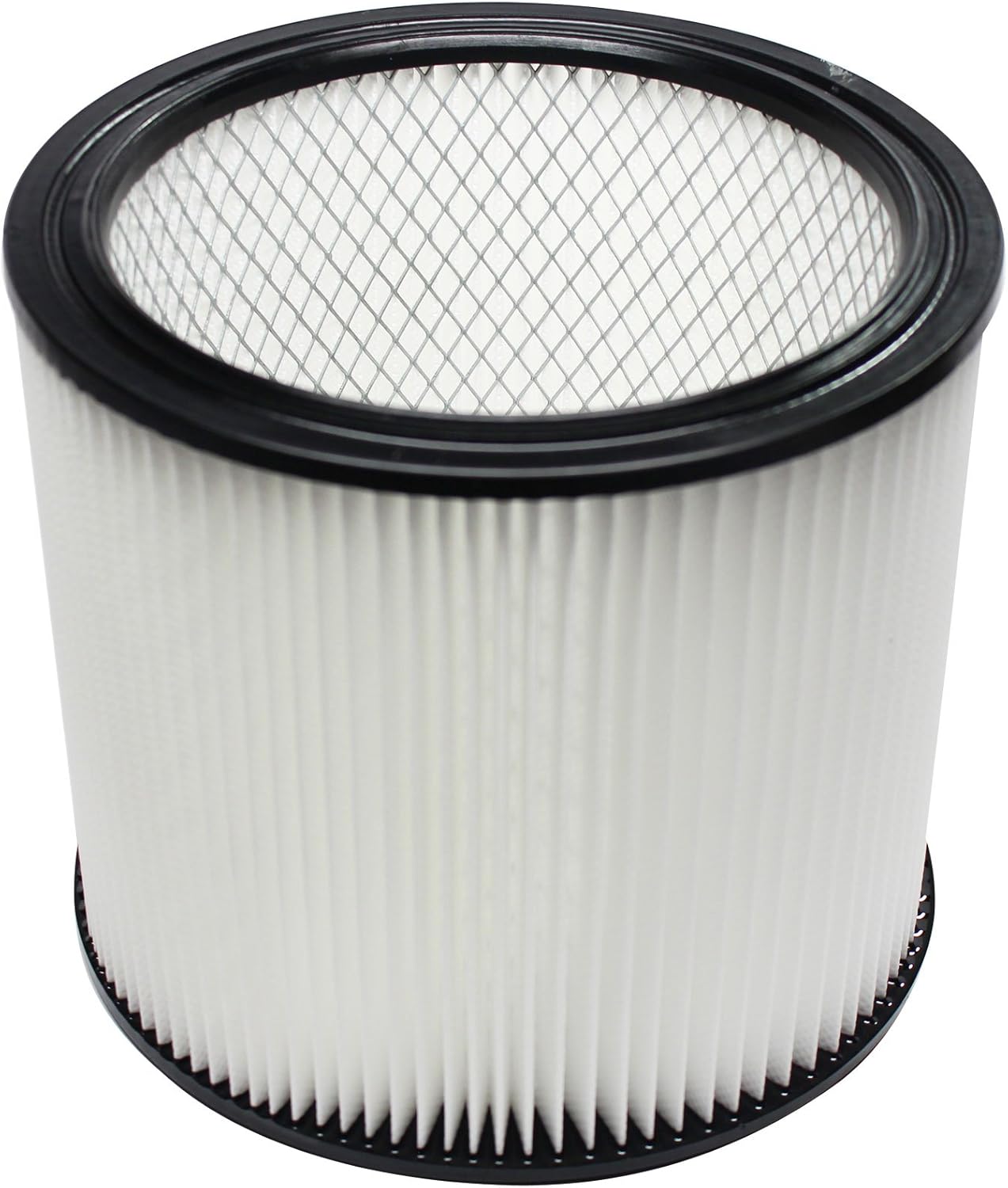
Image: A replacement cartridge filter.
4. Setup and Installation
4.1. Installing the Vacuum Bag
- Disconnect Power: Unplug your Shop-Vac vacuum cleaner from the electrical outlet.
- Open Vacuum: Release the latches and remove the power head from the vacuum tank.
- Remove Old Bag (if present): Carefully remove the old vacuum bag, ensuring dust and debris do not escape. Dispose of it properly.
- Install New Bag: Locate the inlet port inside the vacuum tank. Slide the cardboard collar of the new UpStart Components vacuum bag over the inlet port until it is securely seated. Ensure the bag is fully open and positioned inside the tank.
- Close Vacuum: Replace the power head and secure the latches.

Image: An unfolded vacuum bag, showing the cardboard collar for attachment.
4.2. Installing the Cartridge Filter
The cartridge filter is typically used for dry pickup. For wet pickup, remove the cartridge filter and use a foam sleeve (sold separately) if your model requires it.
- Disconnect Power: Unplug your Shop-Vac vacuum cleaner from the electrical outlet.
- Open Vacuum: Release the latches and remove the power head from the vacuum tank.
- Remove Old Filter (if present): Unscrew or unclip the retaining nut/cover that holds the old filter in place. Carefully remove the old cartridge filter.
- Install New Filter: Place the new UpStart Components cartridge filter over the filter cage on the power head. Ensure the rubber gasket on the filter creates a tight seal against the power head. Secure it with the retaining nut/cover.
- Close Vacuum: Replace the power head and secure the latches.

Image: An angled view of the cartridge filter, highlighting its pleated design and internal structure.
5. Operating Instructions
Once the replacement vacuum bag and/or cartridge filter are correctly installed, your Shop-Vac vacuum cleaner is ready for operation. Refer to your vacuum cleaner's original instruction manual for specific operating procedures.
- Dry Pickup: For dry debris, ensure both the vacuum bag and cartridge filter are installed. The bag collects larger debris, and the filter captures fine dust.
- Wet Pickup: For wet spills, remove the vacuum bag and the cartridge filter. If your vacuum model uses a foam sleeve for wet pickup, install it according to your vacuum's manual.
6. Maintenance
6.1. Vacuum Bag Replacement
Replace the vacuum bag when it is full or when you notice a decrease in suction power. Overfilling the bag can reduce vacuum efficiency and potentially damage the motor.
- Follow the steps in Section 4.1 to safely remove and replace the bag.
6.2. Cartridge Filter Cleaning and Replacement
The cartridge filter can be cleaned periodically to extend its lifespan. However, it should be replaced when it becomes visibly dirty, damaged, or when suction power remains low after cleaning.
- Cleaning: Gently tap the filter against a hard surface to dislodge loose dust. For more thorough cleaning, rinse the filter under running water from a faucet. Allow the filter to air dry completely for at least 24 hours before reinstallation. Do not use heat to dry the filter.
- Replacement: Follow the steps in Section 4.2 to safely remove and replace the filter.

Image: Top view of the cartridge filter, illustrating its circular design for proper sealing.
7. Troubleshooting
| Problem | Possible Cause | Solution |
|---|---|---|
| Reduced Suction Power | Vacuum bag is full. | Replace the vacuum bag (Section 6.1). |
| Reduced Suction Power | Cartridge filter is clogged. | Clean or replace the cartridge filter (Section 6.2). |
| Reduced Suction Power | Bag or filter not properly seated. | Ensure the bag collar is securely on the inlet port and the filter gasket is sealed (Section 4). |
| Dust Escaping Vacuum | Damaged bag or filter. | Inspect and replace any damaged components. |
| Dust Escaping Vacuum | Filter not properly installed. | Reinstall the cartridge filter, ensuring a tight seal (Section 4.2). |
8. Specifications
- Product Type: Replacement Vacuum Bags & Cartridge Filter
- Brand: UpStart Components
- Compatible Vacuum Models: Shop-Vac CH87-650C
- Compatible Bag Replacements: Shop-Vac 90661
- Compatible Filter Replacements: Shop-Vac 90304
- Quantity: 3 Vacuum Bags, 1 Cartridge Filter
9. Warranty Information
This product is an UpStart Components Brand replacement part, not an OEM product. Any warranties for this product are offered solely by UpStart Components. This product is not affiliated with any original manufacturers and is not covered under any warranties offered by them.
For specific warranty details, please contact UpStart Components directly.
10. Customer Support
If you have any questions regarding the installation, maintenance, or performance of your UpStart Components replacement vacuum bags and cartridge filter, please contact our customer support team.
Please refer to the packaging or the UpStart Components website for contact information.