
Introduction
The BENRO Travel Angel FTA18CV0 is a professional carbon fiber tripod kit designed for photographers and videographers. It features a 4-section leg design and comes equipped with a V0 ball head, offering stability and versatility for various shooting conditions. Benro is dedicated to the development and manufacturing of professional photographic equipment, including tripods, heads, camera bags, and optical filters.
Safety Information
Please read and understand all safety instructions before using this product. Failure to follow these instructions may result in injury or damage to your equipment.
- Ensure all locking mechanisms are securely tightened before mounting a camera or other equipment.
- Do not exceed the maximum load capacity of 17.6 lbs (8 kg).
- Always keep a hand on your camera when adjusting the tripod, especially when loosening the ball head or leg locks.
- Avoid using the tripod in extreme weather conditions (e.g., strong winds, heavy rain) without proper precautions.
- Be aware of your surroundings to prevent tripping hazards.
- Do not leave the tripod unattended with heavy equipment mounted, especially on uneven surfaces.
Package Contents
Verify that all items are present in the package:
- BENRO Travel Angel Kit Series 1 Carbon 4 section V0 Head - FTA18CV0 Tripod
- User Manual
Setup
1. Unfolding the Tripod
To unfold the tripod, release the leg angle locks and extend the legs outwards. The legs can be set at multiple angles for stability on various terrains.

Image: The BENRO Travel Angel FTA18CV0 tripod fully extended with its legs spread, ready for use.
2. Extending the Legs
Each leg consists of four sections. To extend a leg section, twist the leg lock counter-clockwise to loosen, pull the section out to the desired length, and then twist clockwise to tighten securely. Repeat for all sections and legs.

Image: The BENRO Travel Angel FTA18CV0 tripod with its center column fully extended, showing the maximum height capability.
3. Attaching the Ball Head and Camera
The V0 ball head is pre-attached. Ensure the quick release plate is securely fastened to your camera's tripod mount. Then, slide the quick release plate with your camera into the ball head's receiver and lock it into place. Verify the camera is stable before releasing your grip.
4. Monopod Conversion
One of the tripod legs can be detached and combined with the center column to form a monopod. Unscrew the designated leg (usually marked) and the center column. Connect them together to create a monopod for situations requiring quick mobility.
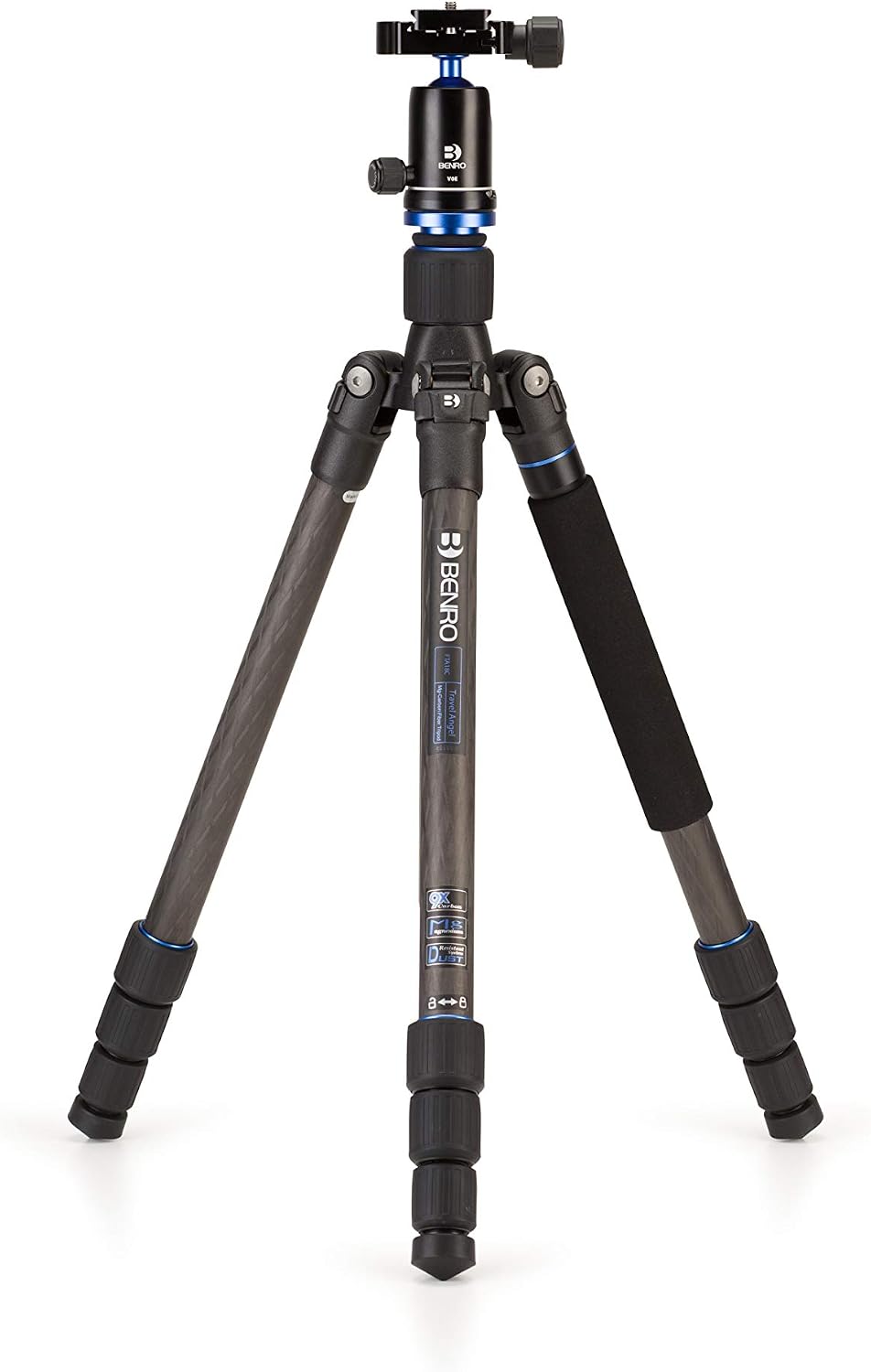
Image: The BENRO Travel Angel FTA18CV0 tripod with one leg detached and ready for monopod conversion, highlighting its versatility.
Operating Instructions
1. Adjusting Leg Angles
Each leg has an angle adjustment lock near the top. Press the lock to change the leg angle. There are typically three preset angles for different stability requirements.
2. Adjusting Center Column Height
To raise or lower the center column, loosen the center column locking knob, adjust to the desired height, and then tighten the knob firmly. For low-angle shots, the center column can be inverted.
3. Using the V0 Ball Head
The V0 ball head allows for smooth and precise camera positioning. Loosen the main locking knob to adjust the camera angle. Once the desired position is achieved, tighten the knob to secure the camera. A separate panoramic lock allows for 360-degree rotation without affecting the ball's tilt.

Image: The BENRO Travel Angel FTA18CV0 tripod in its folded state, prominently displaying the V0 ball head and its controls.
Maintenance
Proper maintenance ensures the longevity and optimal performance of your tripod.
- Cleaning: After use, especially in dusty or sandy environments, wipe down the tripod legs and head with a soft, damp cloth. Avoid using harsh chemicals.
- Lubrication: Periodically check leg locks and moving parts for smooth operation. If necessary, apply a small amount of silicone-based lubricant.
- Storage: Store the tripod in a dry, cool place, preferably in its carrying case, to protect it from dust and moisture.
- Inspection: Regularly inspect all screws, bolts, and locking mechanisms for tightness. Tighten any loose components.
Troubleshooting
1. Tripod Instability
- Issue: Tripod feels wobbly or unstable.
- Solution: Ensure all leg sections are fully extended and their twist locks are securely tightened. Check that the leg angle locks are engaged. On uneven terrain, adjust leg lengths individually to achieve a level base.
2. Ball Head Movement After Locking
- Issue: Camera shifts slightly after the ball head is locked.
- Solution: Ensure the main locking knob on the V0 ball head is tightened sufficiently. Verify that the quick release plate is firmly attached to both the camera and the ball head receiver.
3. Stiff Leg Locks
- Issue: Leg twist locks are difficult to loosen or tighten.
- Solution: Clean any dirt or debris from the threads of the leg locks. A small amount of silicone lubricant can be applied to the threads if stiffness persists.
Specifications
| Brand | Benro |
| Model Number | FTA18CV0 |
| Material | Carbon Fiber |
| Number of Leg Sections | 4 |
| Tripod Head Type | Ball Head (V0) |
| Maximum Height | 60.83 Inches (154.5 cm) |
| Minimum Height | 17.3 Inches (43.9 cm) |
| Folded Size | 17.3 Inches (43.9 cm) |
| Weight | 1.54 Kilograms (3.4 lbs) |
| Maximum Load Capacity | 17.6 Pounds (8 kg) |
| Compatible Devices | Camera |
| Special Feature | Lightweight |
Warranty and Support
Warranty Information
This BENRO product is covered by a manufacturer's warranty. Please refer to the warranty card included with your purchase or visit the official Benro website for detailed warranty terms and conditions.
Customer Support
For technical assistance, spare parts, or service inquiries, please contact Benro customer support through their official website or authorized service centers. Keep your purchase receipt and product model number (FTA18CV0) handy when contacting support.


