
1. Introduction
This manual provides instructions for the assembly, operation, and maintenance of the VTech Flipsies Jazz's Piano and Vanity Table. This 2-in-1 playset allows Jazz to transform from a vanity into a piano, offering interactive play experiences.

Figure 1: VTech Flipsies Jazz's Piano and Vanity Table playset.
2. Important Safety Information
- Age Recommendation: This product is intended for children aged 4 to 9 years.
- Battery Safety: Requires 3 LR44 batteries. Do not mix old and new batteries. Do not mix alkaline, standard (carbon-zinc), or rechargeable (nickel-cadmium) batteries. Remove batteries if the product is not used for an extended period. Dispose of batteries properly.
- Choking Hazard: Contains small parts. Not suitable for children under 3 years. Adult supervision is recommended during play.
- Cleaning: Clean the product with a soft, damp cloth. Do not immerse in water.
3. Package Contents
Ensure all items are present before beginning assembly:
- Jazz Flipsies Doll
- 2-in-1 Vanity and Piano Playset
- 10 Doll Accessories (including wigs, clothes, makeup brush, etc.)
- Instruction Manual (this document)
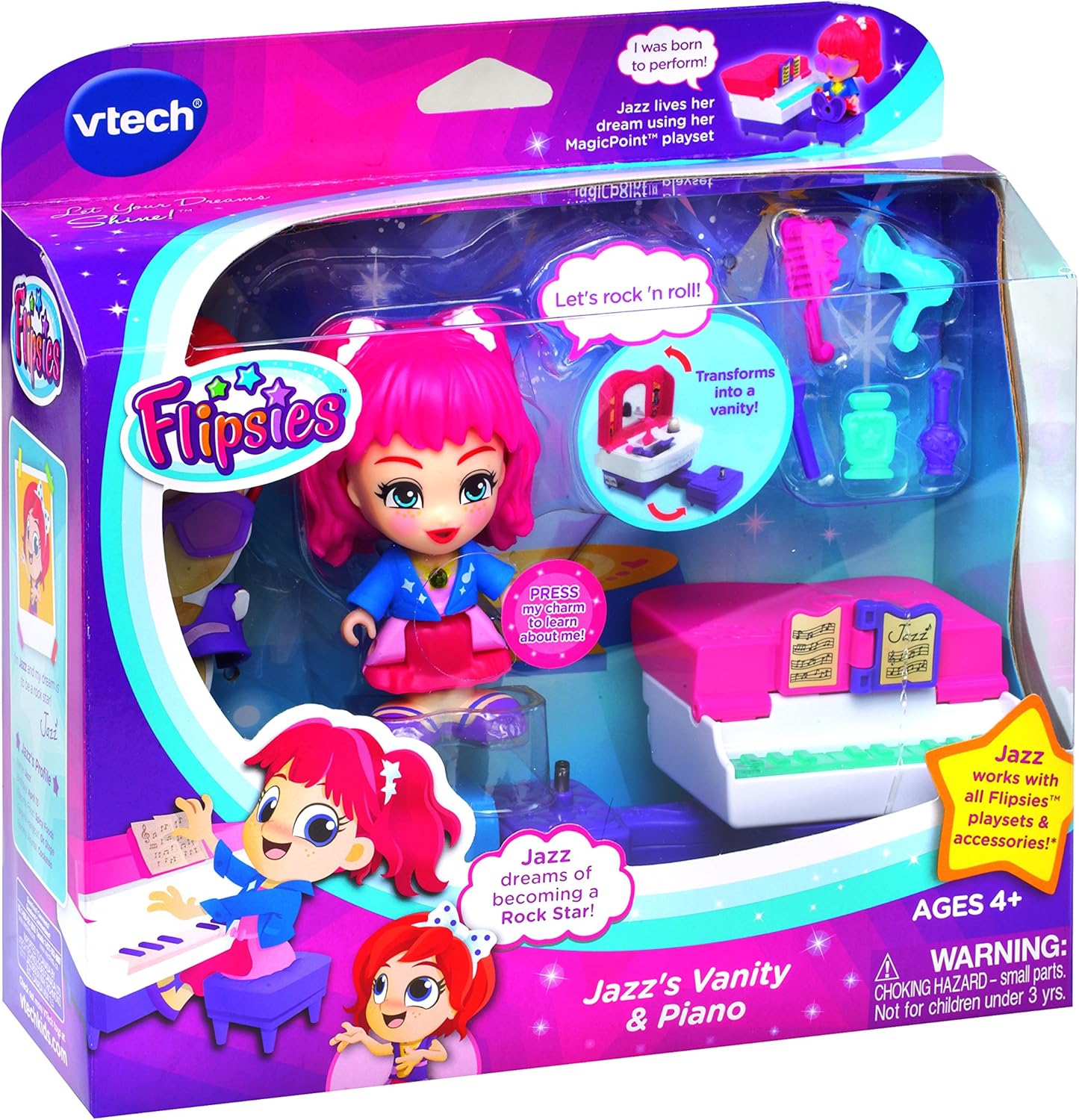
Figure 2: Product packaging showing included items.
4. Setup
4.1 Battery Installation
- Locate the battery compartment on the underside of the playset.
- Using a screwdriver, open the battery compartment cover.
- Insert 3 new LR44 batteries, ensuring correct polarity (+/-).
- Replace the battery compartment cover and secure it with the screw.
- Note: Batteries included are for demonstration purposes only. New batteries are recommended for regular use.
4.2 Playset Assembly
The playset is designed for easy transformation between vanity and piano modes.

Figure 3: Playset transforming from vanity to piano.
- To set up as a Vanity Table: Ensure the mirror is upright and the piano keys are concealed. Place Jazz on the stool.
- To set up as a Piano: Fold down the mirror section to reveal the piano keys. The vanity top will become the piano's music stand. Place Jazz on the stool.
4.3 Attaching Accessories
Jazz comes with various accessories to customize her look and enhance play.
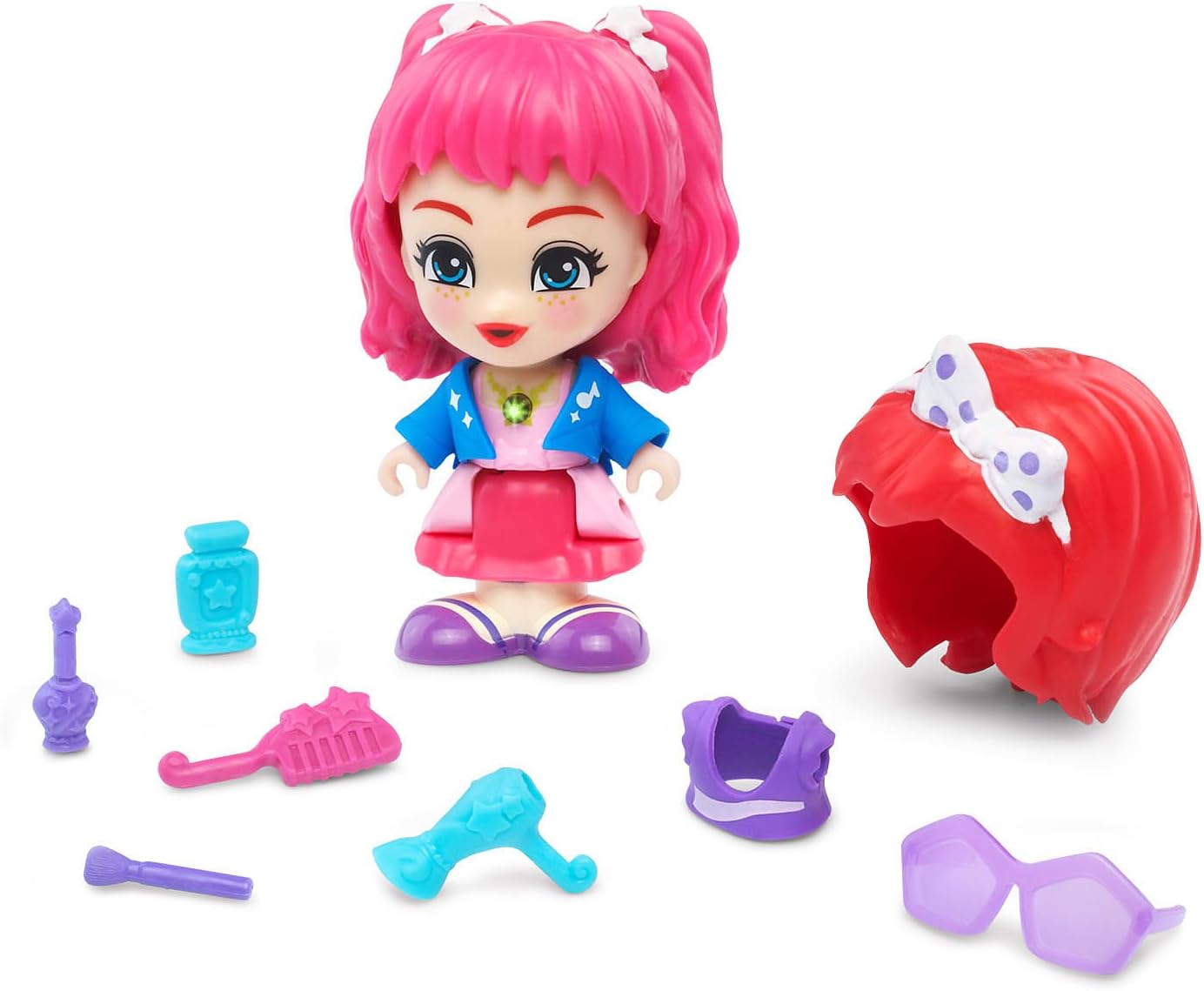
Figure 4: Jazz doll and included accessories.
- Wigs and clothing items can be easily swapped between Flipsies dolls.
- Small accessories like the makeup brush or hairdryer can be held by Jazz or placed on the vanity.
5. Operating Instructions
5.1 Transforming the Playset
The playset easily converts between two modes:
- Vanity Mode: Position the playset with the mirror facing up. This mode is ideal for Jazz to get ready.
- Piano Mode: Fold the mirror section down to reveal the piano keys. This transforms the playset into a piano for musical performances.
5.2 MagicPoint Interaction
Jazz interacts with the playset and other Flipsies playsets through MagicPoint locations.

Figure 5: MagicPoint location on the playset stool.
- Place Jazz on the designated MagicPoint location on the playset (typically the stool).
- Jazz will respond with unique phrases and sounds relevant to her personality and the playset's mode.
- Her necklace charm will light up during interaction.

Figure 6: Jazz in vanity mode, expressing her passion for music.

Figure 7: Jazz in piano mode, ready to perform.
5.3 Interacting with Other Flipsies
Jazz and her accessories are compatible with other Flipsies dolls and playsets (sold separately). This allows for expanded play scenarios and customization.
6. Maintenance
- Cleaning: Wipe the playset and doll with a slightly damp cloth. Do not use harsh chemicals or abrasive cleaners. Ensure the product is completely dry before storage or further use.
- Storage: Store the playset and accessories in a cool, dry place away from direct sunlight.
- Battery Replacement: Replace batteries when sounds become faint or stop functioning. Refer to Section 4.1 for battery installation instructions.
7. Troubleshooting
| Problem | Solution |
|---|---|
| Jazz does not talk or light up. |
|
| Sounds are distorted or faint. |
|
| Playset does not transform smoothly. |
|
8. Specifications
- Model Number: 80-159600
- Product Dimensions: 2.99 x 4.53 x 3.78 inches
- Item Weight: 12.8 ounces
- Recommended Age: 4 - 9 years
- Batteries Required: 3 x LR44 (included for demo)
- Manufacturer: VTech
9. Warranty and Customer Support
For warranty information and customer support, please refer to the official VTech website or contact their customer service department. Keep your purchase receipt as proof of purchase.
VTech Website: www.vtechkids.com