
Product Overview
The VTech Turn and Learn Driver is an interactive toy designed to engage toddlers in imaginative role-play. It features a turning steering wheel, interactive buttons, and a signal lever, mimicking a real driving experience. This toy helps children explore animal sounds, vehicle noises, and melodies across three distinct modes: Animal, Driving, and Music. It also introduces basic road safety concepts with a green horn button and traffic lights, and teaches opposites and directions through gear shifting and signal lever use. Designed for durability, it supports motor skill development and pretend play.
Key Features
- Interactive steering wheel and colorful buttons for exploration of animals, vehicles, and sounds.
- Over 60 songs and phrases for engaging play.
- Three play modes: Animal, Driving, and Music.
- Green horn button with red, yellow, and green lights for road safety introduction.
- Gear shifter to teach concepts of fast/slow and up/down.
- Signal lever for left and right navigation.
- Durable design for everyday use.
- Ages: 6-36 months.
What's in the Box
- 1 x VTech Turn and Learn Driver
- 1 x Quick Start Guide
Setup
- Battery Installation: The VTech Turn and Learn Driver requires 2 AA batteries. Batteries are included for demo purposes only. For regular use, new batteries are recommended. Locate the battery compartment on the underside of the toy, open it with a screwdriver, insert new AA batteries, ensuring correct polarity (+/-), and securely close the compartment.
- Power On: Locate the On/Off switch, usually on the side or bottom of the unit. Slide the switch to the 'On' position.
- Volume Control: Adjust the volume using the dedicated volume switch, typically offering a low and high setting.
Operating Instructions
The VTech Turn and Learn Driver offers multiple interactive elements and play modes to keep toddlers engaged.
Main Controls:
- Steering Wheel: Turn the steering wheel left or right to hear sounds and phrases related to direction.
- Colorful Buttons: Press the various colorful buttons on the dashboard to discover animals, vehicles, and different sounds and phrases.
- Horn Button: Press the green horn button to activate horn sounds and trigger traffic light changes (red, yellow, green), introducing road safety concepts.
- Gear Shifter: Push the gear shifter forward or pull it back to hear fun sounds, phrases, and learn about opposites (e.g., fast/slow).
- Signal Lever: Use the signal lever to indicate turns, enhancing imaginative role-play.
- Side Mirror: Check the movable side mirror as part of pretend driving.
Play Modes:
Slide the mode selector switch to choose between three engaging play modes:
- Animal Mode: Explore various animal sounds and phrases.
- Driving Mode: Focus on vehicle sounds, driving actions, and road safety.
- Music Mode: Enjoy catchy melodies and songs, including popular tunes like "Row, Row, Row Your Boat."
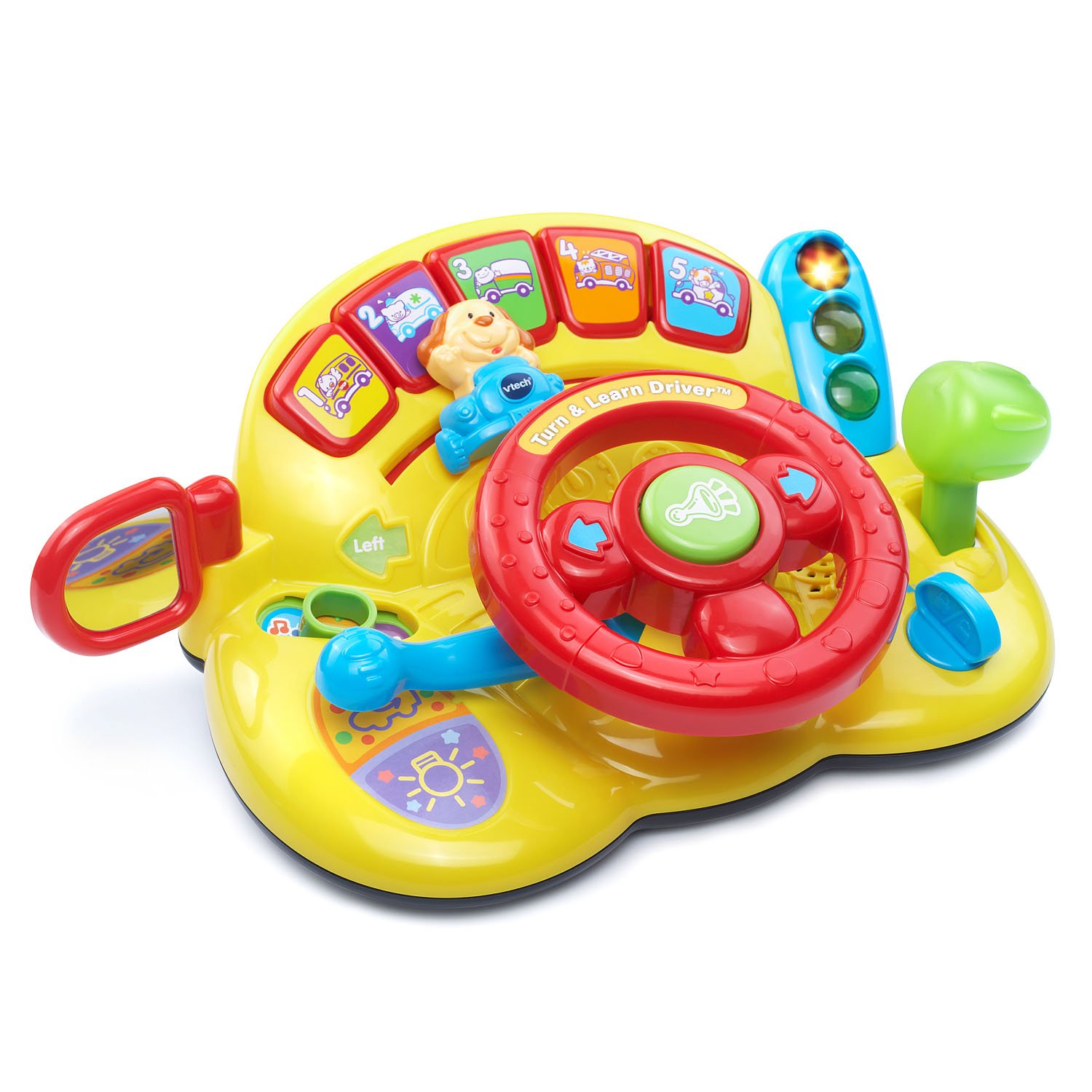
Figure 1: The VTech Turn and Learn Driver toy, showcasing its interactive steering wheel, dashboard buttons, and side mirror.

Figure 2: Front view of the VTech Turn and Learn Driver, highlighting the steering wheel and dashboard with various colorful buttons.

Figure 3: A baby happily interacting with the VTech Turn and Learn Driver, pressing the horn button.
Maintenance
To ensure the longevity and cleanliness of your VTech Turn and Learn Driver, follow these simple maintenance guidelines:
- Cleaning: Wipe the toy with a slightly damp cloth. Do not immerse the toy in water. Avoid using harsh chemicals or abrasive cleaners.
- Storage: Store the toy in a cool, dry place away from direct sunlight when not in use.
- Battery Care: Remove batteries if the toy will not be used for an extended period to prevent leakage.
Troubleshooting
If you encounter any issues with your VTech Turn and Learn Driver, please try the following steps:
- No Power/Intermittent Sound: Ensure batteries are correctly installed and are not depleted. Replace with new AA batteries if necessary.
- Volume Issues: Check the volume switch to ensure it is set to the desired level (low or high).
- Unresponsive Buttons: Try turning the unit off and then on again to reset it.
If problems persist, please refer to the warranty and support information.
Specifications
| Feature | Detail |
|---|---|
| Product Dimensions | 8.86 x 10.79 x 4.33 inches |
| Item Weight | 1.36 pounds |
| Item Model Number | 80-166600 |
| Manufacturer Recommended Age | 6 months - 3 years |
| Batteries | 2 AA batteries required (included for demo purposes) |
| Manufacturer | VTech |
Warranty and Support
For warranty information or technical support regarding your VTech Turn and Learn Driver, please refer to the documentation included with your purchase or visit the official VTech website. Keep your proof of purchase for any warranty claims.
