
Introduction
This manual provides essential information for the safe and effective installation, operation, and maintenance of the GE Appliances WB27T11311 Range Oven Control Board. This genuine GE replacement part is designed to monitor temperature and control oven heat in compatible ranges.
Please read all instructions carefully before proceeding with installation or any service to ensure proper function and safety.
Safety Information
- WARNING: Before servicing the unit, always unplug the range or shut off the house circuit breaker for the range. Failure to do so can result in electrical shock, injury, or death.
- CAUTION: Wear work gloves to protect your hands during installation and handling of parts.
- This control board should only be installed by a qualified technician or individuals with appropriate electrical and appliance repair experience.
- Ensure all connections are secure and correctly made before restoring power.
Product Overview
The GE Appliances WB27T11311 Range Oven Control Board is a critical component responsible for managing the heating functions of your oven. It processes user input, monitors internal temperatures, and regulates the heating elements to maintain desired cooking temperatures.
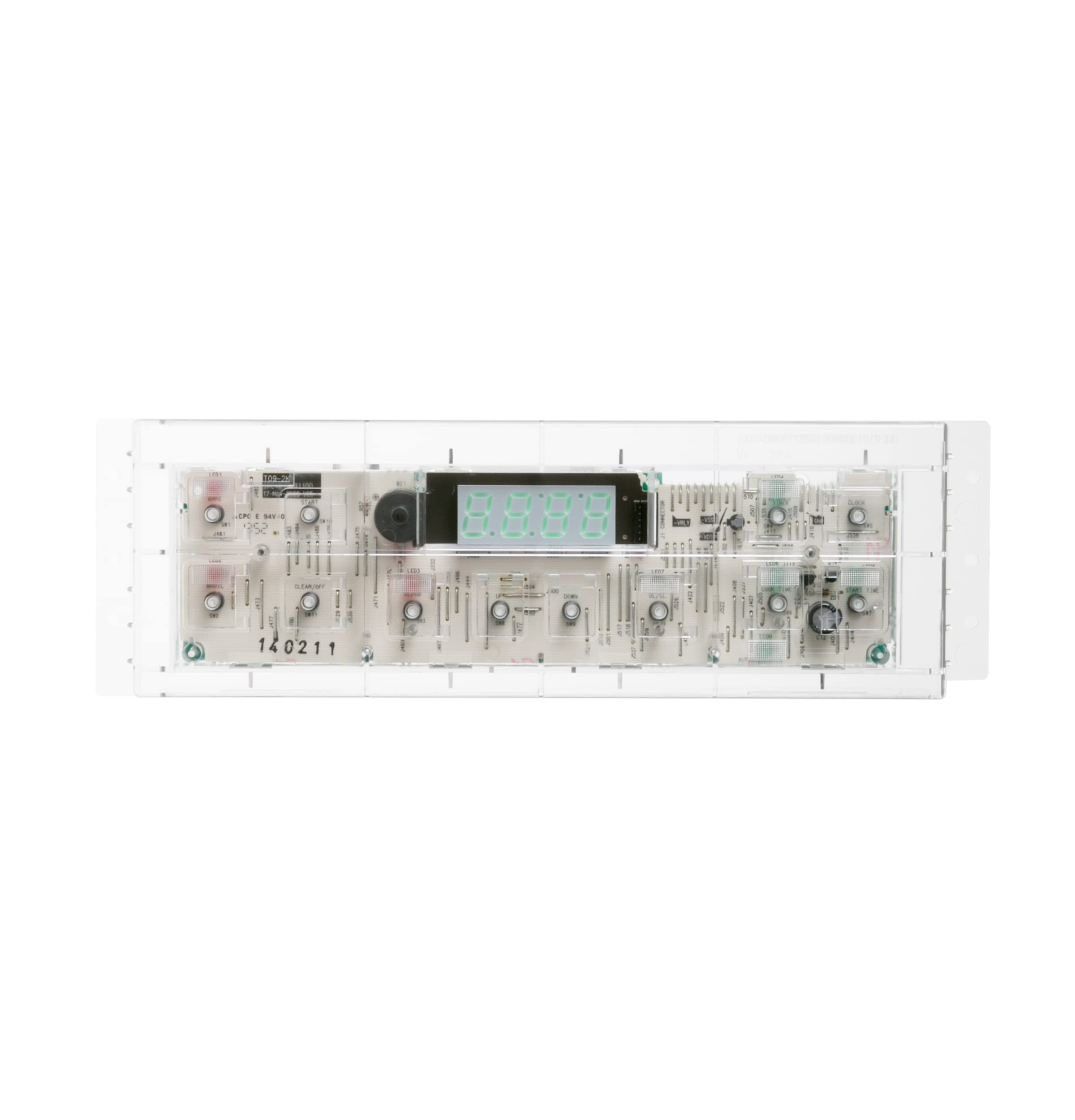
Image: The GE Appliances WB27T11311 Range Oven Control Board. This image displays the electronic circuit board with various components, including relays, capacitors, and connectors, encased in a clear plastic housing. The board features distinct connection points and integrated circuits essential for oven control.
Installation Instructions
- Disconnect Power: Before beginning, ensure the range is completely disconnected from its power source. Unplug the appliance or turn off the corresponding circuit breaker at your home's electrical panel.
- Access the Control Board: Depending on your range model, you may need to remove the back panel or the control panel assembly to access the existing oven control board. Refer to your specific range's service manual for detailed access instructions.
- Document Connections: Before disconnecting any wires, take clear photographs or make a diagram of all wire connections to the old control board. This will aid in correctly connecting the new board.
- Disconnect Wires: Carefully disconnect all wires from the old control board. Note any specific color codes or labels.
- Remove Old Board: Unscrew or unclip the old control board from its mounting.
- Install New Board: Position the new GE Appliances WB27T11311 control board in the same location and secure it with the original screws or clips.
- Reconnect Wires: Using your photographs or diagram, carefully reconnect all wires to the new control board. Ensure each connection is firm and correctly seated.
- Reassemble: Reattach any panels or assemblies that were removed to access the board.
- Restore Power: Once reassembly is complete, restore power to the range by plugging it back in or turning on the circuit breaker.
- Test Functionality: Test the oven's functions to ensure the new control board is operating correctly.
Note: Some installations may require replacing the overlay (decal) on the control panel, as the old one might not transfer cleanly. The General Electric WB27T11005 Range/Stove/Oven Overlay is often recommended for this purpose.
Operating Principles
The WB27T11311 oven control board serves as the central processing unit for your range's oven functions. It continuously monitors the oven's internal temperature through a sensor and compares it to the temperature set by the user. Based on this comparison, the board activates or deactivates the heating elements (bake and broil) to maintain the desired temperature. It also manages other functions such as the oven light, timer, and various cooking modes.
Maintenance
The GE Appliances WB27T11311 Range Oven Control Board is a sealed electronic component and generally requires no routine maintenance. To ensure its longevity and proper function:
- Keep the area around the control board clean and free from dust or debris.
- Avoid exposing the control board to excessive moisture or extreme temperatures.
- If the oven light burns out, ensure power is disconnected before replacing the bulb to prevent potential damage to the control board.
Troubleshooting
If your oven is not functioning correctly after installing the WB27T11311 control board, or if you experience new issues, consider the following common troubleshooting steps:
- No Power to Oven: Check if the range is properly plugged in and the circuit breaker is on. Ensure all wire connections to the control board are secure.
- Incorrect Temperature/Uneven Cooking: Verify that the oven temperature sensor (thermistat) is correctly connected and functioning. Sometimes, replacing the temperature sensor along with the control board can resolve persistent temperature issues.
- Error Codes (e.g., F2, F7): Specific error codes indicate different issues. An F2 error often relates to an oven temperature sensor problem, while an F7 error can indicate a stuck key on the control panel or a control board malfunction. If an error code persists, consult your range's service manual for specific diagnostic steps related to that code.
- Buttons Not Responding: Ensure the control panel overlay is correctly aligned and not interfering with button presses. If the issue persists, the overlay itself or the control board's input circuitry might be at fault.
For complex issues or if you are unsure about any troubleshooting step, it is recommended to contact a qualified appliance repair technician.
Specifications
| Feature | Detail |
|---|---|
| Brand Name | GE |
| Model Number | WB27T11311 |
| Item Weight | 1.15 pounds |
| Product Dimensions | 6 x 15 x 6 inches |
| Part Number | WB27T11311 |
| Batteries Required? | No |
| Date First Available | October 1, 2013 |
Warranty Information
This GE Appliances WB27T11311 Range Oven Control Board is a genuine GE replacement part and comes with a limited one-year warranty. For specific details regarding warranty coverage, terms, and conditions, please refer to the documentation provided with your purchase or contact GE Appliances customer support.
Support and Service
For further assistance, technical support, or to locate authorized service providers, please visit the official GE Appliances website or contact their customer service department.
GE Appliances Official Store: Visit the GE Store on Amazon
When contacting support, please have your appliance model number and the control board part number (WB27T11311) readily available.
