
1. Introduction
Thank you for purchasing the JVC CS-J6820 6x8 inch 2-Way Coaxial Car Speakers. These speakers are designed to provide enhanced audio performance in your vehicle. This manual provides essential information for proper installation, operation, and maintenance to ensure optimal sound quality and product longevity. Please read this manual thoroughly before installation and retain it for future reference.
2. Important Safety Information
Always observe the following safety precautions during installation and operation:
- Professional Installation Recommended: If you are unsure about the installation process, it is highly recommended to seek assistance from a qualified professional car audio installer.
- Disconnect Battery: Before starting any electrical work, disconnect the vehicle's negative battery terminal to prevent short circuits and electrical damage.
- Wiring: Ensure all wiring is correctly connected according to the diagrams. Incorrect wiring can cause damage to the speakers, amplifier, or vehicle's electrical system.
- Mounting: Securely mount the speakers to prevent them from becoming loose during vehicle operation, which could cause injury or damage.
- Avoid Water and Moisture: These speakers are not waterproof. Avoid exposing them to water or excessive moisture.
- Volume Levels: Prolonged exposure to high volume levels can cause hearing damage. Always listen at moderate levels.
3. Package Contents
Verify that all items are present in the package:
- 2 x JVC CS-J6820 Speakers
- Mounting Screws
- Speaker Wires
- Instruction Manual (this document)

Image: Contents of the JVC CS-J6820 speaker package, including two speakers, the retail box, mounting hardware, and speaker wires.
4. Key Features
The JVC CS-J6820 speakers incorporate several design elements for improved audio performance:
- Mica Cone: Features a lightweight woofer cone designed for responsive movement and clear sound reproduction.
- Hybrid Surround: Utilizes materials and shapes optimized for flexible movement, contributing to accurate bass response.
- Quality Construction: Built with materials selected for high-quality sound output and a radiation shape ornament that aids in sound dispersion.
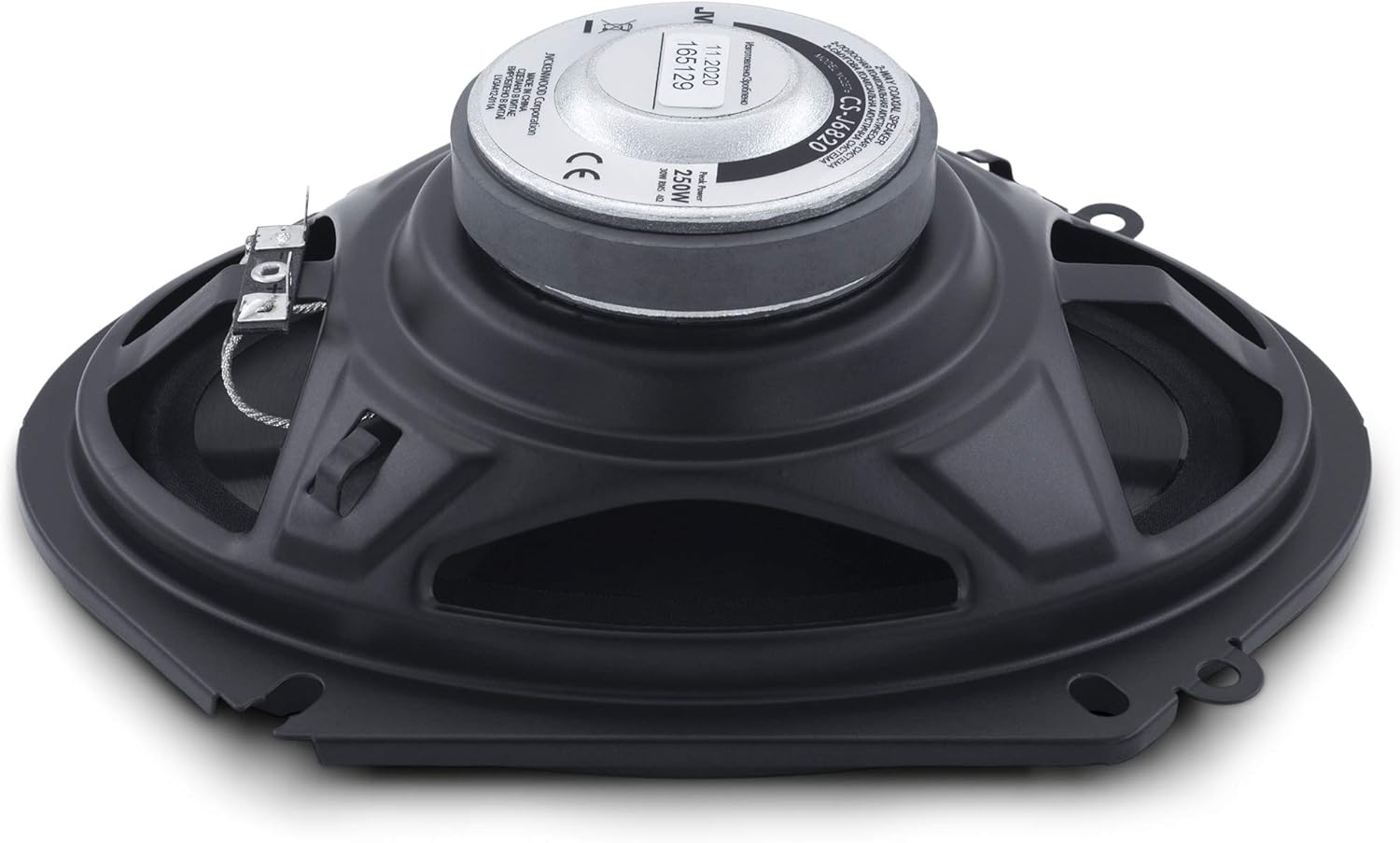
Image: Top view of the JVC CS-J6820 speaker, highlighting the mica cone and the central tweeter assembly.

Image: Close-up view of the JVC CS-J6820 speaker's tweeter, located at the center of the woofer cone.
5. Setup and Installation
Proper installation is crucial for optimal performance. If you are not experienced with car audio installation, consider professional assistance.
5.1 Pre-Installation Steps
- Read the Manual: Familiarize yourself with all instructions before beginning.
- Gather Tools: You will need basic tools such as screwdrivers, wire strippers, crimpers, and possibly a drill.
- Disconnect Battery: Disconnect the negative terminal of your vehicle's battery.
- Check Fitment: Confirm that the 6x8 inch speakers fit your vehicle's speaker locations.
5.2 Mounting the Speakers
- Remove Old Speakers: Carefully remove the existing speakers from their mounting locations.
- Position New Speakers: Place the JVC CS-J6820 speakers into the openings. Ensure they sit flush and are oriented correctly.
- Secure Speakers: Use the provided mounting screws to firmly attach the speakers to the vehicle's speaker baffles or mounting points. Do not overtighten.

Image: Rear view of the JVC CS-J6820 speaker, illustrating the mounting frame and electrical terminals for connection.
5.3 Wiring Connections
Connect the speaker wires to your vehicle's audio system. Pay close attention to polarity (positive to positive, negative to negative) to ensure proper sound reproduction.
- Identify Terminals: The speakers have clearly marked positive (+) and negative (-) terminals.
- Connect Wires: Connect the positive wire from your head unit or amplifier to the speaker's positive terminal, and the negative wire to the negative terminal.
- Secure Connections: Ensure all connections are tight and insulated to prevent short circuits.
5.4 Post-Installation
- Reconnect Battery: Reconnect the negative terminal of your vehicle's battery.
- Test System: Turn on your car's audio system and test the speakers at a low volume. Gradually increase the volume to ensure proper operation and sound quality.
6. Operating Instructions
Once installed, the JVC CS-J6820 speakers operate as part of your car's audio system. They are passive components and do not require separate power or controls.
- Audio Source: Play audio through your car's head unit (radio, CD player, media player).
- Volume Control: Adjust the volume using your head unit's controls. Avoid excessively high volumes to prevent speaker damage and hearing loss.
- Tone Adjustments: Use your head unit's equalizer or tone controls (bass, treble) to fine-tune the sound to your preference. Start with flat settings and make small adjustments.
7. Maintenance
The JVC CS-J6820 speakers require minimal maintenance to ensure long-lasting performance.
- Cleaning: Periodically wipe the speaker grilles and surrounds with a soft, dry cloth to remove dust and debris. Do not use harsh chemicals or abrasive cleaners.
- Inspection: Occasionally inspect the speaker cones and surrounds for any signs of damage or wear. Ensure all mounting screws remain tight.
- Avoid Overpowering: Do not continuously play audio at distortion levels, as this can damage the speaker components.
8. Troubleshooting
If you experience issues with your speakers, refer to the following common problems and solutions:
| Problem | Possible Cause | Solution |
|---|---|---|
| No sound from speakers |
|
|
| Distorted or poor sound quality |
|
|
| One speaker not working |
|
|
9. Specifications
Technical specifications for the JVC CS-J6820 6x8 Inch 2-Way Coaxial Car Speakers:
| Feature | Detail |
|---|---|
| Model Number | CS-J6820 (FBA_CSJ6820) |
| Speaker Type | 2-Way Coaxial |
| Speaker Size | 6 x 8 Inches |
| Woofer Diameter | 15 Centimeters |
| Peak Power Output | 250 Watts |
| Frequency Response | Up to 22,000 Hz |
| Mounting Type | Car Mount |
| Connectivity Technology | Wired |
| Item Weight | 2.8 pounds (1270 Grams) |
| Included Components | 2 x Speaker |
| UPC | 046838069154 |
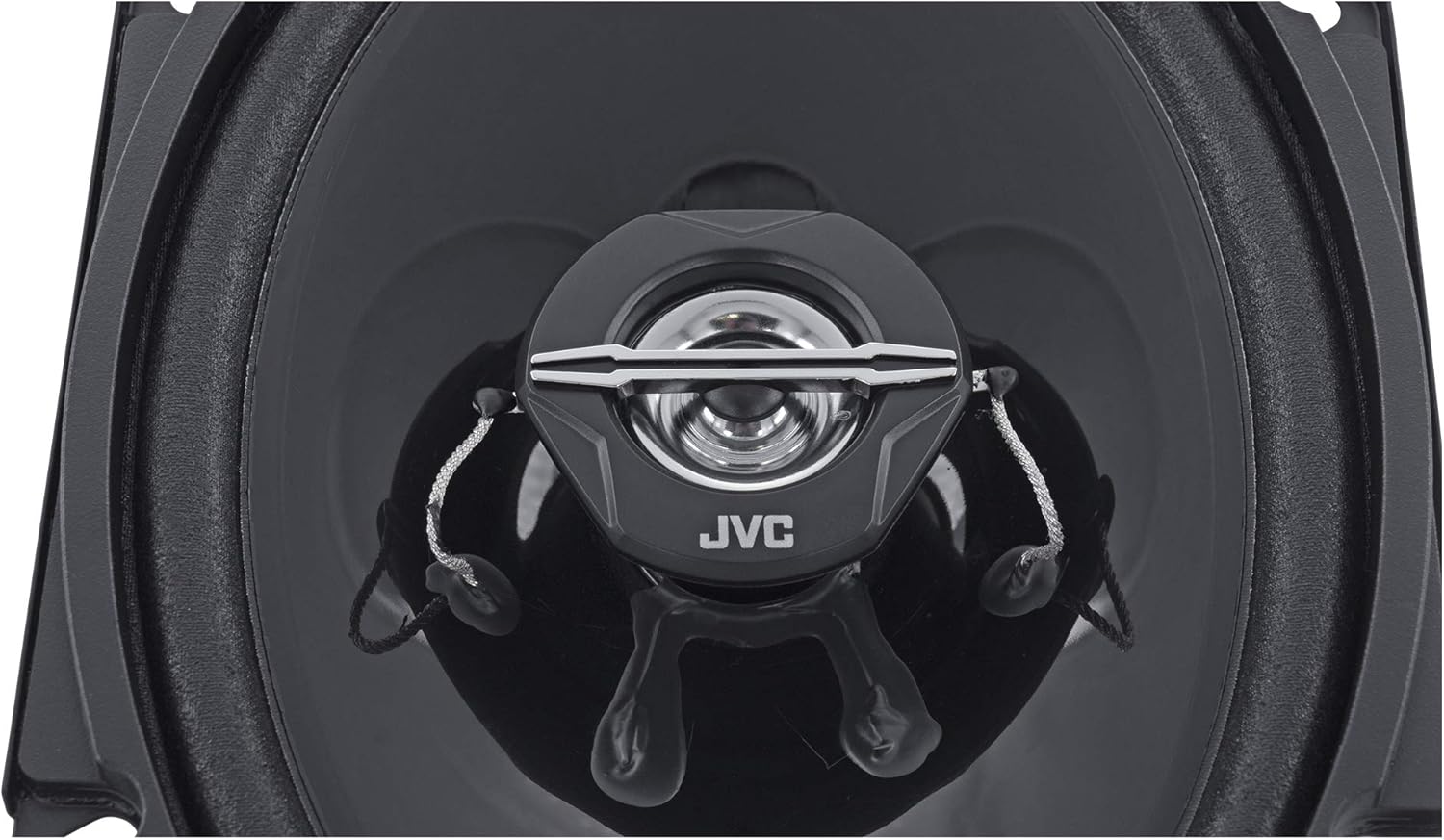
Image: Side profile of the JVC CS-J6820 speaker, illustrating its mounting depth and overall dimensions.
10. Warranty and Support
For warranty information and customer support, please refer to the warranty card included with your product or visit the official JVC website. Keep your purchase receipt as proof of purchase for any warranty claims.
JVC Official Website: www.jvc.com


