
1. Introduction
The MUTOH ET203 Scriber is a professional electronic writing and symbol drawing machine designed for architects and designers. This device facilitates the precise labeling of drawings and is suitable for integration with a drafting machine or for hands-free operation. This manual provides essential information for the proper setup, operation, and maintenance of your ET203 Scriber.
2. Product Overview
2.1 Included Components
The MUTOH ET203 Scriber package typically includes the following items:
- MUTOH ET203 Scriber Unit
- Power Supply (AC Adapter)
- Instruction Manual
- Necessary Accessories (e.g., cables, writing tools)

Figure 1: MUTOH ET203 Scriber with power supply and manual in its packaging.
2.2 Device Layout and Controls
Familiarize yourself with the main components and controls of the ET203 Scriber for efficient operation.

Figure 2: Close-up of the ET203 Scriber's keyboard and display panel. This shows the alphanumeric keys, function keys (Stop, Set TAB, Set Block, Mode, Shift, T&F, SUB), navigation keys (Back Space, Insert, Delete, Monitor Memory, Clear, Command, Enter), and numeric keys.
The device features a clear display for text and symbols, an alphanumeric keyboard for input, and dedicated function keys for various operations such as setting tabs, blocks, and modes. The power input and other connections are typically located on the rear or side of the unit.
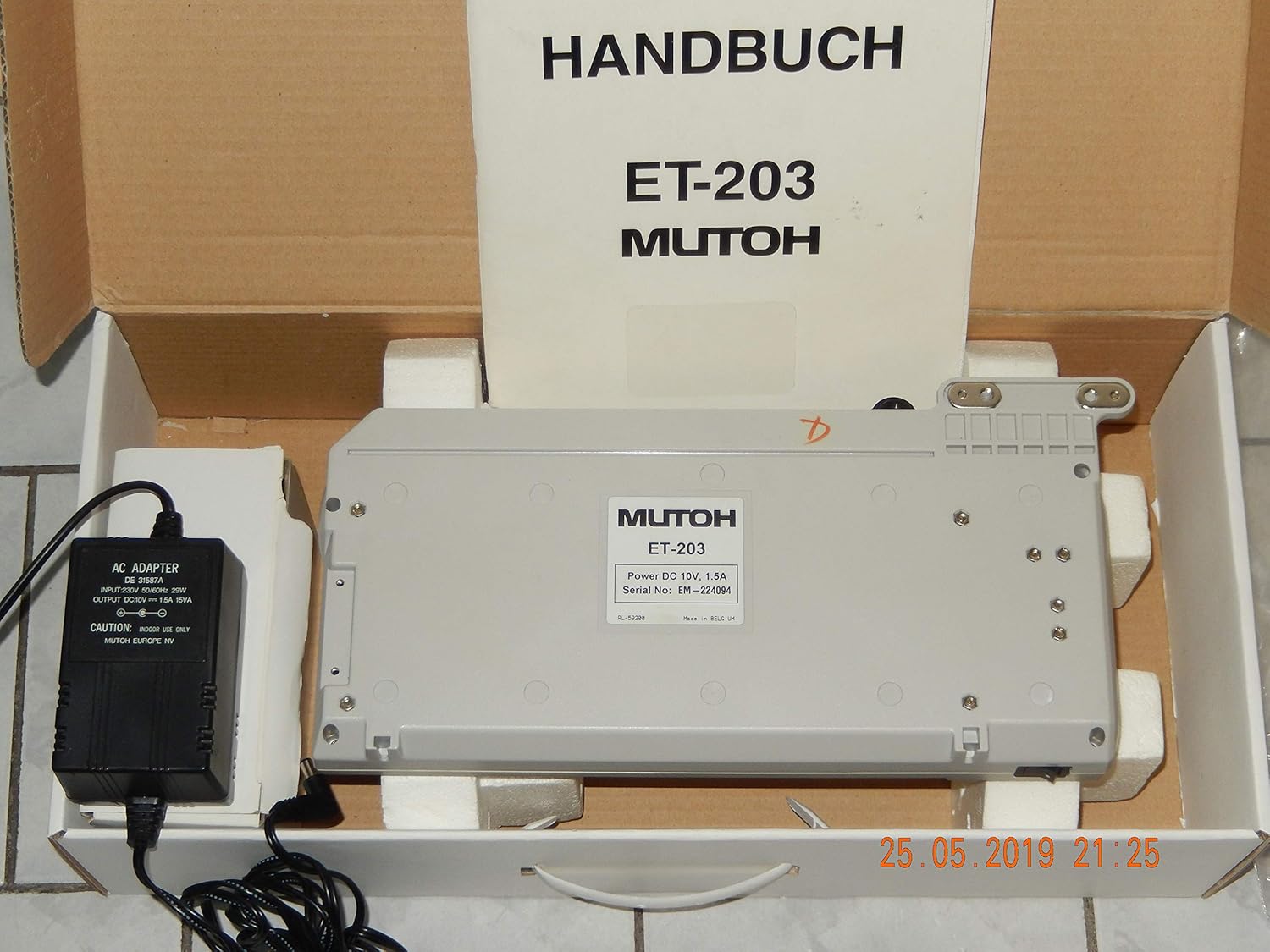
Figure 3: Bottom view of the MUTOH ET203 Scriber, revealing product labels and potential mounting points or connections.
3. Setup
- Unpacking: Carefully remove the Scriber unit, power supply, and accessories from the packaging. Retain the original packaging for future transport or storage.
- Placement: Place the Scriber on a stable, flat surface. Ensure adequate space for operation and ventilation. If integrating with a drafting machine, follow the specific instructions for mounting.
- Power Connection: Connect the provided AC adapter to the power input port on the Scriber. Plug the AC adapter into a suitable electrical outlet.
- Initial Power On: Press the power button (if available) or ensure the device powers on automatically upon connection. The display should illuminate.
- Tool Installation: Install the appropriate writing or drawing tool into the Scriber's tool holder according to the specific tool's instructions.
4. Operation
The MUTOH ET203 Scriber is designed for creating precise text and symbols on various drawing media. Below are general guidelines for its operation.
4.1 Basic Text Input
- Power On: Ensure the Scriber is powered on and the display is active.
- Select Mode: Use the 'Mode' key to select the desired operating mode (e.g., text input, symbol drawing).
- Enter Text: Use the alphanumeric keyboard to type the desired text. The input will appear on the display.
- Adjust Settings: Use function keys like 'Set TAB' or 'Set Block' to define text layout, spacing, or specific drawing areas.
- Execute Command: Once the text or symbol is prepared on the display, use the 'Command' or 'Enter' key to initiate the drawing process. The Scriber will then move the tool to reproduce the input on your drawing surface.
4.2 Symbol Drawing
The ET203 supports drawing various symbols. Refer to the detailed manual for specific symbol libraries and input methods. Generally, symbols can be accessed via dedicated keys or by entering specific codes after selecting a symbol mode.
4.3 Using with a Drafting Machine
For integrated use, ensure the Scriber is securely mounted to your drafting machine. The Scriber's movement will then be synchronized with the drafting machine's axes, allowing for precise placement of text and symbols relative to your drawing coordinates.
5. Maintenance
Regular maintenance ensures the longevity and optimal performance of your MUTOH ET203 Scriber.
- Cleaning: Regularly wipe the exterior of the Scriber with a soft, dry cloth. For stubborn dirt, a slightly damp cloth can be used, ensuring no liquid enters the device.
- Tool Care: Keep writing and drawing tools clean and in good condition. Replace worn-out tools as necessary to maintain drawing quality.
- Storage: When not in use for extended periods, store the Scriber in a clean, dry environment, preferably in its original packaging, away from direct sunlight and extreme temperatures.
- Power Supply: Inspect the power supply cable and adapter for any signs of damage. Do not use if damaged.
6. Troubleshooting
This section addresses common issues you might encounter with your ET203 Scriber.
6.1 Device Does Not Power On
- Check Power Connection: Ensure the AC adapter is securely plugged into both the Scriber and a working electrical outlet.
- Verify Outlet: Test the electrical outlet with another device to confirm it is functional.
- Inspect Adapter: Check the power adapter and cable for any visible damage. If damaged, discontinue use and replace.
6.2 Text/Symbols Not Drawing Correctly
- Tool Installation: Ensure the writing or drawing tool is correctly installed and secured in the tool holder.
- Tool Condition: Check if the tool is worn out, clogged, or damaged. Replace if necessary.
- Surface Contact: Verify that the tool makes proper contact with the drawing surface. Adjust tool height or pressure if possible.
- Input Error: Review the entered text or symbol commands on the display for any errors before executing.
6.3 Display Issues
- Contrast/Brightness: Check if there are controls for display contrast or brightness and adjust them.
- Restart: Power off the device, wait a few seconds, and power it back on.
If problems persist after attempting these troubleshooting steps, please contact customer support.
7. Specifications
| Feature | Specification |
|---|---|
| Manufacturer | Mutoh |
| Model Number | ET203 |
| Color | Gray |
| Writing Instrument Form | Scriber |
| Handle Type | Grip zone |
| Line Size | 0.3mm and above |
| Ink Color | Gray (for compatible tools) |
| Ink Base | Water (for compatible tools) |
| Special Features | Refillable (for compatible tools) |
8. Warranty and Support
8.1 Warranty Information
This item is subject to a 14-day right of withdrawal from the date of purchase. Beyond this period, warranty claims are regulated according to general terms and conditions and applicable civil law (e.g., BGB in Germany).
Important Note:
For safety reasons, a warranty seal may be applied before delivery. Removal or breakage of this warranty seal will void all BGB requirements and warranty claims.
8.2 Customer Support
For technical assistance, service, or inquiries regarding your MUTOH ET203 Scriber, please refer to the contact information provided by your retailer or the official Mutoh website.


