
1. Introduction
Thank you for choosing the Dr.meter IC-HS02 Digital Luggage Scale. This device is designed to provide accurate weight measurements for luggage and other items, helping you avoid overweight baggage fees. It features a clear backlit LCD, unit conversion, tare function, and a temperature sensor. Please read this manual thoroughly before use to ensure proper operation and longevity of your scale.

2. Product Overview
Components
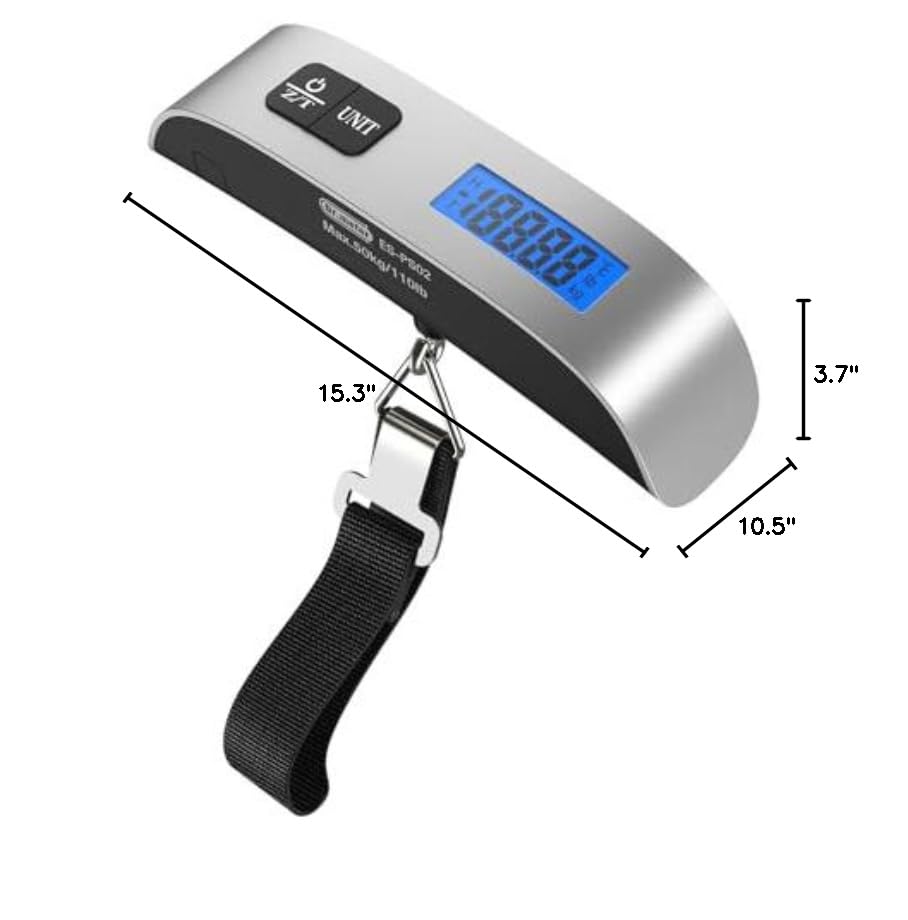
- Handle: Ergonomically designed for a comfortable grip.
- LCD Display: Backlit screen for clear weight and temperature readings.
- Z/T Button: Used for power on/off and tare function.
- UNIT Button: Used for unit conversion (kg/lb, °C/°F).
- Weighing Strap with Hook: Durable strap and metal hook for securing items.
- Battery Compartment: Located on the back for CR2032 battery.

3. Setup
Battery Installation
The Dr.meter IC-HS02 scale requires one CR2032 lithium button battery. Ensure the battery is installed correctly for the device to function.
- Use a small screwdriver to unscrew the battery compartment cover counter-clockwise.
- Pull the battery cover according to the lines on the cover and remove any old battery.
- Insert a new 3V CR2032 button lithium battery with the "+" positive side facing up.
- Press the battery cover back into the compartment and screw it in clockwise to secure.

4. Operating Instructions
Power On/Off
- Power On: Press the Z/T button once to turn on the scale. The display will show "8888" and then "0.00" or "0.0".
- Auto Off: The scale will automatically shut down after 60 seconds of inactivity to conserve battery.
- Manual Off: Press and hold the Z/T button for 2 seconds to manually turn off the scale.
Unit Conversion
With the scale powered on, press the UNIT button to cycle through the available measurement units:
- Weight: Kilograms (kg) → Pounds (lb)
- Temperature: Celsius (°C) → Fahrenheit (°F)
Weighing Procedure
- Turn on the scale by pressing the Z/T button.
- Ensure the desired unit (kg or lb) is selected using the UNIT button.
- Pass the braided belt through the handle of your luggage or item and fix the hook onto the triangular ring of the strap.
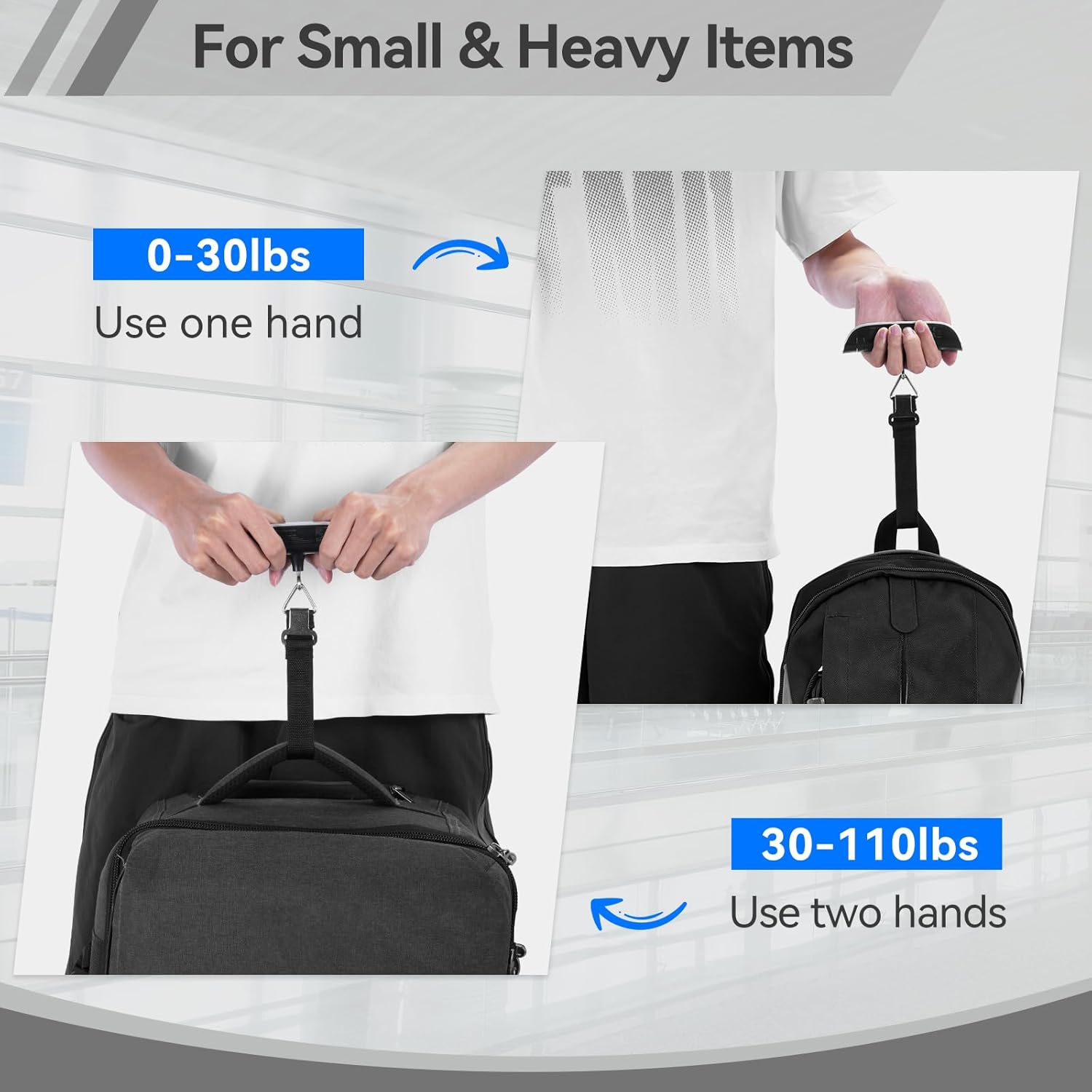
- Lift the scale by its handle, holding it steady and balanced. For items up to 30 lbs, one hand is sufficient. For items between 30-110 lbs, use both hands for stability.
- Wait for the display to stabilize. The reading will lock, indicated by an "H" symbol, and then you can read the weight.

Tare Function
The tare function allows you to subtract the weight of a container, so you only measure the contents.
- Turn on the scale and attach the empty container (e.g., a basket) to the strap.
- Lift the scale and wait for the weight of the container to display and stabilize.
- Press the Z/T button. The display will reset to "0.00" (or "0.0"), and a "T" symbol will appear, indicating tare mode.
- Add the items you wish to weigh into the container. The display will show the net weight of the items.
Temperature Measurement
The scale also includes a temperature sensor. After turning on the scale, press the UNIT button repeatedly until the temperature is displayed in either Celsius (°C) or Fahrenheit (°F).
5. Warnings and Indicators
- "Lo" Indicator: This symbol appears on the display when the battery power is low. Replace the CR2032 battery promptly to ensure continued operation.
- "Err" Indicator: This symbol indicates that the measured weight exceeds the maximum capacity of the scale (110 lbs / 50 kg). Remove some weight to avoid damage to the scale.

6. Maintenance
- Cleaning: Wipe the scale with a soft, damp cloth. Do not use abrasive cleaners or immerse the scale in water.
- Storage: Store the scale in a cool, dry place. If not in use for an extended period, consider removing the battery to prevent leakage.
- Handling: Avoid dropping the scale or subjecting it to strong impacts, as this may affect its accuracy.
7. Troubleshooting
| Problem | Possible Cause | Solution |
|---|---|---|
| Scale does not turn on | Dead or incorrectly installed battery | Replace the CR2032 battery, ensuring correct polarity. |
| Inaccurate readings | Unstable surface, item not centered, or exceeding capacity | Ensure the scale is held steady. Re-center the item. Do not exceed 110 lbs / 50 kg. |
| "Err" displayed | Overload | Reduce the weight of the item being weighed. |
| "Lo" displayed | Low battery | Replace the CR2032 battery. |
8. Specifications
| Feature | Detail |
|---|---|
| Model Number | IC-HS02 |
| Brand | Dr.meter |
| Weight Limit | 50 Kilograms / 110 Pounds |
| Display Type | LCD with Backlight |
| Power Source | 1 x CR2032 Lithium Metal Battery (required) |
| Form Factor | Handheld |
| Features | Tare Function, Unit Conversion (kg/lb, °C/°F), Data Hold, Auto-Off, Low Battery Indicator, Overload Indicator |

9. Warranty and Support
Dr.meter products are manufactured to high-quality standards. This product is covered by a standard manufacturer's warranty against defects in materials and workmanship from the date of purchase. Please retain your proof of purchase for warranty claims.
For technical support, warranty service, or general inquiries, please contact Dr.meter customer service through the retailer's platform or visit the official Dr.meter website for contact information.
Website: www.drmeter.com (Example link, please verify official website)