
1. Introduction
The DEWALT N157123 Brush Holder/Brush Assembly is an Original Equipment Manufacturer (OEM) authorized replacement part designed for various BLACK AND DECKER power tool models. This assembly is crucial for the proper functioning of your tool's motor, facilitating the transfer of electrical current to the commutator.
This manual provides essential information regarding the safe handling, installation, and maintenance of this replacement part.
2. Safety Information
Always prioritize safety when working with power tools and electrical components. Failure to follow these safety guidelines may result in electric shock, fire, or serious injury.
- Disconnect Power: Before attempting any installation, maintenance, or repair, always disconnect the power tool from its power source (unplug from outlet or remove battery pack).
- Wear Personal Protective Equipment (PPE): Use safety glasses, gloves, and other appropriate PPE as required by the specific power tool and task.
- Use Correct Tools: Ensure you have the appropriate tools for disassembly and reassembly to prevent damage to the tool or injury.
- Work in a Well-Lit Area: Perform work in a clean, well-lit environment to ensure clear visibility of components.
- Consult Original Manual: Refer to your power tool's original service or instruction manual for specific disassembly and reassembly procedures.
3. Compatibility
The DEWALT N157123 Brush Holder/Brush Assembly is an OEM replacement part compatible with various BLACK AND DECKER power tool models. Verify the part number N157123 against your tool's service manual or existing part to ensure correct fitment.
4. Installation Instructions (Setup)
The following steps outline the general procedure for replacing the brush holder/brush assembly. Specific disassembly and reassembly steps may vary depending on your power tool model. Always refer to your tool's specific service manual for detailed instructions.
- Prepare the Tool: Ensure the power tool is disconnected from its power source. Place the tool on a stable, clean work surface.
- Access the Motor Housing: Carefully disassemble the tool's housing to gain access to the motor and the existing brush holders. This typically involves removing screws (often Torx-head) that secure the housing halves. Keep track of all screws and small parts.
- Remove Old Brush Assembly: Once the motor is accessible, locate the brush holders. Disconnect any wires attached to the old brush assembly and carefully remove it from its position. Note the orientation of the old assembly for correct installation of the new one.
- Install New Brush Assembly: Position the new DEWALT N157123 Brush Holder/Brush Assembly into the motor housing, ensuring it seats correctly. Connect any wires as they were on the old assembly. Ensure brushes make proper contact with the commutator.
- Reassemble Housing: Carefully reassemble the tool's housing, ensuring all wires are properly routed and not pinched. Secure all screws firmly, but do not overtighten.
- Test Functionality: After reassembly, connect the tool to its power source and perform a brief test to ensure it operates correctly. Listen for unusual noises and observe for excessive sparking.
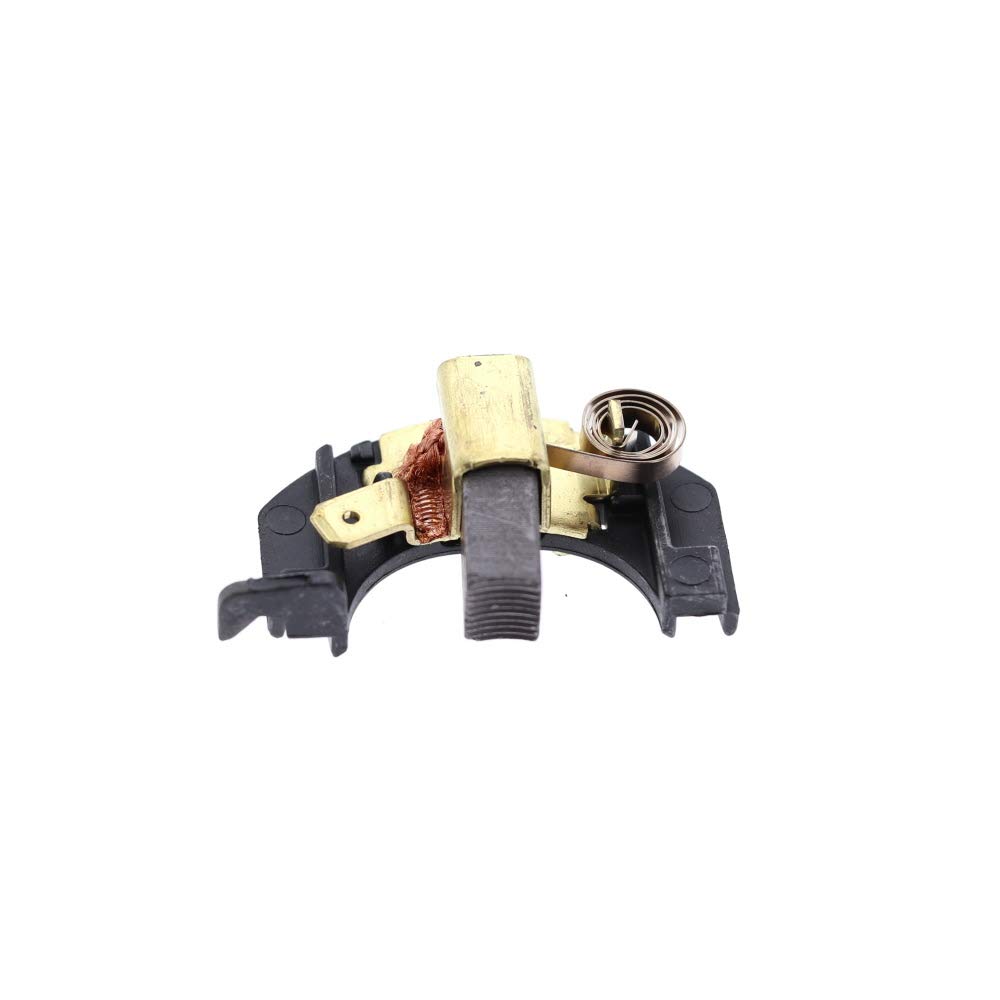
Figure 1: The DEWALT N157123 Brush Holder/Brush Assembly. This image shows the complete assembly, including the carbon brush and its housing, ready for installation into a compatible power tool motor.
5. Function and Operation
Once correctly installed, the N157123 Brush Holder/Brush Assembly functions automatically as an integral part of the power tool's motor. The carbon brushes within the holder maintain continuous electrical contact with the motor's rotating commutator, allowing current to flow to the armature windings. This current flow generates the magnetic fields necessary for the motor to produce rotational motion.
There are no user-operable controls directly associated with the brush assembly itself; its operation is entirely internal to the motor.
6. Maintenance
Carbon brushes are wear components and will gradually shorten over time due to friction with the commutator. Regular inspection can help identify when replacement is necessary.
- Periodic Inspection: If your tool's service manual recommends it, periodically open the brush caps (if accessible without full disassembly) to inspect the length of the carbon brushes.
- Replacement: Replace brushes when they are significantly worn down, typically when they reach a specified minimum length or if the tool exhibits symptoms of brush failure (see Troubleshooting). Always replace both brushes at the same time to ensure balanced motor performance.
- Keep Clean: Ensure the area around the brushes and commutator remains free of excessive dust and debris, which can impede brush contact and motor performance.
7. Troubleshooting
If your power tool is experiencing issues, the brush holder/brush assembly might be a contributing factor. Consider the following common symptoms:
- Reduced Power or Intermittent Operation: Worn or damaged brushes may not make consistent contact with the commutator, leading to a loss of power or the tool cutting out intermittently.
- Excessive Sparking: While some sparking is normal, excessive or continuous sparking at the commutator can indicate worn brushes, a dirty commutator, or other motor issues.
- Unusual Noises: A grinding or squealing sound from the motor area could indicate severely worn brushes or issues with the commutator.
- Tool Fails to Start: If the tool does not start at all, and other power supply checks are clear, completely worn brushes could be the cause.
Note: These symptoms can also be caused by other internal components such as a faulty switch, damaged armature, or field windings. If replacing the brush assembly does not resolve the issue, further diagnosis by a qualified technician may be required.
8. Specifications
| Part Number: | N157123 |
| Part Type: | Brush Holder/Brush Assembly |
| Brand: | DEWALT (OEM) |
| Material: | Plastic |
| Item Weight: | 4.54 g |
| UPC: | 704660055188 |
| Manufactured In: | United States |
9. Support
For additional assistance, specific service instructions for your power tool model, or to inquire about other DEWALT replacement parts, please contact DEWALT customer service or visit an authorized service center.
You can find more information and products from DEWALT by visiting the Official DEWALT Store on Amazon.
