
1. Introduction
The JAM Transit Micro Sport Buds HX-EP510BL are wireless Bluetooth earbuds designed for active lifestyles. They offer a secure fit, sweat resistance, and hands-free calling capabilities, making them suitable for various activities including running, gym workouts, and general use. This manual provides instructions for setting up, operating, and maintaining your earbuds.
2. What's in the Box
Verify that all items are present in your package:
- JAM Transit Micro Sport Buds (HX-EP510BL)
- Carrying Pouch
- Water Bottle (packaging)
- Cord Management System
- User Manual (this document)
- Multiple ear tip sizes for custom fit
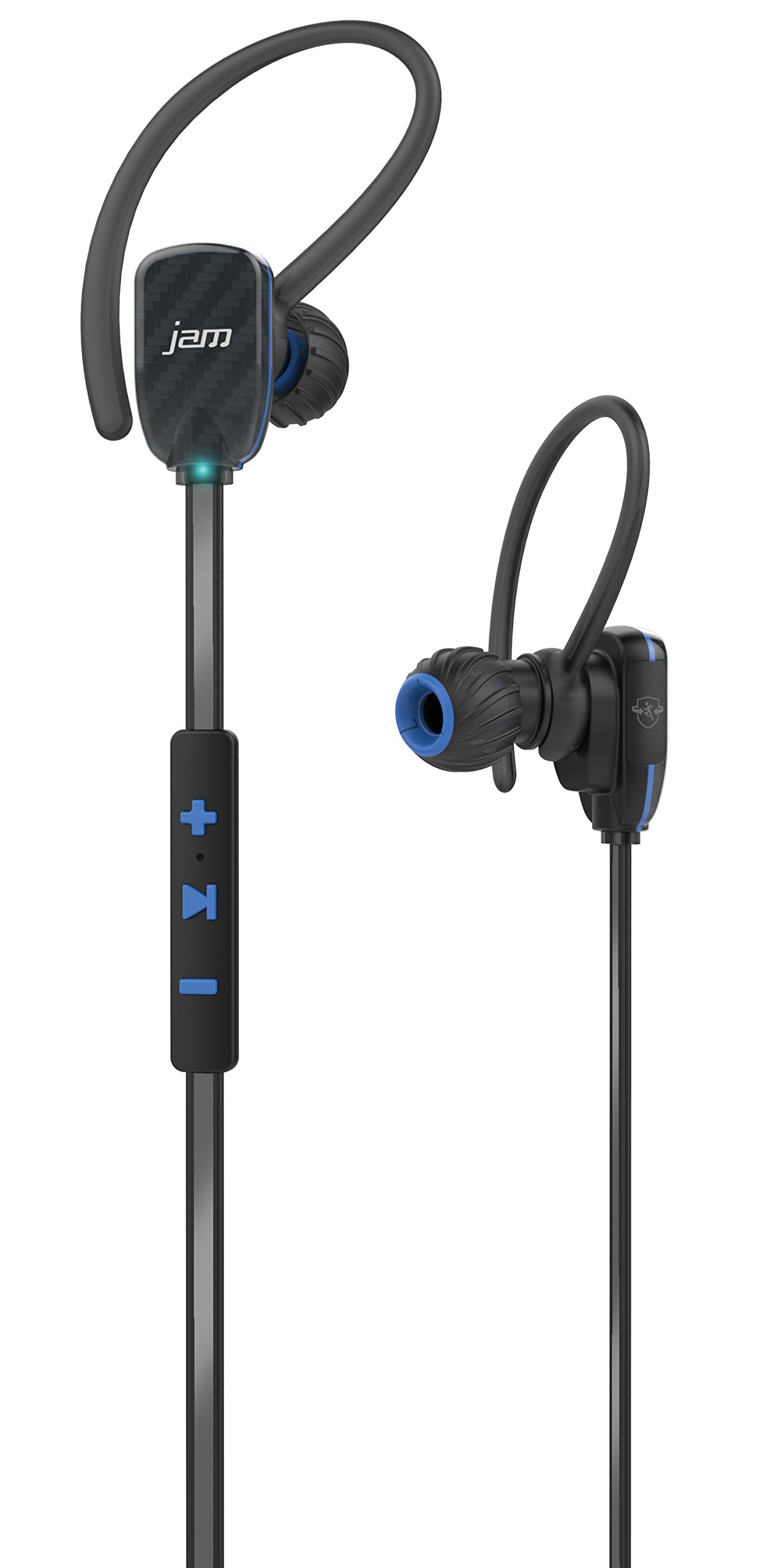
Image: JAM Transit Micro Sport Buds HX-EP510BL, including the earbuds, cord management, and the water bottle packaging.
3. Product Overview
Familiarize yourself with the components of your JAM Transit Micro Sport Buds:
- Earbuds: The main audio output components, designed for in-ear placement.
- In-line Remote Control: Located on the reflective cord, this unit contains buttons for media control, volume adjustment, and microphone for calls.
- Microphone: Integrated into the in-line remote for hands-free calling.
- Reflective Cord: Connects the two earbuds and enhances visibility during nighttime use.
- Charging Port: Typically located on the in-line remote, used for recharging the internal battery.
- Ear Tips: Various sizes are provided to ensure a comfortable and secure fit.
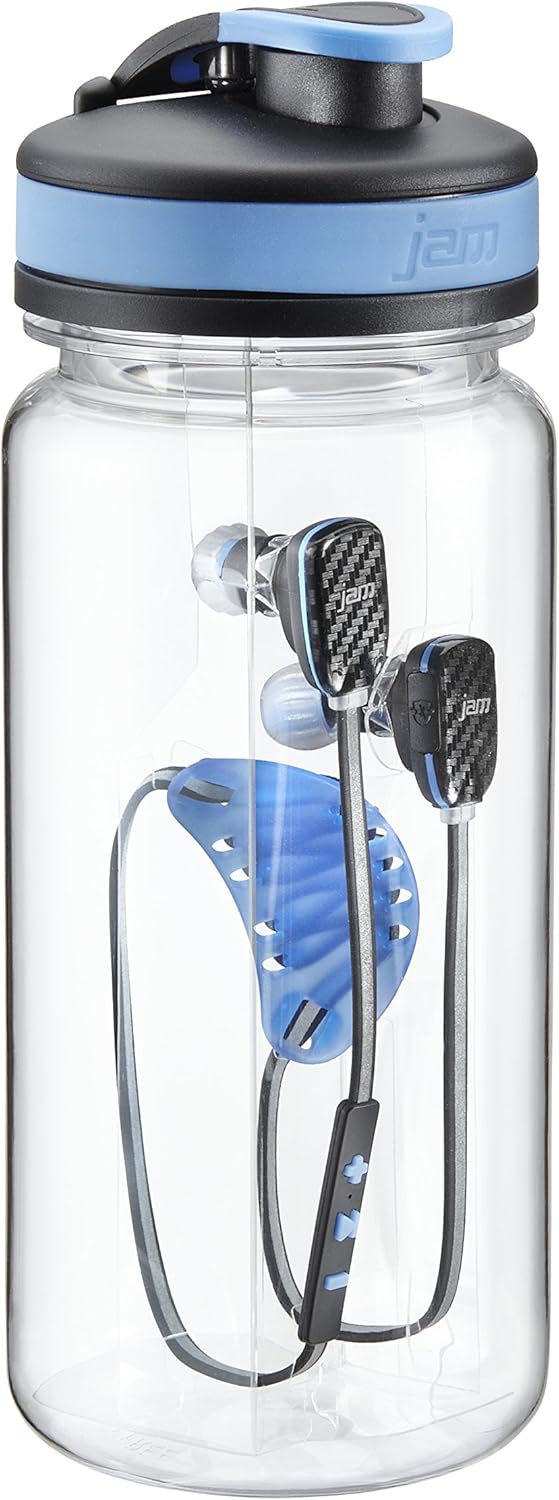
Image: Detailed view of the JAM Transit Micro Sport Buds, highlighting the earbud design and the in-line control panel on the reflective cord.
4. Setup
4.1 Charging the Earbuds
- Locate the charging port on the in-line remote control.
- Connect the provided charging cable to the earbuds and to a USB power source.
- Allow approximately 1 hour for a full charge, which provides up to 10 hours of playtime.
- The indicator light will change to show charging status (e.g., red for charging, blue/off for fully charged).
4.2 Selecting Ear Tips and Achieving a Secure Fit
- Experiment with the different sizes of ear tips included in the package.
- Choose the ear tips that provide the most comfortable and secure seal in your ear canal. A good seal is crucial for optimal sound quality and bass response.
- Insert the earbuds into your ears, ensuring the reflective cord sits comfortably around your neck or behind your head.
- Utilize the cord management system to adjust the length of the cord for a snug fit, preventing movement during physical activity.
4.3 Bluetooth Pairing
- Ensure the earbuds are charged and powered off.
- Press and hold the power button on the in-line remote until the indicator light flashes rapidly (e.g., alternating red and blue), indicating pairing mode.
- On your Bluetooth-enabled device (smartphone, tablet, etc.), go to the Bluetooth settings.
- Search for available devices and select "JAM Transit Micro Sport Buds" (or similar name).
- Once connected, the indicator light on the earbuds will typically turn solid blue or flash slowly. A voice prompt may also confirm the connection.
- The earbuds can connect wirelessly within a 30-foot range of your device.
5. Operating Instructions
5.1 Power On/Off
- Power On: Press and hold the power button until the indicator light illuminates and a power-on tone is heard.
- Power Off: Press and hold the power button until the indicator light turns off and a power-off tone is heard.
5.2 Music Playback
- Play/Pause: Press the multi-function button (often the center button on the remote) once to play or pause music.
- Next Track: Press and hold the '+' button (or specific next track button) for approximately 2 seconds.
- Previous Track: Press and hold the '-' button (or specific previous track button) for approximately 2 seconds.
5.3 Volume Control
- Increase Volume: Press the '+' button.
- Decrease Volume: Press the '-' button.
5.4 Call Management
- Answer/End Call: Press the multi-function button once during an incoming call to answer, or once during a call to end it.
- Reject Call: Press and hold the multi-function button for approximately 2 seconds during an incoming call.
- Mute Microphone: The left earbud can be muted to hear your surroundings during a call. Refer to specific button functions for muting, usually a quick double-press or a dedicated button.
6. Maintenance
6.1 Cleaning
- Regularly clean the ear tips with a soft, dry cloth.
- If necessary, remove the ear tips and wash them with mild soap and water, ensuring they are completely dry before reattaching.
- Wipe the earbuds and cord with a slightly damp cloth to remove sweat or dirt. Avoid using harsh chemicals or abrasive materials.
6.2 Storage
- When not in use, store the earbuds in the provided carrying pouch to protect them from dust and damage.
- Avoid storing in extreme temperatures or high humidity.
6.3 Water Resistance
The JAM Transit Micro Sport Buds are waterproof, making them suitable for use during workouts and in light rain. However, they are not designed for submersion in water. Ensure the charging port cover is securely closed to maintain water resistance.
7. Troubleshooting
7.1 Earbuds Not Powering On
- Ensure the earbuds are fully charged. Connect them to a power source and allow sufficient charging time.
- Press and hold the power button firmly for several seconds.
7.2 Cannot Pair with Device
- Make sure the earbuds are in pairing mode (flashing indicator light).
- Ensure Bluetooth is enabled on your device and it is within the 30-foot range.
- Forget or remove previous pairings for the earbuds on your device and attempt to pair again.
- Restart both the earbuds and your Bluetooth device.
7.3 No Sound or Poor Sound Quality
- Check the volume levels on both the earbuds and your connected device.
- Ensure the earbuds are properly seated in your ears with a good seal.
- Confirm the earbuds are connected to the correct audio output on your device.
- Move closer to your device to avoid interference or range issues.
7.4 Short Battery Life
- Ensure the earbuds are fully charged before use.
- Battery life can vary based on volume level and usage patterns.
- Over time, all rechargeable batteries experience degradation.
8. Specifications
| Model Number | HX-EP510BL |
| Brand | Jam Audio |
| Connectivity Technology | Wireless (Bluetooth) |
| Bluetooth Range | Up to 30 feet (9 meters) |
| Battery Life | Up to 10 hours of playtime |
| Charging Time | Approximately 1 hour |
| Water Resistance Level | Waterproof |
| Ear Placement | In Ear |
| Features | Microphone, Speakerphone, Reflective Cord, Cord Management System |
| Weight | 0.2 Pounds (earbuds) |
9. Warranty and Support
For warranty information, technical support, or customer service inquiries, please refer to the official Jam Audio website or contact their customer support directly. Keep your proof of purchase for warranty claims.
Official Jam Audio Website: Visit the Jam Audio Store
