
1. Introduction
This manual provides essential information for the proper use and care of your genuine FINLUX remote control, model 42FME242S-T. This remote control is designed to operate compatible FINLUX televisions, including models 42FME242ST, 42FME242S-T, and 50FLHKR242BHCN.
It is an authentic replacement part, identical to the remote control originally supplied with your television.
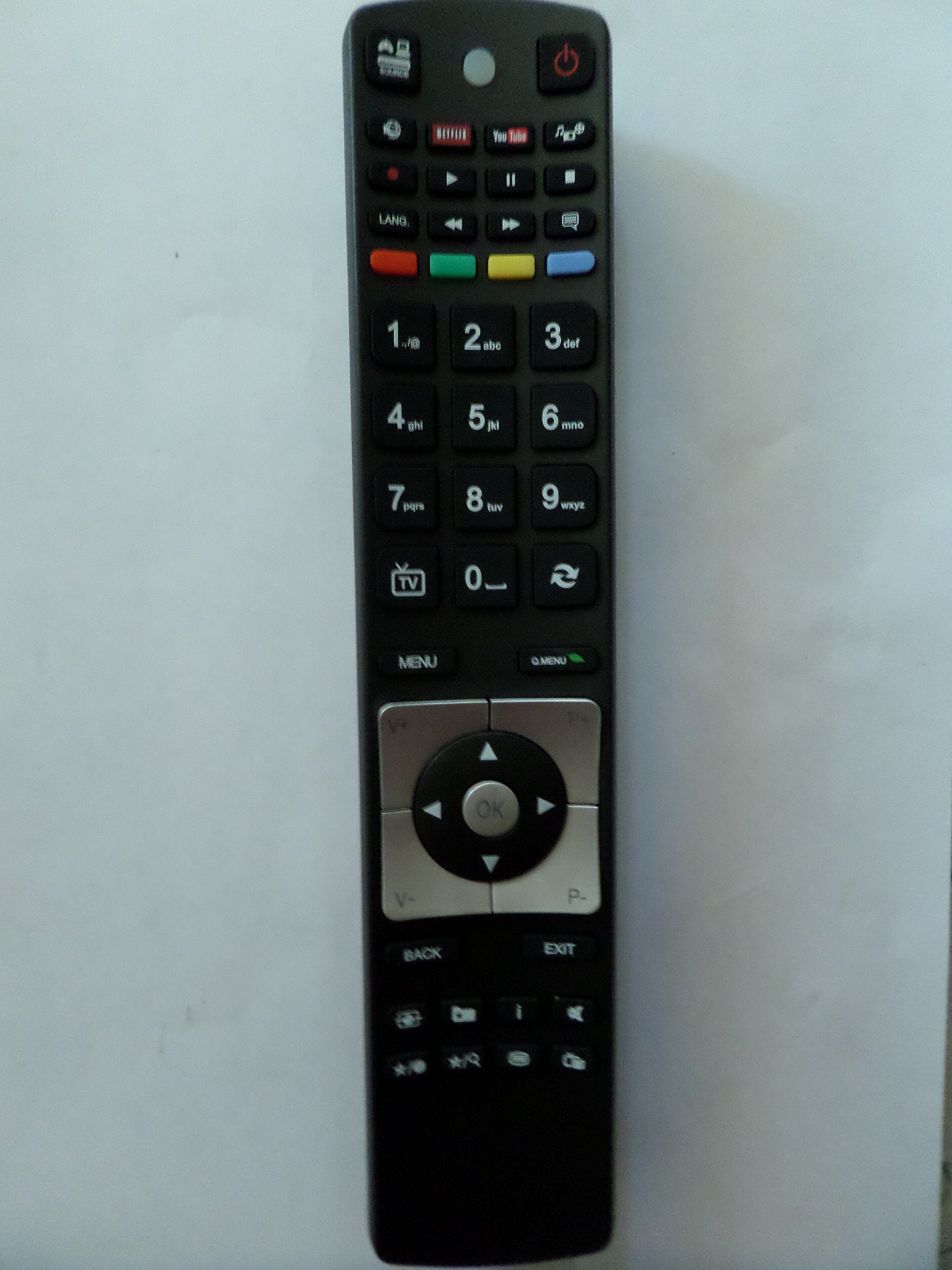
Image: The genuine FINLUX remote control, showing its button layout and design.
2. Setup
2.1 Battery Installation
The remote control requires two (2) AA batteries for operation. Follow these steps to install the batteries:
- Locate the battery compartment cover on the back of the remote control.
- Slide the cover downwards or press the latch (if present) to open the compartment.
- Insert two AA batteries, ensuring the positive (+) and negative (-) terminals align correctly with the markings inside the compartment.
- Close the battery compartment cover by sliding it back into place until it clicks securely.
Note: Always use new batteries and replace both batteries at the same time. Do not mix old and new batteries or different types of batteries.
3. Operating Instructions
This remote control uses infrared (IR) technology to communicate with your television. Ensure there is a clear line of sight between the remote control and the TV's IR receiver.
3.1 Basic Functions
The remote control provides standard functions for operating your FINLUX television. While specific button layouts may vary slightly, common functions include:
- Power On/Off: Turns the TV on or off.
- Channel Selection: Changes TV channels.
- Volume Control: Adjusts the sound level.
- Mute: Silences the TV audio.
- Input/Source: Selects different input sources (e.g., HDMI, AV).
- Menu: Accesses the TV's on-screen menu.
- Navigation Buttons: (Up, Down, Left, Right, OK) for navigating menus.
- Number Buttons: For direct channel input.
Refer to your television's user manual for detailed information on specific button functions and advanced features.
4. Maintenance
4.1 Cleaning
To clean the remote control, use a soft, dry cloth. For stubborn dirt, slightly dampen the cloth with water or a mild, non-abrasive cleaner. Do not use harsh chemicals, solvents, or abrasive cleaning pads, as these can damage the remote control's surface and internal components.
4.2 Storage
When not in use for extended periods, remove the batteries to prevent leakage, which can damage the remote control. Store the remote control in a cool, dry place away from direct sunlight and extreme temperatures.
5. Troubleshooting
- Remote control not responding:
- Check if the batteries are inserted correctly with the correct polarity.
- Replace the batteries with new AA batteries.
- Ensure there are no obstructions between the remote control and the TV's IR receiver.
- Make sure you are within the maximum operating range (approximately 10 meters).
- Buttons are sticky or unresponsive:
- Clean the remote control as described in the Maintenance section.
- If the issue persists, the remote control may require replacement.
6. Specifications
| Feature | Detail |
|---|---|
| Brand | Finlux |
| Manufacturer | FINLUX |
| Model Number | 42FME242S-T |
| Part Number | 42FME242S-T |
| Compatible Devices | Television (FINLUX models: 42FME242ST, 42FME242S-T, 50FLHKR242BHCN) |
| Battery Type | 2 x AA batteries |
| Connection Technology | Infrared (IR) |
| Maximum Operating Range | 10 meters (approx. 33 feet) |
| First Available Date | September 22, 2018 |
7. Warranty and Support
Information regarding specific warranty terms or direct customer support for this product is not available in the provided data. Please refer to the documentation that came with your original television or contact FINLUX customer service for warranty inquiries and support options.


