
Alonefire E17
Alonefire G700 XML T6 LED Tactical Flashlight User Manual
Model: E17
1. Product Overview
The Alonefire G700 XML T6 LED Tactical Flashlight (Model E17) is a high-powered, water-resistant, and adjustable zoomable handheld torch designed for various applications including home use, work, sports, outdoors, recreation, camping, and hiking. It features a durable aircraft-grade aluminum casing and a Cree XM-L T6 LED emitter.
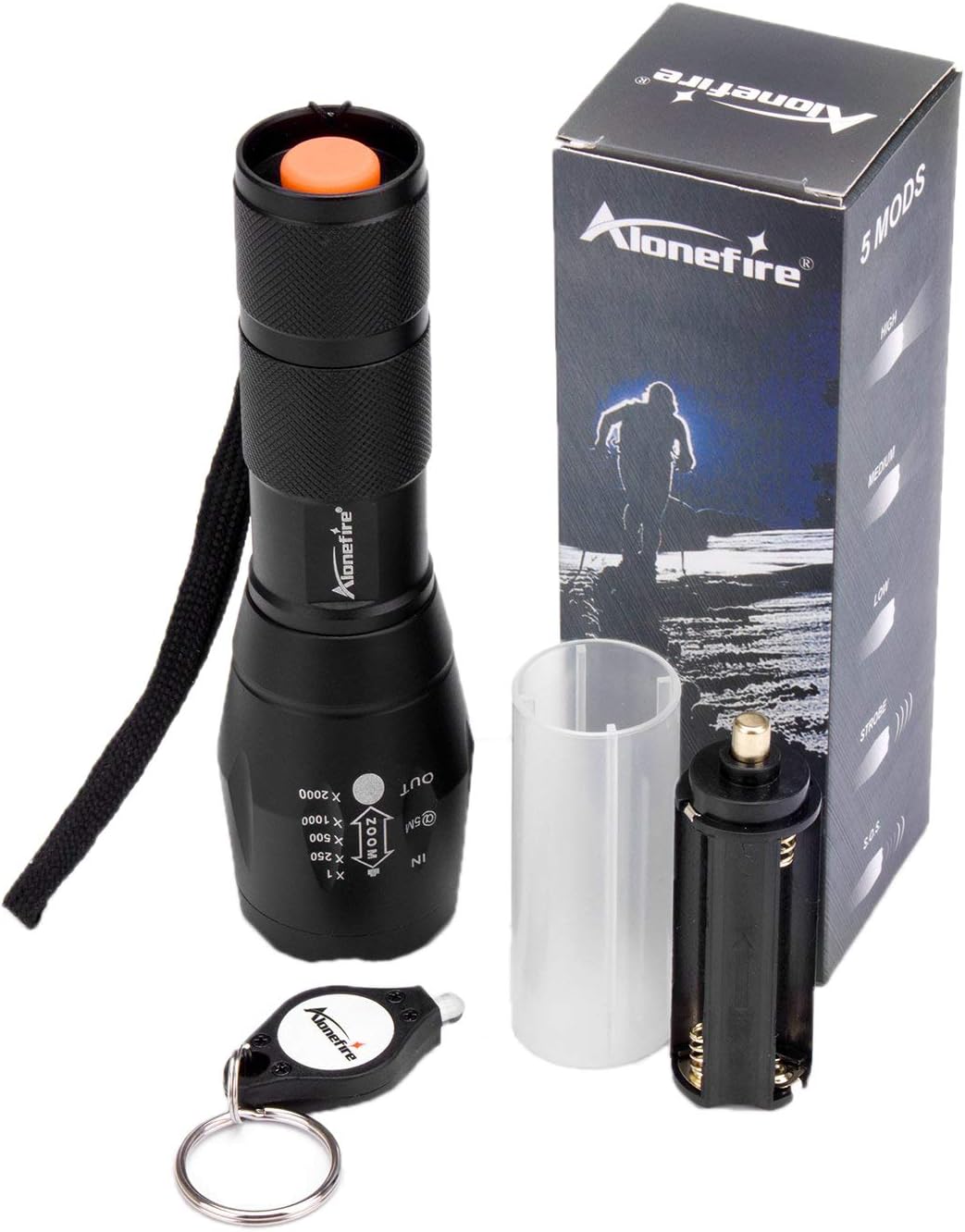
Image 1.1: The Alonefire G700 XML T6 LED Tactical Flashlight, shown with its packaging, a 18650 battery casing, and an AAA battery holder. A small keychain light is also visible.
Key Features:
- Adjustable Focus: The flashlight offers a zoomable lens. Pulling the head forward provides a spotlight mode for long-distance illumination, while retracting the lens creates a wide floodlight for broader coverage.
- Five Lighting Modes: Easily switch between High, Medium, Low, Strobe, and SOS modes using the tail cap switch.
- Ultra-Bright LED: Equipped with a high-power and efficient LED chip for strong light output.
- Dual Power Source: Compatible with one 18650 lithium-ion rechargeable battery or three AAA batteries (batteries not included).
- Durable Design: Features a compact, portable, skid-proof, and shock-proof aluminum body. O-ring sealed for water resistance.
2. Setup and Battery Installation
The Alonefire G700 flashlight requires either one 18650 rechargeable battery or three AAA batteries for operation. Batteries are not included with the product.

Image 2.1: Illustration showing the two battery options: one 18650 rechargeable battery or three AAA ordinary batteries.
Battery Installation Steps:
- Unscrew the tail cap of the flashlight by turning it counter-clockwise.
- For 18650 Battery: Insert one 18650 battery into the flashlight body with the positive (+) end facing towards the head of the flashlight.
- For AAA Batteries: Place three AAA batteries into the provided AAA battery holder, ensuring correct polarity. Then, insert the loaded battery holder into the flashlight body with the positive (+) end facing towards the head of the flashlight.
- Carefully screw the tail cap back onto the flashlight body by turning it clockwise until it is securely tightened.
Note: Ensure correct battery polarity to prevent damage to the flashlight.
3. Operation
The Alonefire G700 flashlight is designed for straightforward operation with its single tail cap switch and adjustable focus mechanism.

Image 3.1: An exploded diagram of the flashlight, highlighting its components such as the lamp convex lens, zoomable zone, anti-slip design, and single button operation.
Power On/Off and Mode Selection:
- To turn the flashlight ON, fully depress the tail cap switch until it clicks.
- To turn the flashlight OFF, fully depress the tail cap switch again until it clicks.
- To cycle through the five lighting modes (High, Medium, Low, Strobe, SOS) while the flashlight is on, slightly click the tail cap switch without fully depressing it.
- The flashlight will remember the last used mode if it is turned off by a full click and then turned back on. However, if the light is turned on and off rapidly, the mode may toggle.
Adjusting Focus (Zoom Function):
The flashlight features an adjustable zoomable head to change the beam from a wide floodlight to a focused spotlight.

Image 3.2: This image demonstrates the zoom function, showing the flashlight in both "zoom in" (spotlight) and "zoom out" (floodlight) positions, along with their respective dimensions and beam patterns.
- To achieve a spotlight beam for long-distance illumination, pull the head of the flashlight forward (extend it).
- To achieve a floodlight beam for wide area illumination, retract the head of the flashlight (push it back).

Image 3.3: A collage of six images demonstrating the flashlight's beam patterns in different outdoor settings, showcasing its versatility from focused beams to wide area illumination.
4. Maintenance
Proper maintenance ensures the longevity and optimal performance of your Alonefire G700 flashlight.
- Cleaning: Wipe the flashlight body with a soft, damp cloth. Do not use abrasive cleaners or solvents.
- Lens Care: Keep the lens clean. Use a lens cleaning cloth to gently remove dust or smudges.
- O-Rings: The flashlight is O-ring sealed for water resistance. Periodically inspect the O-rings for wear and tear. If necessary, apply a thin layer of silicone grease to maintain the seal.
- Battery Storage: If the flashlight will not be used for an extended period, remove the batteries to prevent leakage and potential damage.
- Water Resistance: The flashlight is water-resistant, meaning it can withstand splashes and light rain. It is not designed for deep immersion in water.
5. Troubleshooting
If you encounter issues with your Alonefire G700 flashlight, refer to the following common solutions:
- Flashlight does not turn on:
- Check if batteries are installed correctly with the correct polarity.
- Ensure batteries are fully charged or replace them with new ones.
- Confirm the tail cap is screwed on tightly.
- Mode cycling issues:
- If the mode changes unexpectedly when turning on/off, ensure you are fully depressing the tail cap switch for power on/off, and only lightly clicking for mode changes. Rapid on/off cycles can sometimes cause mode toggling.
- Dim light output:
- Batteries may be low. Replace or recharge them.
- Ensure the lens is clean and free from obstructions.
6. Specifications
| Feature | Detail |
|---|---|
| Model Name | E17 |
| LED Emitter | Cree XM-L T6 |
| Case Material | Durable aircraft grade aluminum |
| Power Source | 1 x 18650 or 3 x AAA batteries (not included) |
| Lighting Modes | High, Medium, Low, Strobe, SOS (5 modes) |
| Lamp Life | 100,000 Hours |
| Emitted Color | White Light |
| Switch Type | Tailcap click |
| Lens Type | Convex Lens |
| Color | Black (SKU001) |
| Special Features | Zoomable Focus, 5 modes |
| Luminous Flux | 800 Lumens (approx.) |
| Item Weight | 145 g |
| Package Dimensions | 14.48 x 4.83 x 4.57 cm |
| Water Resistance | O-ring sealed, Water Resistant (not for immersion) |
7. Warranty and Support
Alonefire is committed to customer satisfaction. For any inquiries or support needs, please refer to the following:
- Returns and Replacements: Products are eligible for free replacement or return within 30 days of purchase.
- Customer Service: If you are not satisfied with any aspect of the product or service, please contact the customer service team. They aim to respond within 12-24 hours to resolve any issues.
For specific contact information, please refer to your purchase documentation or the seller's platform.
Related documentsE17


Ask a question about this manual
Ask about setup, troubleshooting, compatibility, parts, safety, or missing instructions. Manuals+ will review the question and use this page’s manual context to help answer it.