Introduction
The Anker PowerCore 20100 is a high-capacity portable charger designed to provide reliable power for your mobile devices. Featuring high-speed charging technology and multiple safety features, it ensures your devices are charged efficiently and safely. This manual provides essential information for setup, operation, maintenance, and troubleshooting.
What's in the Box
- PowerCore 20100 Portable Charger
- Micro USB cable
- Travel Pouch
- Welcome Guide
Key Features
- Ultra-High Capacity: Provides enough power for multiple charges of smartphones, tablets, and other USB-charged devices.
- High-Speed Charging Technology: Equipped with Anker's exclusive PowerIQ and VoltageBoost technologies for the fastest possible charge speed. Note: Does not support Qualcomm Quick Charge.
- Enormous 4.8A Output: Industry-leading output allows simultaneous charging of multiple devices at full speed.
- MultiProtect Safety System: Incorporates surge protection, short circuit protection, and other advanced safety features to safeguard your devices and the power bank.
- Durable Matte Finish: Enhances grip and resists smudges or fingerprints.
Setup
Charging the PowerCore 20100
Before first use, fully charge your PowerCore 20100. Use the included Micro USB cable and a compatible USB wall charger (not included). The LED indicator lights will show the charging progress.
When fully charged, all indicator lights will be solid.
Charging Your Devices
Connect your device to one of the PowerCore's USB output ports using your device's original cable or a certified third-party cable (e.g., MFi). The PowerCore will automatically begin charging your device.
For optimal use, ensure you use appropriate cables. Compatible with most USB-charged devices, including Apple and Android smartphones and tablets. Not compatible with iPod nano, iPod Classic, HP TouchPad, Dell Venue 11 Pro, Asus tablets, and some GPS/Bluetooth devices.

Image: The Anker PowerCore 20100 shown charging an iPhone 8, a Galaxy S8, and an iPad Air 2, demonstrating its high capacity to provide multiple charges for various devices.
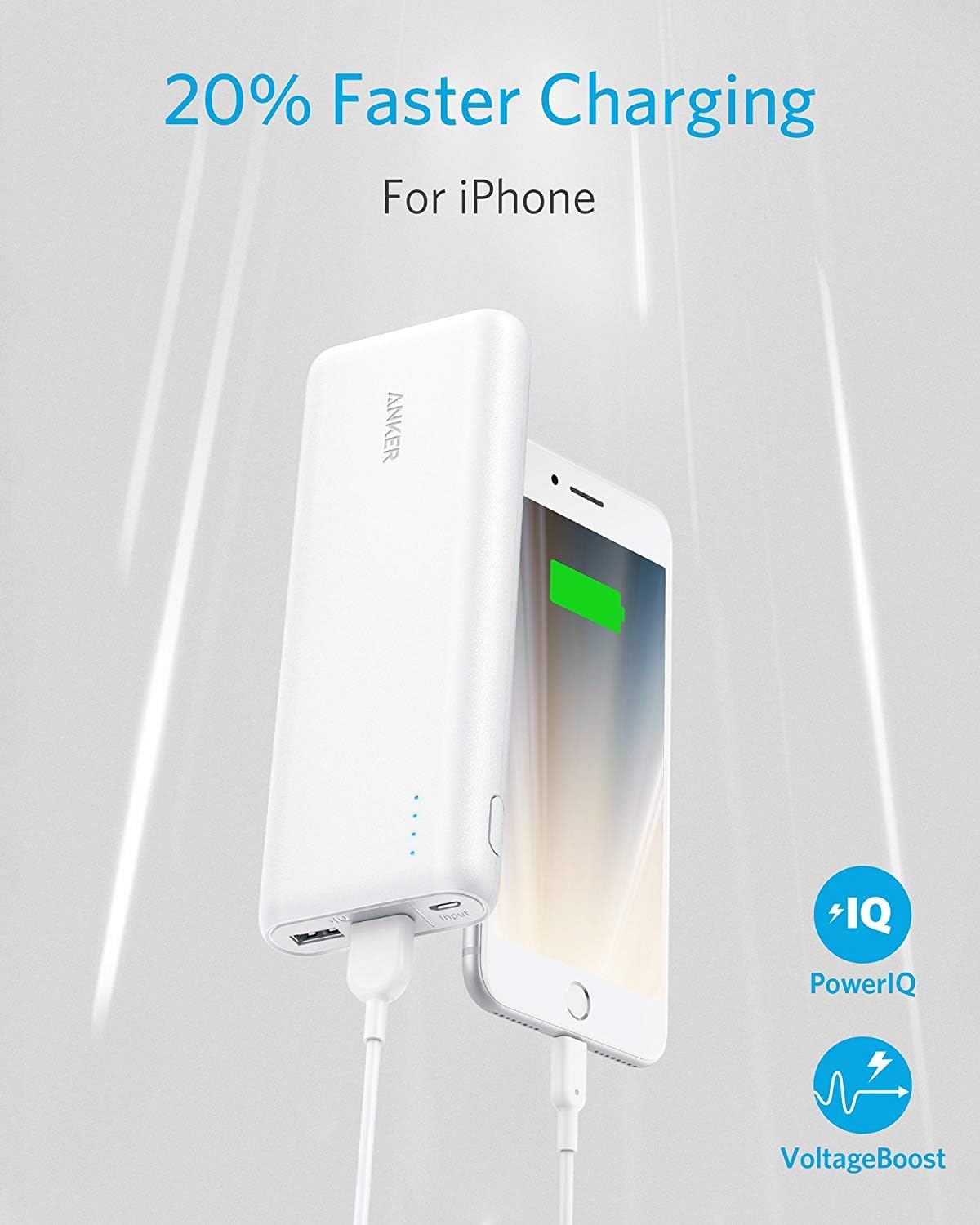
Image: The Anker PowerCore 20100 connected to an iPhone, illustrating its ability to charge devices 20% faster using PowerIQ and VoltageBoost technologies.

Image: A close-up view of the Anker PowerCore 20100's dual USB output ports, demonstrating its 4.8A output capability for simultaneously charging two devices.
Operating Instructions
Indicator Lights
The PowerCore 20100 features LED indicator lights to display the remaining battery level. Each light typically represents approximately 25% of the battery capacity. When charging the PowerCore, the lights will blink to indicate charging status and become solid when fully charged.
PowerIQ and VoltageBoost
These proprietary Anker technologies automatically detect and deliver the optimal charging current for your device, ensuring the fastest possible charge. No manual adjustments are needed.
Maintenance
- Avoid extreme temperatures. Store the PowerCore in a cool, dry place.
- Do not drop or expose to strong impacts. The durable matte finish helps, but excessive force can cause damage.
- Clean with a dry, soft cloth. Do not use corrosive cleaners or chemicals.
- For long-term storage, recharge the PowerCore every 3-4 months to maintain battery lifespan.

Image: An internal view of the Anker PowerCore 20100, revealing its LG battery cells and advanced circuitry, emphasizing its superior safety features.
Troubleshooting
- PowerCore not charging: Ensure the Micro USB cable is securely connected to both the PowerCore and the wall charger. Try a different cable or wall charger.
- Device not charging: Ensure your device's cable is securely connected to both the PowerCore and your device. Try a different cable or a different output port on the PowerCore. Verify your device is compatible.
- Slow charging: Ensure you are using your device's original cable or a certified third-party cable. Some devices may charge slower if they require specific charging protocols not supported by the PowerCore (e.g., Qualcomm Quick Charge).
- Overheating: The MultiProtect safety system prevents overheating. If the unit feels excessively warm, disconnect all devices and allow it to cool down. Avoid charging in direct sunlight or confined spaces.
Specifications
| Feature | Detail |
|---|---|
| Product Dimensions | 6.64 x 2.28 x 0.87 inches |
| Item Weight | 3.52 ounces |
| Item Model Number | AK-A1213021 |
| Battery Type | 1 Lithium Ion batteries required |
| Battery Capacity | 20100 Milliampere Hour (mAh) |
| Connector Type | Lightning, Micro USB |
| Special Feature | Fast Charging, LED Indicator Lights, Short Circuit Protection |
| Manufacturer | Anker |
Warranty and Support
Anker provides an 18-month warranty for the PowerCore 20100 Portable Charger. For any inquiries or support needs, please contact Anker's friendly and easy-to-reach customer service.
Refer to the Welcome Guide included in your package for specific contact details or visit the official Anker support website.