
1. Introduction
This manual provides essential information for the proper installation, operation, and maintenance of your Schwaiger ZHS08 Air Quality Detector and Smoke Detector. This device is designed to enhance safety by detecting smoke and monitoring air quality. Please read this manual thoroughly before using the product and retain it for future reference.
2. Safety Information
- Do Not Paint: Never paint the smoke detector. Paint can clog the sensing chambers, preventing the detector from operating correctly.
- Regular Testing: Test the detector weekly to ensure it is functioning properly. Refer to the 'Operating Instructions' section for details.
- Alarm Sound: The detector emits an alarm at 85dB. Prolonged exposure to this sound level can be harmful.
- Battery Replacement: Replace batteries immediately when the low battery warning is indicated.
- Disposal: Dispose of batteries and the device according to local regulations.
3. Product Overview
The Schwaiger ZHS08 is a compact, white, circular device designed for easy integration into any environment. It features a prominent 'TEST' button and a warning against painting the unit.

Figure 3.1: Top view of the Schwaiger ZHS08 detector, showing the 'TEST' button and 'DO NOT PAINT' label.
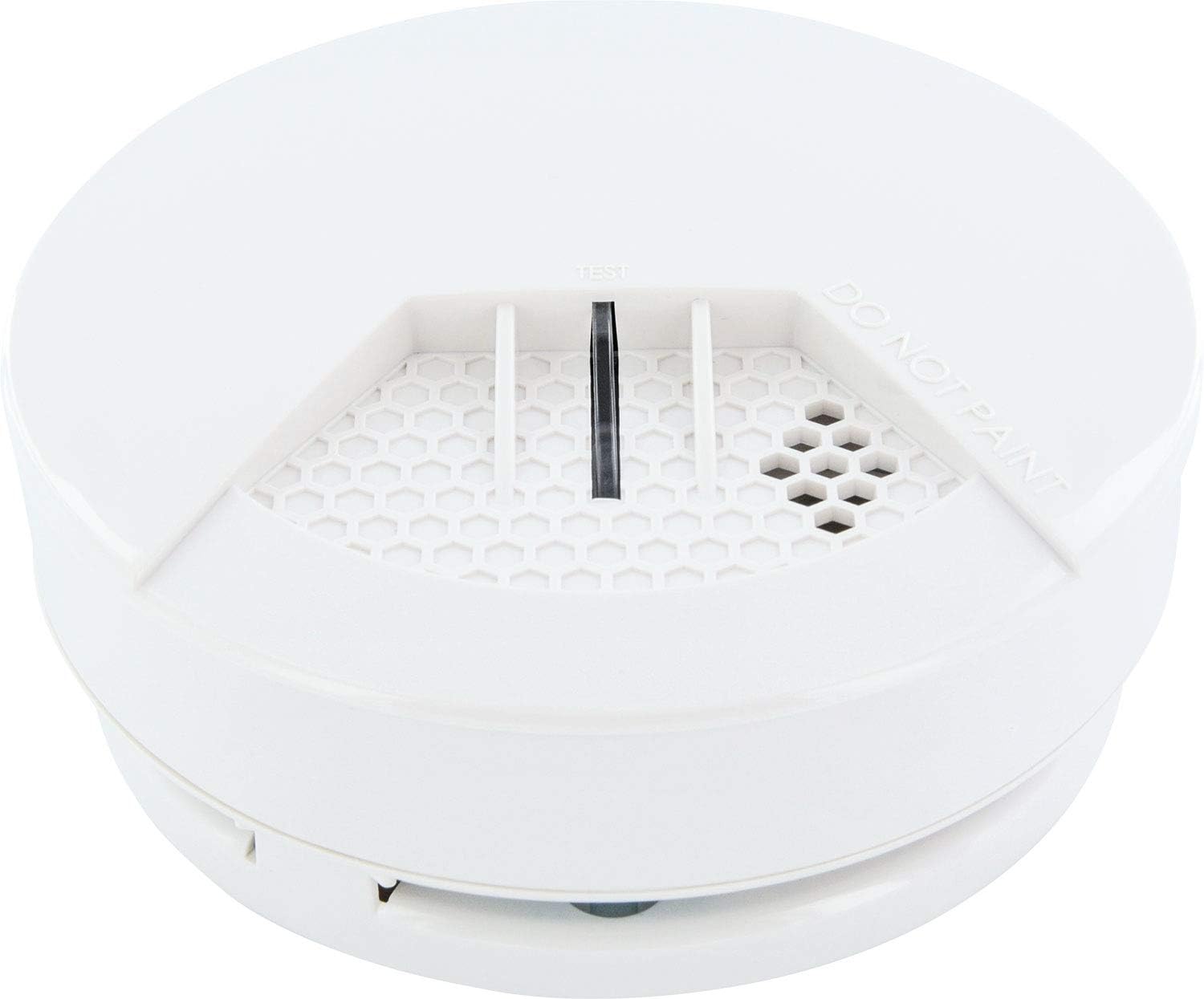
Figure 3.2: Angled view of the detector, highlighting the ventilation grilles and the 'TEST' button.
The device includes a mounting bracket and screws for secure installation.

Figure 3.3: The detector alongside its mounting bracket and installation screws.
4. Setup and Installation
4.1 Choosing a Location
For optimal performance, install the detector on the ceiling in the center of a room or hallway. Avoid placing it near windows, doors, or vents where drafts could interfere with smoke detection. Keep it away from kitchens and bathrooms to minimize false alarms from cooking fumes or steam.
4.2 Mounting the Detector
- Prepare the Mounting Surface: Ensure the ceiling or wall surface is clean and flat.
- Attach the Mounting Bracket: Use the provided screws to securely fasten the mounting bracket to your chosen location.
- Install Battery: Insert the included Lithium Ion battery into the detector, observing the correct polarity. The detector will typically emit a short beep to indicate it is powered on.
- Attach Detector to Bracket: Align the detector with the mounting bracket and twist it clockwise until it clicks securely into place.
- Initial Test: After installation, press the 'TEST' button to confirm the detector is working.
5. Operating Instructions
5.1 Powering On
The detector powers on automatically once the battery is correctly inserted. There is no separate on/off switch.
5.2 Testing the Detector
To test the detector, press and hold the 'TEST' button located on the front of the unit. The detector should emit a loud, pulsating alarm sound (85dB) and an indicator light will illuminate, typically red, as shown in Figure 5.1. Release the button to stop the test. If the alarm does not sound, refer to the 'Troubleshooting' section.

Figure 5.1: The detector's indicator light illuminated red during a test.
5.3 Alarm Indication
When smoke or poor air quality is detected, the unit will sound a loud 85dB alarm and the indicator light will flash. Take immediate action to investigate the cause of the alarm.
6. Maintenance
6.1 Regular Testing
Test your smoke detector weekly by pressing the 'TEST' button. This ensures the electronic circuitry, alarm, and battery are functioning correctly.
6.2 Cleaning
Dust and debris can accumulate on the detector and affect its performance. Gently vacuum the exterior of the detector using a soft brush attachment at least once a month. Do not use cleaning sprays or solvents.
6.3 Battery Replacement
The detector will emit a chirping sound at regular intervals to indicate a low battery. Replace the battery immediately with a new Lithium Ion battery. To replace, twist the detector counter-clockwise from its mounting bracket, remove the old battery, insert the new one with correct polarity, and reattach the detector to the bracket. Test the unit after battery replacement.
7. Troubleshooting
| Problem | Possible Cause | Solution |
|---|---|---|
| Detector does not sound during test. | Dead or incorrectly installed battery. | Replace battery, ensuring correct polarity. |
| Detector chirps periodically. | Low battery warning. | Replace battery immediately. |
| False alarms. | Dust, steam, cooking fumes, or excessive humidity. | Clean the detector. Relocate if frequently triggered by non-smoke sources. Ensure proper ventilation. |
| Alarm sounds weak. | Low battery. | Replace battery. |
8. Specifications
- Model: ZHS08
- Brand: SCHWAIGER
- Detector Type: Air Quality Detector, Smoke Detector
- Alarm Decibels: 85dB
- Dimensions (L x W x H): 13 x 13 x 6 cm
- Weight: 20 g
- Power Source: 1 Lithium Ion battery (included)
- Connection Technology: No (Standalone)
- Manufacturer: Schwaiger
9. Warranty and Support
For information regarding the warranty period and terms for your Schwaiger ZHS08 detector, please refer to the documentation provided at the time of purchase or contact your retailer. For technical support or further assistance, please reach out to the manufacturer, Schwaiger, through their official support channels.


