
Introduction
The Yale E5361LN inTOUCH Smart Lock is an advanced electronic door lock designed for enhanced security and convenience. It features an interactive touchscreen, a traditional key cylinder, and supports up to 255 user codes. This lock operates with 4 AA alkaline batteries and offers pre-programmed voice options in English (default), Spanish, or French. Built for heavy-duty use, it is weather-resistant and meets UL10C fire grade standards, incorporating a voice-guided menu and a free-handle clutch system.
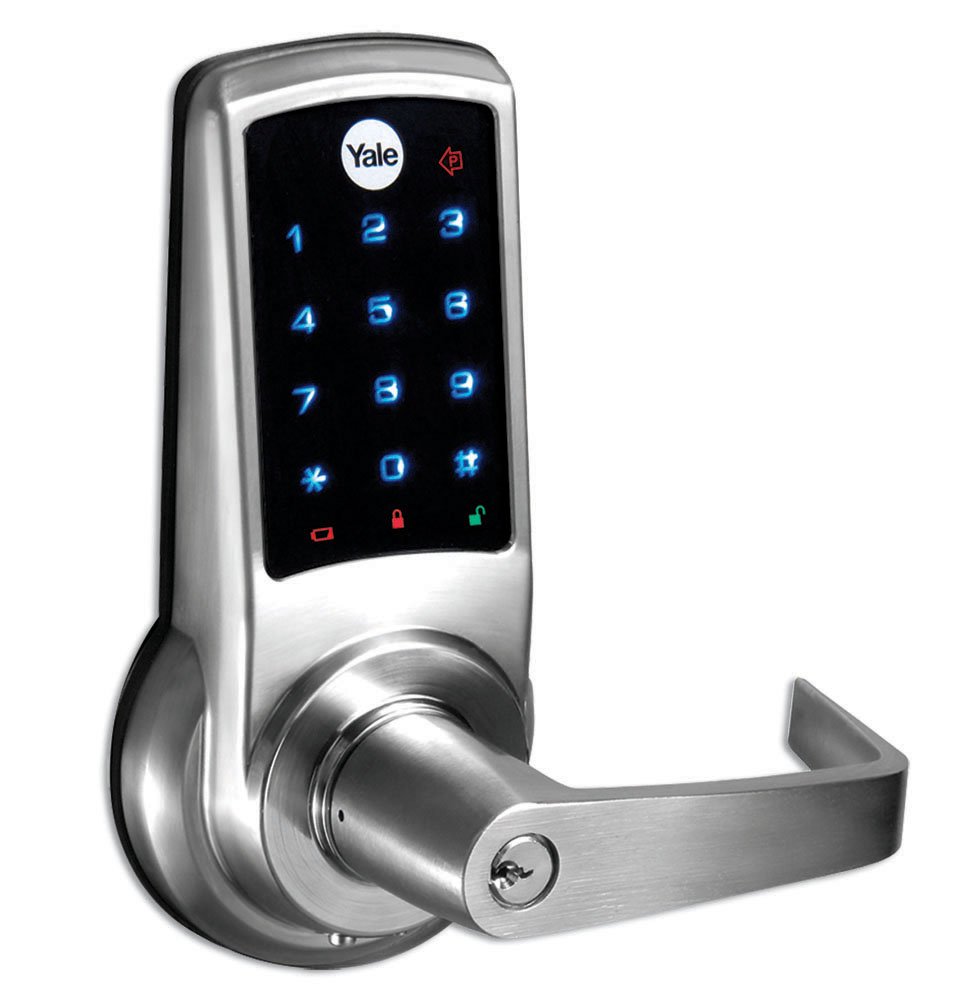
Image: Front view of the Yale E5361LN inTOUCH Smart Lock, displaying its touchscreen keypad and traditional key cylinder. This image illustrates the primary interface of the lock.
Setup and Installation
The Yale E5361LN lock is designed for straightforward installation. Careful attention to detail during installation ensures optimal performance and security.
Key Installation Considerations:
- Precise Drilling: Making the mounting holes as precise as possible is crucial for correct lock placement and function.
- Covering Existing Openings: The lock can often cover existing hardware openings from a previous lock. However, ensure adequate space for the deadbolt mechanism.
- Door Handing: The lock can be easily configured for both left-handed and right-handed doors. Refer to the included template for accurate measurements and drilling.
For detailed step-by-step instructions, please consult the installation template and guide provided in the product packaging. It is recommended to follow all instructions carefully to avoid damage and ensure correct operation.
Operating Instructions
The inTOUCH Smart Lock offers multiple ways to operate, including a touchscreen keypad and a traditional key cylinder.
Using the Touchscreen Keypad:
- User Codes: The lock supports up to 255 unique user codes. Follow the voice-guided menu to add, delete, or modify user codes.
- Voice Prompts: The lock provides interactive voice prompts in English (default), Spanish, or French to guide you through various operations and settings.
- Unlocking: To unlock, activate the touchscreen, enter your valid user code, and press the checkmark or lock icon.
- Locking: To lock, simply press the lock icon on the touchscreen. The free-handle clutch system ensures the exterior handle remains disengaged when locked.
Manual Key Override:
In case of battery depletion or electronic malfunction, the lock can be operated using the traditional key cylinder. Insert the provided key and turn to unlock or lock the door.
Maintenance
Regular maintenance ensures the longevity and reliable operation of your Yale E5361LN Smart Lock.
Battery Replacement:
- The lock requires 4 AA alkaline batteries for operation.
- When battery power is low, the lock will provide an audible and/or visual low battery warning.
- To replace batteries, remove the interior cover of the lock. Carefully remove the old batteries and insert new ones, ensuring correct polarity.
- It is recommended to replace all four batteries simultaneously with new, high-quality alkaline batteries.
Cleaning:
Clean the touchscreen and exterior surfaces with a soft, damp cloth. Avoid abrasive cleaners or solvents, as these can damage the finish and electronic components.
Troubleshooting
If you encounter issues with your Yale E5361LN Smart Lock, refer to the following common troubleshooting steps:
- Lock Not Responding: Check battery levels. Replace batteries if they are low or depleted.
- Incorrect Code Entry: Ensure you are entering the correct user code. The lock provides voice feedback for incorrect entries.
- Difficulty Locking/Unlocking: Verify that the door frame and strike plate are properly aligned. Ensure there are no obstructions preventing the deadbolt from extending or retracting fully.
- Voice Prompts Not Working: Check the volume settings. If the issue persists after checking batteries, a factory reset might be necessary (refer to the full manual for reset procedures).
For more complex issues, please contact Yale customer support or consult the comprehensive manual available on the Yale website.
Specifications
| Feature | Detail |
|---|---|
| Model Number | E5361LN |
| Manufacturer | Yale |
| Control Method | Voice, Touchscreen Keypad, Key |
| Power Source | 4 AA Batteries (included) |
| Product Dimensions (L x W x H) | 9.5 x 8.5 x 21 cm (3.74 x 3.35 x 8.27 inches) |
| Product Weight | 2.7 Kilograms (5.95 lbs) |
| User Capacity | Up to 255 users |
| Voice Prompt Languages | English (default), Spanish, French |
| Durability | Heavy-duty use, weather-resistant, UL10C Fire Grade |
Warranty and Support
For warranty information, product registration, or technical assistance, please visit the official Yale website or contact their customer support directly.
- Official Yale Website: www.yalehome.com
- Customer Support: Refer to the contact information provided in your product packaging or on the Yale website for regional support details.
Always ensure you have your product model number (E5361LN) and purchase date available when contacting support.


