
Weighmax NJ100-BLACK
User Manual for Weighmax Dream Series Digital Pocket Scale
Model: NJ100-BLACK
Introduction
The Weighmax Dream Series Digital Pocket Scale is a precision weighing instrument designed for accurate measurements of small items. This compact and portable scale features a sleek black rubberized finish and a clear protective cover that doubles as a weighing tray. It is capable of weighing items up to 100 grams with an accuracy of 0.01 grams, making it ideal for various applications such as weighing jewelry, coins, gemstones, and other small objects. This manual provides detailed instructions for the proper setup, operation, and maintenance of your digital pocket scale.

Image: The Weighmax Dream Series Digital Pocket Scale, shown with its clear cover acting as a tray, holding several colorful small gemstones. The digital display shows "0.00g".

Image: The Weighmax Digital Pocket Scale with its clear protective cover in place, showcasing the brand logo and the digital display.
Safety Information
Please read all safety instructions before using the scale to ensure proper operation and to prevent damage.
- Do not overload the scale beyond its maximum capacity of 100g. Overloading can cause permanent damage.
- Avoid exposing the scale to extreme temperatures, humidity, or direct sunlight.
- Keep the scale away from strong electromagnetic fields.
- Handle the scale with care. Avoid dropping or subjecting it to strong impacts.
- Clean the scale with a soft, damp cloth. Do not use abrasive cleaners or immerse the scale in water.
- This scale is designed for household and light commercial use. It is not intended for legal trade.
Package Contents
Verify that all items are present in the package:
- Weighmax Dream Series Digital Pocket Scale (Model: NJ100-BLACK)
- Clear Protective Cover / Weighing Tray
- 2 x AAA Batteries
- User Manual (this document)
Product Features
- Capacity: 100g
- Accuracy: 0.01g
- Weighing Modes: Grams (g), Ounces (oz), Troy Ounces (ozt), Carats (CT)
- Display: Easy-to-read, back-lit LCD display
- Power: 2 x AAA Batteries (included)
- Design: Sleek black rubberized finish
- Functionality: Tare function, Auto-off function
- Accessories: Clear cover doubles as a weighing tray
Setup
1. Battery Installation
- Locate the battery compartment on the underside of the scale.
- Open the battery compartment cover.
- Insert the two AAA batteries, ensuring correct polarity (+/-) as indicated inside the compartment.
- Close the battery compartment cover securely.
2. Initial Placement
Place the scale on a hard, flat, and stable surface. Ensure there are no vibrations or air currents that could affect the accuracy of the readings.
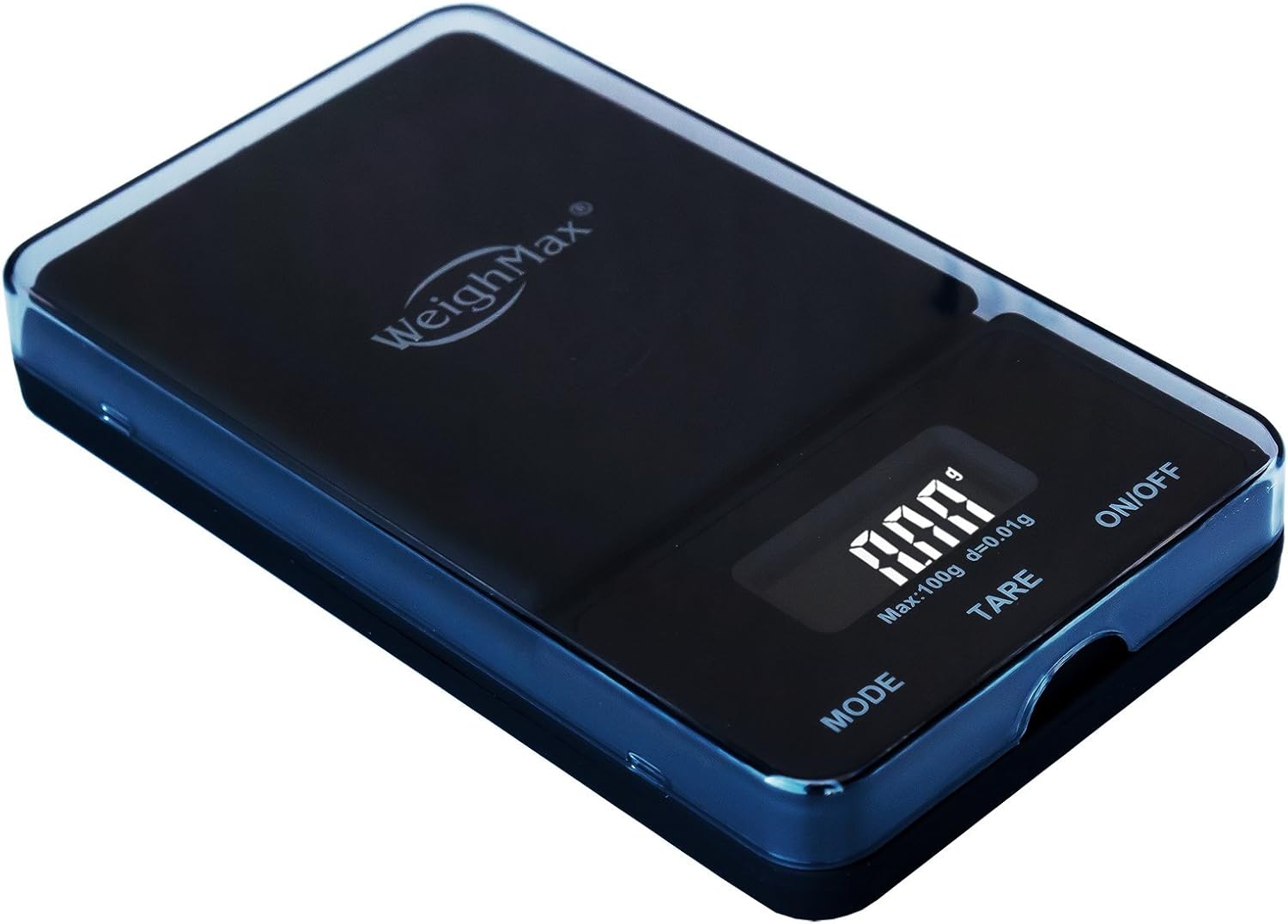
Image: A top-down view of the Weighmax Digital Pocket Scale, showing its compact size and the digital display.
Operating Instructions
1. Turning On/Off
- To turn on the scale, press the ON/OFF button. The display will show "88888" and then "0.00g" (or the last used unit).
- To turn off the scale, press and hold the ON/OFF button for a few seconds until the display turns off. The scale will also automatically turn off after a period of inactivity to conserve battery life.
2. Weighing Procedure
- Ensure the scale is on a stable surface and displaying "0.00g".
- Gently place the item(s) to be weighed onto the center of the weighing platform.
- Wait for the display to stabilize. The weight will be shown on the LCD screen.
3. Tare Function
The tare function allows you to subtract the weight of a container or tray, so you only measure the net weight of the contents.
- Place the empty container or the clear protective cover (used as a tray) onto the weighing platform.
- Press the TARE button. The display will reset to "0.00g".
- Now, place the items to be weighed into the container. The display will show only the weight of the items.

Image: The Weighmax Digital Pocket Scale with its clear plastic cover inverted and placed on the weighing platform, demonstrating its use as a weighing tray.
4. Unit Conversion
To switch between weighing units (g, oz, ozt, CT), press the MODE button repeatedly until the desired unit is displayed.
5. Calibration
For optimal accuracy, it is recommended to calibrate the scale periodically, especially upon first use or if readings become inconsistent. A 100g calibration weight (not included) is typically required.
- Turn the scale ON and wait for it to display "0.00g".
- Press and hold the MODE button until "CAL" appears on the display.
- Release the MODE button. The display will then flash the required calibration weight (e.g., "100.00g").
- Place the exact calibration weight (e.g., 100g) onto the center of the weighing platform.
- Wait for the display to show "PASS" and then return to normal weighing mode ("0.00g"). This indicates successful calibration.
- Remove the calibration weight. The scale is now calibrated and ready for use.
Note: If you do not have a standard calibration weight, some users have reported success using a precise number of new, clean nickels (e.g., 10 nickels for approximately 50g, check current nickel weight for accuracy) as a makeshift calibration weight, though this method is less precise than using a certified calibration weight.
Maintenance
Cleaning
- Wipe the scale surface with a soft, slightly damp cloth.
- Do not use harsh chemicals, abrasive cleaners, or immerse the scale in water.
- Ensure the scale is completely dry before storage or next use.
Storage
- Store the scale in a clean, dry environment at room temperature.
- Keep the clear protective cover on the scale when not in use to protect the weighing platform and display.
- If the scale will not be used for an extended period, remove the batteries to prevent leakage and damage.
Troubleshooting
| Problem | Possible Cause | Solution |
|---|---|---|
| Scale does not turn on | Dead or incorrectly installed batteries. | Check battery polarity. Replace batteries if necessary. |
| Inaccurate or inconsistent readings | Unstable surface; Scale needs calibration; Overload; Temperature changes. | Place on a stable, flat surface. Perform calibration. Ensure weight is within capacity. Allow scale to acclimate to room temperature. |
| Display shows "O_Ld" or "EEEE" | Scale is overloaded. | Remove the item immediately. Do not exceed 100g capacity. |
| Display shows "UnSe" | Unstable or uneven surface; Initializing error. | Ensure the scale is on a perfectly flat and stable surface. Turn the scale off and then on again. If the issue persists, try recalibrating. |
| Display shows "Lo" | Low battery power. | Replace the batteries. |
Specifications
| Feature | Detail |
|---|---|
| Brand | Weighmax |
| Model Number | NJ100-BLACK |
| Color | Black |
| Material | Plastic |
| Weight Limit | 100 Grams (1E+2 Grams) |
| Readout Accuracy | 0.01 Grams |
| Measurement Types | g, oz, ozt, CT |
| Display Type | LCD with Backlit Display |
| Power Source | 2 x AAA Batteries (included) |
| Product Dimensions | 5 x 3 x 0.9 inches (12.7 x 7.62 x 2.29 cm) |
| Item Weight | 4.8 ounces (136 grams) |
| Country of Origin | China |
| UPC | 793842227574, 692012112361, 735343700507 |

Image: The Weighmax Digital Pocket Scale with its dimensions clearly marked in centimeters, showing its length, width, and height.
Warranty and Support
Weighmax products are manufactured to high-quality standards. For information regarding warranty coverage, technical support, or service inquiries, please refer to the contact information provided on the product packaging or visit the official Weighmax website. Please retain your proof of purchase for any warranty claims.
Ask a question about this manual
Ask about setup, troubleshooting, compatibility, parts, safety, or missing instructions. Manuals+ will review the question and use this page’s manual context to help answer it.