
Trust 20442
Trust Avora 2.1 PC Speakers User Manual
Model: 20442
Introduction
The Trust Avora 2.1 PC Speakers with Subwoofer (Model 20442) provide a compact, USB-powered audio solution for your computer or laptop. This speaker set features a wooden subwoofer for enhanced bass and two satellite speakers, delivering clear and rich sound for various multimedia applications.
This manual provides detailed instructions on setting up, operating, and maintaining your Trust Avora 2.1 PC Speakers, along with troubleshooting tips and product specifications.
What's in the Box
Upon unpacking your Trust Avora 2.1 PC Speakers, please ensure all the following components are present:
- 2 x Satellite Speakers (with attached cables)
- 1 x Subwoofer (with attached USB power cable)
- 1 x User's Guide

Image: The Trust Avora 2.1 PC Speaker set, showing the central subwoofer unit and two compact satellite speakers.
Setup
Follow these steps to set up your Trust Avora 2.1 PC Speakers:
- Positioning the Speakers: Place the subwoofer on a flat, stable surface, ideally on the floor or desk near your computer. Position the two satellite speakers on either side of your monitor for optimal stereo sound. The compact design allows for easy placement on most desks.
- Connecting Satellite Speakers: Connect the cables from the two satellite speakers to the "OUTPUT" ports (L for left, R for right) located on the rear panel of the subwoofer. Ensure a firm connection.
- Connecting to Audio Source: Plug the 3.5mm audio jack from the subwoofer into the audio output port (headphone jack) of your computer, laptop, or other audio device.
- Powering On: Connect the USB power cable from the subwoofer to an available USB port on your computer or a USB wall adapter (not included). The speakers are USB-powered and do not require a separate wall power outlet.
- Initial Volume Adjustment: Before playing audio, turn the volume knob on the subwoofer to a low setting to avoid sudden loud sounds.

Image: A user's desk setup showing the compact Trust Avora speakers and subwoofer positioned neatly beside a computer monitor.

Image: A visual representation of the USB power cable and 3.5mm audio jack, highlighting the simple connection process for the Trust Avora speakers.

Image: The back panel of the Trust Avora subwoofer, displaying the volume and bass control knobs, and the L/R output ports for the satellite speakers.
Operating Instructions
Once connected, your Trust Avora 2.1 PC Speakers are ready for use. Adjust the sound to your preference using the controls on the subwoofer.
- Volume Control: The large knob labeled "VOLUME" on the side panel of the subwoofer controls the overall audio output level. Turn it clockwise to increase volume and counter-clockwise to decrease it.
- Bass Control: The smaller knob labeled "BASS" below the volume control allows you to adjust the intensity of the bass. Turn it clockwise for more pronounced bass and counter-clockwise to reduce it.
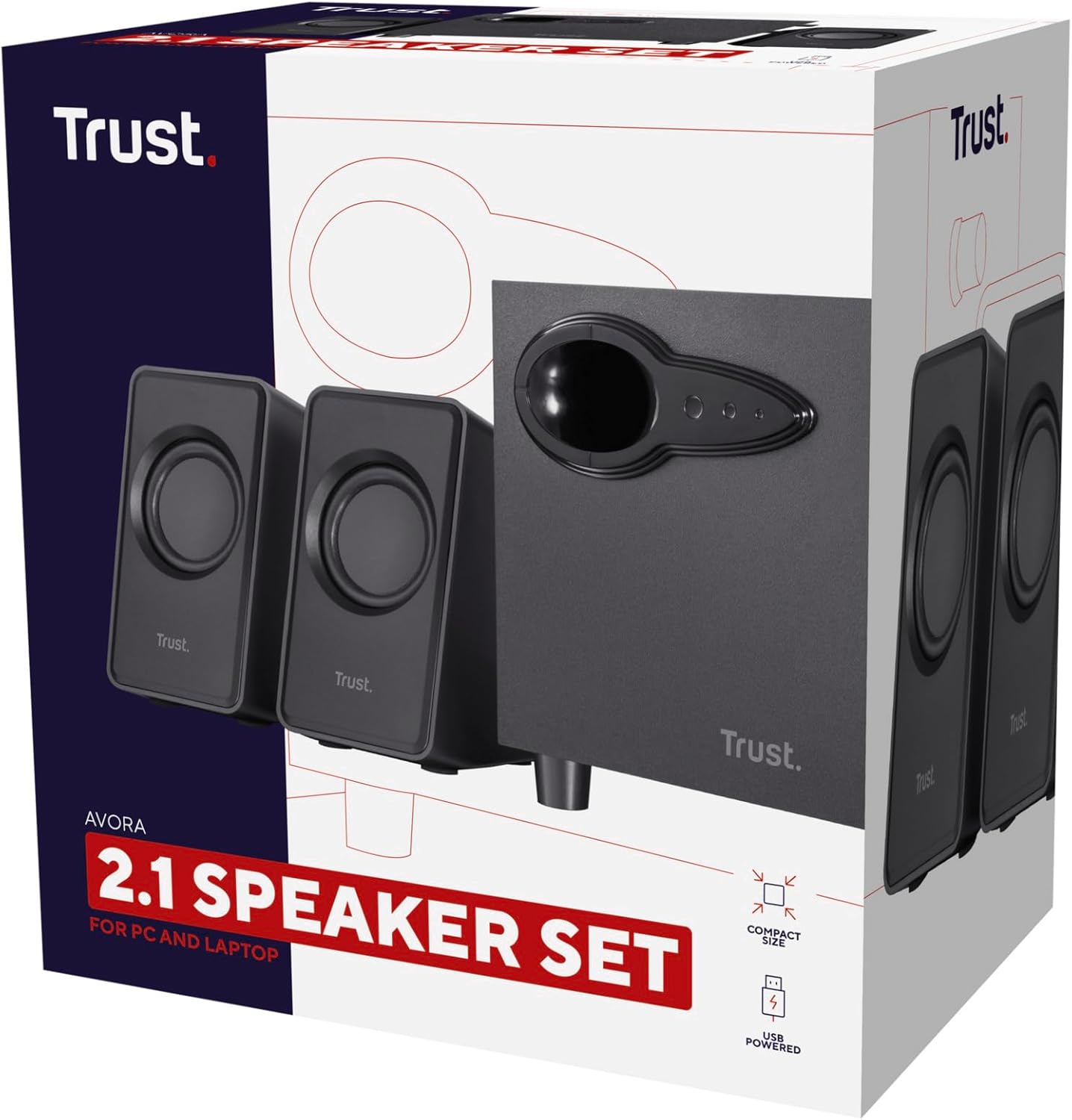
Image: A detailed view of the volume and bass adjustment knobs located on the side of the Trust Avora subwoofer, indicating their positions.
For optimal sound, experiment with both the volume and bass controls to find the balance that suits your listening environment and content.
Maintenance
Proper maintenance ensures the longevity and optimal performance of your speakers:
- Cleaning: Use a soft, dry cloth to wipe down the surfaces of the speakers and subwoofer. Avoid using abrasive cleaners, solvents, or sprays directly on the units.
- Placement: Keep the speakers away from direct sunlight, heat sources, and excessive moisture. Ensure adequate ventilation around the subwoofer.
- Handling: Avoid dropping or subjecting the speakers to strong impacts. Do not attempt to open the speaker enclosures, as this may damage the components and void the warranty.
Troubleshooting
If you encounter issues with your Trust Avora 2.1 PC Speakers, refer to the following common problems and solutions:
| Problem | Possible Cause | Solution |
|---|---|---|
| No sound |
|
|
| Distorted or unclear sound |
|
|
| Static or humming noise |
|
|
If the problem persists after trying these solutions, please contact Trust customer support for further assistance.
Specifications
| Feature | Detail |
|---|---|
| Brand | Trust |
| Model Name | 20442 Avora |
| Speaker Type | Subwoofer, 2.1 Channel |
| Connectivity Technology | USB (for power), 3.5mm Audio Jack (for audio input) |
| Power Source | USB Powered |
| Speaker Maximum Output Power | 18 Watts (Peak Power), 9 Watts (RMS) |
| Frequency Response | 100.2 Hz |
| Material | Wood (Subwoofer) |
| Product Dimensions (Subwoofer) | 7.09"D x 4.72"W x 5.51"H |
| Item Weight | 2.2 pounds (approx. 1000 Grams) |
| Controls | Volume, Bass |
| Recommended Uses | For Computers, Gaming, Business |
| Surround Sound Channel Configuration | 2.1 |
| Color | Black |
| Impedance | 4 Ohm |
Warranty and Support
Your Trust Avora 2.1 PC Speakers come with a Limited Warranty provided by Trust.
For warranty claims, technical support, or further inquiries, please visit the official Trust website or contact their customer service department. You can also find more information and products from Trust by visiting their store on Amazon:
Ask a question about this manual
Ask about setup, troubleshooting, compatibility, parts, safety, or missing instructions. Manuals+ will review the question and use this page’s manual context to help answer it.