Introduction
The Motorola Solutions T480 Talkabout Two-Way Radio is designed for reliable communication, especially during unexpected weather events or when cell phone service is unavailable. This rechargeable radio provides instant communication and access to critical weather alerts, ensuring you and your family stay informed and connected.
What's in the Box
Your Motorola T480 package includes the following items:
- 1 x Motorola T480 Two-Way Radio
- 1 x Rechargeable Battery Pack
- 1 x Micro-USB Wall Charging Cable
- 1 x Whistle Belt Clip
- 1 x Wall/Desk Stand
- 1 x User Guide
- Accessory Sheet
- Emergency Preparedness Checklist
Setup
Battery Installation and Charging
Before first use, ensure the rechargeable battery pack is properly installed and fully charged. The radio can be charged using the included Micro-USB wall charging cable and the wall/desk stand.
- Open the battery compartment cover on the back of the radio.
- Insert the rechargeable battery pack, ensuring correct polarity.
- Close the battery compartment cover securely.
- Place the radio into the wall/desk stand.
- Connect the Micro-USB wall charging cable to the stand and plug it into a power outlet.
- The charging indicator on the radio or stand will illuminate to show charging is in progress. A full charge may take several hours.
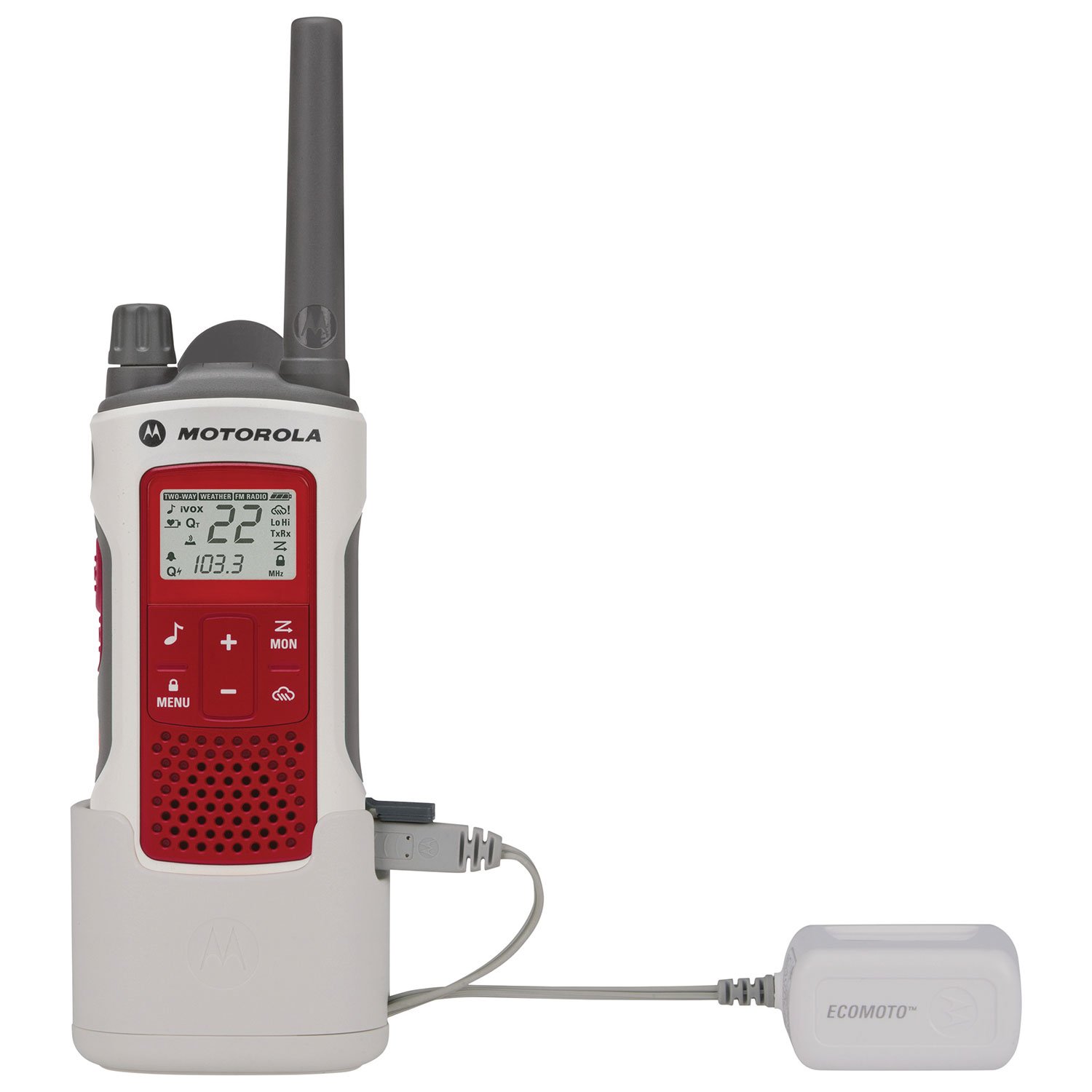
Alternatively, the radio can also operate using 3 AA batteries (not included with the single unit package, but mentioned in specifications as included with the product). This provides a backup power option when recharging is not feasible.
Operating Instructions
Power On/Off
To power on the radio, rotate the On/Off/Volume knob clockwise until you hear a click and the display illuminates. To power off, rotate the knob counter-clockwise until it clicks off.
Channel Selection
The T480 features 22 channels. To change channels:
- Press the MENU button. The current channel number will flash.
- Use the Up or Down arrow buttons to select your desired channel.
- Press MENU again or wait for a few seconds for the selection to be confirmed.
Transmitting and Receiving (PTT)
To transmit your voice, press and hold the Push-to-Talk (PTT) button located on the side of the radio. Speak clearly into the microphone. Release the PTT button to listen for a response. Ensure you are on the same channel and privacy code as the person you are trying to communicate with.
Weather Alerts
The T480 includes a weather channel feature to receive NOAA/EC weather radio and alerts. Consult the user guide for specific instructions on how to activate and monitor weather alerts in your region.
Flashlight Function
The radio is equipped with a built-in flashlight for convenience in low-light conditions. Refer to the user guide for instructions on how to activate and deactivate the flashlight.
Features
- Waterproof Design: The T480 is designed to be waterproof, offering durability in various outdoor conditions.
- Extended Range: Offers a talking range of up to 35 miles in optimal conditions (line-of-sight). Actual range may vary significantly based on terrain, weather, and obstructions.
- Emergency Preparedness: Features like weather alerts and reliable communication make it ideal for emergency situations.
- Dual Power Options: Can operate with the included rechargeable battery pack or standard AA batteries.
Maintenance
To ensure the longevity and optimal performance of your Motorola T480 radio, follow these maintenance guidelines:
- Cleaning: Wipe the radio with a soft, damp cloth. Do not use harsh chemicals or abrasive cleaners. Ensure all ports are sealed before cleaning if using a damp cloth.
- Battery Care: Fully charge the rechargeable battery pack before extended storage. If using AA batteries, remove them if the radio will not be used for a long period to prevent leakage.
- Storage: Store the radio in a cool, dry place away from extreme temperatures and direct sunlight.
Troubleshooting
If you encounter issues with your T480 radio, try the following common troubleshooting steps:
- No Power: Check if the battery pack is fully charged or if the AA batteries are fresh and correctly installed. Ensure the On/Off knob is turned clockwise.
- Cannot Transmit/Receive: Verify that both radios are on the same channel and privacy code. Check if the PTT button is being pressed correctly. Ensure you are within range and there are no major obstructions.
- Poor Audio Quality: Adjust the volume. Ensure the microphone and speaker are not obstructed. Move to an area with fewer obstructions.
For more detailed troubleshooting, please refer to the full user guide included in your package.
Specifications
| Feature | Detail |
|---|---|
| Product Dimensions | 1.37 x 2.26 x 7.54 inches |
| Item Weight | 6.7 ounces |
| Item Model Number | T480 |
| Batteries | 1 Rechargeable Battery Pack (included), or 3 AA batteries (not included with single unit) |
| Special Features | Waterproof, NOAA/EC Weather Alerts, Built-in Flashlight |
| Other Display Features | Wireless |
| Color | Red/White |
| Manufacturer | Motorola |
| Number of Channels | 22 |
| Frequency Range | 403-406 MHz |
| Talking Range Maximum | 35 Miles (under optimal conditions) |
| Water Resistance Level | Waterproof |
Warranty and Support
For warranty information, technical support, or service inquiries, please refer to the official Motorola Solutions website or contact their customer service department. Details can be found in the full user guide provided with your product.


