
1. Product Overview
The Meade Instruments LXPS17 Power Supply, Model 606002, is a versatile and portable power solution designed for field operation of Meade 12V telescopes and other compatible electronic devices. This unit integrates a 17 amp-hour 12V DC power source with an adjustable 30 LED spotlight, a white flashlight, and a red filter attachment, providing essential power and illumination for outdoor and astronomical activities.
Its multi-functional design ensures reliable power delivery and convenient lighting in various environments.
2. Important Safety Information
Please read and understand all safety instructions before operating the Meade LXPS17 Power Supply. Failure to follow these instructions may result in electric shock, fire, or serious injury.
- Do not disassemble: Do not attempt to open or modify the power supply unit. There are no user-serviceable parts inside.
- Avoid water exposure: Keep the unit away from water, rain, and excessive moisture.
- Proper ventilation: Ensure adequate ventilation around the unit during operation and charging to prevent overheating.
- Charging: Use only the provided charger and cables. Do not overcharge the battery.
- Temperature: Operate and store the unit within recommended temperature ranges. Avoid extreme heat or cold.
- Children: Keep out of reach of children.
- Disposal: Dispose of the battery and unit according to local regulations. Do not dispose of in fire.
3. Package Contents
Verify that all items listed below are present in your package:
- Meade LXPS17 Power Supply Unit
- AC Wall Charger
- DC Car Charger Cable
- Various International Plug Adapters (for AC charger)

Figure 3.1: Meade LXPS17 Power Supply unit shown with its AC wall charger, DC car charger cable, and international plug adapters.
4. Product Features
The Meade LXPS17 Power Supply is equipped with several features for optimal utility:
- 12V DC Output: Provides 12V power suitable for Meade telescopes and other compatible devices.
- 17 Amp-Hour Capacity: Offers extended operational time for connected devices.
- Integrated Spotlight: Features an adjustable 30 LED spotlight for broad illumination.
- White Flashlight: A dedicated white flashlight for general illumination.
- Red Filter Attachment: Allows conversion of the flashlight to red light, preserving night vision.
- USB Charging Ports: Includes USB ports for charging small electronic devices.
- Battery Status Indicator: Visual indicators to monitor the power supply's charge level.
- Portable Design: Integrated handle for easy transport.
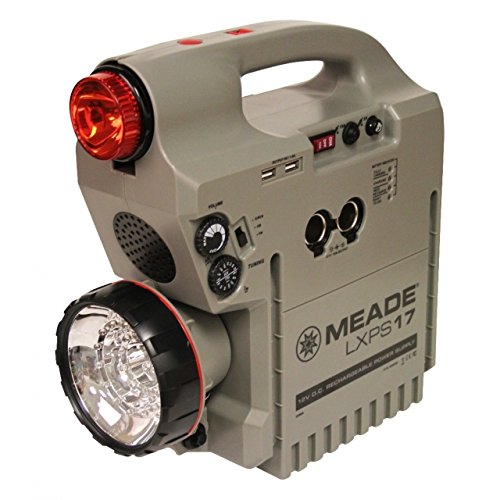
Figure 4.1: The LXPS17 unit demonstrating the red filter attachment on the spotlight, useful for maintaining night vision during astronomical observations.

Figure 4.2: A direct front view of the LXPS17, highlighting the large adjustable spotlight and the smaller red light at the top.
5. Setup and Charging
5.1 Initial Charging
Before first use, fully charge the LXPS17 Power Supply. This may take several hours.
- Connect the provided AC wall charger to the charging port on the side of the LXPS17 unit.
- Plug the AC charger into a standard wall outlet.
- The battery status indicator lights will illuminate, showing the charging progress. Charge until all indicator lights are solid, indicating a full charge.
- Once fully charged, disconnect the charger from the unit and the wall outlet.
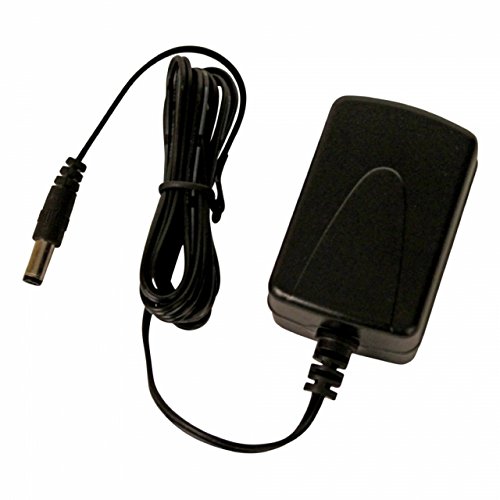
Figure 5.1: The AC wall charger used for charging the LXPS17 unit from a standard electrical outlet.
5.2 Charging via Car Adapter
The LXPS17 can also be charged using the provided DC car charger cable.
- Connect the DC car charger cable to the charging port on the LXPS17 unit.
- Insert the other end of the cable into your vehicle's 12V accessory (cigarette lighter) socket.
- Monitor the battery status indicators. Disconnect once fully charged or when the vehicle is turned off.
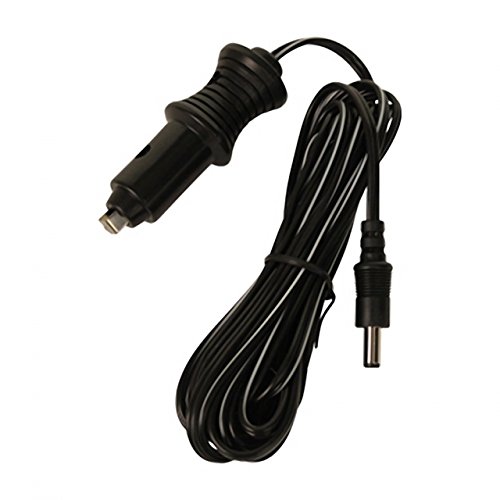
Figure 5.2: The DC car charger cable, allowing the LXPS17 to be charged from a vehicle's 12V accessory socket.
6. Operating Instructions
6.1 Powering Devices
To power your telescope or other 12V DC devices:
- Ensure the LXPS17 is adequately charged.
- Connect your device's 12V power cable to one of the 12V DC output ports on the LXPS17.
- Turn on the power supply (if it has a master power switch) and then your connected device.
6.2 Using the Spotlight and Flashlight
The LXPS17 features an integrated spotlight and a separate flashlight.
- Spotlight: Locate the switch or button for the 30 LED spotlight. Press to turn on/off. Adjust the angle as needed.
- Red Filter: To use the red filter, attach it securely over the spotlight lens. This is ideal for preserving night vision during astronomical observations.
- White Flashlight: Locate the switch or button for the smaller white flashlight. Press to turn on/off.
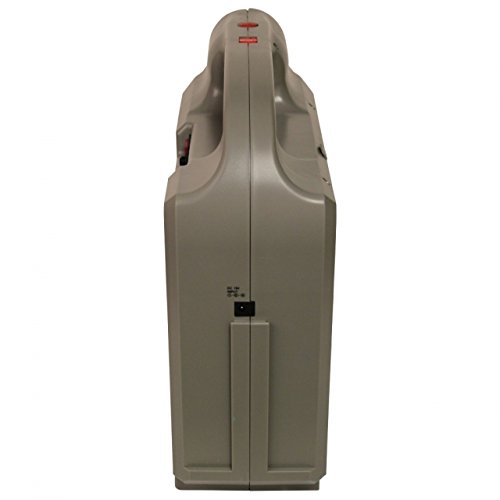
Figure 6.1: Side profile of the LXPS17 unit, showing its compact design and integrated handle for portability.
6.3 USB Charging
To charge USB-powered devices:
- Connect your USB device's charging cable to one of the USB output ports on the LXPS17.
- The device should begin charging automatically.
7. Maintenance
- Recharging: For optimal battery life, recharge the LXPS17 after each use, especially if it has been significantly discharged. If storing for extended periods, recharge every 3-6 months to prevent deep discharge.
- Cleaning: Clean the exterior of the unit with a soft, dry cloth. Do not use abrasive cleaners or solvents.
- Storage: Store the unit in a cool, dry place, away from direct sunlight and extreme temperatures.
8. Troubleshooting
| Problem | Possible Cause | Solution |
|---|---|---|
| Unit does not power on. | Battery is fully discharged. | Charge the unit using the AC or DC charger. |
| Connected device not receiving power. | Cable not properly connected; device requires more power than available; unit is off. | Ensure cables are securely connected. Check device power requirements. Turn on the LXPS17. |
| Spotlight/Flashlight not working. | Battery low; light switch off. | Recharge the unit. Ensure the light switch is in the ON position. |
| Unit not charging. | Charger not connected properly; faulty charger/cable; power outlet issue. | Check all connections. Try a different power outlet. Contact support if issues persist. |
9. Specifications
- Model Name: Meade Power Supply LXPS17
- Model Number: 606002
- Brand: Meade
- Battery Type: Product Specific (3 batteries required)
- Capacity: 17 Amp Hours (12V)
- Product Dimensions (LxWxH): 35.3 x 13.2 x 34.5 Centimeters (35.31 x 13.21 x 34.54 cm)
- Item Weight: 7.26 kg (7 kg 260 g)
- First Available: 10 June 2015
- Manufacturer: Meade
10. Warranty and Support
The Meade LXPS17 Power Supply comes with a 365 Day Warranty from the date of purchase. This warranty covers defects in materials and workmanship under normal use.
For warranty claims, technical support, or service inquiries, please contact Meade customer service. Keep your proof of purchase for warranty validation.
Manufacturer: Meade
For further assistance, please visit the official Meade Instruments website or contact their support channels.