1. Introduction
The Fermax 5601 iLOFT VDS Extra Telephone is an audio terminal designed for residential use, enabling communication with an outdoor panel and facilitating door opening. This unit features hands-free communication and integrates a modern, minimalist design with high functionality. It is part of the VDS system, which simplifies installation by utilizing a 3-wire bus without requiring dedicated house call wires.
2. Product Features
- Hands-Free Communication: Allows for convenient two-way audio without needing to hold a handset.
- Integrated Design: Features a compact, extra-flat profile with pure lines, made from high-impact ABS plastic with a mirror polished finish.
- Easy Installation: Designed for simple wall-mounted installation.
- VDS System Compatibility: Utilizes a simplified 3-wire bus installation, eliminating the need for traditional house call wires.
- Digital Call Code: Calls are initiated by transmitting a digital call code generated by the VDS amplifier.
- Voice Synthesizer: The VDS amplifier includes a voice synthesizer that announces "Door open, please close after entering" when the door release is activated.
- Simple Programming: Each terminal requires basic programming, which can be performed from the outdoor panel or the telephone handset to assign a unique call code.
- Private Communication: Ensures secure and private audio communication.
- Maximum Distance: Supports a maximum distance of 200 meters from the first access point to the last home terminal.
3. Setup and Installation
The Fermax 5601 iLOFT VDS Extra Telephone is designed for straightforward installation within a VDS system. Follow these guidelines for proper setup:
- Wiring: Connect the terminal using a 3-wire bus system. Ensure all connections are secure and follow the VDS system wiring diagram provided with your complete intercom system. The VDS system does not require separate house call wires.
- Wall Mounting: Mount the unit securely on a wall. The extra-flat design allows for discreet placement. Ensure the mounting location provides easy access for users and is within the 200-meter maximum distance from the outdoor panel.
- Programming: After physical installation, the terminal requires programming. This process assigns a unique digital call code to the unit. Programming can be initiated either from the outdoor panel or directly from the iLOFT telephone handset. Refer to the main VDS system manual for detailed programming steps specific to your outdoor panel model.
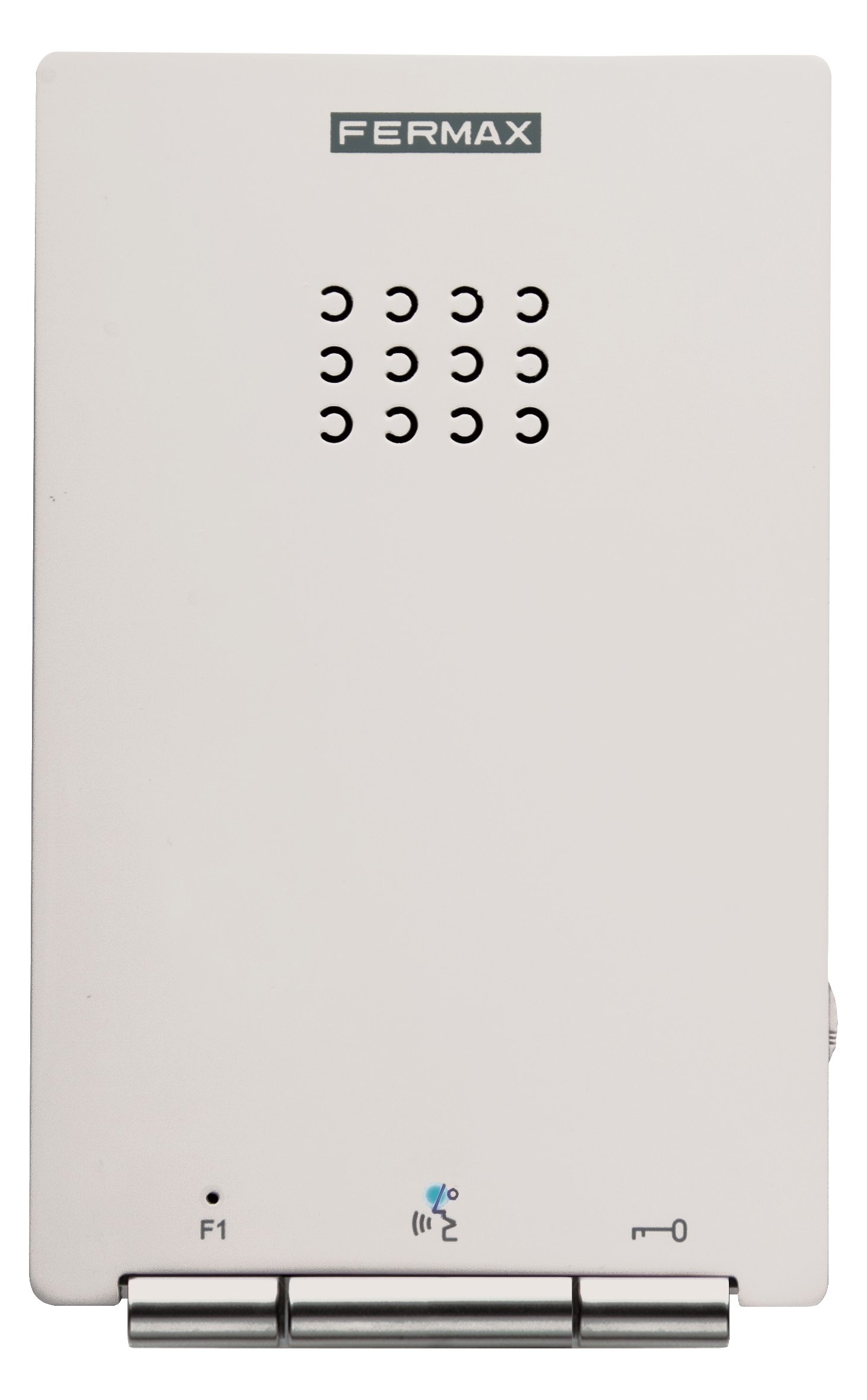
Image 1: Fermax 5601 iLOFT VDS Extra Telephone, showcasing its sleek, wall-mounted design. This image illustrates the compact form factor and the mirror-polished finish of the unit.
4. Operating Instructions
Operating the Fermax 5601 iLOFT VDS Extra Telephone is designed to be intuitive:
- Receiving a Call: When a visitor initiates a call from the outdoor panel, the iLOFT telephone will ring.
- Answering a Call: To answer, simply press the designated talk button. The hands-free function allows for immediate communication.
- Communicating: Speak clearly towards the unit. The hands-free system will transmit your voice to the outdoor panel and allow you to hear the visitor.
- Door Opening: To open the door, press the door release button on the iLOFT telephone. Upon activation, the VDS system's voice synthesizer will announce, "Door open, please close after entering."
- Ending a Call: The call will typically end automatically after a set period of inactivity or by pressing the talk button again, depending on system configuration.
5. Maintenance
To ensure the longevity and optimal performance of your Fermax 5601 iLOFT VDS Extra Telephone, follow these simple maintenance guidelines:
- Cleaning: The unit is made from high-impact ABS plastic with a mirror polished finish, which is easy to clean. Use a soft, damp cloth to wipe the surface. Avoid abrasive cleaners, solvents, or harsh chemicals, as these can damage the finish.
- Inspection: Periodically check the unit for any visible damage or loose connections. If any issues are found, contact a qualified technician.
- Environmental Conditions: Ensure the unit is installed in a dry environment, away from direct sunlight, extreme temperatures, and excessive humidity to prevent damage to internal components.
6. Troubleshooting
If you encounter issues with your Fermax 5601 iLOFT VDS Extra Telephone, consider the following troubleshooting steps:
- No Communication:
- Verify that the unit is properly connected to the 3-wire bus system.
- Ensure the outdoor panel is powered and functioning correctly.
- Check if the unit has been correctly programmed with its digital call code. Reprogramming may be necessary if the code is lost or incorrect.
- Confirm that the distance from the outdoor panel to the terminal does not exceed the maximum 200-meter limit for the VDS system.
- Door Release Not Working:
- Ensure communication with the outdoor panel is established.
- Check the wiring to the door lock mechanism and the VDS amplifier.
- Listen for the voice synthesizer announcement; if it's not heard, there might be an issue with the VDS amplifier or its connection.
- Poor Audio Quality:
- Check for any obstructions near the microphone or speaker on both the iLOFT telephone and the outdoor panel.
- Ensure wiring connections are secure and free from interference.
- Excessive background noise in the environment can affect clarity.
For persistent issues, it is recommended to contact a qualified Fermax technician or your system installer.
7. Specifications
| Specification | Detail |
|---|---|
| Manufacturer | Fermax |
| Part Number | 8424299056012 |
| Item Model Number | 8424299056012 |
| Material | ABS Plastic |
| Voltage | 100V |
| Wattage | 100W |
| Item Package Quantity | 1 |
| Number of Pieces | 1 |
| Batteries Included? | No |
| Batteries Required? | No |
| Length | 3.3 Centimetres |
| Width | 9.5 Centimetres |
| Height | 15 Centimetres |
| ASIN | B00VUL65PW |
8. Warranty and Support
Specific warranty details for the Fermax 5601 iLOFT VDS Extra Telephone are not provided in the product information. For warranty claims, technical support, or service inquiries, please contact Fermax directly or refer to the documentation included with your complete VDS intercom system. You may also reach out to your authorized Fermax dealer or installer for assistance.


