
1. Introduction
The KWB Safety-Fixx detector is a versatile device designed to help you safely locate hidden elements within walls before drilling or cutting. It can detect live electrical cables, various metal objects (such as pipes or studs), and wooden structures (like studs or beams). This manual provides essential information for the correct and safe operation of your device.
Key features include:
- Detection of cables, metal, and wood in walls.
- Precision of +/- 3 mm for accurate marking.
- Optical and acoustic signals for detection indication.
- Integrated marking aid for precise wall marking.
- Detection depth: up to 38 mm for metal and cables, up to 18 mm for soft wall wood.

Figure 1: KWB Safety-Fixx detector in its retail packaging.
2. Safety Information
Please read all safety warnings and instructions carefully before using the device. Failure to follow these instructions may result in electric shock, fire, and/or serious injury.
- Always assume that electrical wires are live. Exercise extreme caution when working near detected electrical lines.
- Do not rely solely on the detector for safety. Always verify findings with other methods if possible, especially before drilling or cutting.
- Keep the device dry. Moisture can affect accuracy and cause electric shock.
- Do not operate the device in explosive atmospheres, such as in the presence of flammable liquids, gases, or dust.
- This device is intended for household and light professional use. Do not use it for purposes other than those described in this manual.
- Keep out of reach of children.
- Dispose of batteries properly according to local regulations.
3. Package Contents
Verify that all items are present upon unpacking:
- 1 x KWB Safety-Fixx Detector (Model 4009310116209)
- 2 x 1.5 Volt AAA Batteries
- Instruction Manual
4. Setup
4.1 Battery Installation
The KWB Safety-Fixx detector requires two 1.5 Volt AAA batteries for operation. Ensure correct polarity when inserting the batteries.
- Locate the battery compartment cover on the back of the device.
- Slide or unclip the cover to open the compartment.
- Insert two AAA batteries, matching the (+) and (-) terminals with the markings inside the compartment.
- Close the battery compartment cover securely.
Note: If the device does not power on, check battery orientation and ensure batteries are fresh.
5. Operating Instructions
5.1 Powering On and Calibration
To power on the device, press and hold the power button. The detector will typically perform an automatic calibration. Hold the device away from any objects or your hand during calibration for best results. The indicator lights will flash, and an acoustic signal may sound to confirm readiness.
5.2 Detection Modes and Indicators
The KWB Safety-Fixx detector uses optical (LED lights) and acoustic signals to indicate detections.
- Green LED: Indicates the device is powered on and ready for use, or no object is detected.
- Yellow LED: Indicates proximity to an object. The signal may become more frequent as you get closer.
- Red LED: Indicates direct detection of an object (metal, wood, or live wire). An acoustic signal will also sound.
5.3 Using the Detector
Follow these steps for effective detection:
- Preparation: Ensure the wall surface is clean and dry. Avoid detection over wet paint or wallpaper.
- Placement: Place the detector flat against the wall surface.
- Scanning: Slowly move the detector horizontally across the wall. Maintain constant contact with the surface.
- Detection: When the device approaches an object, the yellow LED will light up, and the acoustic signal may start. As you move directly over the object, the red LED will light up, and the acoustic signal will become continuous or more intense.
- Marking: Use the integrated marking aid to precisely mark the location of the detected object on the wall.
- Verification: For critical applications, scan the area from different directions (e.g., vertically and diagonally) to confirm the object's position and extent.
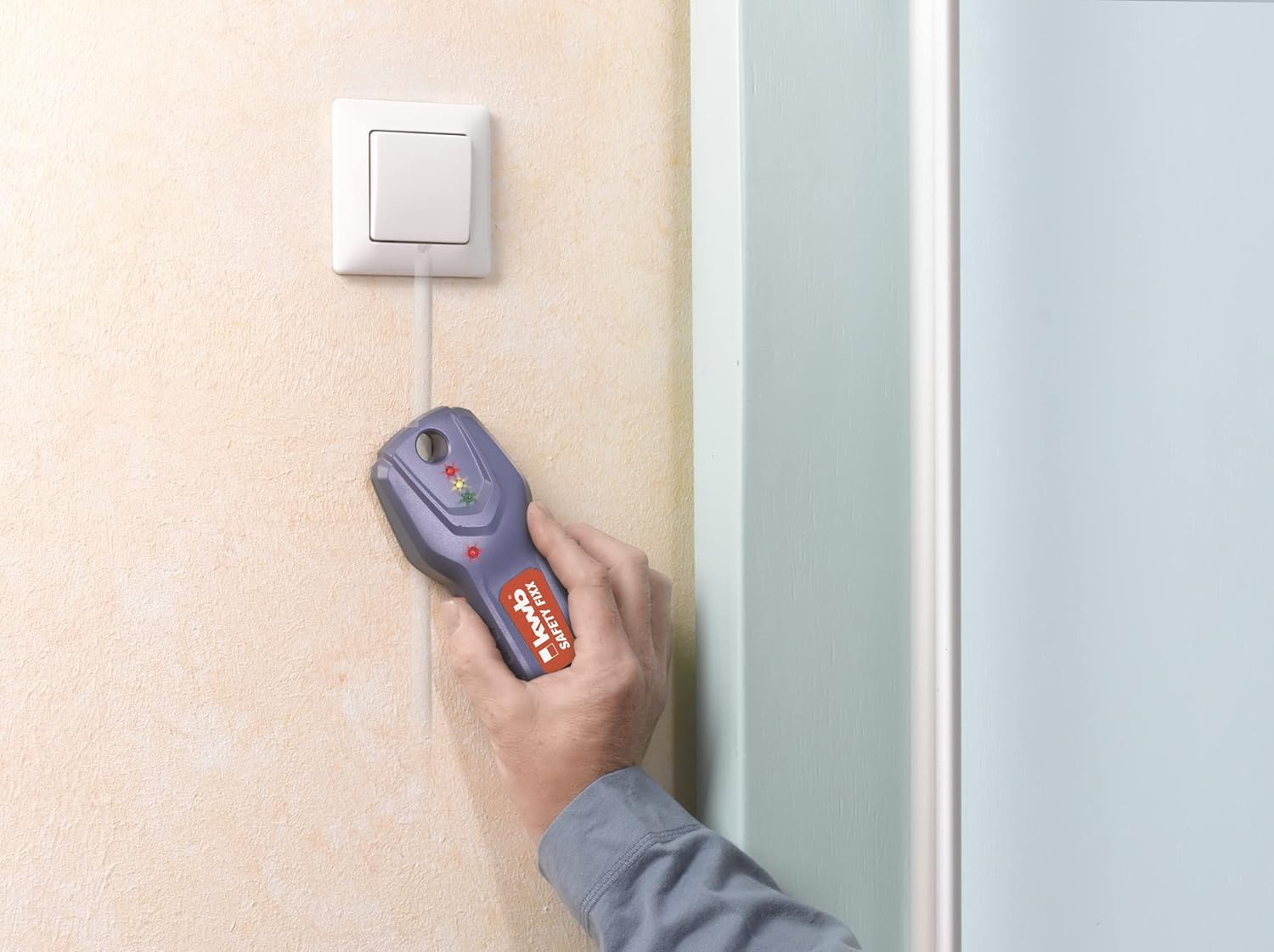
Figure 2: Detecting electrical cables near an outlet.
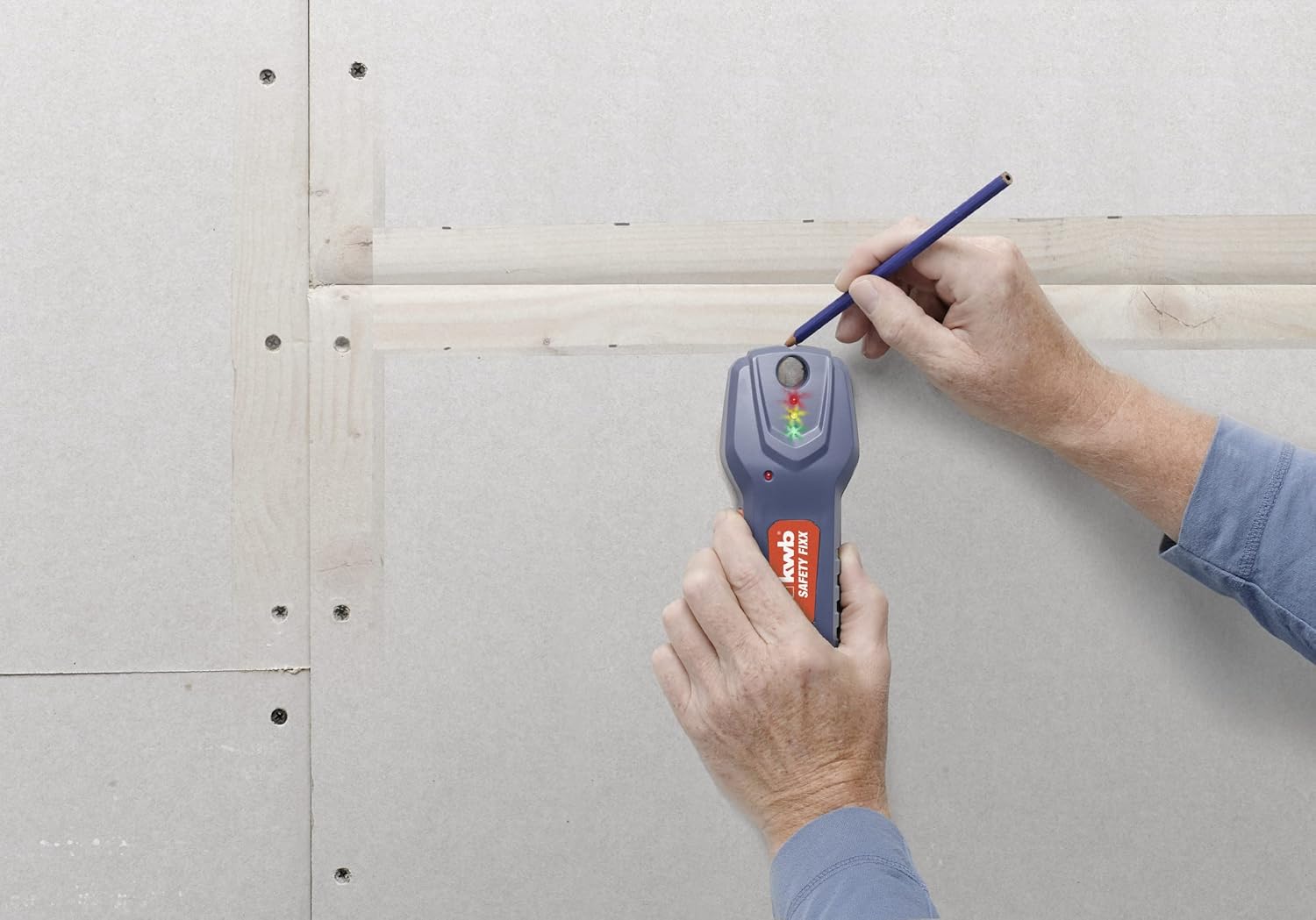
Figure 3: Marking a wooden stud with the integrated marking aid.

Figure 4: Detecting a metal pipe behind a tiled surface.

Figure 5: Illustration of detection progression as the device moves over hidden objects.
5.4 Important Considerations for Detection
- Wall Material: Detection depth and accuracy can vary depending on the wall material (e.g., plasterboard, concrete, tiles).
- Moisture: High moisture content in walls can reduce detection accuracy.
- Interference: Nearby electronic devices or strong electromagnetic fields can interfere with detection.
- Multiple Objects: In areas with multiple closely spaced objects, the detector may indicate a broader area of detection.
6. Maintenance
- Cleaning: Clean the device with a soft, damp cloth. Do not use abrasive cleaners or solvents.
- Storage: Store the detector in a dry, dust-free environment, away from extreme temperatures. Remove batteries if storing for extended periods to prevent leakage.
- Battery Replacement: Replace batteries when the low battery indicator appears or if the device fails to power on.
7. Troubleshooting
| Problem | Possible Cause | Solution |
|---|---|---|
| Device does not power on. | Dead or incorrectly inserted batteries. | Check battery orientation. Replace with fresh AAA batteries. |
| Inaccurate or inconsistent readings. | Improper calibration, wet wall surface, electromagnetic interference, or multiple objects. | Recalibrate the device in a clear area. Ensure wall is dry. Move away from other electronics. Scan from different angles. |
| Device constantly beeps or shows red light. | Strong interference, or device is being held over a large metallic area. | Move to a different area and recalibrate. Ensure no large metal objects are nearby during calibration. |
8. Specifications
| Feature | Detail |
|---|---|
| Model Number | 4009310116209 |
| Manufacturer | KWB |
| Dimensions (L x W x H) | 15.5 x 6.5 x 0.1 cm |
| Weight | 210 grams |
| Power Source | 2 x 1.5 Volt AAA Batteries (included) |
| Material | Aluminum Acrylonitrile Butadiene Styrene |
| Color | Blue |
| Metal & Cable Detection Depth | Up to 38 mm |
| Wood Detection Depth (soft wall) | Up to 18 mm |
| Measurement Precision | +/- 3 mm |
9. Warranty
KWB products are manufactured to high-quality standards. This product comes with a 1-year availability of spare parts. For specific warranty terms and conditions, please refer to the documentation provided with your purchase or contact KWB customer support.
10. Support
If you encounter any issues or have questions not covered in this manual, please contact KWB customer support. You can find contact information on the KWB website or on your product packaging.
For more information about KWB and its product range, visit the official KWB website: www.kwb.com
11. Official Product Videos
No official product videos from the seller were found to be relevant for embedding in this instruction manual.