
1. Introduction
The Harman Kardon Onyx Studio is a premium wireless Bluetooth speaker designed to deliver exceptional audio performance. Featuring a sleek, modern design and a built-in rechargeable battery, it offers both powerful sound and portable convenience for use anywhere in your home.
2. Package Contents
Before you begin, please ensure all items are present in the package:
- Harman Kardon Onyx Studio Wireless Bluetooth Speaker
- Power Adapter
- Quick Start Guide
3. Setup
3.1 Charging the Battery
The Onyx Studio speaker features a built-in rechargeable battery, providing up to 5 hours of playtime. To charge the speaker:
- Connect the power adapter to the speaker's power input port located on the rear.
- Plug the power adapter into a wall outlet.
- The LED indicator will show charging status. Allow sufficient time for a full charge before first use.
3.2 Bluetooth Pairing
To connect your Harman Kardon Onyx Studio speaker to a Bluetooth-enabled device:
- Ensure the speaker is powered on.
- Press and hold the Bluetooth button (usually indicated by a Bluetooth symbol) on the speaker until the LED indicator begins to flash, indicating pairing mode.
- On your smartphone, tablet, or other compatible device, navigate to the Bluetooth settings.
- Select "HK Onyx Studio" from the list of available devices.
- Once connected, the LED indicator on the speaker will glow solid blue.
3.3 Physical Placement
The Harman Kardon Onyx Studio is designed for floor standing placement. Its dimensions are 10.3"D x 11.1"W x 6.4"H, and it weighs 6.79 pounds. Place the speaker on a stable, flat surface to ensure optimal sound projection and stability.
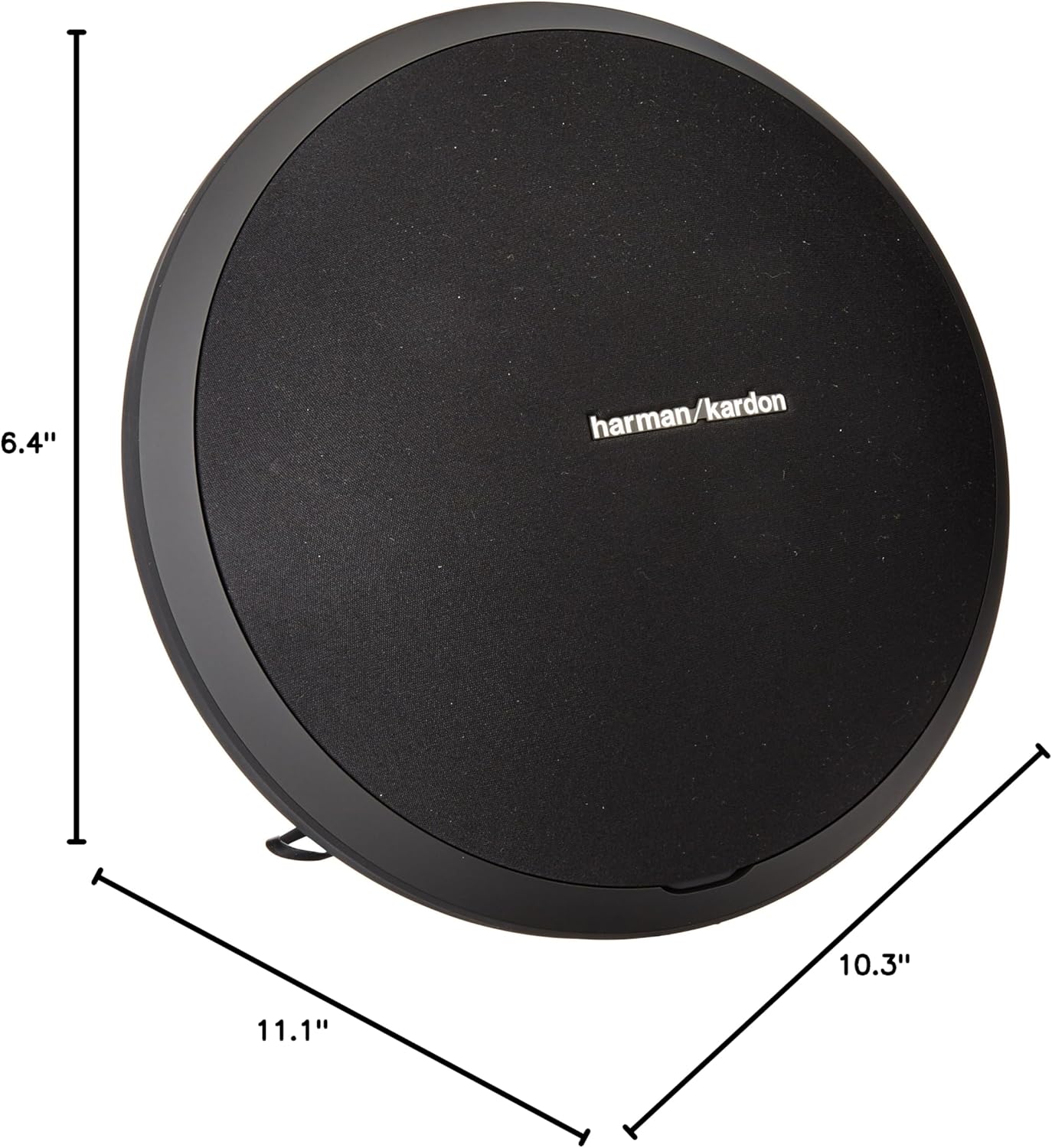
Figure 1: Harman Kardon Onyx Studio with labeled dimensions.
4. Operating Instructions
4.1 Power On/Off
To power the speaker on or off, locate the power button (usually indicated by a circle with a vertical line) on the speaker's control panel. Press and hold the button for a few seconds until the speaker powers on or off.

Figure 2: Side view of the speaker with control buttons.
4.2 Volume Control
Adjust the volume using the dedicated volume buttons on the speaker's control panel. Press the '+' button to increase the volume and the '-' button to decrease it.
4.3 Playback Control
If your connected Bluetooth device supports it, you may be able to control playback (play/pause) directly from the speaker's control panel using the designated button.
4.4 Connecting via Auxiliary Input
For devices without Bluetooth, the Onyx Studio includes an auxiliary (AUX) input. Connect your audio source using a standard 3.5mm audio cable to the AUX port on the speaker's rear panel.

Figure 3: Rear view of the speaker showing connectivity ports.
5. Maintenance
5.1 Cleaning
To maintain the appearance and performance of your speaker, regularly wipe its surfaces with a soft, dry cloth. Avoid using abrasive cleaners or solvents that could damage the finish.
5.2 Battery Care
To prolong the life of the rechargeable battery, avoid fully discharging it frequently. If the speaker will not be used for an extended period, charge it to approximately 50% before storing.
6. Troubleshooting
6.1 No Power
- Ensure the power adapter is securely connected to both the speaker and a working wall outlet.
- Check if the battery is charged. If not, charge the speaker for at least 30 minutes.
6.2 Cannot Pair via Bluetooth
- Make sure the speaker is in Bluetooth pairing mode (LED flashing).
- Ensure your device's Bluetooth is enabled and within range (up to 10 meters).
- Try forgetting the device from your phone's Bluetooth settings and re-pairing.
- Restart both the speaker and your Bluetooth device.
6.3 No Sound
- Check the volume levels on both the speaker and your connected device.
- Ensure the correct input source is selected (Bluetooth or AUX).
- If using AUX, verify the cable is fully inserted and not damaged.
7. Specifications
| Feature | Specification |
|---|---|
| Model Name | Onyx Studio |
| Model Number | HKONYXSTUDIOG1 |
| Brand | Harman Kardon |
| Speaker Type | Multi Room |
| Wireless Communication Technology | Bluetooth |
| Bluetooth Range | 10 Meters |
| Power Source | Battery Powered |
| Battery Capacity | 2600 Milliamp Hours |
| Playtime (Battery) | Up to 5 hours |
| Speaker Maximum Output Power | 38 Watts |
| Frequency Response | 60Hz-20kHz |
| Audio Output Mode | Stereo |
| Surround Sound Channel Configuration | 4.0 |
| Input Voltage | 3.7 Volts |
| Control Method | Touch |
| Product Dimensions | 10.3"D x 11.1"W x 6.4"H |
| Item Weight | 6.79 Pounds |
| Material | Plastic |
| Color | Black |
| Is Waterproof | FALSE |
8. Warranty and Support
The Harman Kardon Onyx Studio Wireless Bluetooth Speaker comes with a limited warranty. For detailed warranty information, product support, and additional resources, please visit the official Harman Kardon website at www.harmankardon.com.


