
Introduction
The Energizer EN100 100-Watt Ultracompact Power Inverter converts 12V DC power from your vehicle's accessory outlet into standard 110V AC household power. It also provides dual USB charging ports for your portable electronic devices. This manual provides essential information for the safe and efficient operation of your power inverter.
Safety Information
Please read and understand all safety instructions before using the Energizer EN100 Power Inverter. Failure to follow these instructions may result in electric shock, fire, or serious injury.
- Do not expose the inverter to rain, moisture, or extreme temperatures.
- Ensure proper ventilation around the inverter during operation.
- Do not connect the inverter to AC distribution wiring.
- Avoid inserting foreign objects into the inverter's outlets or vents.
- Keep out of reach of children.
- Always disconnect the inverter from the power source when not in use.
- Do not attempt to open or modify the inverter. There are no user-serviceable parts inside.
Package Contents
Verify that all items are present in your package:
- Energizer EN100 100W Power Inverter
- User Manual
Product Features
The Energizer EN100 Power Inverter is designed with convenience and efficiency in mind:
- 100 Watt Continuous Power: Provides 100 watts of continuous 12V DC to AC power, suitable for various electronic devices.
- Multi-Purpose Charging Ports: Features dual USB charging ports (2.1A shared) and one standard North American AC outlet.
- Advanced Safety Protections: Includes low battery shutdown, overload protection, and short circuit protection to safeguard your devices and vehicle.
- Ultra-Silent & Fanless Operation: Engineered with a copper heat sink for efficient heat dissipation, eliminating the need for a noisy fan.
- Wireless Direct Cigarette Lighter Connection: Plugs directly into your vehicle's 12V DC accessory outlet without additional cables.
- Adjustable Pivoting Head: The 12V DC plug features an adjustable pivoting head for flexible positioning in your vehicle.
- ETL Certified: Tested, validated, and approved by ETL for both safety and performance.

Image: The Energizer EN100 Power Inverter connected to various devices, demonstrating its charging capabilities for a Nintendo Switch, tablet, and smartphone.

Image: The Energizer EN100 Power Inverter shown with icons of devices it can charge simultaneously, such as laptops, cameras, tablets, smartwatches, mobile phones, and headphones.
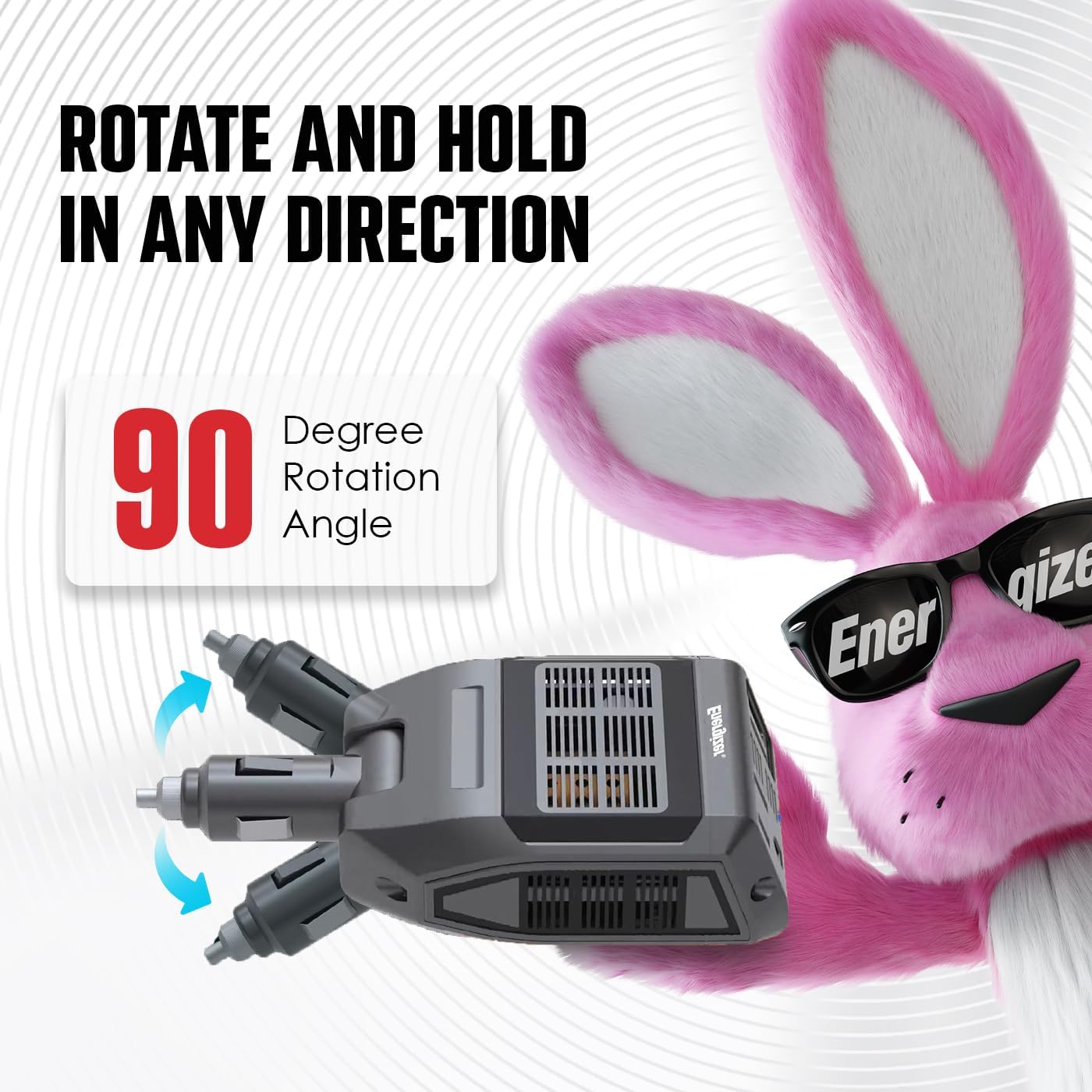
Image: The Energizer EN100 Power Inverter illustrating its 90-degree rotation feature, allowing users to adjust its position in the vehicle for optimal access.

Image: An exploded view of the Energizer EN100 Power Inverter, showing its internal copper heat sink design which enables ultra-silent, fanless operation by efficiently dissipating heat.
Setup
Follow these steps to set up your Energizer EN100 Power Inverter:
- Ensure your vehicle's engine is running to provide stable power and prevent draining the car battery.
- Locate a 12V DC accessory outlet (cigarette lighter socket) in your vehicle.
- Insert the inverter's 12V DC plug firmly into the accessory outlet.
- Adjust the pivoting head of the inverter to a comfortable and accessible position, ensuring it does not obstruct driving controls.
- The power indicator light on the inverter will illuminate, indicating it is ready for use.
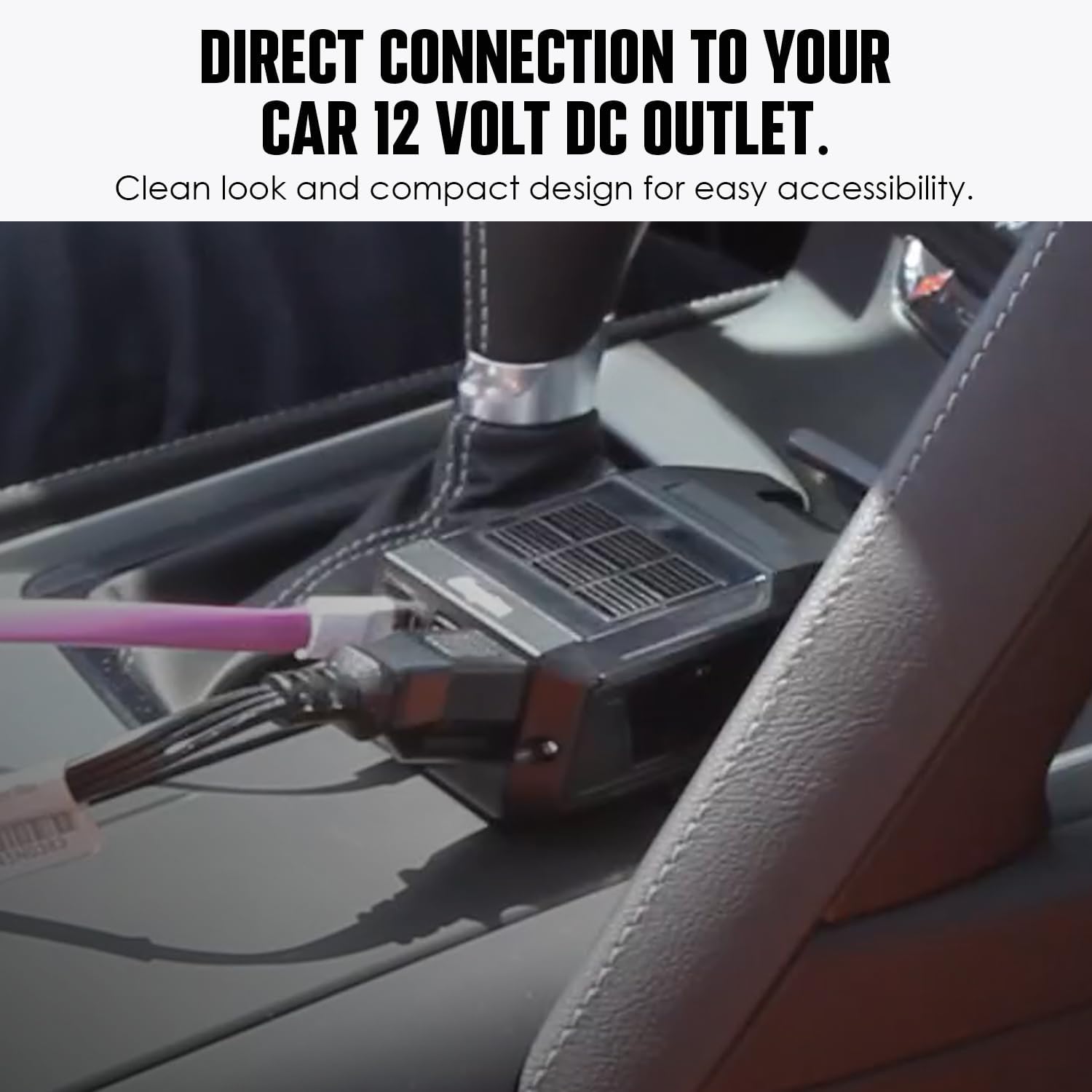
Image: The Energizer EN100 Power Inverter shown plugged directly into a vehicle's 12V DC accessory outlet, demonstrating its compact and direct connection.
Video: This video demonstrates the features and ease of use of the Energizer EN100 Ultra Compact DC to AC 100W Direct Plug-in Power Inverter, including its connection to a vehicle's power outlet and charging capabilities.
Operating Instructions
Once the inverter is properly connected and the power indicator is on, you can begin charging your devices:
- For AC Devices: Plug your device's AC power cord into the standard North American AC outlet on the inverter. Ensure your device's power consumption does not exceed 100 watts.
- For USB Devices: Connect your USB charging cable to one of the dual USB ports on the inverter. The total shared output for both USB ports is 2.1A.
- Monitor your devices to ensure they are charging correctly.
- When finished, disconnect your devices and then remove the inverter from the vehicle's accessory outlet.
Maintenance
To ensure the longevity and optimal performance of your Energizer EN100 Power Inverter, follow these maintenance guidelines:
- Cleaning: Periodically wipe the exterior of the inverter with a soft, dry cloth. Do not use liquid cleaners or solvents.
- Storage: Store the inverter in a cool, dry place away from direct sunlight and extreme temperatures when not in use.
- Ventilation: Ensure the inverter's vents are clear of dust and debris to maintain proper airflow and prevent overheating.
- Inspection: Regularly check the 12V DC plug and the inverter's housing for any signs of damage or wear.
Troubleshooting
If you encounter issues with your Energizer EN100 Power Inverter, refer to the following common problems and solutions:
| Problem | Possible Cause | Solution |
|---|---|---|
| Inverter not powering on (no indicator light) | Loose connection; Vehicle accessory outlet not providing power; Blown fuse in vehicle or inverter. | Ensure the inverter is firmly plugged in. Check if the vehicle's accessory outlet is functional. Consult your vehicle's manual for fuse location and replacement. |
| Device not charging via AC outlet | Device power consumption exceeds 100W; Overload protection activated; Device not properly plugged in. | Verify your device's wattage. Disconnect and reconnect the device. If overload protection was activated, remove the device, wait a few minutes, and try again with a lower-wattage device. |
| Device not charging via USB ports | USB cable faulty; Device not compatible; Total USB current draw exceeds 2.1A. | Try a different USB cable. Ensure your device is compatible with USB charging. If multiple devices are connected, try charging one at a time. |
| Inverter gets hot during use | Normal operation under load; Insufficient ventilation. | Some heat is normal. Ensure the inverter is in an open area with good airflow. Do not cover the vents. If it becomes excessively hot, disconnect devices and allow it to cool. |
Specifications
- Model Name: EN100
- Continuous Wattage: 100 Watts
- Peak Wattage: 200 Watts
- Input Voltage: 12V DC
- Output Voltage: 110V AC
- USB Output: Dual USB Charging Port, 2.1A (shared)
- Power Source: Battery Powered, Corded Electric (via 12V DC accessory outlet)
- Product Dimensions: 1.5 x 5.5 x 2.75 inches
- Item Weight: 8 ounces
- Recommended Uses: Vehicle
- Manufacturer: Energizer Batteries
Warranty
The Energizer EN100 Power Inverter comes with a 2-Year Warranty from the date of purchase. This warranty covers defects in materials and workmanship under normal use. Please retain your proof of purchase for warranty claims. For detailed warranty terms and conditions, please refer to the official Energizer website or contact customer support.

Image: The Energizer EN100 Power Inverter prominently displaying a '2 Year Warranty' message, indicating product reliability and manufacturer support.
Support
For further assistance, technical support, or to inquire about warranty services, please visit the official Energizer website or contact their customer service department. You can find more information and resources by visiting the Energizer Store on Amazon.


