
Introduction
This manual provides instructions for the setup, operation, maintenance, and troubleshooting of your RCA Remote Control RCR 192AA10. This remote is designed to function as a replacement for various RCA devices, ensuring seamless control of your entertainment system.
Compatible Devices: RTD3131, RTD3133, RTD3136, RT2781H, RT2870R, RT2906, RT2910.
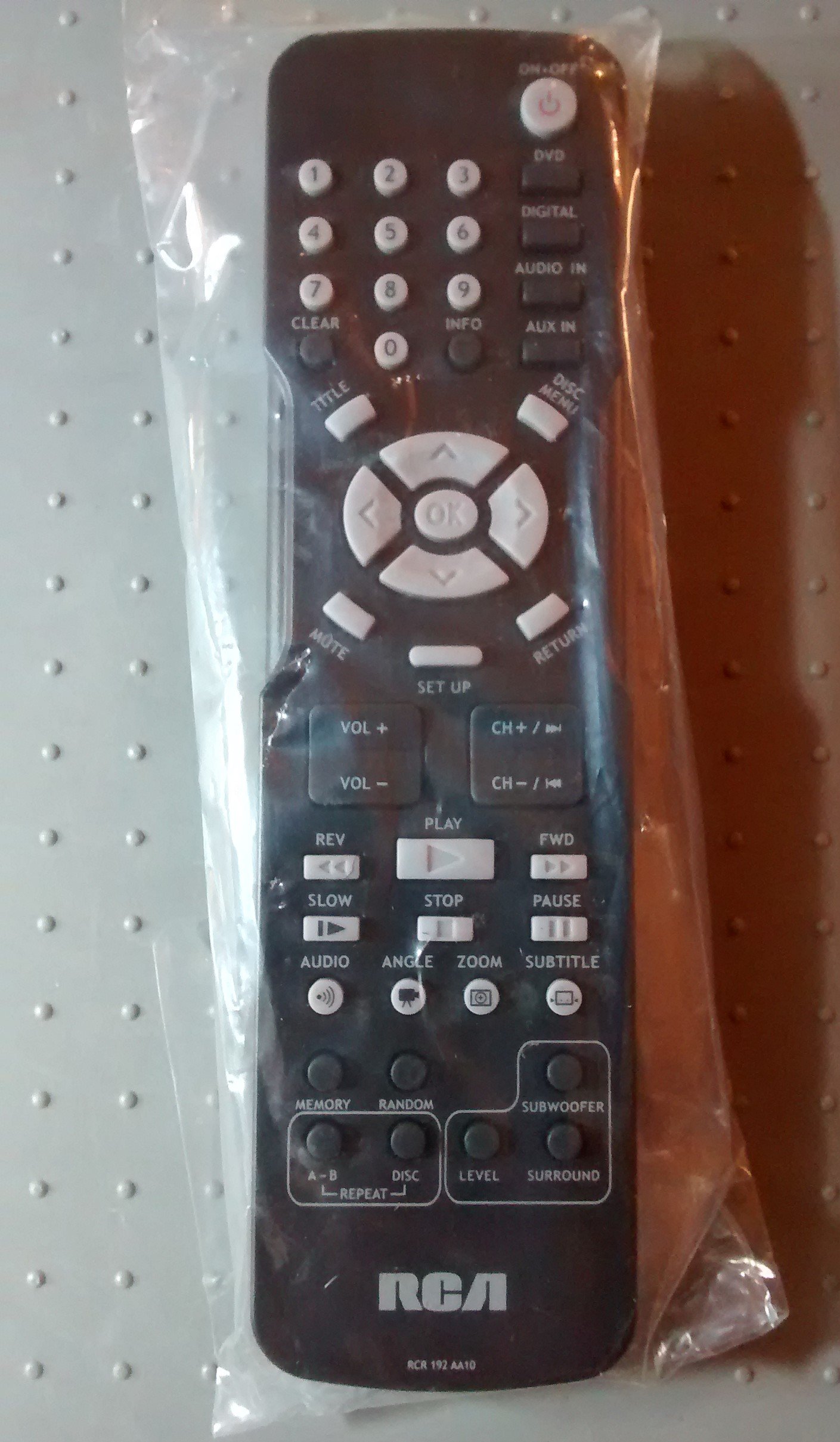
Image: The RCA Remote Control RCR 192AA10, shown sealed in its clear plastic packaging.
Setup
1. Battery Installation
- Locate the battery compartment on the back of the remote control.
- Slide the battery compartment cover downwards or outwards to open.
- Insert two AAA batteries (not included), ensuring the positive (+) and negative (-) terminals align correctly with the markings inside the compartment.
- Replace the battery compartment cover by sliding it back into position until it clicks securely.
2. Initial Use
This remote control is typically pre-programmed for compatible RCA devices. No additional programming steps are usually required. Simply point the remote at your device and begin operation.
Operating Instructions
The RCA Remote Control RCR 192AA10 features standard buttons for controlling your compatible RCA audio/video equipment. Familiarize yourself with the button layout for optimal use.
- Power Button: Turns the device on or off.
- Volume Up/Down: Adjusts the audio output level.
- Channel Up/Down: Changes the television channel (if applicable).
- Mute Button: Silences the audio output.
- Input/Source Button: Cycles through available input sources (e.g., HDMI 1, AV, Component).
- Menu Button: Accesses the device's on-screen menu.
- Navigation Buttons (Arrow Keys, OK/Enter): Used to navigate menus and confirm selections.
- Number Pad: For direct channel entry or other numerical inputs.
For specific functions related to your device model, refer to the original device's user manual.
Maintenance
Cleaning
- Wipe the remote control with a soft, dry cloth.
- For stubborn dirt, lightly dampen the cloth with water or a mild, non-abrasive cleaner. Avoid excessive moisture.
- Do not use harsh chemicals, solvents, or abrasive cleaning pads, as these can damage the remote's surface or internal components.
Battery Replacement
Replace batteries when the remote's performance degrades or it stops responding. Always replace both batteries at the same time with new AAA batteries. Do not mix old and new batteries or different types of batteries.
Storage
Store the remote control in a cool, dry place away from direct sunlight and extreme temperatures. If storing for an extended period, remove the batteries to prevent leakage.
Troubleshooting
| Problem | Possible Cause | Solution |
|---|---|---|
| Remote not working | Dead or incorrectly installed batteries. | Replace batteries with new ones, ensuring correct polarity (+/-). |
| Remote unresponsive | Obstruction between remote and device; remote too far from device. | Ensure a clear line of sight to the device's IR receiver. Move closer to the device. |
| Specific buttons not functioning | Button stuck or dirty; device incompatibility for that function. | Clean the remote. Verify the function is supported by your specific device model. |
If issues persist after attempting these solutions, consult the user manual for your specific RCA device or contact RCA customer support.
Specifications
- Brand: RCA
- Model: RCR 192AA10
- Connectivity Technology: Infrared
- Color: Black
- Special Feature: Ergonomic design
- Product Dimensions: 7.7 x 6.2 x 1.2 inches (approximately)
- Item Weight: 3.19 ounces (approximately)
- Power Source: 2 x AAA Batteries (not included)
- Date First Available: March 30, 2015
Warranty and Support
For information regarding warranty coverage or technical support, please refer to the documentation provided with your original RCA device or visit the official RCA website. Specific warranty terms may vary based on the retailer and purchase date.


