
Introduction
This manual provides essential information for the safe and effective use of your Power2000 NB-12L Lithium-Ion replacement battery. This battery is designed for use with compatible devices, including the Canon PowerShot N100 Digital Camera. Please read these instructions carefully before use and retain them for future reference.
Setup
1. Charging the Battery
Before initial use, fully charge the Power2000 NB-12L battery. Use a compatible charger designed for NB-12L batteries. Refer to your camera or charger's manual for specific charging instructions.
- Insert the battery into the charger, ensuring correct polarity.
- Connect the charger to a power source.
- Monitor the charging indicator on your charger. Charging is complete when the indicator shows a full charge.
2. Inserting the Battery into the Camera
Ensure your camera is turned off before inserting or removing the battery.
- Open the battery compartment cover on your camera.
- Align the battery with the battery slot, matching the contacts on the battery with those in the camera.
- Gently push the battery into the compartment until it clicks into place.
- Close the battery compartment cover securely.
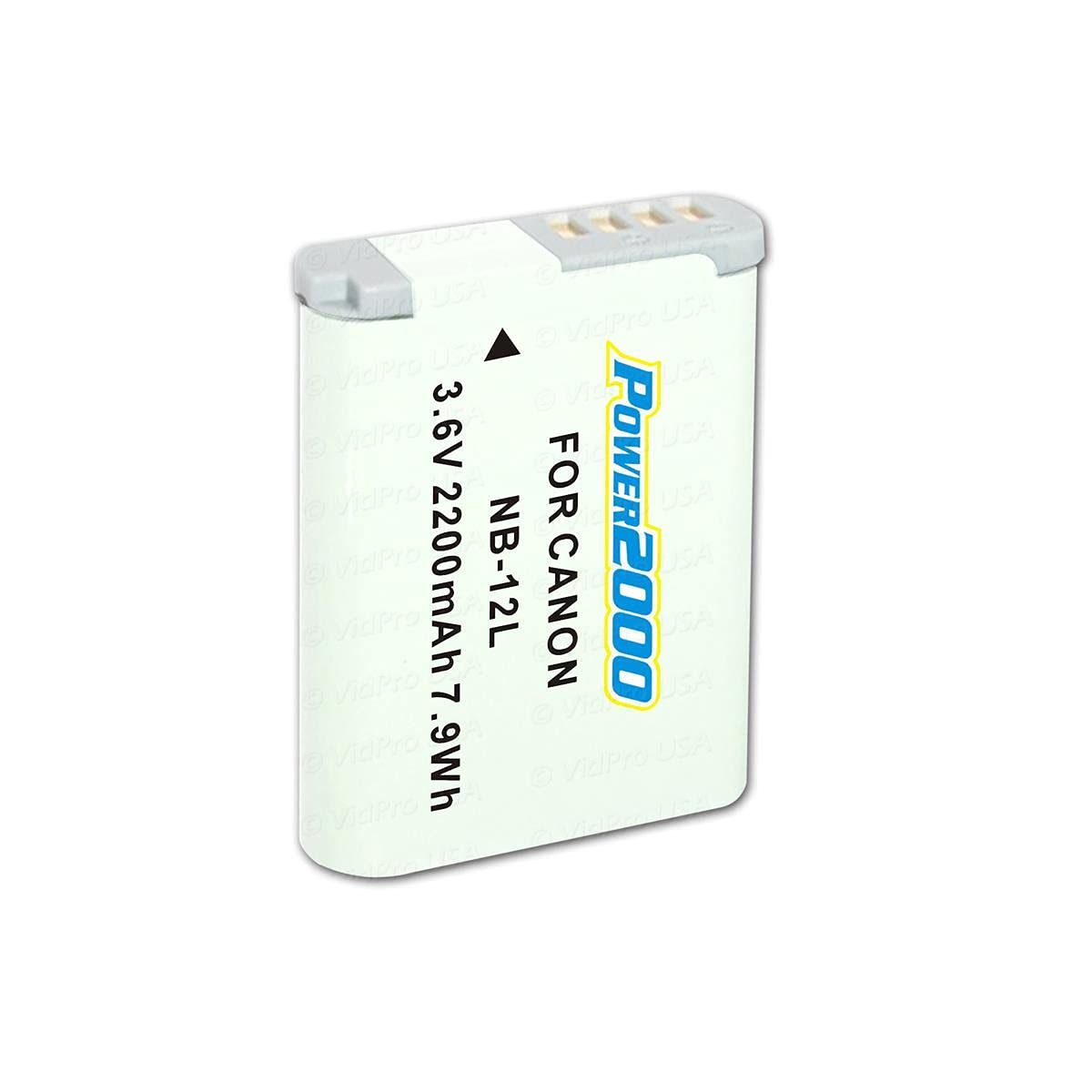
Image shows the Power2000 NB-12L Lithium-Ion battery, highlighting its compact design and connection terminals. This battery is designed to fit into compatible camera models.
Operating
Once the battery is fully charged and correctly inserted, your camera is ready for use. The battery provides power for all camera functions, including capturing photos, recording videos, and reviewing media.
- Battery Life: The actual battery life will vary depending on camera settings, usage patterns (e.g., flash use, video recording, continuous shooting), and environmental conditions.
- Monitoring Battery Level: Refer to your camera's display for the current battery level indicator. Recharge the battery when the indicator shows a low charge to avoid interruption during use.
Maintenance
Storage
- Store the battery in a cool, dry place away from direct sunlight and extreme temperatures.
- For long-term storage, charge the battery to approximately 50% capacity. Avoid storing fully charged or completely depleted batteries for extended periods.
- Keep the battery terminals clean and free from dirt or debris.
Safety Precautions
- Do not disassemble, crush, puncture, or short-circuit the battery.
- Do not expose the battery to water or fire.
- Keep the battery out of reach of children.
- If the battery shows signs of damage, swelling, or leakage, discontinue use immediately and dispose of it properly.
- Dispose of used batteries according to local regulations. Do not discard with household waste.
Troubleshooting
- Battery not charging:
- Ensure the battery is correctly inserted into the charger.
- Verify the charger is properly connected to a working power outlet.
- Check for any visible damage to the battery or charger.
- Battery not powering camera:
- Confirm the battery is fully charged.
- Ensure the battery is correctly inserted into the camera's battery compartment.
- Clean the battery contacts and camera contacts with a dry, soft cloth.
- Short battery life:
- Review camera settings that consume more power (e.g., screen brightness, Wi-Fi, continuous shooting).
- Ensure the battery has been fully charged.
- Battery performance can degrade over time with repeated charge cycles.
Specifications
| Model Number | ACD-430 |
| Battery Type | Lithium Ion |
| Voltage | 3.6V |
| Capacity | 2200 mAh |
| Replacement For | Canon NB-12L Battery |
| Product Dimensions | 3.4 x 2 x 0.6 inches |
| Item Weight | 8.8 ounces |
Warranty and Support
Warranty Information
This Power2000 NB-12L battery comes with a 3-Year Warranty from the date of purchase. This warranty covers manufacturing defects under normal use. It does not cover damage caused by misuse, accident, unauthorized modification, or improper storage.
Customer Support
For technical assistance, warranty claims, or any questions regarding your Power2000 NB-12L battery, please contact Power2000 customer support through their official website or the retailer where the product was purchased. Please have your product model number (ACD-430) and proof of purchase available when contacting support.


