
1. Introduction
The Fenix Universal Stylus Pack provides a set of 20 soft-tipped styluses designed for precise interaction with various touchscreen devices. This manual outlines the proper use, care, and specifications of your Fenix styluses.
2. Product Overview
The Fenix Universal Stylus Pack includes 20 styluses, featuring soft tips for screen protection and enhanced sensitivity. Each stylus is lightweight, approximately 4 inches tall, and includes a clip for convenient storage. The pack contains 2 styluses in each of 10 distinct colors.
These styluses are compatible with a wide range of capacitive touchscreen devices, including Apple, Android, and Windows smartphones, tablets, and monitors. This includes devices such as Apple iPad, iPhone, iPod, LG, Samsung Galaxy series (S7/S7 Edge, Note 5), Kindle Fire, Google Pixel C, Microsoft Surface Book, and many others.
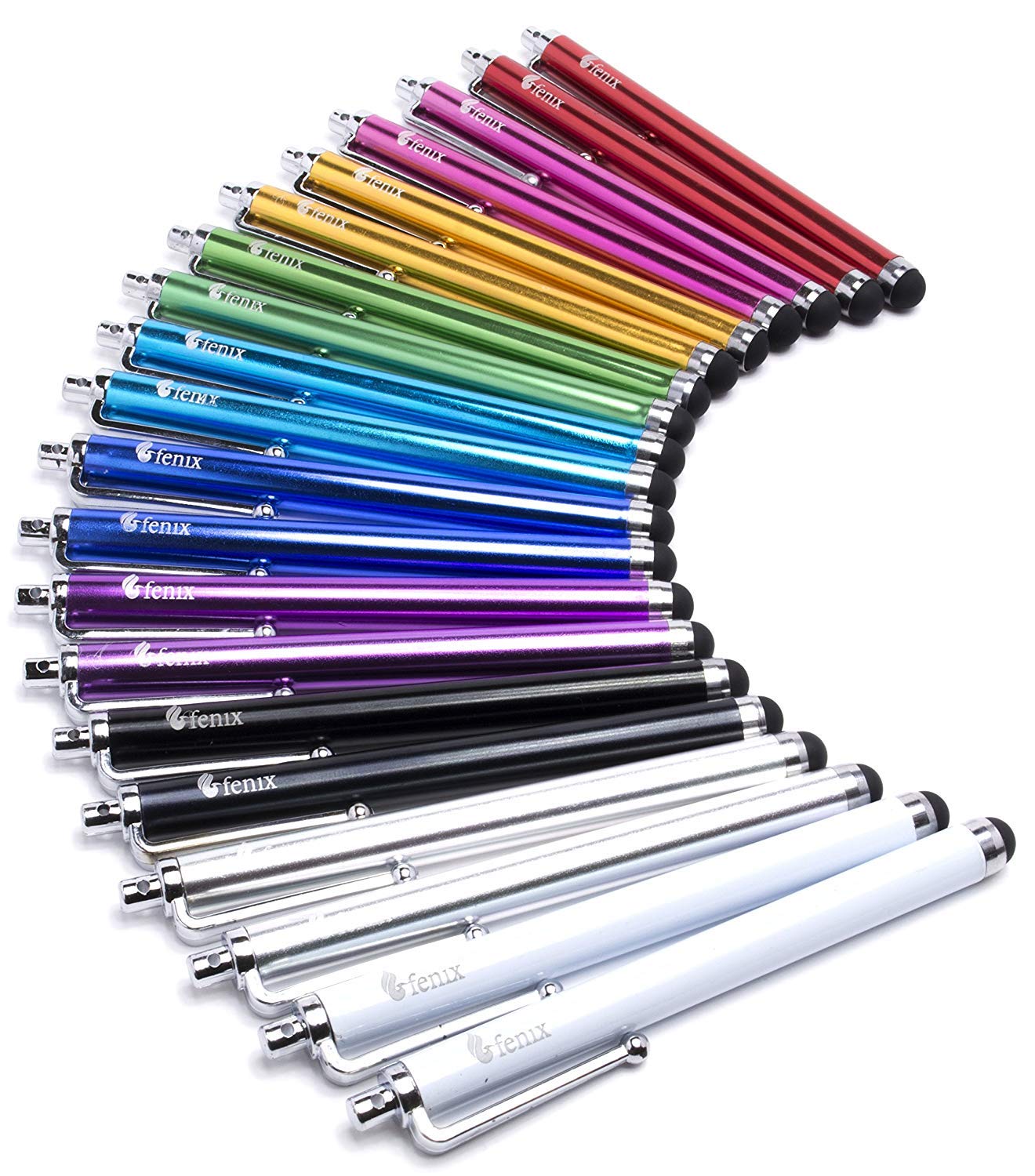
Image: A red Fenix stylus being used on a Samsung Galaxy Note 4. The stylus features a soft tip for screen interaction and a metal clip for portability.
3. Setup
The Fenix Universal Stylus requires no complex setup. Simply remove a stylus from its packaging. It is ready for immediate use with your touchscreen device.
4. Operating Instructions
To operate the stylus, hold it comfortably as you would a pen. Gently touch the soft rubber tip to your device's touchscreen to navigate, select, draw, or write. The soft tip ensures smooth gliding and protects your screen from smudges and scratches.
The integrated clip allows for easy attachment to pockets, book covers, or device cases for convenient access and storage.
5. Maintenance
To maintain the performance and longevity of your Fenix styluses, follow these guidelines:
- Cleaning: Wipe the rubber tip and stylus body with a soft, dry, lint-free cloth. Avoid using harsh chemicals or abrasive materials.
- Storage: Store styluses in a clean, dry place. Utilize the integrated clip to secure them, preventing loss or damage.
- Tip Care: While durable, the soft rubber tips can wear over time with extensive use. Inspect tips periodically for signs of damage or excessive wear.
6. Troubleshooting
If you experience issues with your Fenix stylus, consider the following:
- Stylus Not Responding: Ensure the stylus tip is making full contact with the screen. Some screen protectors or device settings may affect sensitivity. Try adjusting screen sensitivity settings on your device if available.
- Reduced Sensitivity: Clean the stylus tip and your device's screen to remove any dirt or oils that might interfere with touch detection.
- Tip Detachment: In rare cases, the rubber tip may detach. If this occurs, discontinue use of that specific stylus to prevent potential screen scratches from the stylus body.
7. Specifications
The following specifications apply to the Fenix Universal Stylus:
| Feature | Detail |
|---|---|
| Model Number | F: A 123 Fenix 20-Pack Stylus Set |
| Product Dimensions | 5 x 0.7 x 3 inches (packaging dimensions) |
| Item Weight | 2.08 ounces (total pack weight) |
| Material | Plastic body, soft rubber tip |
| Color | Assorted (2 each of 10 colors) |
| Compatibility | Universal with capacitive touchscreens (Apple, Android, Windows devices) |
| Batteries Required | No |
8. Warranty and Support
For any questions or support regarding your Fenix Universal Stylus Pack, please refer to the retailer's return policy or contact Fenix customer service through their official channels. Keep your purchase receipt for warranty claims, if applicable.
