1. Introduction
This manual provides instructions for the RadioShack VOX Micro-28 Micro Cassette Recorder. It covers the setup, operation, maintenance, and troubleshooting of the device. Please read this manual thoroughly before using your recorder to ensure proper function and longevity.
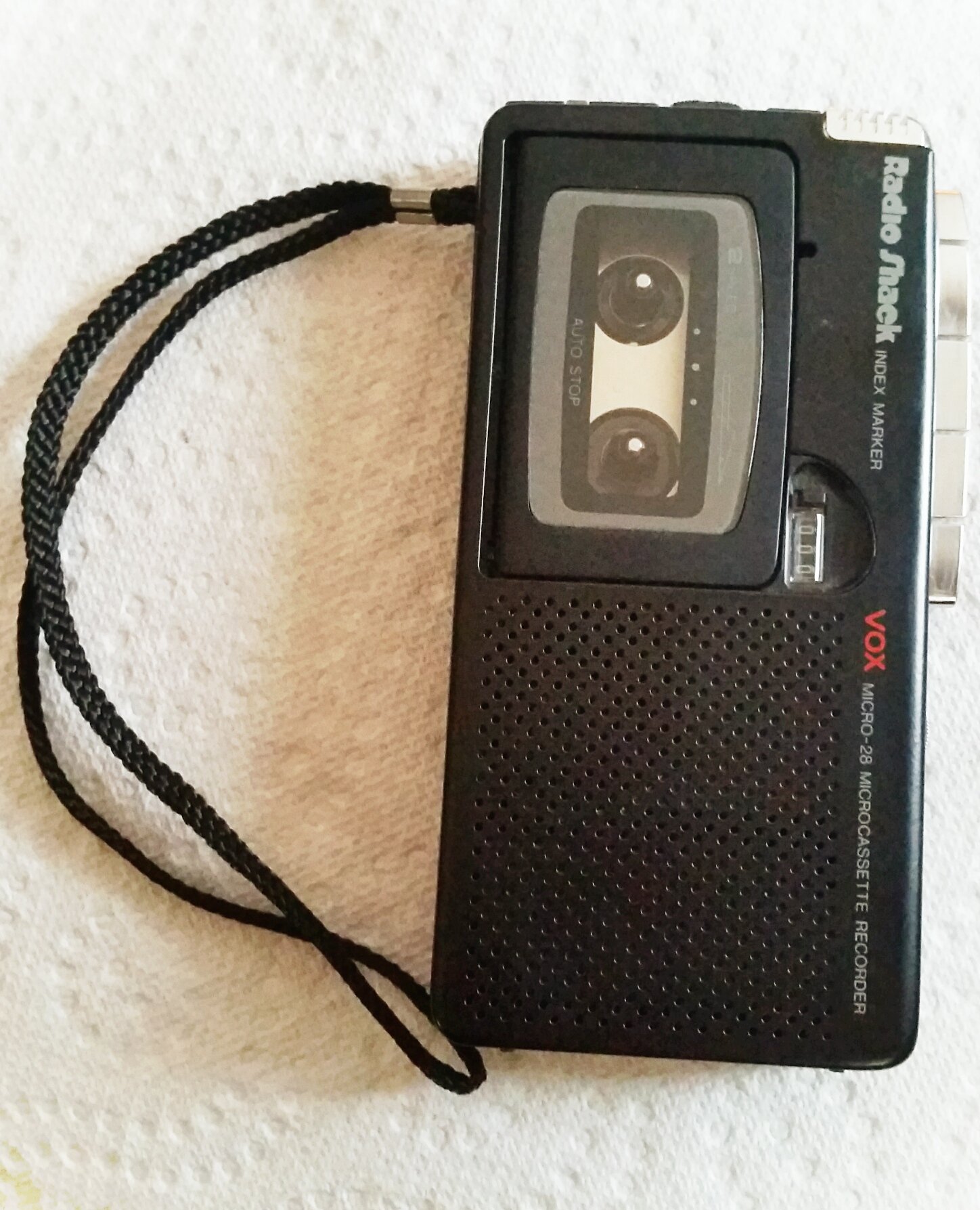
Figure 1: RadioShack VOX Micro-28 Micro Cassette Recorder. This image displays the front of the recorder, showing the microphone, speaker, and control buttons.
2. Setup
2.1 Battery Installation
The Micro-28 recorder operates on two "AA" batteries (not included).
- Locate the battery compartment cover on the back of the unit.
- Slide the cover downwards and lift it off.
- Insert two "AA" batteries, ensuring the correct polarity (+ and -) as indicated inside the compartment.
- Replace the battery compartment cover by sliding it back into place until it clicks securely.
Caution: Do not mix old and new batteries. Do not mix alkaline, standard (carbon-zinc), or rechargeable (nickel-cadmium) batteries. Remove batteries if the unit will not be used for an extended period.
2.2 Micro Cassette Insertion
The recorder uses standard micro cassettes.
- Press the EJECT button to open the cassette compartment door.
- Insert a micro cassette with the open edge facing upwards and the tape side facing the recorder's front.
- Gently close the cassette compartment door until it latches.
3. Operating Instructions
3.1 Recording
To record audio:
- Ensure a micro cassette is inserted.
- Slide the REC/PLAY switch to the REC position. The REC indicator light will illuminate.
- Speak clearly into the built-in microphone.
- To pause recording, press the PAUSE button. Press it again to resume.
- To stop recording, slide the REC/PLAY switch to the STOP position.
VOX (Voice Operated Switch) Recording
The VOX feature allows the recorder to start recording automatically when sound is detected and pause when silence occurs, conserving tape and battery life.
- Slide the VOX switch to the ON position.
- Slide the REC/PLAY switch to the REC position. The recorder will now record only when sound is present.
- To disable VOX, slide the VOX switch to the OFF position.
3.2 Playback
To play back a recording:
- Ensure a micro cassette is inserted.
- Slide the REC/PLAY switch to the PLAY position.
- Adjust the VOLUME control dial to your desired listening level.
- To pause playback, press the PAUSE button. Press it again to resume.
- To stop playback, slide the REC/PLAY switch to the STOP position.
3.3 Fast Forward and Rewind
To quickly navigate through the tape:
- Press and hold the FF (Fast Forward) button to advance the tape quickly. Release to stop.
- Press and hold the REW (Rewind) button to rewind the tape quickly. Release to stop.
Note: Always ensure the recorder is in the STOP position before using FF or REW to prevent tape damage.
4. Maintenance
4.1 Cleaning the Tape Heads
Regular cleaning of the tape heads, capstan, and pinch roller is essential for optimal recording and playback quality. Use a cotton swab lightly moistened with isopropyl alcohol.
- Open the cassette compartment.
- Gently clean the tape heads, capstan, and pinch roller.
- Allow components to dry completely before inserting a cassette or operating the recorder.
Caution: Do not use abrasive materials or excessive force when cleaning.
4.2 Battery Care
- Remove batteries if the recorder will not be used for an extended period to prevent leakage.
- Dispose of used batteries responsibly according to local regulations.
4.3 Storage
Store the recorder in a cool, dry place away from direct sunlight, extreme temperatures, and high humidity. Avoid dusty environments.
5. Troubleshooting
If you experience issues with your Micro-28 recorder, refer to the following common problems and solutions:
| Problem | Possible Cause | Solution |
|---|---|---|
| No power / Unit does not turn on | Dead or incorrectly installed batteries. | Check battery polarity. Replace with fresh "AA" batteries. |
| Poor recording quality / Muffled sound | Dirty tape heads. Microphone too far from sound source. Faulty cassette tape. | Clean tape heads (see Section 4.1). Position microphone closer to the sound source. Try a new micro cassette. |
| No sound during playback | Volume too low. Dirty tape heads. Faulty cassette tape. | Increase volume. Clean tape heads. Try a new micro cassette. |
| Tape does not move / Jams | Tape tangled or damaged. Mechanical issue. | Remove and inspect cassette. Try a different cassette. If problem persists, contact support. |
| VOX not activating | Ambient noise too low. VOX switch off. | Ensure VOX switch is ON. Increase sound level or speak closer to the microphone. |
6. Specifications
- Model: Micro-28
- Brand: RadioShack
- Recording Medium: Micro Cassette
- Digital Recording Time: 120 minutes (with compatible micro cassette)
- Microphone Form Factor: Built-In
- Microphone Operation Mode: Mono
- Power Source: 2 x "AA" Batteries (not included)
- Compatible Devices: Personal Computer (Note: This specification from product data may refer to general compatibility for audio file transfer with other devices, not direct PC connectivity for this specific recorder model.)
- Headphones Jack: No headphones jack
7. Warranty and Support
For warranty information or technical support regarding your RadioShack VOX Micro-28 Micro Cassette Recorder, please refer to the documentation included with your purchase or contact RadioShack customer service directly. Keep your proof of purchase for warranty claims.
For further assistance, you may visit the official RadioShack website or contact their support channels.


