
1. Introduction
This manual provides detailed instructions for the Edifier X5 True Wireless Stereo Earbuds. The Edifier X5 earbuds offer a high-fidelity audio experience with advanced features designed for convenience and durability.
Key features include:
- High-Fidelity AptX Audio: Delivers CD-quality sound with deep bass and balanced tri-frequency.
- Bluetooth V5.0 Connectivity: Ensures faster, more stable signal transmission and lower power consumption.
- CVC 8.0 Noise Canceling Microphone: Reduces background noise for clear calls.
- IP55 Dustproof & Waterproof: Provides protection against dust, rain, and sweat, suitable for outdoor activities.
- One-Step Pairing: Automatic connection with the last paired device after initial setup.
- Compact and Lightweight Design: Comfortable for extended wear.

Image 1.1: Edifier X5 True Wireless Stereo Earbuds and Charging Case.
Video 1.1: Overview of Edifier X5 True Wireless Stereo Earbuds features.
2. Setup
2.1. Package Contents
Please check the package for the following items:
- Edifier X5 True Wireless Stereo Earbuds (Left and Right)
- Charging Case
- USB Charging Cable
- Multiple Sizes of Ear Tips
- User Manual
2.2. Charging the Earbuds and Case
Before first use, fully charge the earbuds and charging case.
- Place the earbuds into the charging case. Ensure they are correctly seated.
- Connect the USB charging cable to the charging port on the case and to a USB power adapter (not included).
- The indicator light on the charging case will show charging status. Once fully charged, the indicator will change or turn off.
A full charge provides approximately 6 hours of playback time for the earbuds, with an additional 18 hours available from the charging case.
2.3. Pairing with a Device
The Edifier X5 earbuds feature one-step pairing for convenience.

Image 2.1: Edifier X5 Earbuds demonstrating seamless connection.
- First-time Pairing: Open the charging case. The earbuds will automatically power on and enter pairing mode. The indicator light on the earbuds will flash.
- On your device (smartphone, tablet, etc.), enable Bluetooth and search for available devices.
- Select "EDIFIER X5" from the list of devices. Once connected, the earbud indicator lights will turn off or show a steady light.
- Subsequent Pairing: After the initial pairing, the earbuds will automatically connect to the last paired device when taken out of the charging case.

Image 2.2: Edifier X5 Earbuds powered by Qualcomm Bluetooth 5.0 for stable connection.
3. Operating the Earbuds
3.1. Wearing the Earbuds
Select the appropriate ear tips for a comfortable and secure fit. Insert the earbuds into your ears and gently twist them to ensure a snug seal for optimal sound quality and noise isolation.
3.2. Touch Controls
The Edifier X5 earbuds feature intuitive touch controls on each earbud.
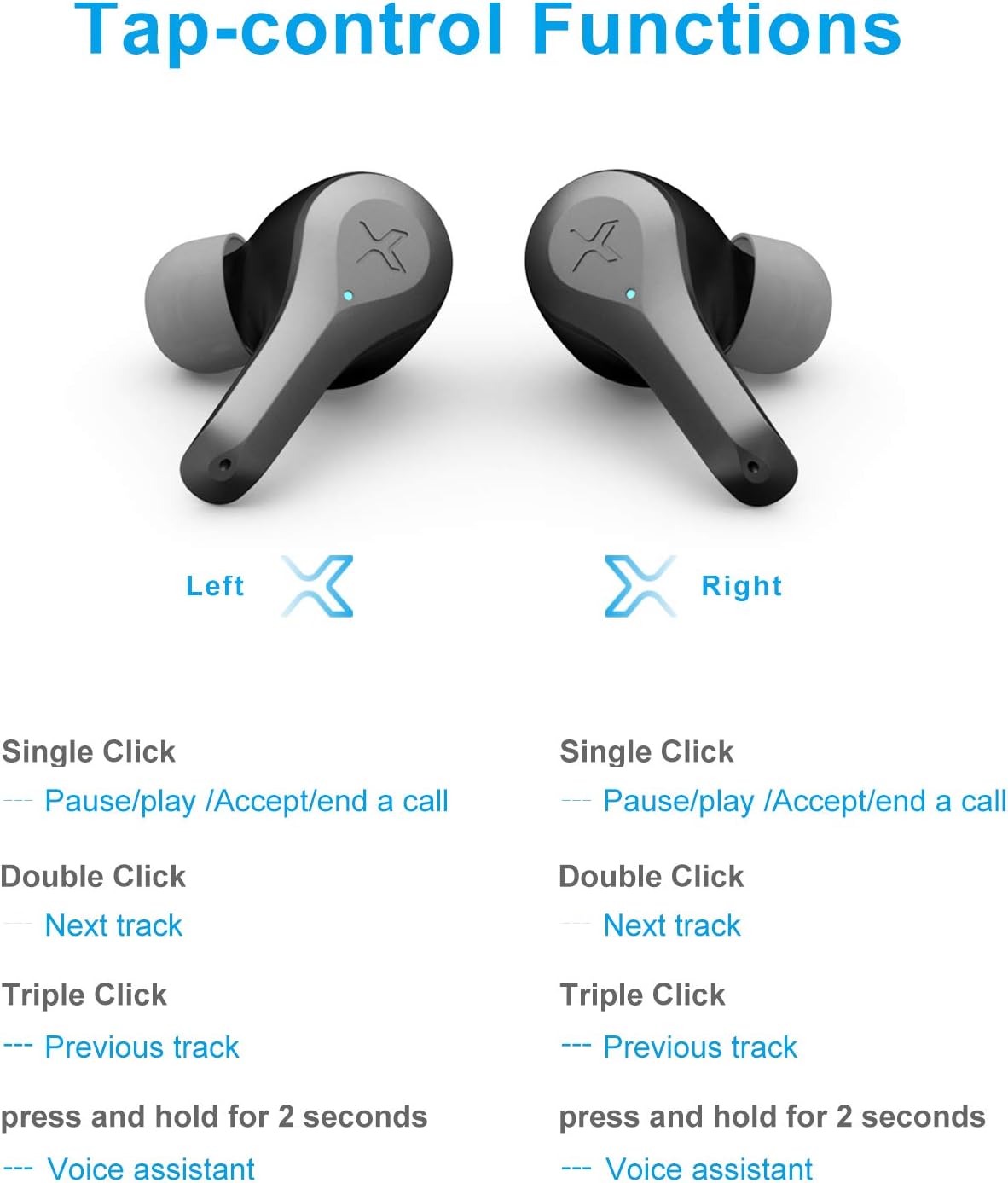
Image 3.1: Detailed diagram of Edifier X5 Earbuds touch control functions.
| Action | Left Earbud | Right Earbud |
|---|---|---|
| Single Click | Pause/Play, Accept/End a Call | Pause/Play, Accept/End a Call |
| Double Click | Next Track | Next Track |
| Triple Click | Previous Track | Previous Track |
| Press and Hold (2 seconds) | Voice Assistant | Voice Assistant |
3.3. Making and Receiving Calls
The CVC 8.0 noise canceling microphone ensures clear communication during calls.
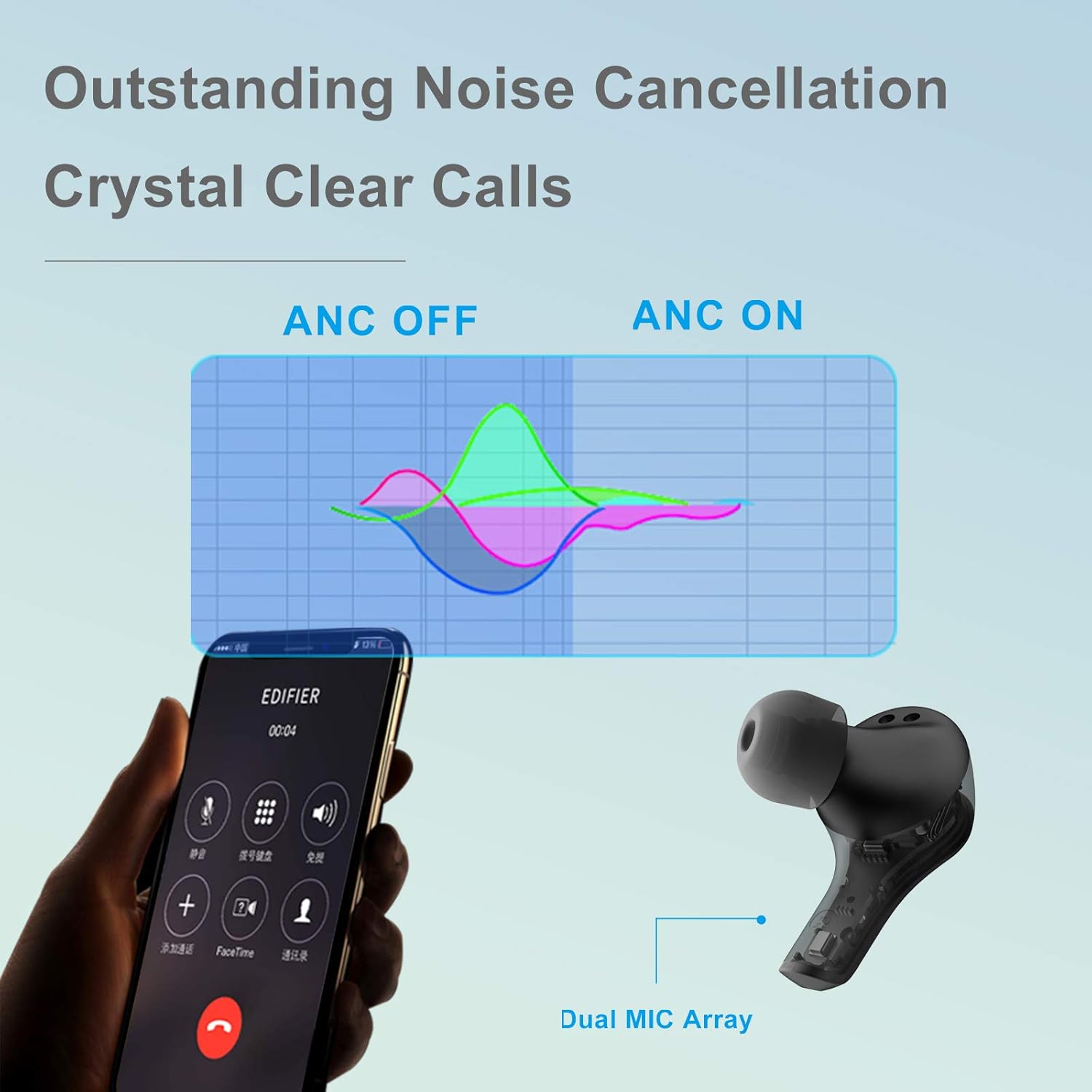
Image 3.2: Edifier X5 Earbuds featuring outstanding noise cancellation for clear calls.
- Answer/End Call: Single click either earbud.
- Reject Call: Press and hold either earbud for 2 seconds.
3.4. Music Playback
Enjoy high-quality audio with AptX decoding.

Image 3.3: Edifier X5 Earbuds featuring AptX decoding for enhanced audio quality.
- Play/Pause: Single click either earbud.
- Next Track: Double click either earbud.
- Previous Track: Triple click either earbud.
4. Maintenance
4.1. Cleaning
Regular cleaning helps maintain optimal performance and hygiene.
- Use a soft, dry, lint-free cloth to wipe the earbuds and charging case.
- Remove ear tips and clean them with mild soap and water, then dry thoroughly before reattaching.
- Gently clean the charging contacts on both the earbuds and the case with a dry cotton swab.
4.2. Water and Dust Resistance (IP55)
The Edifier X5 earbuds are rated IP55, meaning they are protected against limited dust ingress and low-pressure water jets from any direction. This makes them suitable for workouts and light rain.

Image 4.1: Edifier X5 Earbuds demonstrating water and dust resistance.
Important:
- Do not submerge the earbuds in water.
- Ensure the earbuds are dry before placing them back into the charging case to prevent damage.
- The charging case is not water-resistant.
4.3. Storage
When not in use, store the earbuds in their charging case to protect them and keep them charged.

Image 4.2: Edifier X5 Earbuds designed for comfort and durability during outdoor activities.
5. Troubleshooting
If you encounter issues with your Edifier X5 earbuds, refer to the following common problems and solutions:
- Earbuds do not power on:
Ensure the earbuds are charged. Place them in the charging case and check the charging indicator. - Cannot pair with device:
Make sure Bluetooth is enabled on your device. Ensure the earbuds are in pairing mode (indicator flashing). Try forgetting "EDIFIER X5" from your device's Bluetooth list and re-pairing. - No sound or poor sound quality:
Check the volume level on both your device and the earbuds. Ensure the earbuds are properly seated in your ears. Try cleaning the ear tips and speaker mesh. - One earbud not working:
Place both earbuds back into the charging case, close the lid, wait a few seconds, then take them out again. This can reset the connection between the two earbuds. - Call quality is poor:
Ensure the microphone is not obstructed. Move closer to your device to improve signal strength.
6. Specifications
| Feature | Detail |
|---|---|
| Model Name | X5 |
| Brand | Edifier |
| Connectivity Technology | Wireless |
| Wireless Communication Technology | Bluetooth V5.0 |
| Ear Placement | In Ear |
| Form Factor | In Ear |
| Noise Control | Sound Isolation, CVC 8.0 Noise Cancellation |
| Control Method | Touch |
| Water Resistance Level | IP55 (Dustproof & Waterproof) |
| Item Weight | 1.5 Ounces |
| Package Dimensions | 4.92 x 2.95 x 1.34 inches |
| Batteries | 3 Lithium Ion batteries (included) |
| Material | Plastic |
| Color | Black |
7. Warranty & Support
7.1. Warranty Information
The Edifier X5 True Wireless Stereo Earbuds come with a manufacturer's warranty. Please refer to the warranty card included in your package or visit the official Edifier website for detailed warranty terms and conditions specific to your region.
7.2. Customer Support
For further assistance, technical support, or inquiries regarding your Edifier X5 earbuds, please contact Edifier customer service through their official website or the contact information provided in your product documentation.


