
Introduction
This manual provides essential information for the safe and effective operation, maintenance, and troubleshooting of your OGAWA Smart Delight Plus Quadro Tech Massage Chair. Please read this manual thoroughly before using the product to ensure proper function and to prevent injury or damage.
Important Safety Instructions
When using an electrical appliance, basic precautions should always be followed, including the following:
- Always unplug the massage chair from the electrical outlet immediately after using and before cleaning.
- Do not use while bathing or in a shower.
- Do not place or store appliance where it can fall or be pulled into a tub or sink.
- Do not place in or drop into water or other liquid.
- Never use pins or other metallic fasteners with this appliance.
- Close supervision is necessary when this appliance is used by, on, or near children, invalids, or disabled persons.
- Use this appliance only for its intended use as described in this manual. Do not use attachments not recommended by the manufacturer.
- Never operate this appliance if it has a damaged cord or plug, if it is not working properly, if it has been dropped or damaged, or dropped into water.
- Keep the cord away from heated surfaces.
- Never drop or insert any object into any opening.
- Do not operate where aerosol (spray) products are being used or where oxygen is being administered.
- To disconnect, turn all controls to the OFF position, then remove plug from outlet.
- Do not stand on or in the massage chair. Use only while seated.
- Do not use the massage chair if you are pregnant, have a pacemaker, or have any serious medical conditions without consulting your doctor.
Setup and Assembly
The OGAWA Smart Delight Plus massage chair typically comes pre-assembled for ease of setup. However, some minor adjustments or attachment of components may be required upon delivery.
- Unpacking: Carefully remove the chair from its packaging. Retain all packaging materials for future transport or service.
- Placement: Position the chair on a flat, stable surface. Ensure there is adequate space around the chair for recline and movement (approximately 10-15 cm from a wall for zero-wall technology, if applicable).
- Power Connection: Connect the power cord securely to the chair's power inlet, then plug it into a grounded electrical outlet. Ensure the voltage matches the chair's requirements.
- Footrest/Legrest Attachment (if separate): If the footrest or legrest is separate, follow the instructions provided in the quick start guide to securely attach it to the main body of the chair.

Figure 1: The OGAWA Smart Delight Plus Massage Chair in a reclined position, showcasing its full form and metallic grey finish. This image illustrates the overall design and footprint of the chair.
Operating Instructions
The OGAWA Smart Delight Plus features advanced controls for a personalized massage experience. Familiarize yourself with the remote control or integrated control panel.
Basic Operation:
- Power On/Off: Press the power button on the remote or control panel to turn the chair on or off.
- Recline Adjustment: Use the recline buttons to adjust the backrest and legrest to your desired angle. The chair supports zero-gravity recline for optimal relaxation.
- Automatic Programs: Select from a variety of pre-programmed massage routines designed for different needs (e.g., Relax, Stretch, Sleep, Full Body).
- Manual Control: Customize your massage by selecting specific massage techniques (kneading, tapping, shiatsu, rolling), intensity levels, and target areas (neck, back, lumbar, legs).
Quadro Tech Massage System:
The Quadro Tech system utilizes advanced rollers and airbags to provide comprehensive massage coverage.
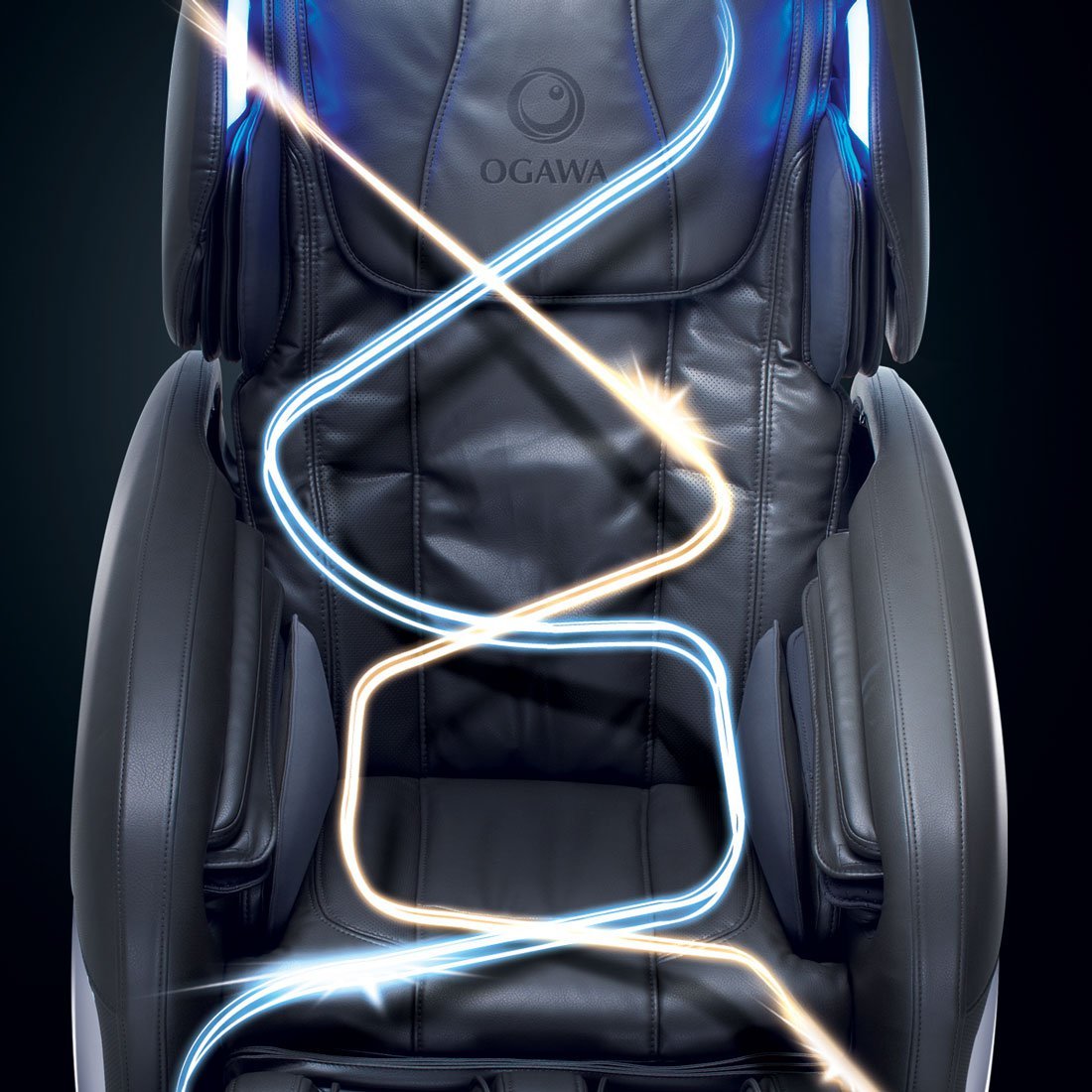
Figure 2: An illustration of the OGAWA Smart Delight Plus massage chair with illuminated lines tracing the path of the massage rollers and air compression, demonstrating the full-body coverage of the Quadro Tech system.
Targeted Massage Areas:
- Neck and Shoulder: Adjust the headrest for optimal neck massage.
- Back and Lumbar: Rollers provide deep tissue massage along the spine.
- Leg and Foot: Airbags and rollers target calves and feet.

Figure 3: A detailed view of the headrest and upper back area of the massage chair, with light trails indicating the movement of massage mechanisms in the neck and shoulder region.

Figure 4: This image shows the adjustable headrest of the OGAWA Smart Delight Plus massage chair, with an arrow indicating the direction of adjustment for personalized comfort and neck massage targeting.

Figure 5: A close-up of the seat and lower back section of the massage chair, illustrating the massage action with light trails indicating the movement of rollers in the lumbar and gluteal areas.

Figure 6: This image focuses on the leg and footrest components of the massage chair, with light trails highlighting the air compression and roller massage functions for the calves and feet.
Maintenance and Care
Regular maintenance ensures the longevity and optimal performance of your massage chair.
- Cleaning:
- Wipe the chair with a soft, damp cloth. Do not use abrasive cleaners or solvents.
- For stubborn stains, use a mild soap solution and wipe dry immediately.
- Ensure the chair is unplugged before cleaning.
- Storage:
- When not in use for extended periods, unplug the chair and store it in a cool, dry place away from direct sunlight.
- Avoid placing heavy objects on the chair.
- Inspection: Periodically check the power cord for any damage. Do not use the chair if the cord is damaged.
Troubleshooting
If you encounter issues with your OGAWA Smart Delight Plus massage chair, refer to the following common problems and solutions:
| Problem | Possible Cause | Solution |
|---|---|---|
| Chair does not power on. | Power cord not connected; power outlet issue; main power switch off. | Ensure power cord is securely plugged in. Check the wall outlet with another device. Verify the main power switch on the chair is in the 'ON' position. |
| Massage intensity is too weak/strong. | Incorrect program selected; manual intensity setting. | Adjust intensity levels using the remote control. Try a different automatic program. |
| Unusual noise during operation. | Normal operational sounds; loose component. | Some mechanical sounds are normal. If the noise is loud or persistent, unplug the chair and contact customer support. |
| Remote control not responding. | Batteries low/dead; remote out of range; signal obstruction. | Replace batteries. Ensure no obstructions between remote and chair. Point remote directly at the chair's receiver. |
If the problem persists after attempting these solutions, please contact OGAWA customer support for assistance.
Specifications
- Product Name: OGAWA Smart Delight Plus Quadro Tech Massage Chair
- Model: OG-7568
- Color: Metallic Grey
- Power Supply: AC 220-240V, 50/60Hz
- Massage Technology: Quadro Tech (Rollers, Airbags)
- Features: Zero Gravity Recline, Full Body Scan, Multiple Auto Programs, Manual Control, Foot Roller Massage.
Note: Specifications are subject to change without prior notice for product improvement.
Warranty and Support
Your OGAWA Smart Delight Plus Quadro Tech Massage Chair is covered by a manufacturer's warranty. Please refer to the warranty card included with your purchase for specific terms and conditions, including warranty period and coverage details.
For technical support, service requests, or inquiries regarding your product, please contact OGAWA customer service through their official website or the contact information provided in your warranty documentation.
Website: www.ogawaworld.net
Customer Service Hotline: Refer to your local OGAWA distributor's contact information.


