
1. Introduction
This manual provides comprehensive instructions for the safe and effective use of your BedJet 3 Climate Control System. Please read this manual thoroughly before operating the device and retain it for future reference.
The BedJet 3 system is designed to provide personalized cooling and heating comfort for your bed, featuring dual temperature zones for King size beds. It utilizes advanced air-based technology to regulate the microclimate under your bedding.

Image: Visual representation of the BedJet's dual temperature zone capability, showing distinct cool and warm areas under the bedding.
2. Safety Information
Important Safety Instructions:
- Read all instructions before using the appliance.
- Do not operate the BedJet unit if it has a damaged cord or plug, if it is not working properly, or if it has been dropped or damaged.
- Keep the BedJet unit and its power cord away from water and other liquids. Do not immerse the unit in water.
- Ensure the air intake and exhaust vents are not blocked during operation. Maintain adequate clearance around the unit.
- This appliance is not intended for use by persons (including children) with reduced physical, sensory, or mental capabilities, or lack of experience and knowledge, unless they have been given supervision or instruction concerning use of the appliance by a person responsible for their safety.
- Do not use the BedJet as a substitute for medical devices or for treating medical conditions. Consult a healthcare professional for any health concerns.
- The BedJet is not an air conditioner. It circulates air at or near room temperature. In very hot environments (above 78°F / 25.5°C), its cooling effectiveness may be limited.
3. Package Contents
Verify that all components are present in your package:
- 2 x BedJet 3 Mini Units
- 2 x Wireless LCD Remote Controls
- 1 x King Cloud Sheet (for dual temperature zone operation)
- Power Cords
- Air Hoses and Nozzles

Image: Components of the BedJet Dual Zone Bundle, including two BedJet 3 Mini units, two wireless LCD remote controls, and the King Cloud Sheet.
4. Setup Instructions
Follow these steps to set up your BedJet 3 Dual Temperature Zone system:
4.1 Unit Placement
Place each BedJet 3 Mini unit on the floor next to your bed, one on each side, corresponding to the desired temperature zone. Ensure there is sufficient space for airflow around the units and that the air intake is not obstructed.

Image: Proper placement of two BedJet units under a bed for dual zone operation.
4.2 Cloud Sheet Installation
- Remove your existing top sheet and blanket.
- Spread the King Cloud Sheet over your mattress, ensuring it is centered. The Cloud Sheet is designed with internal air channels and a central divider to create two distinct climate zones.
- Secure the Cloud Sheet to your mattress using the elastic straps or by tucking it under the mattress, similar to a fitted sheet.
- Place your duvet or comforter over the Cloud Sheet.

Image: The Cloud Sheet installed on a bed, demonstrating the separation of cooling and heating zones for two sleepers.
4.3 Connecting Air Hoses
- Connect one end of an air hose to the air outlet on each BedJet unit.
- Insert the nozzle at the other end of each air hose into the designated opening on the side of the Cloud Sheet. Ensure a secure connection to prevent air leakage.
4.4 Power Connection
Plug each BedJet unit's power cord into a standard electrical outlet. The units are now ready for operation.
5. Operating Instructions
Your BedJet 3 system can be controlled using the wireless LCD remote controls or the free Bluetooth app.
5.1 Wireless LCD Remote Control
Each BedJet unit is paired with its own remote control for independent temperature zone management.

Image: The BedJet 3 wireless LCD remote control, used for adjusting settings.
- Power On/Off: Press the OFF button to turn the unit off. Press COOL or HEAT to turn it on.
- Cooling Mode: Press the COOL button. Adjust fan speed and temperature using the FAN +/- and TEMP +/- buttons.
- Heating Mode: Press the HEAT button. Adjust fan speed and temperature using the FAN +/- and TEMP +/- buttons.
- Turbo Mode: For rapid cooling or heating, press the TURBO button.
- Dry Mode: Press the DRY button to help wick away moisture.
- Memory Presets (M1, M2, M3): Save and recall your preferred settings for quick access.
5.2 Bluetooth App Control
Download the free BedJet app for iOS or Android to control your units via Bluetooth. The app offers advanced features, including:
- Precise temperature control by degree.
- Biorhythm Function: Program personalized cooling and warming settings for every hour of the night to optimize your sleep cycle.
- Access to advanced settings and diagnostics.
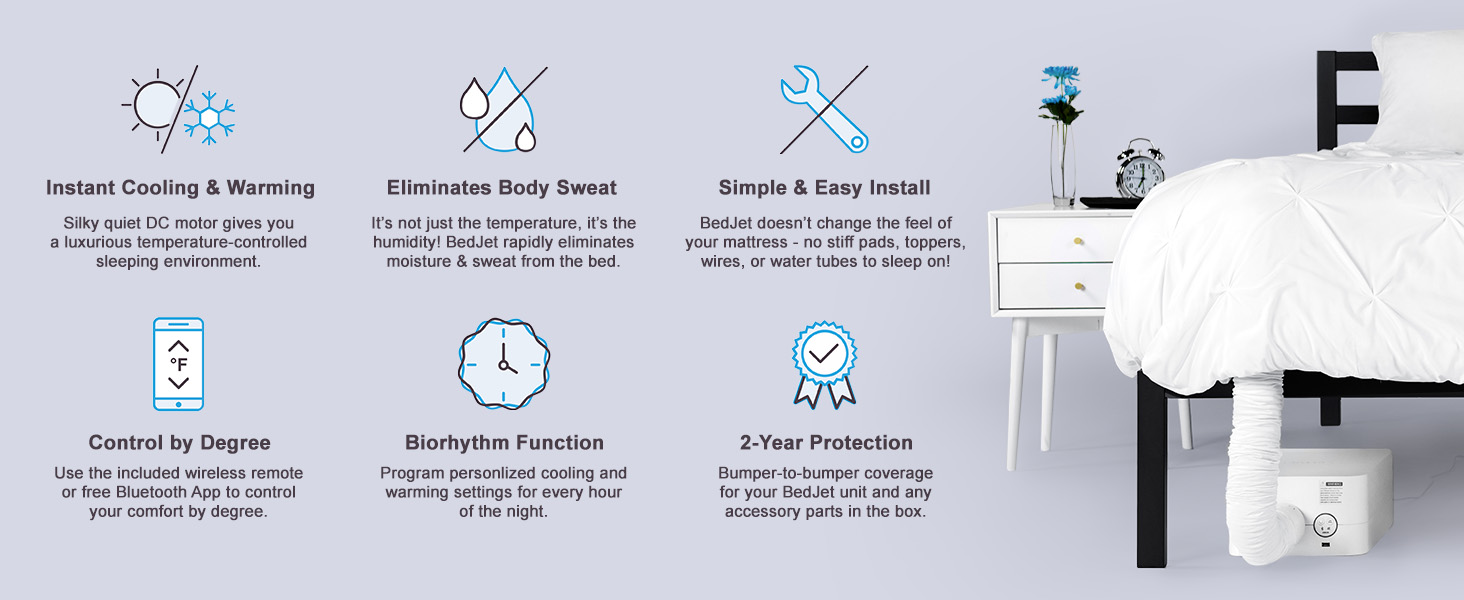
Image: Visual representation of key BedJet features, including app control and the Biorhythm function.
6. Maintenance
6.1 Cloud Sheet Care
The King Cloud Sheet is made of 100% cotton and is machine washable. Follow the care instructions on the label for best results. Typically, machine wash cold with like colors and tumble dry low.
6.2 BedJet Unit Cleaning
Periodically wipe the exterior of the BedJet units with a soft, dry cloth. Ensure the air intake filter (if applicable) is clean and free of dust to maintain optimal performance. Do not use abrasive cleaners or immerse the unit in water.
7. Troubleshooting
If you encounter issues with your BedJet 3 system, refer to the following common solutions:
- Unit Not Powering On:
- Ensure the power cord is securely plugged into both the unit and a working electrical outlet.
- Check if the outlet is functional by plugging in another device.
- Insufficient Cooling/Heating:
- Verify that the air hoses are securely connected to both the BedJet unit and the Cloud Sheet, with no kinks or obstructions.
- Ensure the Cloud Sheet is properly installed and sealed around the mattress to prevent air escape.
- Check that the air intake vents on the BedJet unit are not blocked.
- Remember that the BedJet circulates ambient air. If your room temperature is very high (e.g., above 78°F / 25.5°C), the cooling effect will be limited as it cannot produce air colder than the room's ambient temperature.
- Remote Control Not Responding:
- Replace the batteries in the remote control.
- Ensure there are no obstructions between the remote and the BedJet unit.
- Re-pair the remote with the unit if necessary (refer to the BedJet app or online resources for pairing instructions).
- Unusual Noise:
- Check for any foreign objects near the air intake or exhaust.
- Ensure the unit is placed on a stable, flat surface.

Image: Important considerations regarding BedJet's operational limits, particularly its function relative to room temperature.
8. Specifications
| Feature | Detail |
|---|---|
| Brand | BedJet |
| Model Name | BedJet 3 |
| Item Model Number | 6002 |
| Size | King (Dual Temperature Zone) |
| Item Weight | 38.2 pounds (total package) |
| Package Dimensions | 24.9 x 24.6 x 24.5 inches |
| Material (Unit) | Plastic |
| Fabric Type (Cloud Sheet) | 100% Cotton |
| Special Feature | Remote control, Bluetooth App control, Biorhythm function |
| UPC | 858086005033 |
9. Warranty and Support
9.1 Warranty Information
The BedJet 3 Climate Control System comes with a manufacturer's warranty for 2 years from the date of purchase. This warranty covers defects in materials and workmanship under normal use. Please retain your proof of purchase for warranty claims.
9.2 Customer Support
For technical assistance, troubleshooting beyond this manual, or warranty inquiries, please contact BedJet customer support. Refer to the official BedJet website for the most current contact information.


