
Introduction
The Westcott iPoint Orbit Electric Pencil Sharpener is designed for efficient and consistent pencil sharpening in home and office environments. This manual provides instructions for proper setup, operation, and maintenance to ensure optimal performance and longevity of your sharpener.
Package Contents
- Westcott iPoint Orbit Electric Pencil Sharpener
- Power Adapter
Safety Information and General Tips
Please read and understand the following safety guidelines before using the sharpener:
- Chalk and wax pencils can clog the blades. If blades become clogged, use a cloth or a blunt object to carefully remove debris.
- Keep the sharpener away from small children.
- Do not use cleaners or oils on the sharpener.
- Always use the sharpener on a flat, stable surface.
- To avoid injury, do not mix alkaline, standard, high-power, or rechargeable batteries, or old and new batteries, if using battery power.
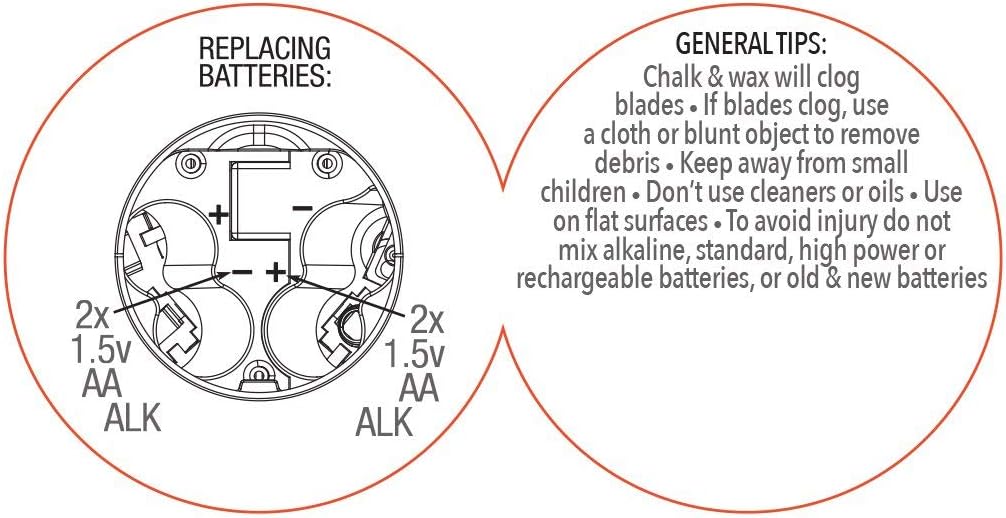
Figure 1: Battery replacement diagram and general safety tips.
Setup
- Unpack the Sharpener: Carefully remove the sharpener and its power adapter from the packaging.
- Power Connection: Insert the small end of the power adapter into the power port on the back of the sharpener. Plug the other end of the power adapter into a standard electrical outlet.
- Optional Battery Installation (if applicable): If using batteries (not included), refer to the diagram in the Safety Information section for correct battery orientation. The sharpener requires 4x AA 1.5V alkaline batteries.

Figure 2: Sharpener with power adapter connected.
Operating Instructions
- Prepare the Sharpener: Ensure the sharpener is placed on a stable surface and properly powered (either via adapter or batteries).
- Insert Pencil: Gently insert a standard-sized pencil into the sharpening hole. The sharpener will automatically begin to sharpen the pencil.
- Automatic Stop: The iPoint Orbit features an Auto Stop function. Once the pencil reaches a perfect point, the sharpening mechanism will automatically stop, preventing over-sharpening and extending pencil life.
- Remove Pencil: Once sharpening stops, remove the pencil.

Figure 3: Pencil inserted for sharpening.
Demonstration Video
Video 1: An overview of the Westcott iPoint Orbit Electric Pencil Sharpener, demonstrating its design and basic function.
Video 2: A demonstration of the sharpener's performance, showing a pencil being sharpened to a fine point.
Maintenance
- Emptying Shavings Reservoir: The sharpener features an EZ-View shavings reservoir. When the reservoir appears full, or to prevent clogging, carefully remove the top section of the sharpener to empty the pencil shavings into a waste bin. Reattach the top section securely after emptying.
- Cleaning Blades: If the blades become clogged with pencil debris, especially from soft lead, chalk, or wax pencils, gently remove the debris using a soft cloth or a blunt, non-metallic object. Do not use water or cleaning solutions directly on the blades.
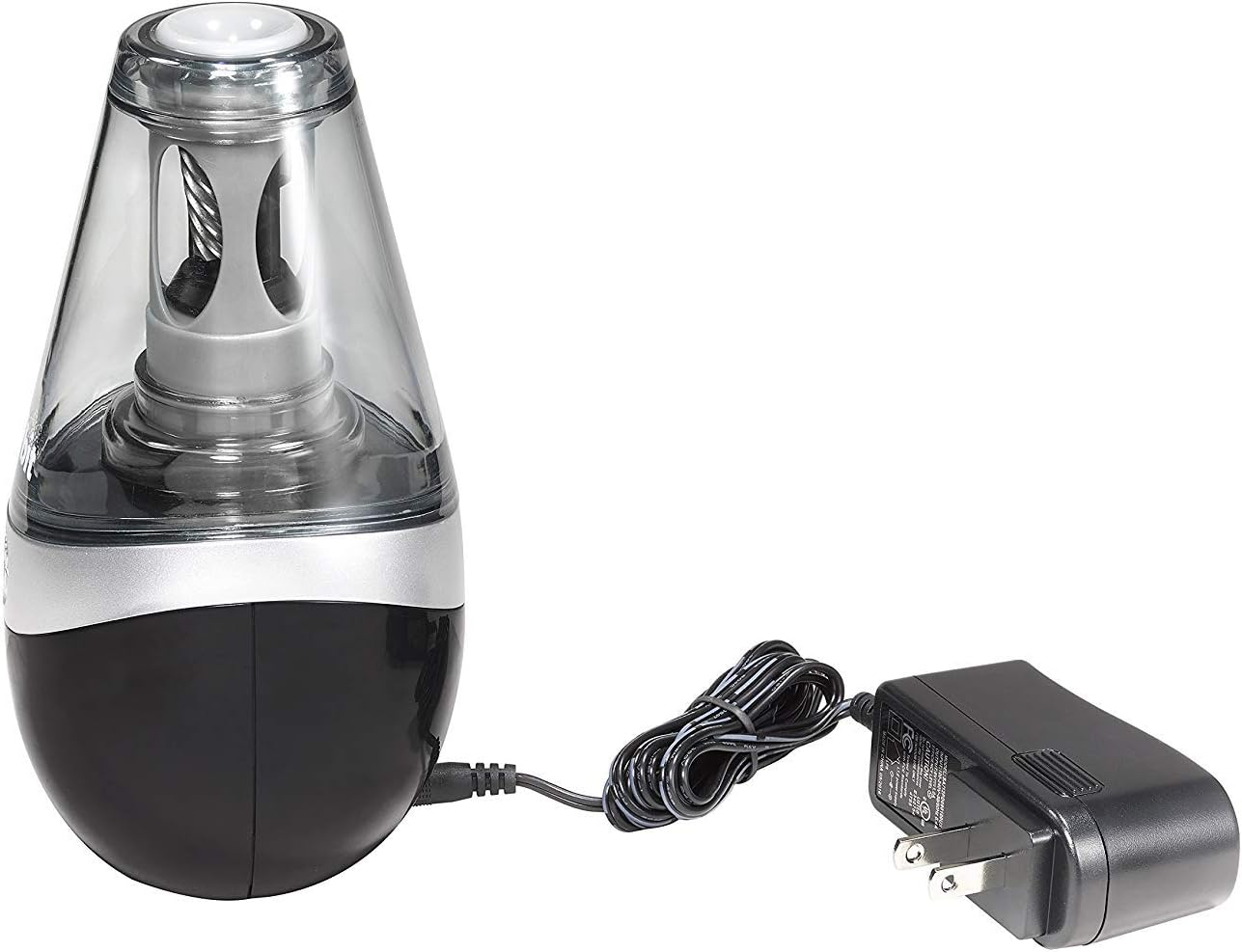
Figure 4: Clear shavings reservoir indicating when to empty.
Maintenance Video
Video 3: This video demonstrates how to open the sharpener's top section to empty the shavings reservoir.
Troubleshooting
- Sharpener not operating: Ensure the power adapter is securely plugged into both the sharpener and a working electrical outlet. If using batteries, check that they are inserted correctly and are not depleted.
- Pencil not sharpening or uneven sharpening: Check for clogged blades and clear any debris as described in the Maintenance section. Ensure the pencil is inserted straight and gently.
- Sharpener stops prematurely: This is likely the Auto Stop function indicating a perfect point has been achieved. If the pencil is still blunt, check for debris or try a different pencil.
Specifications
| Brand | Westcott |
| Model Number | 16059-002 |
| Power Source | Electric (AC adapter) / Battery (4x AA 1.5V, not included) |
| Blade Technology | Titanium-bonded |
| Features | Auto Stop, EZ-View Shavings Reservoir |
| Color | White/Black |
| Item Weight | 0.75 Pounds |
Warranty and Support
This Westcott iPoint Orbit Electric Pencil Sharpener comes with a limited warranty. For specific warranty details and support, please refer to the warranty information included with your purchase or visit the official Westcott website.
For further assistance, please contact Westcott customer support.
