
1. Product Overview
The Portronics Health Key III 3D Digital Pedometer is designed to accurately track your daily physical activity. It utilizes advanced 3D sensor technology to count steps, measure distance, and estimate calories burned, helping you monitor your fitness progress.
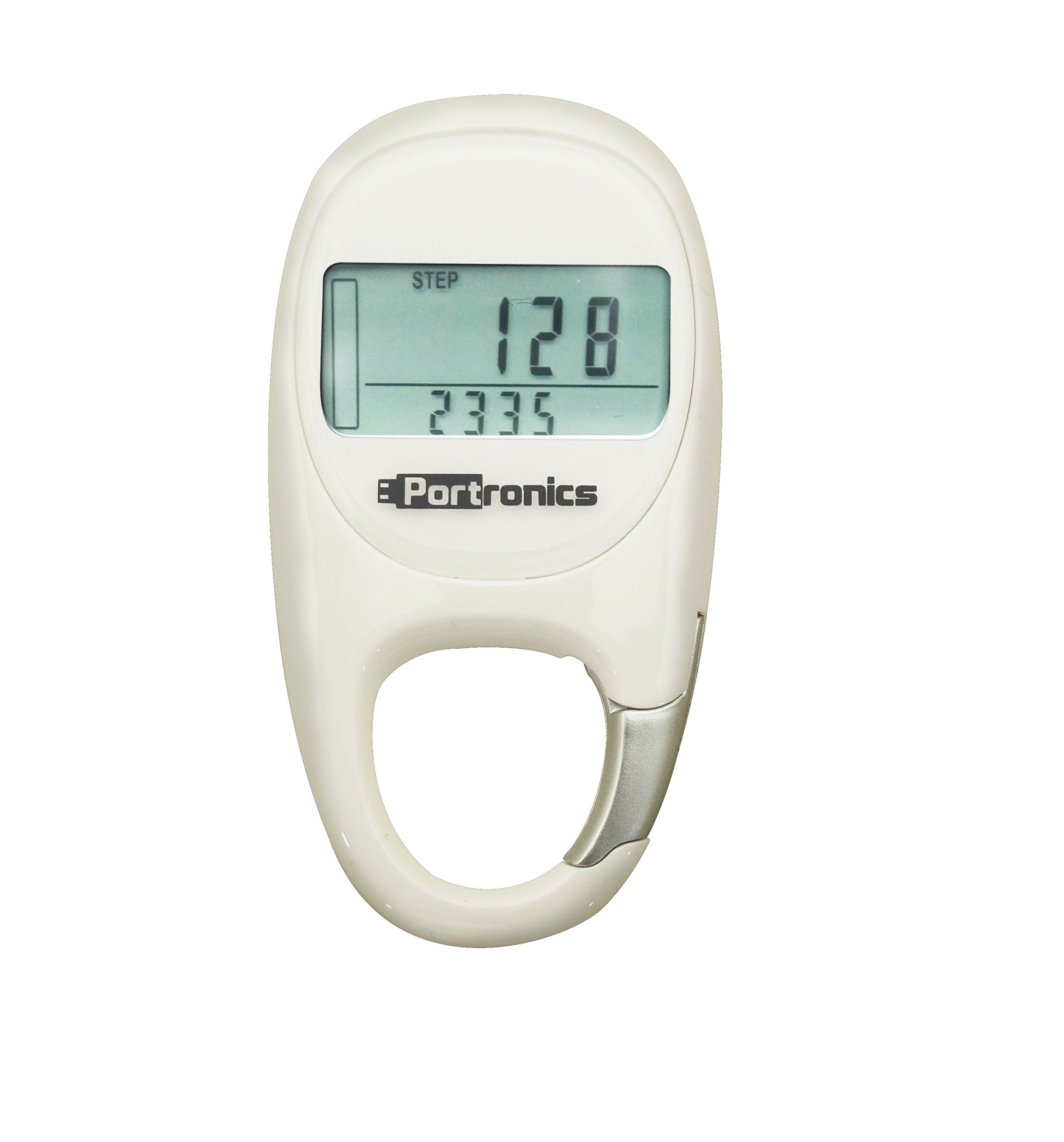
Figure 1: Front view of the Portronics Health Key III 3D Digital Pedometer. The device is white with a clear digital display and control buttons visible below the screen.
2. Setup
2.1 Unpacking
Carefully remove the pedometer and all accessories from the packaging. Verify that all components are present:
- Portronics Health Key III 3D Digital Pedometer
- User Manual (this document)
- Battery (if not pre-installed)
2.2 Battery Installation
The Portronics Health Key III uses a Lithium-Ion Polymer battery. If the battery is not pre-installed or needs replacement:
- Locate the battery compartment cover on the back of the device.
- Use a small coin or screwdriver to gently open the cover.
- Insert the Lithium-Ion Polymer battery, ensuring the positive (+) and negative (-) terminals align correctly with the markings inside the compartment.
- Replace the battery compartment cover and secure it.
Caution: Ensure correct battery polarity. Incorrect installation may damage the device. Dispose of used batteries responsibly.
2.3 Initial Power-On and Basic Settings
After battery installation, the device should power on automatically. If not, press and hold the "MODE" button for a few seconds. You will then need to set up basic information:
- Time and Date: Follow the on-screen prompts to set the current time (12/24-hour format) and date. Use the "SET" or "ADJUST" buttons to change values and "MODE" to confirm.
- User Profile: Input your personal data for accurate tracking. This typically includes:
- Weight: Enter your body weight in kilograms (kg) or pounds (lb).
- Height: Enter your height in centimeters (cm) or inches (in).
- Stride Length: This can be estimated or measured. A common estimate is (Height in cm) * 0.415 for men and (Height in cm) * 0.413 for women. For best accuracy, measure your actual stride length over 10 steps and divide by 10.
- Unit Preference: Select your preferred units for distance (kilometers/miles) and weight (kg/lb).
Once all settings are confirmed, the pedometer is ready for use.
3. Operating Instructions
3.1 Wearing the Pedometer
For optimal accuracy, wear the Portronics Health Key III pedometer securely on your waist, close to your hip bone. Ensure it is positioned vertically and does not swing freely. It can also be placed in a pocket, but waist placement generally yields more accurate results.
3.2 Understanding the Display
The 2-inch display shows various metrics. Use the "MODE" button to cycle through different display screens:
- Steps: Total number of steps taken.
- Distance: Total distance covered in kilometers or miles.
- Calories: Estimated calories burned.
- Exercise Time: Duration of active movement.
- Clock: Current time.
3.3 Data Reset
To reset your daily activity data (steps, distance, calories, exercise time) to zero:
- Navigate to the desired data screen (e.g., Steps).
- Press and hold the "RESET" button for approximately 3 seconds until the display shows "0" or flashes.
- Release the button. Your daily data is now reset.
Note: Some models may automatically reset daily data at midnight. Refer to the device's specific behavior.
3.4 Memory Function
The pedometer may store historical data for a certain period (e.g., 7 days). To view past data, press the "MEMORY" or "HISTORY" button (if available) and use the "ADJUST" buttons to scroll through previous days' records.
4. Maintenance
4.1 Cleaning
To clean your pedometer, gently wipe the surface with a soft, dry cloth. For stubborn dirt, slightly dampen the cloth with water. Do not use abrasive cleaners, solvents, or immerse the device in water.
4.2 Battery Replacement
When the battery indicator appears low or the display becomes dim, replace the Lithium-Ion Polymer battery following the instructions in Section 2.2. Always use the specified battery type.
4.3 Storage
If storing the pedometer for an extended period, remove the battery to prevent leakage and potential damage to the device. Store it in a cool, dry place away from direct sunlight and extreme temperatures.
5. Troubleshooting
| Problem | Possible Cause | Solution |
|---|---|---|
| Device does not power on. | Dead or incorrectly installed battery. | Check battery installation (Section 2.2). Replace battery if necessary. |
| Inaccurate step count. | Incorrect wearing position; incorrect stride length setting; unusual movement patterns. | Ensure pedometer is worn securely on the waist (Section 3.1). Verify stride length setting (Section 2.3). Avoid excessive shaking or non-walking movements. |
| Display is dim or blank. | Low battery. | Replace the battery (Section 4.2). |
| Cannot reset data. | Incorrect button press sequence. | Refer to Data Reset instructions (Section 3.3). Ensure you hold the button for the specified duration. |
5.1 Factory Reset
If the device malfunctions persistently, a factory reset may resolve the issue. Consult the Portronics support website or contact customer service for specific instructions on performing a factory reset for your model, as this procedure can vary.
6. Specifications
- Brand: Portronics
- Model: Health Key III 3D Digital Pedometer
- Color: White (as per product listing, other colors may exist for the model)
- Screen Size: 2 Inches
- Sensor Type: Pedometer (3D Digital)
- Battery Type: Lithium-Ion Polymer
- ASIN: B00TK7P7KC
7. Warranty and Support
7.1 Warranty Information
Portronics products typically come with a limited warranty against manufacturing defects. The specific warranty period and terms may vary by region and product. Please retain your purchase receipt as proof of purchase for warranty claims. For detailed warranty information, visit the official Portronics website or contact customer support.
7.2 Customer Support
If you encounter any issues not covered in this manual or require further assistance, please contact Portronics customer support:
- Website: www.portronics.com/support (Example link, actual link may vary)
- Email: support@portronics.com (Example email, actual email may vary)
- Phone: Refer to the Portronics website for regional contact numbers.
When contacting support, please have your product model (Health Key III 3D Digital Pedometer) and ASIN (B00TK7P7KC) ready.