
Introduction
Thank you for choosing the Portronics Health Key III 3D Digital Pedometer. This device is designed to accurately track your daily steps, distance, and calories burned, helping you monitor your activity levels. This manual provides essential information for setting up, operating, maintaining, and troubleshooting your pedometer to ensure optimal performance.
Setup
1. Battery Installation
The Portronics Health Key III uses a Lithium-Ion battery. To install or replace the battery:
- Locate the battery compartment cover on the back of the pedometer.
- Carefully open the cover.
- Insert the Lithium-Ion battery, ensuring correct polarity (+ and - terminals).
- Close the battery compartment cover securely.
The pedometer is designed for long battery life, up to 3 months, and features a low battery indicator on the display.
2. Initial Power On and Basic Settings
Upon first power-on or after battery replacement, you may need to set the time, date, and personal information (e.g., stride length, weight) for accurate tracking. Refer to the on-screen prompts or the device's buttons for navigation and selection.
Operating the Pedometer
1. Power Management
The pedometer features an auto LCD off function to conserve power. It will automatically wake up when motion is detected or a button is pressed. This helps extend the battery life.
2. Tracking Your Activity
Once powered on and configured, the pedometer automatically begins tracking your steps. Carry the device securely (e.g., clipped to clothing) for accurate readings. The 3D sensor ensures precise step counting regardless of orientation.
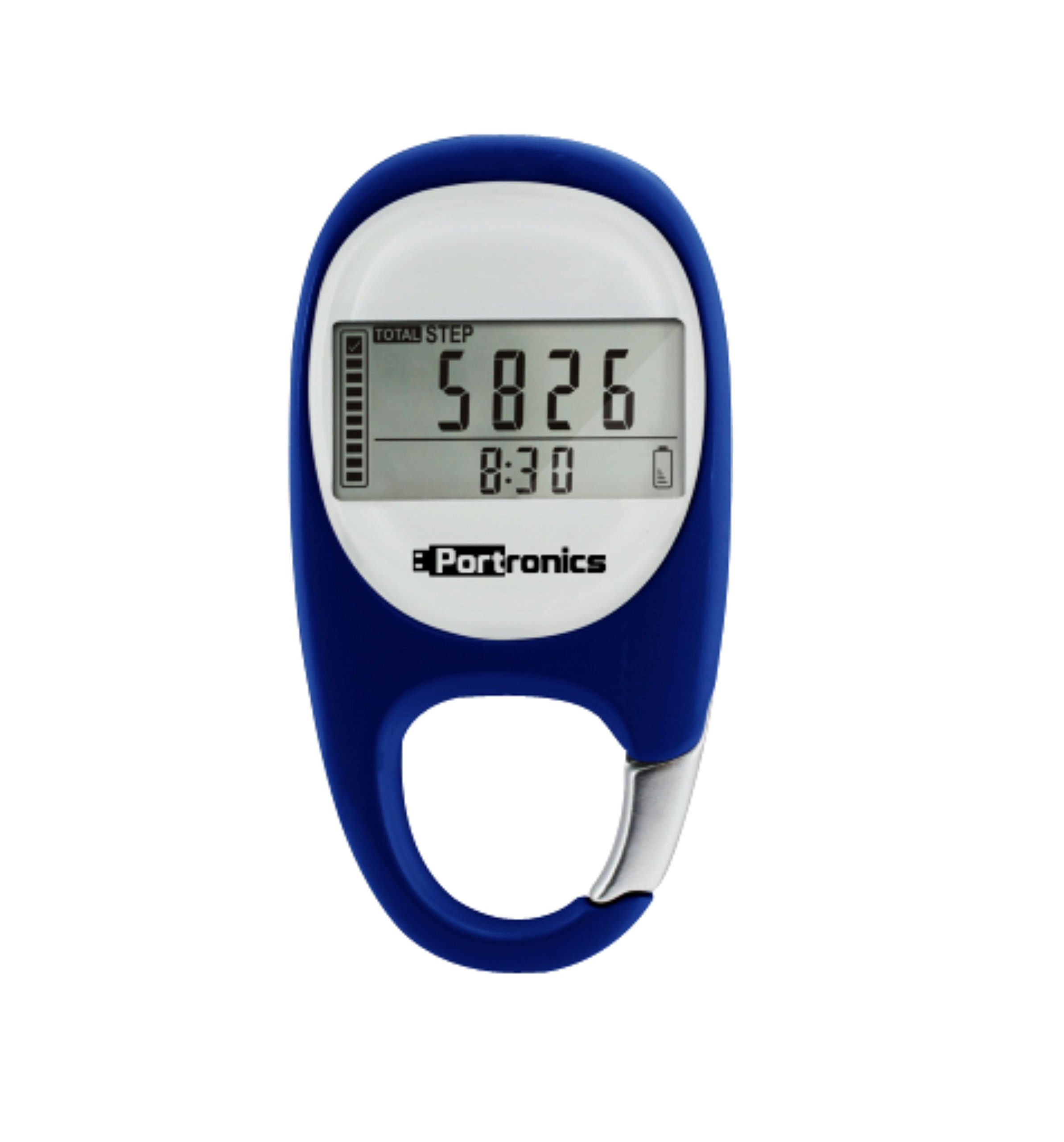
Image: The Portronics Health Key III Pedometer showing its digital display with "TOTAL STEP 5826" and the current time "8:30". A full battery indicator is visible, along with the Portronics logo. This illustrates the device's display during operation.
The display will show your total steps, and potentially distance and calories, depending on the display mode. Use the device's buttons to cycle through different display modes.
3. Data Storage and Error Correction
The pedometer stores up to 7 days of activity records, allowing you to review your progress over a week. It also incorporates a 10-step buffer error correction mechanism to enhance the accuracy of step counting by filtering out incidental movements.
Maintenance
1. Cleaning
To clean your pedometer, gently wipe it with a soft, dry, or slightly damp cloth. Do not use abrasive cleaners, solvents, or immerse the device in water.
2. Battery Replacement
When the low battery indicator appears, replace the Lithium-Ion battery as described in the "Battery Installation" section. Dispose of used batteries responsibly according to local regulations.
3. Storage
Store the pedometer in a cool, dry place away from direct sunlight and extreme temperatures when not in use for extended periods.
Troubleshooting
- Device not turning on: Check if the battery is correctly installed and fully charged. Replace the battery if necessary.
- Inaccurate step count: Ensure the pedometer is securely attached and not swinging excessively. Verify that your personal settings (e.g., stride length) are correctly entered. The 10-step buffer helps with accuracy, but extreme movements might still affect readings.
- Display issues: If the display is dim or blank, check the battery. If the issue persists after battery replacement, contact customer support.
- Data not saving: Ensure the device has sufficient battery power. If the issue continues, a factory reset (if available, refer to device specific instructions) might be needed, which will erase stored data.
Specifications
| Model Number | H-KEY-III-POR |
| Brand | Portronics |
| Sensor Type | Pedometer (3D Digital) |
| Battery Type | Lithium-Ion |
| Battery Life | Up to 3 months |
| Data Storage | 7 days record storage |
| Error Correction | 10 step buffer |
| Item Weight | 30 g (0.07 Pounds) |
| Screen Size | 0.75 inches |
| Color | Blue |
Warranty & Support
For warranty information and customer support, please refer to the documentation included with your purchase or visit the official Portronics website. Keep your purchase receipt as proof of purchase for warranty claims.