
Introduction
Thank you for choosing the HealthmateForever P016 Neck and Shoulder Massager. This manual provides essential information for the safe and effective use, maintenance, and troubleshooting of your device. Please read it thoroughly before operation and retain it for future reference.
Safety Information
Important Safeguards:
- Always disconnect the massager from the power source after use and before cleaning.
- Do not use the massager while sleeping or if you are drowsy.
- Avoid using the massager in wet or damp environments, such as bathrooms.
- Keep the massager away from heat sources and direct sunlight.
- Do not use on sensitive skin areas, swollen or inflamed areas, or open wounds.
- Consult a physician before use if you have a medical condition, are pregnant, have a pacemaker, or have any concerns about using massage devices.
- This device is not intended for use by persons with reduced physical, sensory, or mental capabilities, or lack of experience and knowledge, unless they have been given supervision or instruction concerning use of the appliance by a person responsible for their safety.
Product Overview
The HealthmateForever P016 is a versatile massager designed to provide relief to your neck, shoulders, and back. It features a comfortable pillow design with vibration massage technology.

Image: The HealthmateForever P016 Neck and Shoulder Massager, showcasing its ergonomic pillow shape.

Image: Top view of the HealthmateForever P016 Massager, highlighting its contours and fabric.
Components:
- Massager Pillow Unit
- Remote Control
- Power Adapter
Setup
Before first use, ensure all packaging materials are removed. The massager is battery-powered and also includes a power adapter for continuous use.
- Battery Installation: Locate the battery compartment, typically on the underside or side of the massager. Insert 2 'D' batteries (not included) according to the polarity indicators.
- Power Connection: For extended use, connect the power adapter to the massager's input port and then plug it into a standard electrical outlet.
- Remote Control: The remote control is pre-paired. Ensure its battery is functional.
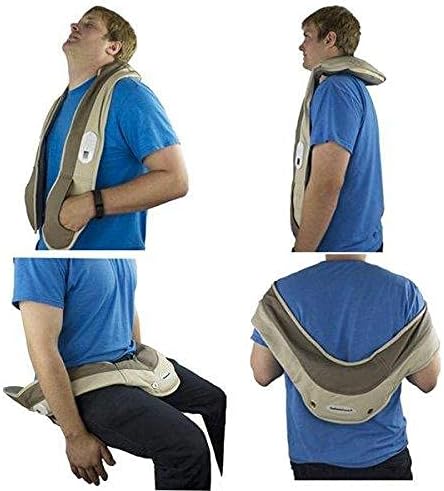
Image: The HealthmateForever P016 Massager shown with its power cord and remote control.
Operating Instructions
The HealthmateForever P016 offers simple controls for a customized massage experience.
- Placement: Position the massager on the desired body area (neck, shoulders, back, calves). Ensure it is comfortably supported.
- Power On/Off: Press the power button on the massager's control panel or the remote control to turn the device on. Press again to turn off.
- Adjusting Intensity: Use the intensity buttons (often labeled 'High'/'Low' or with arrows) on the control panel or remote to select your preferred vibration strength.
- Heat Function: If available, press the 'Heat' button to activate the warming function. This can enhance relaxation.
- Automatic Shut-off: The massager may feature an automatic shut-off timer for safety and convenience. Refer to the product packaging for specific timing.

Image: Close-up of the control panel on the HealthmateForever P016 Massager, showing buttons for power and settings.

Image: The remote control for the HealthmateForever P016 Massager, featuring multiple buttons for various functions.
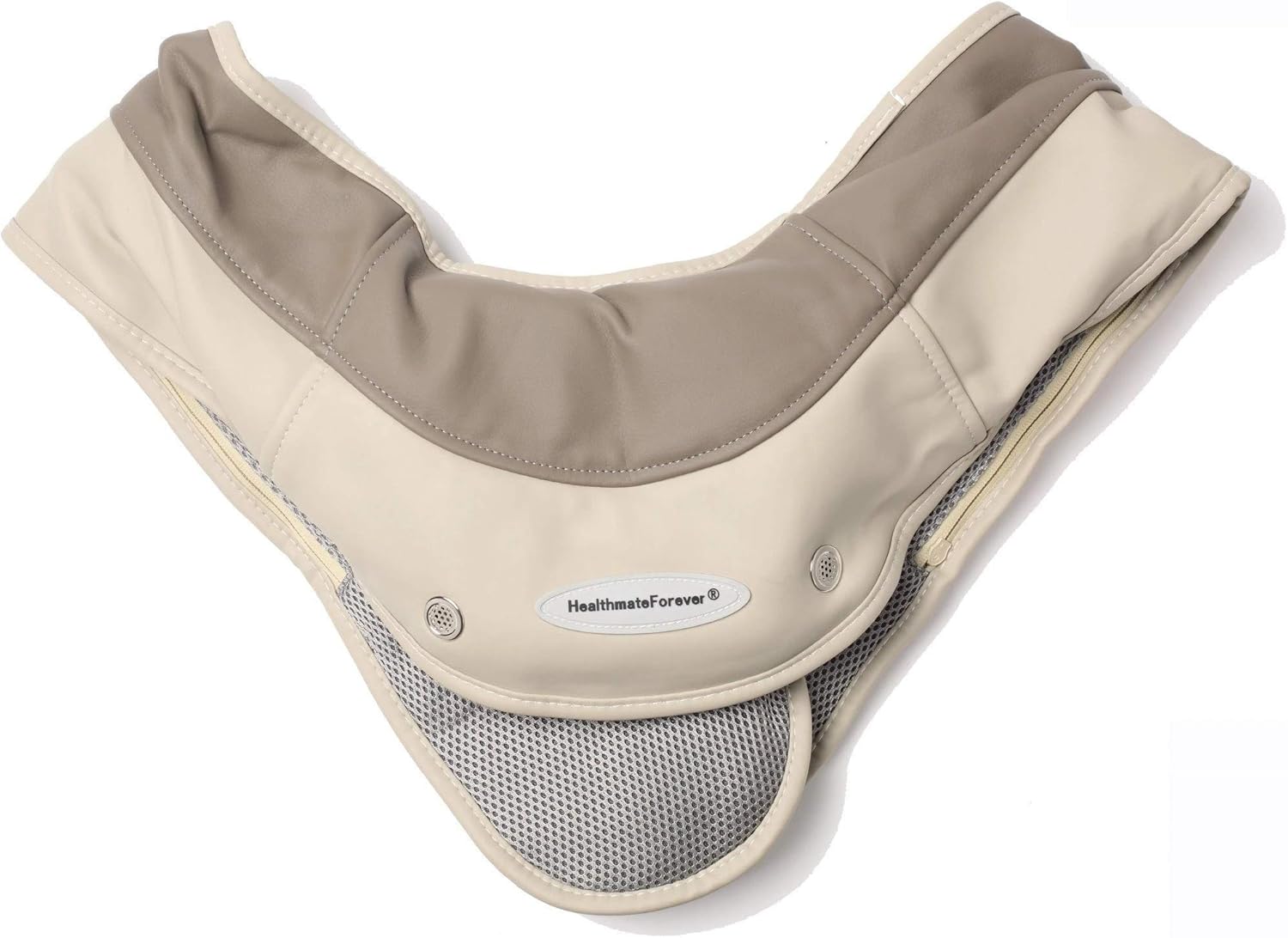
Image: A person using the HealthmateForever P016 Massager on their shoulders, demonstrating proper placement.
Maintenance
Proper care ensures the longevity and performance of your massager.
- Cleaning: Disconnect the massager from all power sources. Wipe the surface with a soft, slightly damp cloth. Do not use abrasive cleaners or immerse the device in water. The cover may be removable and washable; check product tags for specific instructions.
- Storage: Store the massager in a cool, dry place, away from direct sunlight and out of reach of children. Avoid placing heavy objects on the massager.
Troubleshooting
If you encounter issues with your HealthmateForever P016, refer to the following common solutions:
| Problem | Possible Cause | Solution |
|---|---|---|
| Massager does not turn on. | No power, dead batteries, or loose connection. | Check power adapter connection, replace batteries, or try a different power outlet. |
| Weak or inconsistent vibration. | Low battery power or incorrect mode selection. | Replace batteries or connect to power adapter. Ensure correct intensity mode is selected. |
| Remote control not working. | Dead remote battery or obstruction. | Replace remote control battery. Ensure no objects are blocking the signal path. |
Specifications
- Model Number: P016 (Pressure-Activiated-Massage-Pillow)
- Power Source: Battery Powered (2 x D batteries) / AC Adapter
- Massager Form: Massage Pillow
- Massage Therapy Technique: Vibration
- Product Benefits: Stress Relief
- Item Weight: 1.1 Pounds
- Material Type: Foam
- Water Resistance Level: Not Water Resistant
- UPC: 784672672924
Warranty and Support
HealthmateForever products are designed for quality and durability. For specific warranty details, please refer to the warranty card included with your purchase or visit the official HealthmateForever website. If you require technical support or have questions not covered in this manual, please contact HealthmateForever customer service.
Statements regarding dietary supplements have not been evaluated by the FDA and are not intended to diagnose, treat, cure, or prevent any disease or health condition.