
Fujifilm 16432853OB
Fujifilm XF 18-135mm f/3.5-5.6 R LM OIS WR Lens User Manual
Model: 16432853OB
1. Introduction
This manual provides comprehensive instructions for the proper use, setup, operation, and maintenance of your Fujifilm XF 18-135mm f/3.5-5.6 R LM OIS WR Lens. Please read this manual thoroughly before using the product to ensure optimal performance and longevity.
2. Product Overview
The Fujifilm XF 18-135mm f/3.5-5.6 R LM OIS WR Lens is a versatile wide-angle to telephoto zoom lens designed for Fujifilm X-mount mirrorless cameras. It offers a 35mm-equivalent focal length range of 27-206mm, making it suitable for a wide variety of photographic situations, from landscapes to portraits and distant subjects.
Key features include:
- Fujifilm X-Mount: Specifically designed for Fujifilm X-series mirrorless cameras.
- Versatile Zoom Range: Covers a 27-206mm equivalent focal length, ideal for various shooting scenarios.
- Optical Image Stabilization (OIS): Integrated OIS helps reduce camera shake for sharper images, especially in low light or at longer focal lengths.
- Weather Resistance (WR): Designed with seals to protect against dust and moisture, allowing for use in challenging environmental conditions.
- Linear Motor (LM): Provides fast, quiet, and precise autofocus performance.
- Advanced Optical Design: Features four aspherical elements and two extra-low dispersion (ED) glass elements to minimize aberrations and ensure high image quality across the zoom range.
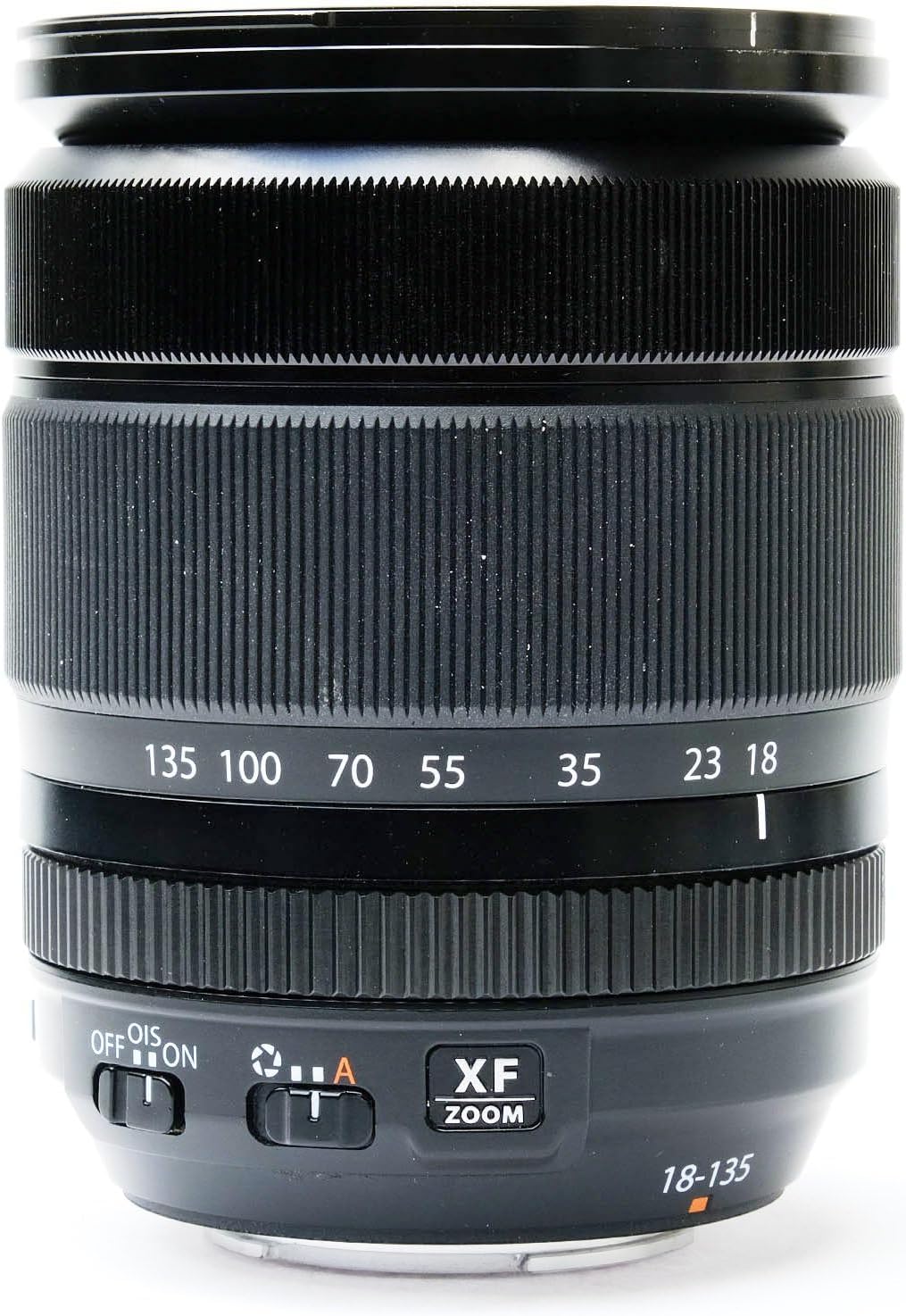
Figure 2.1: Side view of the Fujifilm XF 18-135mm lens, highlighting the zoom ring (marked 18-135), focus ring, and the OIS ON/OFF switch. The lens also features the XF ZOOM branding.
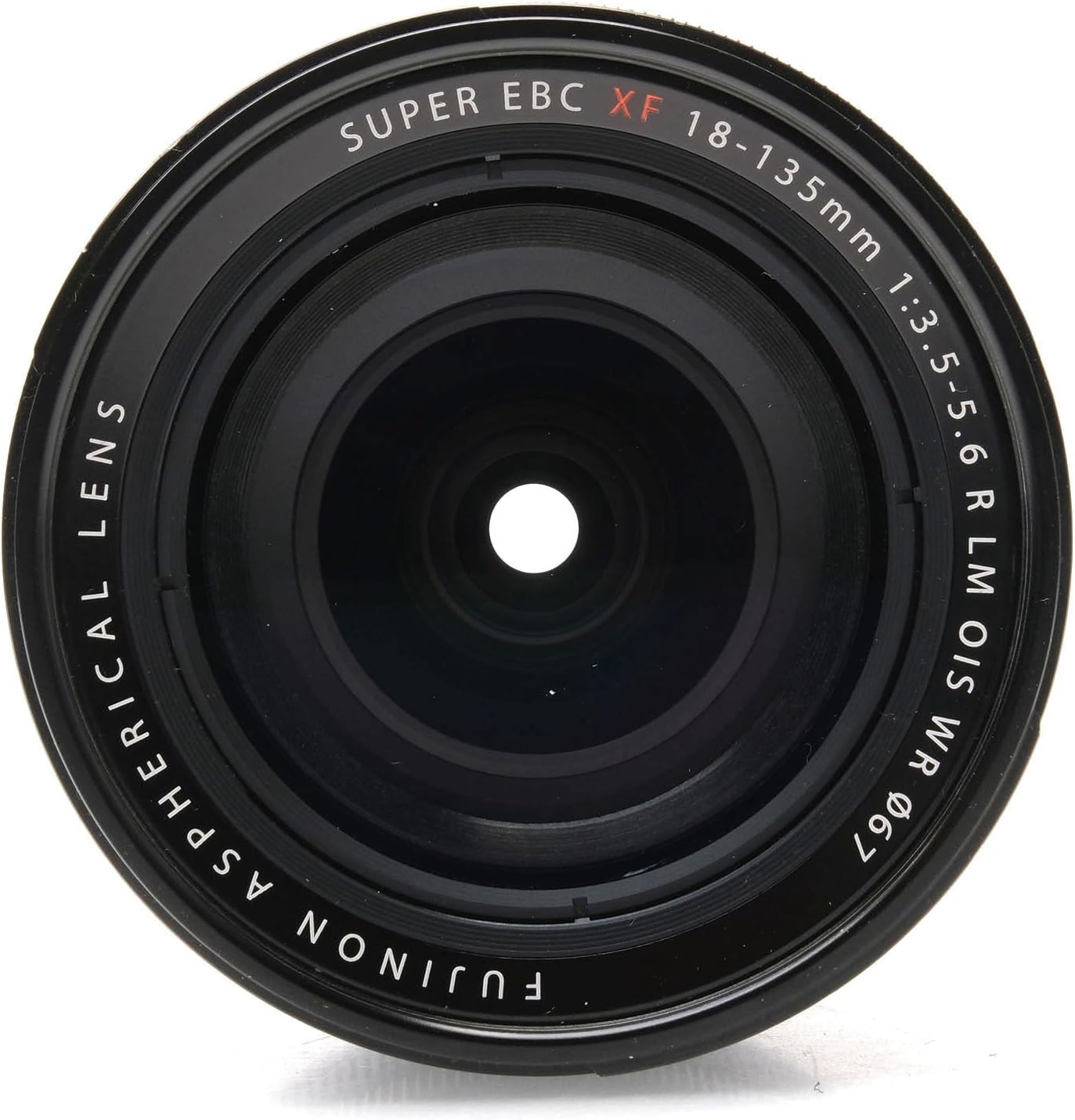
Figure 2.2: Front view of the Fujifilm XF 18-135mm lens, displaying the front optical element. Engraved text around the lens indicates "SUPER EBC XF 18-135mm 1:3.5-5.6 R LM OIS WR Ø67" and "FUJINON ASPHERICAL LENS".
3. Setup
3.1 Attaching the Lens
- Ensure both the camera and the lens are powered off.
- Remove the rear lens cap from the lens and the body cap from the camera.
- Align the white mounting mark on the lens barrel with the white mounting mark on the camera body.
- Insert the lens into the camera's lens mount and rotate it clockwise until it clicks into place. Do not force the lens.
- Remove the front lens cap.
3.2 Detaching the Lens
- Ensure the camera is powered off.
- While pressing the lens release button on the camera body, rotate the lens counter-clockwise until it stops.
- Carefully remove the lens from the camera body.
- Attach the rear lens cap to the lens and the body cap to the camera to protect the sensor and lens elements.
4. Operating the Lens
4.1 Zooming
To adjust the focal length, rotate the zoom ring on the lens barrel. The focal length markings (18, 23, 35, 55, 70, 100, 135mm) are indicated on the lens barrel. Rotate towards 18mm for wider shots and towards 135mm for telephoto shots.
4.2 Focusing
The lens supports both autofocus (AF) and manual focus (MF). The focus mode is typically controlled via the camera body settings.
- Autofocus: When the camera is set to AF, the lens will automatically focus on your subject. Half-press the shutter button to activate autofocus.
- Manual Focus: When the camera is set to MF, rotate the focus ring on the lens barrel to manually adjust focus. Use the camera's focus aids (e.g., focus peaking, magnification) for precise focusing.
4.3 Optical Image Stabilization (OIS)
The lens features Optical Image Stabilization to reduce blur caused by camera shake. The OIS ON/OFF switch is located on the side of the lens barrel.
- Set the switch to ON to activate image stabilization. This is recommended for handheld shooting, especially in low light or at longer focal lengths.
- Set the switch to OFF when using a tripod or when the camera is otherwise stable, as OIS can sometimes introduce blur when not needed.
4.4 Aperture Control
Aperture is controlled electronically via the camera body. Refer to your camera's instruction manual for details on adjusting aperture settings (f/3.5-5.6 to f/22).
5. Maintenance
5.1 Cleaning the Lens
- Lens Elements: Use a lens blower to remove dust and loose particles. For smudges or fingerprints, use a clean, soft microfiber lens cloth and a small amount of lens cleaning fluid. Wipe gently in a circular motion from the center outwards. Avoid touching the lens surface with your fingers.
- Lens Barrel: Wipe the lens barrel with a soft, dry cloth. For stubborn dirt, a slightly damp cloth can be used, followed by a dry cloth.
- Do not use organic solvents such as paint thinner or benzene to clean the lens.
5.2 Storage
- Always attach the front and rear lens caps when the lens is not in use.
- Store the lens in a cool, dry place, away from direct sunlight and extreme temperatures.
- If storing for an extended period, consider using a desiccant to prevent mold and mildew, especially in humid environments.
6. Troubleshooting
| Problem | Possible Cause | Solution |
|---|---|---|
| Lens not attaching to camera | Incorrect alignment; obstruction; lens release button not pressed. | Ensure white marks are aligned. Check for debris. Press lens release button firmly. |
| Autofocus not working | Camera in manual focus mode; insufficient light; dirty lens contacts; lens not properly mounted. | Set camera to AF. Use AF assist lamp if available. Clean lens and camera contacts. Re-mount lens. |
| Images are blurry | Camera shake; incorrect focus; OIS off or on tripod; dirty lens element. | Activate OIS (if handheld). Ensure proper focus. Turn OIS off if on tripod. Clean lens. Use faster shutter speed. |
| Zoom ring feels stiff/grindy | Dust or debris inside mechanism; normal wear. | Avoid forcing the zoom. If persistent or severe, contact Fujifilm service. |
7. Specifications
| Feature | Detail |
|---|---|
| Brand | Fujifilm |
| Model Number | 16432853OB |
| Focal Length | 18-135mm (27-206mm equivalent on APS-C) |
| Maximum Aperture | f/3.5-5.6 |
| Minimum Aperture | f/22 |
| Lens Mount | Fujifilm X |
| Optical Design | 16 elements in 12 groups (including 4 aspherical, 2 ED elements) |
| Image Stabilization | Yes (OIS) |
| Autofocus Motor | Linear Motor (LM) |
| Weather Resistance | Yes (WR) |
| Filter Size | 67mm |
| Dimensions (D x L) | Approx. 5.91 x 5.91 x 5.91 inches (from product data, likely packaging dimensions) |
| Weight | Approx. 0.01 ounces (from product data, likely incorrect for lens, possibly packaging weight) |
| First Available Date | January 28, 2015 |
Note: Dimensions and weight provided are based on available product data and may refer to packaging. Refer to official Fujifilm specifications for precise lens dimensions and weight.
8. Warranty and Support
For detailed information regarding the product warranty, please refer to the warranty card included with your lens or visit the official Fujifilm website. Warranty terms and conditions may vary by region.
For technical support, service, or inquiries about replacement parts, please contact Fujifilm customer service or an authorized service center in your region. Contact information can typically be found on the Fujifilm website or in the product packaging.
Online Resources:
- Fujifilm Official Website: www.fujifilm.com
Related documents16432853OB


Ask a question about this manual
Ask about setup, troubleshooting, compatibility, parts, safety, or missing instructions. Manuals+ will review the question and use this page’s manual context to help answer it.