
Coralife 100115641
Coralife BioCube UV Sterilizer Lamp 5 Watts Instruction Manual
Model: 100115641
Product Overview
The Coralife BioCube UV Sterilizer Lamp 5 Watts is designed to ensure your Turbo-Twist UV Sterilizer operates at peak efficiency. It provides consistent and reliable UV light, crucial for maintaining a healthy and clean aquarium environment by eliminating free-floating algae, parasites, and harmful bacteria.
Key Features:
- Optimal Performance: Ensures peak efficiency for your Turbo-Twist UV Sterilizer.
- Regular Replacement: Recommended replacement after 4,000 hours of use or every 6 months for effective sterilization.
- Designed for Turbo-Twist: Guarantees perfect fit and seamless functionality with Turbo-Twist UV Sterilizers.
- 5 Watt Replacement Bulb: Specifically for BioCubes.
- High-Quality Illumination: Provides consistent and reliable UV light.

Image: The Coralife BioCube UV Sterilizer Lamp 5 Watts, showing the dual UV bulbs and the base connector.
Safety Warnings
WARNING: This product can expose you to Mercury, which is known to the State of California to cause birth defects or other reproductive harm. For more information go to www.P65Warnings.ca.gov.
LAMP CONTAINS MERCURY. Manage in Accord with Disposal Laws. See: www.lamprecycle.org
WARNING! Do not expose eyes and skin to ultraviolet light. Rays may be harmful to unprotected skin. Always unplug sterilizer before accessing bulb chamber.
EPA Est. No. 89459-WI-001

Image: A label detailing safety warnings regarding mercury content and UV light exposure.
Setup and Installation
This UV sterilizer lamp is designed for use with Coralife BioCube aquariums. Follow these steps for proper installation:
- Unplug BioCube® Mini Ultraviolet Sterilizer from outlet.
- Disconnect transformer from lamp unit at cord junction.
- Unscrew lamp unit from sterilizer body.
- Replace lamp with new component.
- Connect transformer to new lamp unit.
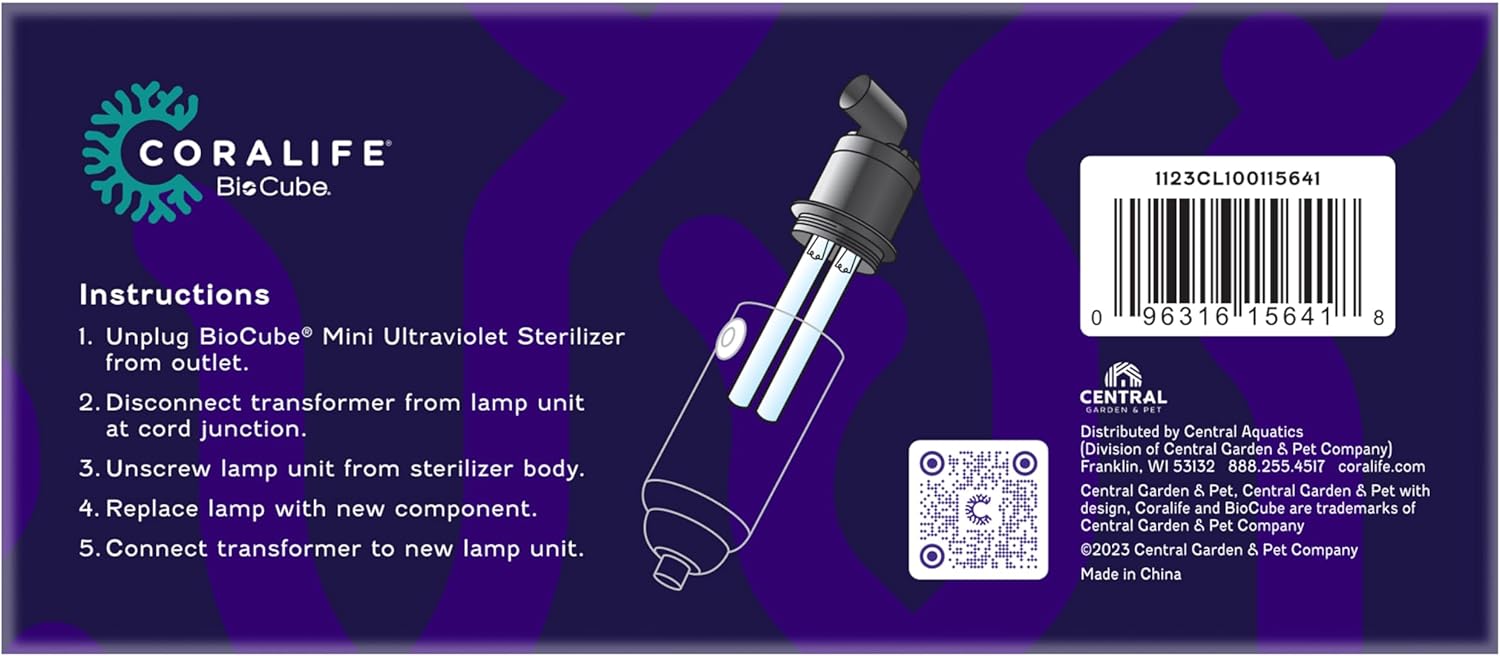
Image: Step-by-step instructions for replacing the UV lamp, including unplugging, disconnecting, unscrewing, replacing, and reconnecting.
Installation Video Guide:
Video: This video demonstrates the installation process for a similar aquarium UV light, showing how to connect it in-line with an external filter system.
Video: An official product video demonstrating the setup and connection of the Coralife BioCube Mini UV Sterilizer within an aquarium system.
Operating Instructions
The Coralife BioCube UV Sterilizer Lamp is designed for continuous operation to maintain water clarity and health. Once installed, ensure the unit is fully submerged and connected to a power source.
Operation:
- The UV lamp operates continuously when powered, sterilizing water as it flows through the unit.
- For optimal performance, ensure water flow through the sterilizer is consistent.
- The unit is designed to be low voltage and safe for small aquariums.
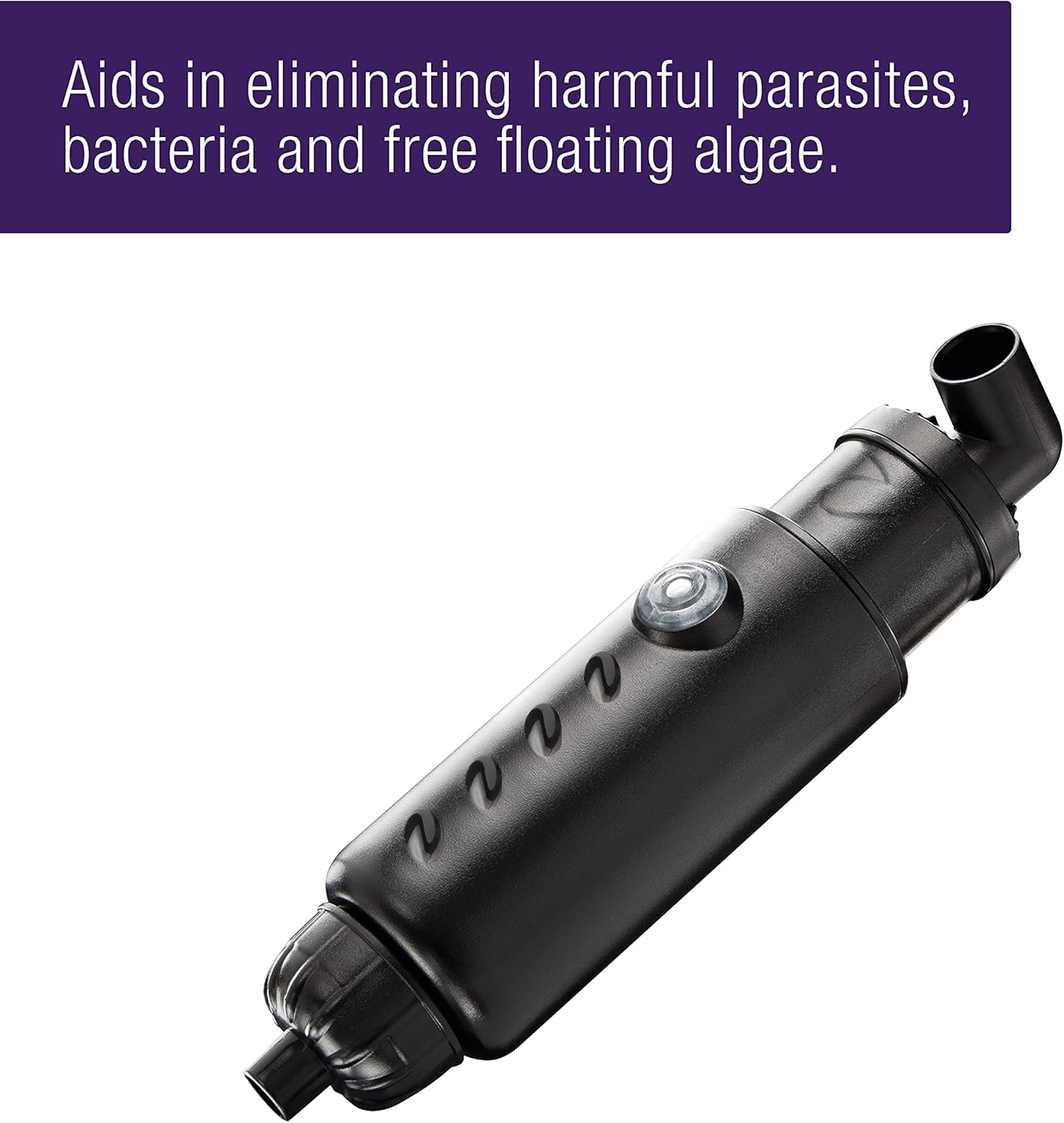
Image: The UV sterilizer lamp actively operating within an aquarium, contributing to clear water conditions.
Maintenance
Regular maintenance of your UV lamp is crucial for sustained effectiveness. The UV lamp's intensity diminishes over time, reducing its ability to sterilize water.
Lamp Replacement:
- It is recommended to replace your UV lamp after 4,000 hours of operation or every 6 months, whichever comes first.
- Always unplug the sterilizer from the power outlet before attempting any maintenance or bulb replacement.
- Follow the installation steps in reverse to safely remove the old lamp and insert a new one.
Cleaning:
- Periodically inspect the quartz sleeve (if applicable) for any build-up or deposits that might block UV light. Clean gently with a soft cloth and a mild acid solution (like vinegar) if necessary, then rinse thoroughly.
Video: This video demonstrates how to disassemble a UV filter to access and replace the UV bulb, highlighting the importance of proper sealing.
Troubleshooting
If you experience issues with water clarity or suspect your UV sterilizer is not functioning correctly, consider the following:
- Green Water/Algae Bloom: If green water persists, ensure the UV lamp is not past its recommended replacement interval (4,000 hours or 6 months). Also, check for proper water flow through the sterilizer.
- Lamp Not Lighting: Verify the unit is securely plugged into a working power outlet. Check the cord junction and transformer for any disconnections. If the lamp is old, it may need replacement.
- Reduced Effectiveness: Ensure the quartz sleeve is clean and free of debris or mineral deposits. Reduced water flow can also decrease effectiveness.
Demonstration of Algae Removal:
Video: A review demonstrating the effectiveness of a UV filter in clearing green algae from an aquarium over several days.
Specifications
| Brand | Coralife |
| Model Name | Biocube UV Sterilizer Lamp |
| Item Model Number | 100115641 |
| Wattage | 5 watts |
| Light Type | Fluorescent |
| Voltage | 120 Volts |
| Accepted Voltage Frequency | 100 to 120 Volts and 60 Hertz |
| Average Life | 375 Days (approx. 9000 hours, but replacement recommended at 4000 hours or 6 months for optimal performance) |
| Item Weight | 4 ounces |
| Product Dimensions | 4.5 x 2 x 2 inches |
| Material | Glass, Plastic |
| Indoor/Outdoor Usage | Indoor |
Warranty and Support
Warranty Information:
This product comes with a 90-day warranty from the manufacturer, Central Garden & Pet.
Customer Support:
For further assistance or inquiries, please contact Coralife customer support. You can find contact information on the official Coralife website or through your product retailer.
Note: Always refer to the official Coralife website or product packaging for the most up-to-date warranty and support details.
Related documents100115641


Ask a question about this manual
Ask about setup, troubleshooting, compatibility, parts, safety, or missing instructions. Manuals+ will review the question and use this page’s manual context to help answer it.