
1. Introduction and Overview
The RØDE NTG4 is a professional-grade shotgun microphone designed for demanding audio recording environments. It features durable construction, extremely low handling noise, and a lightweight design, making it suitable for various applications, particularly in broadcast and film industries.
Key features include:
- Broadcast sound quality
- Rugged metal construction
- Convenient digital switching
- High Frequency Boost
- Low noise circuitry
2. Product Components
The RØDE NTG4 Shotgun Microphone package includes the microphone unit itself. Additional accessories such as a microphone clip and zippered pouch may be included depending on the specific product variant or bundle.
- NTG4 Microphone Unit
- Microphone clip (included)
- Zippered pouch (included)
3. Setup
To set up your RØDE NTG4 microphone, follow these steps:
- Mounting: Securely attach the NTG4 to a compatible microphone stand, boom pole, or camera rig using the provided microphone clip. Ensure the microphone is firmly seated to prevent accidental dislodgement during use.
- Connection: Connect the microphone to your audio interface, camera, or mixer using an XLR cable. The NTG4 requires P48 phantom power for operation.
- Power On: For the NTG4+, press and hold the power button (labeled with a power symbol) for approximately 2 seconds until the indicator light illuminates. For the standard NTG4, ensure phantom power is supplied from your connected device.
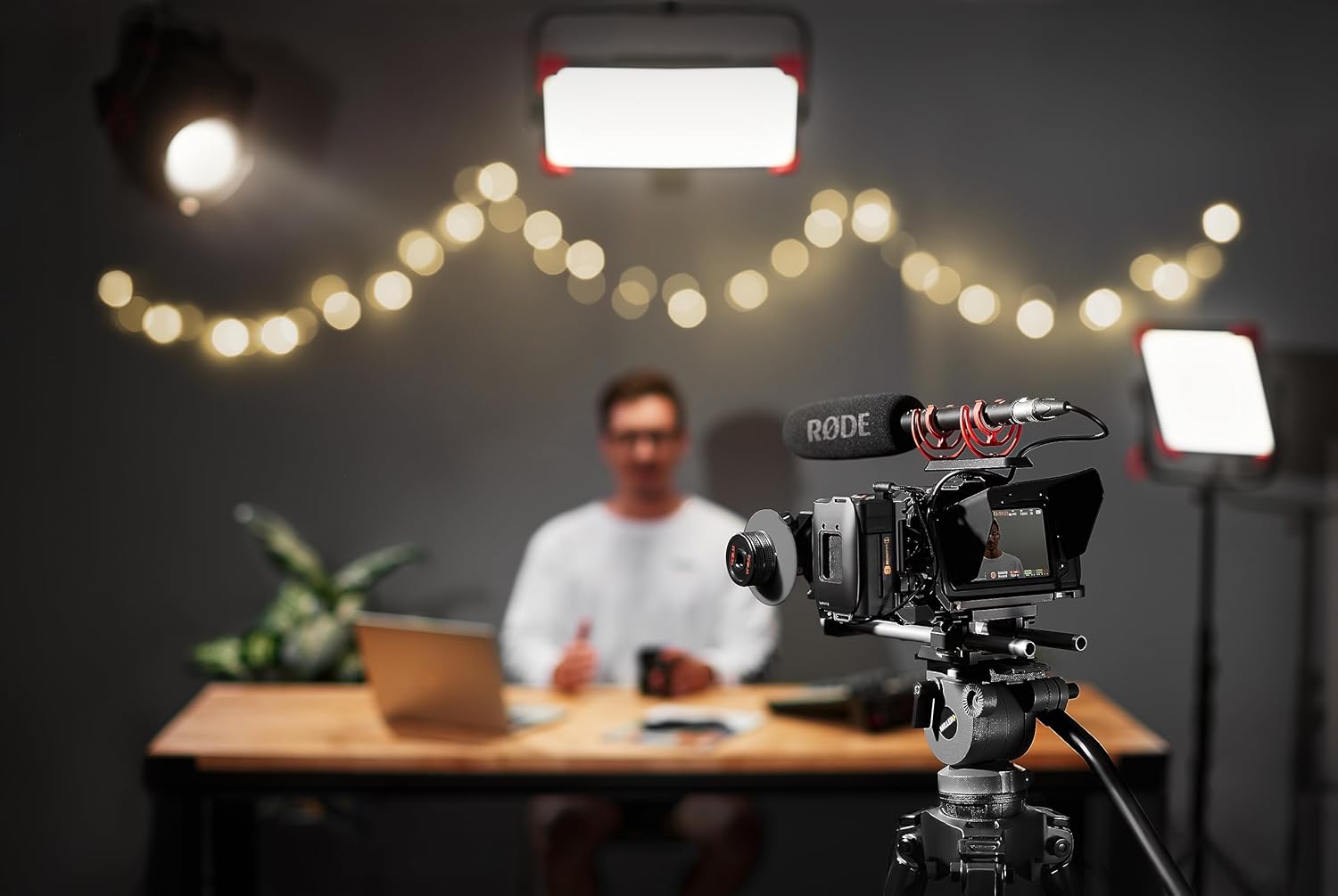
Image: The Rode NTG4 microphone mounted on a camera rig, ready for recording. This setup demonstrates typical usage in a video production environment.
4. Operating Instructions
The NTG4 features convenient digital switching for various audio adjustments. These settings are retained even after the microphone is powered off.

Image: A detailed view of the NTG4's digital control buttons, including the power, -10dB pad, 75Hz high-pass filter, and high-frequency boost options.
4.1 Digital Switching Features
- -10dB PAD: This button activates a -10dB attenuation pad. It is useful for recording very loud sound sources, preventing signal clipping and distortion. Press the button once to activate/deactivate.
- 75Hz High-Pass Filter (HPF): Engages a 75Hz high-pass filter. This feature helps to reduce low-frequency rumble and unwanted noise (e.g., air conditioning, traffic, handling noise) that can degrade audio quality, especially when shooting indoors. Press the button once to activate/deactivate.
- High Frequency Boost: This unique feature boosts the high-frequency response of the microphone. It is particularly useful when using a windshield (especially furry ones) which can slightly attenuate high frequencies, or to enhance speech intelligibility. Press the button once to activate/deactivate.
4.2 NTG4+ Rechargeable Battery (NTG4+ Model Only)
The NTG4+ model features an in-built rechargeable lithium battery, offering approximately 150 hours of operation. It can be fully charged in 2 hours via any standard USB power source, such as a portable power bank or a mobile phone charger.
Video: An official RØDE Microphones video demonstrating the features and benefits of the NTG4 and NTG4+ shotgun microphones, including their digital switching and the NTG4+'s rechargeable battery.
5. Maintenance
To ensure the longevity and optimal performance of your RØDE NTG4 microphone, follow these maintenance guidelines:
- Cleaning: Use a soft, dry cloth to wipe down the microphone body. Avoid using liquid cleaners or solvents, as they may damage the finish or internal components.
- Storage: When not in use, store the microphone in its included weather-resistant aluminum storage cylinder or zippered pouch. This protects it from dust, moisture, and physical damage.
- Moisture Protection: The NTG4 is designed with RF-bias technology for moisture resistance. However, prolonged exposure to extreme humidity or direct water contact should still be avoided. If the microphone becomes wet, allow it to air dry completely before use.
- Handling: Handle the microphone with care to prevent drops or impacts, which can affect its internal capsule and performance.
6. Troubleshooting
If you encounter issues with your RØDE NTG4 microphone, consider the following troubleshooting steps:
- No Sound Output:
- Ensure P48 phantom power is enabled on your audio interface or mixer.
- Check that the XLR cable is securely connected at both ends. Try a different XLR cable if available.
- For NTG4+, ensure the internal battery is charged and the microphone is powered on.
- Distorted Audio:
- Activate the -10dB PAD if recording very loud sound sources.
- Reduce the input gain on your audio interface or mixer.
- Excessive Low-Frequency Noise (Rumble):
- Activate the 75Hz High-Pass Filter.
- Ensure the microphone is isolated from vibrations (e.g., using a shock mount).
- Dull or Muffled Sound:
- Activate the High Frequency Boost feature.
- Ensure the microphone is pointed directly at the sound source.
If problems persist, consult the RØDE Microphones support resources or contact their customer service.
7. Specifications
| Specification | Value |
|---|---|
| Brand | RØDE Microphones |
| Model Name | NTG4 |
| Polar Pattern | Super Cardioid |
| Audio Sensitivity | 32 dB |
| Impedance | 200 Ohm |
| Frequency Response | 20 KHz |
| Signal-to-Noise Ratio | 78 dB |
| Noise Level | 16 dB |
| Item Weight | 1 pounds (16 ounces) |
| Product Dimensions (L x W x H) | 13 x 3 x 5 inches |
| Material | Metal |
| Power Source | Corded Electric (Phantom Power) / 1 Lithium Ion battery (NTG4+ only) |
| Connectivity Technology | Wired (XLR) |
| Country of Origin | Australia |
8. Warranty and Support
RØDE Microphones products are known for their quality and reliability. The NTG4 microphone typically comes with a 10-year warranty from RØDE, subject to product registration and terms and conditions.
For detailed warranty information, product registration, and technical support, please visit the official RØDE Microphones website or contact their customer service department.
Official RØDE Microphones Website: www.rode.com


