
1. Introduction
This manual provides essential information for the safe and effective use of your Dyson Ball Allergy Upright Vacuum. Please read all instructions before operating the appliance and retain this manual for future reference.
The Dyson Ball Allergy vacuum is engineered with Radial Root cyclone technology, a self-adjusting cleaner head, and Ball technology for enhanced maneuverability. It features whole-machine HEPA filtration to capture allergens and comes with specialized tools for allergy sufferers.
2. Key Features
- Radial Root Cyclone Technology: Captures microscopic dust and allergens.
- Self-Adjusting Cleaner Head: Automatically adjusts to seal in suction across all floor types.
- Ball Technology: Allows for easy steering and maneuvering around furniture.
- Whole-Machine HEPA Filtration: Ensures that allergens and pollutants are trapped within the machine, expelling cleaner air.
- Extra Tools for Allergy Sufferers: Includes specialized attachments for thorough cleaning.
- Strong Suction: Consistent and powerful suction for deep cleaning.
3. Setup
Before first use, ensure all components are present and correctly assembled.
3.1 Unpacking and Assembly
- Carefully remove all parts from the packaging.
- Attach the main body to the cleaner head until it clicks securely into place.
- Insert the handle into the top of the main body until it locks.
- Ensure the power cord is properly wrapped around the cord hooks for storage.
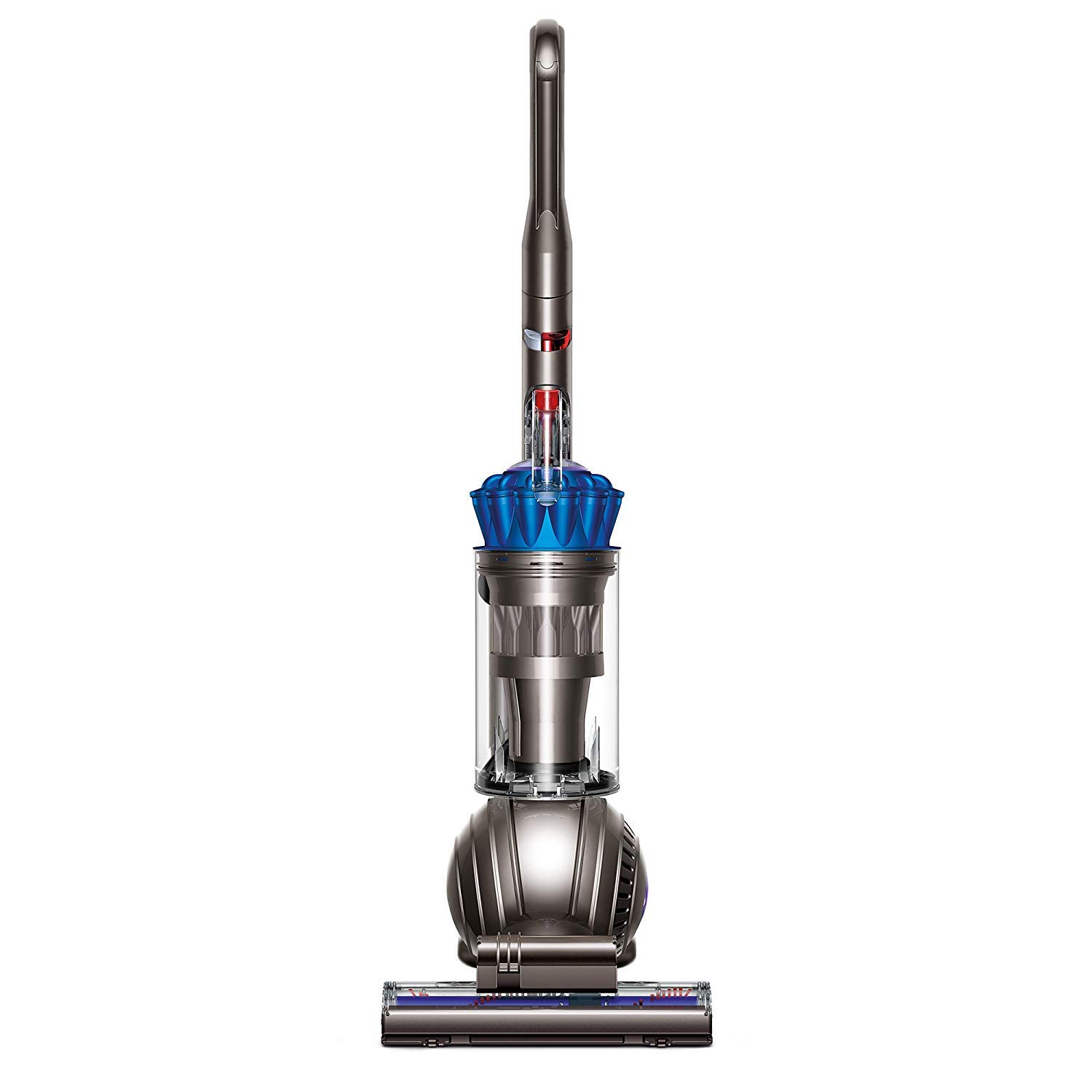
Figure 1: Fully assembled Dyson Ball Allergy Upright Vacuum.
4. Operating Instructions
4.1 Powering On/Off
To turn the vacuum on or off, press the red power button located on the main body of the appliance.
4.2 Maneuvering with Ball Technology
The Dyson Ball Allergy vacuum utilizes Ball technology for effortless steering. Simply twist your wrist to navigate around obstacles and furniture with ease.

Figure 2: The self-adjusting cleaner head adapts to different floor types for optimal cleaning.
4.3 Using Attachments
Your vacuum comes with various attachments for specialized cleaning tasks. To use an attachment:
- Ensure the vacuum is turned off and unplugged.
- Detach the wand from the main body by pressing the release button and pulling it out.
- Attach the desired tool firmly onto the end of the wand.
- Plug in and power on the vacuum to begin cleaning with the attachment.
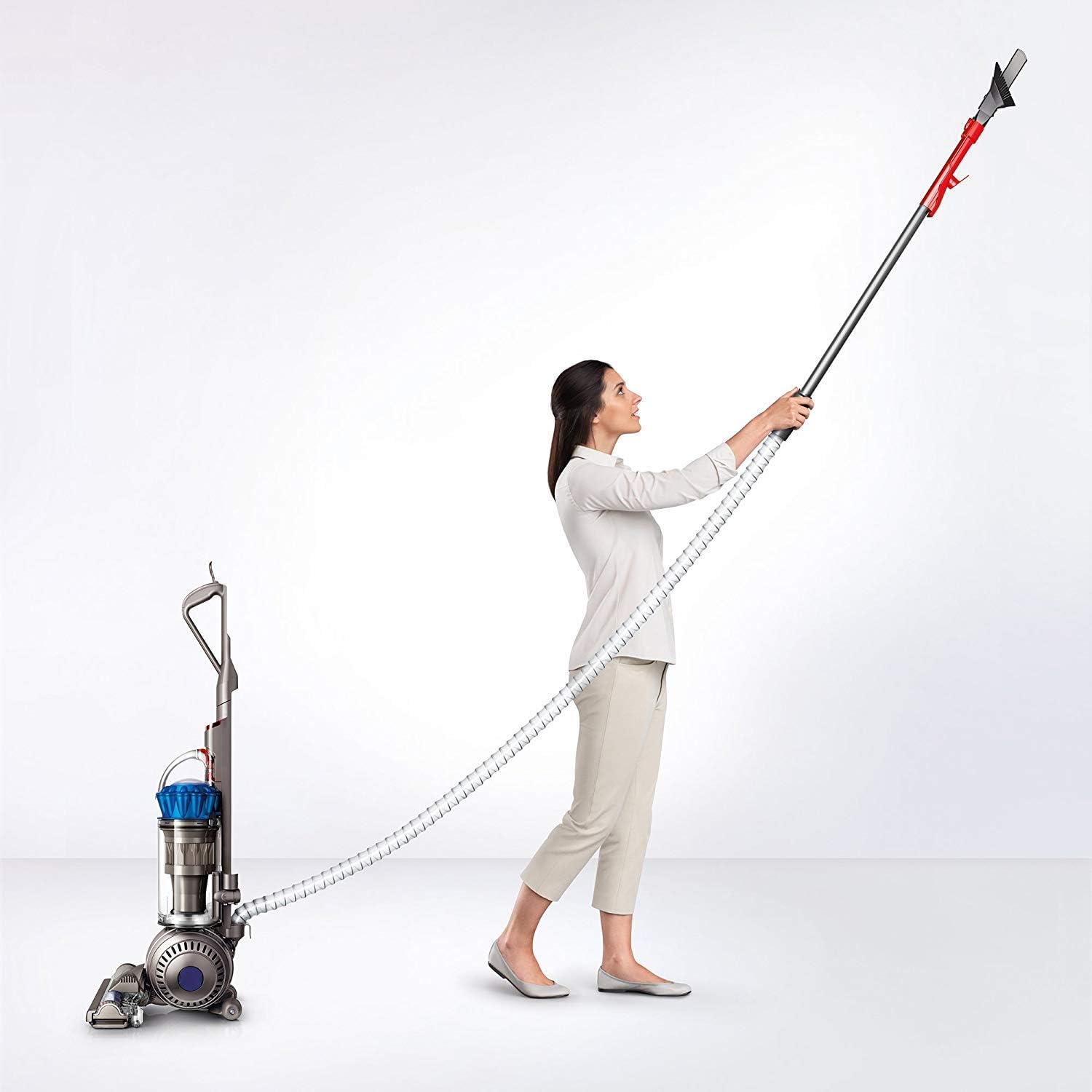
Figure 3: The extended hose and wand allow for versatile cleaning in hard-to-reach areas.

Figure 4: Utilizing the wand for effective cleaning of high surfaces and crevices.
5. Maintenance
Regular maintenance ensures optimal performance and longevity of your Dyson Ball Allergy vacuum.
5.1 Emptying the Dust Bin
Empty the dust bin when debris reaches the MAX fill line. To empty:
- Press the red button on the dust bin to release it from the main body.
- Position the bin over a waste receptacle.
- Press the red button again to open the bottom flap and release debris.
- Close the flap and reattach the dust bin to the vacuum.
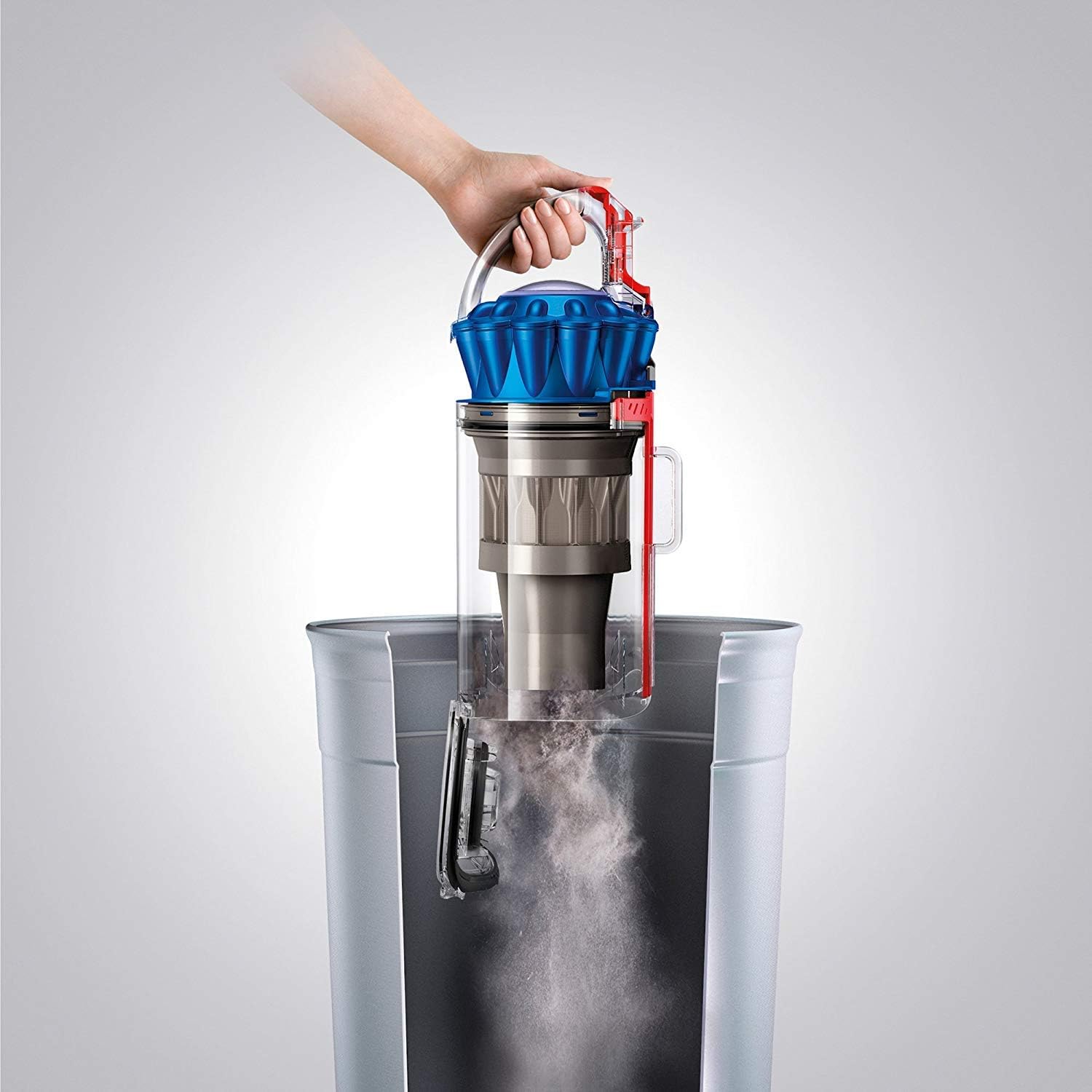
Figure 5: Proper method for emptying the vacuum's dust bin.
5.2 Cleaning the HEPA Filter
The whole-machine HEPA filter is washable and designed for lifetime use. Rinse the filter with cold water at least once a month, or more frequently if usage is heavy. Allow it to air dry completely for at least 24 hours before reinserting.
5.3 Cleaning the Brush Bar
Periodically check the brush bar for tangled hair or debris. Turn off and unplug the vacuum before removing any obstructions. Refer to the brush bar release mechanism for detailed instructions on removal and cleaning.
6. Troubleshooting
If your Dyson Ball Allergy vacuum is not performing as expected, consult the following common issues:
- No Power: Check if the power cord is securely plugged into a working outlet. Ensure the power button is pressed.
- Loss of Suction: Empty the dust bin. Check for blockages in the cleaner head, wand, or hose. Clean the HEPA filter as described in the maintenance section.
- Brush Bar Not Rotating: Ensure the brush bar is not obstructed by debris. Check if the brush bar motor is engaged (if applicable).
- Unusual Noises: Turn off and unplug the vacuum immediately. Inspect for any foreign objects or blockages in the air pathways or brush bar.
For persistent issues, please contact Dyson customer support.
7. Specifications
| Attribute | Value |
|---|---|
| Brand | Dyson |
| Model Name | Dyson Ball Allergy |
| Model Number | 208606-01 |
| Item Weight | 17.3 Pounds |
| Recommended Uses | Carpet, Hard Floor |
| Color | Blue / Iron |
| Noise Level | 82 Decibels |
| Portable | No |
| Number of Power Levels | 1 |
| Number of Wheels | 4 |
| Indoor Outdoor Usage | Indoor |
| Controller Type | Push Button |
| Control Method | Touch |
| Manufacturer | Dyson |
| Number of Items | 1 |
| UPC | 885609004204 |
| GTIN | 885609004204 |
8. Warranty and Support
8.1 Warranty Information
The Dyson Ball Allergy Upright Vacuum comes with a 5-year warranty. Please retain your proof of purchase for warranty claims. The warranty covers defects in materials and workmanship under normal household use.
8.2 Customer Support
For technical assistance, spare parts, or warranty inquiries, please visit the official Dyson website or contact their customer service department. Contact information can typically be found on the Dyson website or in your product registration materials.


