
Amphony Sub1
Amphony iFinity Wireless Audio Transmitter/Receiver Sub1 User Manual
For Subwoofers and Active Surround Speakers
1. Product Overview
The Amphony iFinity Wireless Audio Transmitter/Receiver kit allows you to convert any subwoofer or active speakers into a wireless system, eliminating the need for long, unsightly cables. This compact kit transmits uncompressed, digital stereo audio with advanced adaptive frequency hopping, ensuring clear sound without interference.
Key Features:
- Wireless Subwoofer/Active Speaker Conversion: Easily make your subwoofer or active speakers wireless.
- Advanced Wireless Technology: Digital, uncompressed audio transmission (CD quality) with adaptive frequency hopping to avoid interference.
- Extended Range: Transmits audio up to 200 feet line of sight, or 50 feet through walls and ceilings.
- Full Frequency Response: Supports full-frequency audio, suitable for active speakers.
- Compact Design: Both transmitter and receiver measure only 2.6" x 2.3" x 1.1" for discreet placement.
- Multi-Room Capability: One transmitter can pair with up to 4 wireless receivers, allowing for multiple audio zones.
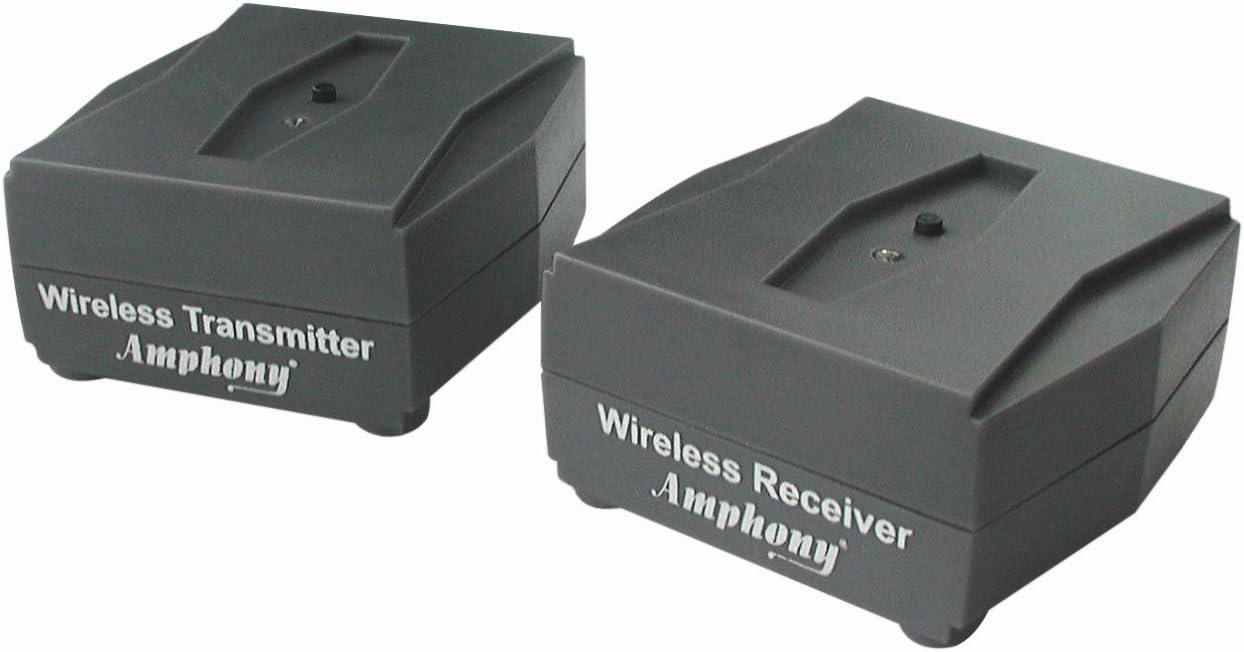
Image 1.1: Amphony iFinity Wireless Audio Transmitter and Receiver units.
2. What's Included
Your Amphony iFinity Wireless Audio Kit includes the following components:
- 1 x Wireless Stereo Transmitter
- 1 x Wireless Stereo Receiver
3. Safety Information
To ensure safe and optimal operation of your device, please observe the following:
- To avoid interference, ensure that this device is not used in close proximity to other 2.4 GHz wireless devices.
- Always use a suitable AC power adapter (7.5 volts) for this device.
- This product is designed for use with active speakers and subwoofers only. It DOES NOT work with passive speakers.
4. Setup Guide
Follow these steps to set up your Amphony iFinity Wireless Audio Transmitter/Receiver kit:
4.1. Connecting the Transmitter
- Connect the audio source (e.g., AV receiver, amplifier) to the Transmitter using RCA cables. The transmitter has "Audio Input" ports (Left/White, Right/Red).
- Connect the transmitter to a power outlet using the provided 7.5V DC power adapter.
4.2. Connecting the Receiver
- Connect the Receiver to your powered subwoofer or active speakers using RCA cables. The receiver has "Audio Output" ports (Left/White, Right/Red).
- Connect the receiver to a power outlet using the provided 7.5V DC power adapter.

Image 4.1: Rear view of the Transmitter and Receiver units, highlighting RCA audio input/output and power connections.
4.3. Pairing the Units
The transmitter and receiver are designed to pair automatically once both units are powered on. A solid blue indicator light on both units confirms a successful connection.
Video 4.1: This video demonstrates the connection and automatic pairing process for a similar wireless audio transmitter and receiver kit. The principles shown apply to the Amphony iFinity system.
4.4. Example Connections

Image 4.2: Example setup showing the wireless transmitter connected to a subwoofer.

Image 4.3: Example setup showing the wireless transmitter connected to active speakers.
5. Operating Instructions
Once the transmitter and receiver are connected and paired, audio will be wirelessly transmitted from your source to your subwoofer or active speakers.
5.1. Multi-Room Audio
The Amphony iFinity system supports multi-room audio. A single transmitter can be paired with up to four wireless receivers. This allows you to distribute audio to different areas of your home. To set up multiple audio zones, you can use additional transmitters.
6. Maintenance
To ensure the longevity and optimal performance of your iFinity Wireless Audio Kit, follow these simple maintenance guidelines:
- Keep the units clean by wiping them with a soft, dry cloth. Avoid using harsh chemicals or abrasive cleaners.
- Ensure proper ventilation around the units to prevent overheating.
- Avoid exposing the units to extreme temperatures, humidity, or direct sunlight.
- Disconnect power during lightning storms or when unused for long periods.
7. Troubleshooting
If you encounter issues with your Amphony iFinity Wireless Audio Kit, please refer to the following common troubleshooting steps:
- No Sound:
- Ensure both the transmitter and receiver are powered on and their indicator lights are solid blue, indicating a successful connection.
- Verify that all audio cables (RCA) are securely connected to the correct input/output ports on both the units and your audio equipment.
- Check the volume levels on your audio source, receiver, and connected subwoofer/speakers.
- Confirm that your audio source is playing content.
- Interference/Static:
- Relocate the transmitter and receiver away from other 2.4 GHz wireless devices (e.g., Wi-Fi routers, cordless phones) to minimize interference.
- Ensure there are no large metal objects or thick walls directly between the transmitter and receiver that could obstruct the signal.
- Units Not Pairing:
- Power cycle both the transmitter and receiver by unplugging them from the power source for a few seconds, then plugging them back in. Allow them a moment to re-establish connection.
- Ensure both units are within the recommended operating range.
Video 7.1: This video provides troubleshooting steps for noise or no sound issues when connecting a similar wireless audio transmitter/receiver. While specific to optical cables in the video title, the general troubleshooting approach for connectivity and settings can be helpful.
8. Specifications
| Feature | Specification |
|---|---|
| Audio Transmission | Digital, uncompressed, bidirectional, adaptive FHSS |
| Transmitter Frequency | 2.4 GHz |
| Operating Range | Max. 200 ft. line of sight, max. 50 ft. through walls and ceilings |
| Frequency Response | 2 Hz - 20 kHz |
| Signal-to-Noise Ratio | 91 dB (A-weighted) |
| Total Harmonic Distortion | Typ. -90 dB |
| Transmitter Input Voltage Level | 0.7 Vrms |
| Receiver Output Voltage Level | 1.1 Vrms |
| Max. Number of Receivers per Transmitter | 4 |
| Transmitted Data Rate | 5 Mbps |
| Channel Separation | Typ. 90 dB |
| Dimensions (Transmitter & Receiver) | 2.6" x 2.3" x 1.1" (66 mm x 59 mm x 29 mm) |
| Item Weight | 3.04 ounces |
| Power Source | AC |
| Material | Plastic |
9. Warranty & Support
The Amphony iFinity Wireless Audio Transmitter/Receiver Sub1 comes with a 1-year manufacturer warranty. For any product inquiries, technical assistance, or warranty claims, please contact Amphony Customer Service Support. Responsive and easy-to-reach support is available to assist you.
Ask a question about this manual
Ask about setup, troubleshooting, compatibility, parts, safety, or missing instructions. Manuals+ will review the question and use this page’s manual context to help answer it.