
Pursonic S20
Pursonic UV Toothbrush Sanitizer Holder S20 User Manual
Model: S20 | Brand: Pursonic
1. Introduction
The Pursonic UV Toothbrush Sanitizer Holder S20 is designed to provide a hygienic storage solution for your oral care items. This wall-mounted unit utilizes UV light technology to sanitize toothbrushes, including most manual and electric toothbrush heads, as well as razors. It also features a convenient toothpaste holder, helping to keep your bathroom organized and your oral hygiene tools clean.
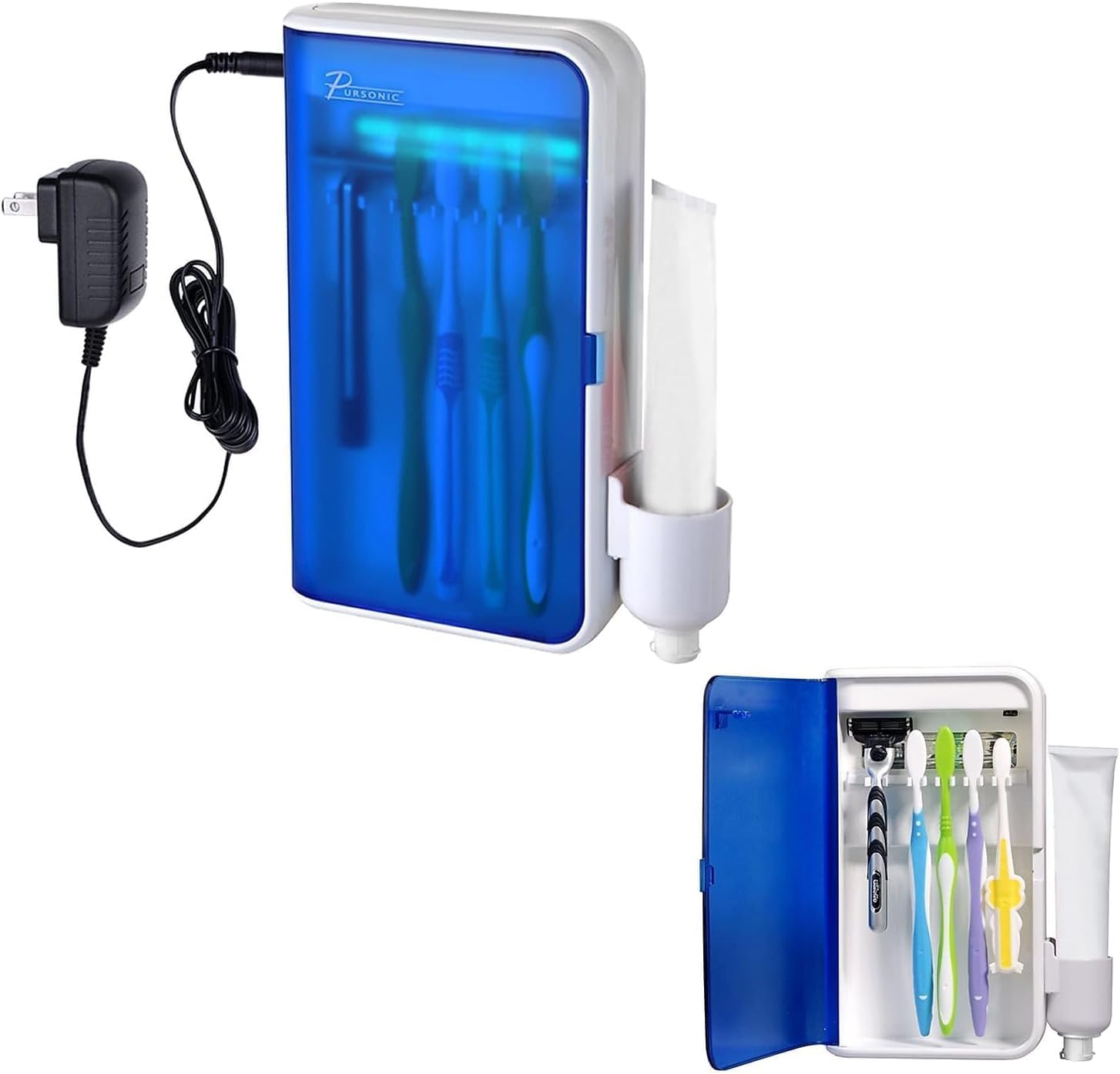
Image: Pursonic UV Toothbrush Sanitizer Holder S20, showing the unit and its packaging.
2. Package Contents
Please check the package for the following items:
- Pursonic UV Toothbrush Sanitizer Holder (Model S20)
- Power Adapter
- Wall Mount Bracket
- 3M Double-Sided Adhesive Tape
- Toothpaste Holder Attachment
- User Manual

Image: The Pursonic UV Toothbrush Sanitizer Holder with its power adapter and toothpaste holder attachment.
3. Features
- Advanced UV Sanitization: Utilizes UV light to effectively clean toothbrushes and razors.
- Multi-Functional Design: Features five slots for toothbrushes, a dedicated toothpaste holder, and space for razors.
- Wall-Mounted Convenience: Saves counter space and installs easily with included 3M double-sided tape.
- Automatic Timer: UV light operates for 5-8 minutes per cycle for optimal sanitization.
- Wide Compatibility: Accommodates most manual toothbrushes, electric toothbrush heads, and standard razors.
- Durable and Easy to Clean: Sleek design with sturdy construction for long-lasting use and simple maintenance.

Image: Key features of the sanitizer, highlighting the 5-8 minute sanitizing timer and easy-wipe clean design.
4. Safety Information
- Do not look directly at the UV light when it is active.
- Keep the device away from water and moisture to prevent electrical hazards.
- Ensure the device is securely mounted to prevent it from falling.
- Unplug the device before cleaning.
- This device is intended for household use only.
5. Setup and Installation
The Pursonic UV Toothbrush Sanitizer Holder is designed for wall mounting. Follow these steps for installation:
- Choose a Location: Select a smooth, clean surface in your bathroom, such as tile, marble, glass, metal, or wood. Ensure the surface is dry and free from dust or grease.
- Clean the Surface: Wipe the chosen wall area thoroughly with a clean cloth and allow it to dry completely.
- Apply Adhesive: Peel the backing from the 3M double-sided adhesive tape and firmly press it onto the back of the wall mount bracket.
- Mount the Bracket: Press the bracket firmly onto the cleaned wall surface. Apply pressure for at least 30 seconds to ensure strong adhesion. It is recommended to let the adhesive set for 24 hours before hanging the unit.
- Hang the Sanitizer Unit: Once the bracket is securely attached, carefully hang the Pursonic UV Toothbrush Sanitizer Holder onto the bracket.
- Attach Toothpaste Holder: Slide the toothpaste holder attachment onto the side of the main unit.
- Connect Power: Plug the power adapter into the unit and then into a suitable electrical outlet.

Image: Visual guide for wall mounting, showing steps from cleaning the wall to hanging the unit and cup.
6. Operating Instructions
Using your Pursonic UV Toothbrush Sanitizer Holder is simple:
- Open the Door: Gently open the front door of the sanitizer unit.
- Place Items: Insert your toothbrushes (up to five) and/or razors into the designated slots. Ensure the bristles/blades face the UV light bulb for effective sanitization. If using an electric toothbrush, you may need to detach the head if the full brush is too tall.
- Close the Door: Close the front door firmly. The UV light will automatically activate for a cycle of 5-8 minutes. A blue light will indicate that the sanitization process is active.
- Cycle Completion: The UV light will automatically turn off after the sanitization cycle is complete. You can then open the door and retrieve your clean items.
For optimal hygiene, it is recommended to sanitize your toothbrushes after each use or at least once daily.

Image: The sanitizer unit with its door open, displaying toothbrushes and a razor placed inside for sanitization.

Image: Illustration of UV light technology effectively cleaning a toothbrush head.
7. Maintenance
Regular cleaning will ensure the longevity and effectiveness of your sanitizer:
- Cleaning the Unit: Unplug the device from the power outlet. Use a soft, damp cloth to wipe the exterior and interior surfaces. Avoid abrasive cleaners or harsh chemicals.
- Cleaning the Toothpaste Holder: The toothpaste holder attachment can be removed for separate cleaning. Wash it with soap and water, then dry thoroughly before reattaching.
- UV Bulb: The UV bulb is designed for long-term use. If replacement is ever needed, please contact customer support.
- Preventing Mold: Ensure toothbrushes are not excessively wet when placed in the sanitizer to prevent moisture buildup. The unit is designed to be easy to clean to prevent mold growth.
8. Troubleshooting
| Problem | Possible Cause | Solution |
|---|---|---|
| UV light does not turn on. |
|
|
| Door does not close completely. |
|
|
| Unit falls off the wall. |
|
|
9. Specifications
- Brand: Pursonic
- Model Name: S20
- Material: Plastic
- Color: White
- Product Dimensions: 5.75"L x 2.25"W x 7.5"H
- Mounting Type: Wall Mount
- Number of Compartments: 5 (for toothbrushes)
- Item Weight: 1 Pound
- UPC: 881314244393
- Manufacturer: Samsonic Trading Company, Inc
- Batteries Required: Yes
10. Warranty and Support
For warranty information, technical support, or customer service inquiries, please visit the official Pursonic website or contact their customer support team.
Official Website: www.pursonicusa.com
Related documentsS20

Ask a question about this manual
Ask about setup, troubleshooting, compatibility, parts, safety, or missing instructions. Manuals+ will review the question and use this page’s manual context to help answer it.