
1. Introduction
This manual provides essential instructions for the proper use and maintenance of your Motorola OEM USB Programming Cable, model PMKN4147A. This cable is designed to facilitate programming of compatible Motorola two-way radios, including the CM200D, CM300D, and XPR2500 models. Please read this manual thoroughly before using the product to ensure optimal performance and safety.
2. Product Overview
The Motorola PMKN4147A is an original equipment manufacturer (OEM) USB programming cable. It connects your computer to specific Motorola two-way radios, enabling software-based configuration and programming. The cable features a tangle-free design for ease of use and storage.
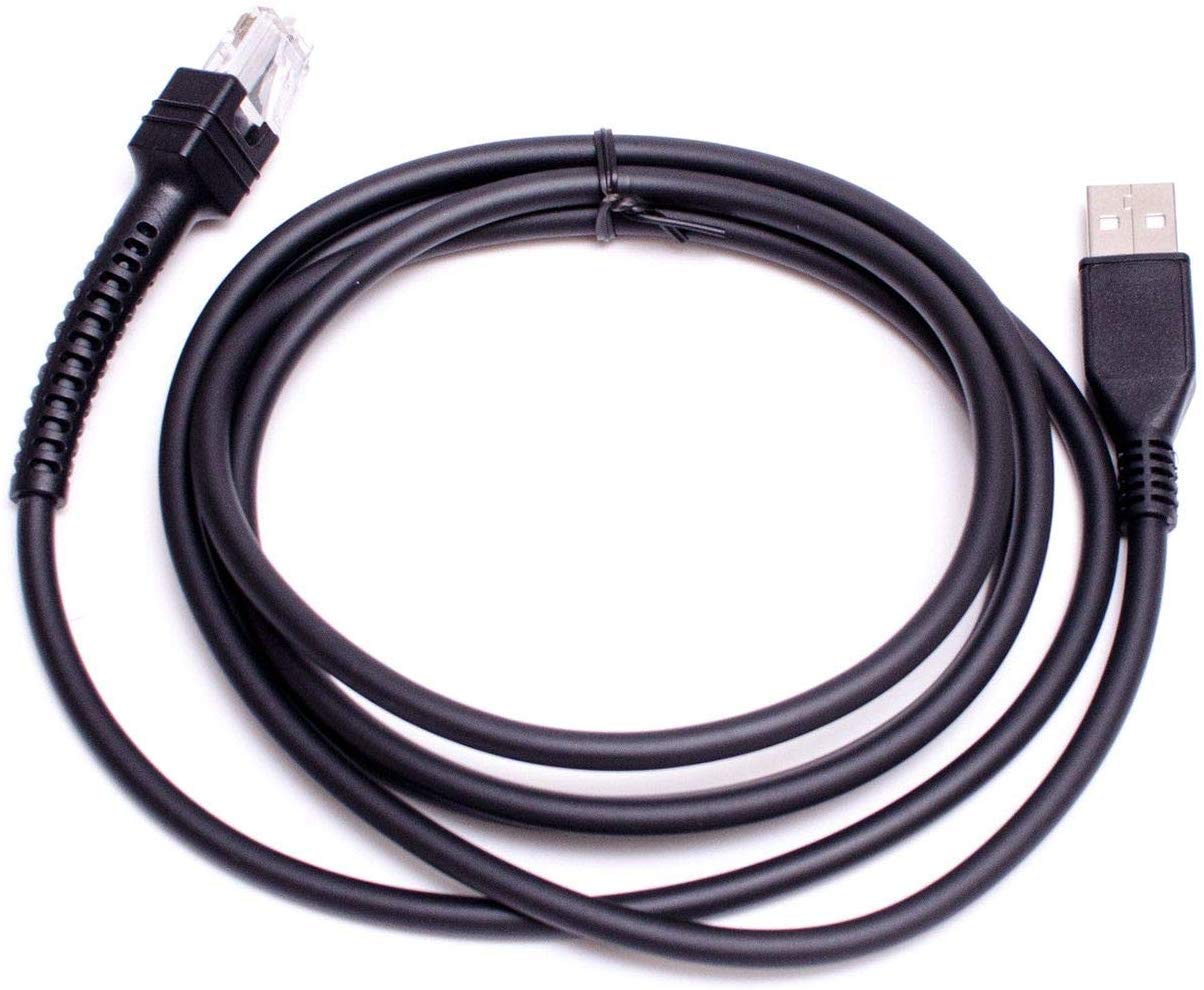
Figure 2.1: Motorola OEM USB Programming Cable PMKN4147A. This image shows the black USB programming cable with its two distinct connectors, one for the computer's USB port and the other for compatible Motorola radios.
2.1 Key Features
- Connector Type: USB
- Cable Type: USB
- Special Feature: Tangle Free design
- Connector Gender: Male-to-Female
- Number of Pins: 4
- Connectivity Technology: USB
- Maximum Voltage: 5 Volts
- Color: Black
2.2 Compatible Devices
This programming cable is compatible with the following Motorola two-way radio models:
- Motorola CM200D
- Motorola CM300D
- Motorola XPR2500
3. Setup Instructions
Follow these steps to set up your programming cable:
- Install Drivers: Before connecting the cable, ensure that the necessary USB drivers for the Motorola PMKN4147A cable are installed on your computer. These drivers are typically provided with the Motorola programming software or can be downloaded from the official Motorola support website.
- Connect to Computer: Insert the standard USB-A end of the programming cable into an available USB port on your computer.
- Connect to Radio: Connect the radio-specific connector end of the programming cable to the programming port on your Motorola two-way radio (CM200D, CM300D, or XPR2500). Ensure a secure connection.
- Power On Radio: Turn on your Motorola two-way radio.
- Launch Software: Open the appropriate Motorola radio programming software on your computer.
Note: The programming software is sold separately and is required to utilize this cable for radio configuration.
4. Operating Instructions
Once the cable is set up and the radio and software are ready, you can proceed with programming:
- Software Recognition: Within the Motorola programming software, verify that the cable and connected radio are recognized. This usually appears as a status indicator or a selectable COM port.
- Read Radio Data: Use the software's function to "Read" the current configuration data from the connected radio. This creates a backup of the radio's existing settings.
- Modify Settings: Make the desired changes to the radio's settings (e.g., frequencies, channels, power levels, features) within the programming software.
- Write Radio Data: After making modifications, use the software's function to "Write" the new configuration data to the radio. Follow any on-screen prompts.
- Disconnect: Once programming is complete and confirmed by the software, safely disconnect the cable from both the computer and the radio.
Always refer to the specific user manual for your Motorola radio programming software for detailed instructions on its operation.
5. Maintenance
Proper care will extend the life of your programming cable:
- Storage: Store the cable in a cool, dry place away from direct sunlight and extreme temperatures. The tangle-free design aids in neat storage.
- Cleaning: Use a soft, dry cloth to clean the cable and connectors. Do not use liquid cleaners or solvents.
- Handling: Avoid bending the cable sharply or pulling it by the cord. Always grasp the connector ends when plugging or unplugging.
- Inspection: Periodically inspect the cable for any signs of damage, such as frayed wires or bent pins on the connectors. Do not use a damaged cable.
6. Troubleshooting
If you encounter issues while using the programming cable, consider the following:
- Cable Not Recognized by Computer:
- Ensure the cable is securely plugged into a functional USB port.
- Verify that the correct USB drivers are installed. Try reinstalling them if necessary.
- Test with a different USB port on your computer.
- Restart your computer.
- Radio Not Recognized by Software:
- Confirm the cable is firmly connected to both the computer and the radio.
- Ensure the radio is powered on.
- Check that you are using the correct programming software version for your radio model.
- Verify the correct COM port is selected in the programming software settings.
- Programming Errors:
- Ensure the radio's battery is sufficiently charged or that the radio is connected to an external power source during programming.
- Do not interrupt the programming process.
- Consult the error messages provided by the programming software for specific guidance.
7. Specifications
| Brand | Motorola |
| Model | PMKN4147A (PMKN4147) |
| Connector Type | USB |
| Cable Type | USB |
| Compatible Devices | Motorola CM200D, CM300D, XPR2500 radios |
| Special Feature | Tangle Free |
| Connector Gender | Male-to-Female |
| Number of Pins | 4 |
| Connectivity Technology | USB |
| Maximum Voltage | 5 Volts |
| Recommended Uses | Programming Motorola two-way radios |
| Indoor/Outdoor Usage | Indoor |
| Color | Black |
| UPC | 760079969508 |
| ASIN | B00RYBXA9G |
8. Warranty and Support
Warranty Information: Specific warranty terms for the Motorola OEM USB Programming Cable PMKN4147A are typically provided at the point of purchase or with the product packaging. For detailed warranty coverage, please refer to the documentation included with your purchase or contact your authorized Motorola dealer or reseller.
Technical Support: For technical assistance, driver downloads, or further information regarding compatible programming software, please visit the official Motorola support website or contact Motorola customer service directly. Ensure you have your product model number (PMKN4147A) and any purchase details available when seeking support.
You can often find support resources on the official Motorola website: www.motorola.com/us/en/support


