
1. Introduction
The Fujifilm MCEX-11 is an 11mm macro extension tube designed to enhance the close-focusing capabilities of Fujifilm X-series cameras and XF/XC lenses. By increasing the distance between the lens and the camera's sensor, this accessory allows for significantly closer focusing distances than the lens's normal minimum, enabling detailed macro photography of small subjects.
The MCEX-11 maintains electronic communication between the camera body and the lens, ensuring that autofocus and auto exposure functions remain operational. It features a durable metal mount ring for secure attachment and precision.
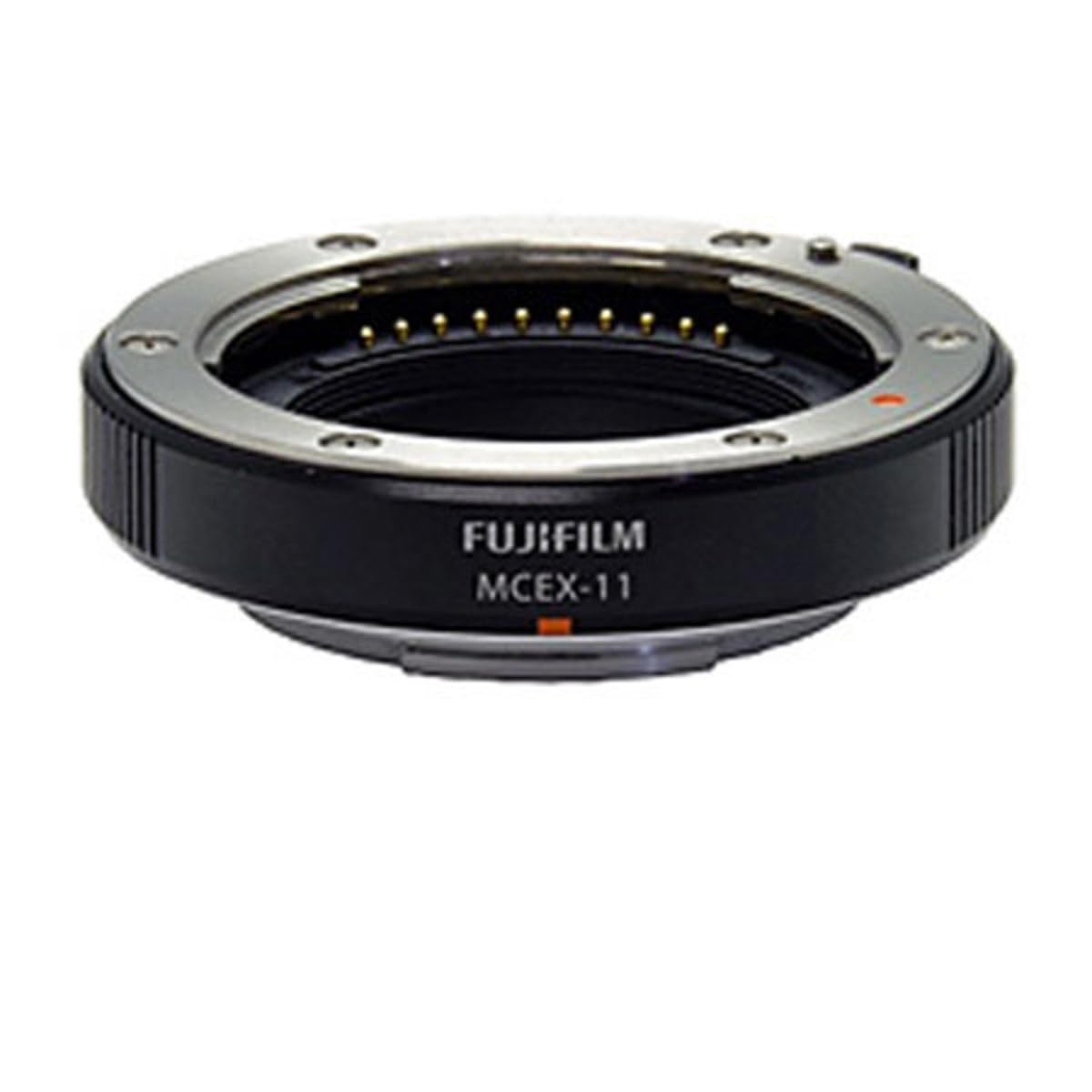
Image of the Fujifilm MCEX-11 Macro Extension Tube, showing its compact design and metal mounts.
2. Setup and Installation
Follow these steps to correctly attach and detach the MCEX-11 Macro Extension Tube to your camera and lens.
2.1 Attaching the Extension Tube
- Power Off Camera: Ensure your Fujifilm X-series camera is turned off before attaching or detaching any lenses or accessories.
- Remove Lens: Detach the lens from your camera body by pressing the lens release button and rotating the lens counter-clockwise until it separates.
- Attach MCEX-11 to Camera: Align the white dot on the MCEX-11 with the white dot on your camera body. Insert the extension tube into the camera mount and rotate it clockwise until it clicks into place.
- Attach Lens to MCEX-11: Align the white dot on your lens with the white dot on the MCEX-11. Insert the lens into the extension tube mount and rotate it clockwise until it clicks into place.
Ensure both the extension tube and the lens are securely locked to prevent accidental detachment.
2.2 Detaching the Extension Tube
- Power Off Camera: Ensure your Fujifilm X-series camera is turned off.
- Remove Lens: Press the lens release button on the MCEX-11 and rotate the lens counter-clockwise to detach it from the extension tube.
- Remove MCEX-11: Press the lens release button on the camera body and rotate the MCEX-11 counter-clockwise to detach it from the camera.
Always replace front and rear caps on the lens and extension tube when not in use to protect them from dust and damage.
3. Operating Instructions
The MCEX-11 alters the optical properties of your lens, specifically its minimum focusing distance and magnification.
3.1 Focusing with the MCEX-11
When the MCEX-11 is attached, the lens's focus range becomes significantly limited. To achieve focus, you will typically need to adjust the distance between your camera and the subject by physically moving the camera forward or backward, rather than relying solely on the lens's focusing ring. The autofocus system will still function within this limited range, but manual adjustment of camera position is often more effective for precise macro focusing.
3.2 Exposure Considerations
The MCEX-11 does not contain any optical elements, so it does not directly affect the light transmission or aperture of your lens. However, due to the increased magnification, the effective aperture of the lens may change, potentially requiring longer exposure times or higher ISO settings. The camera's auto exposure system will compensate for these changes, but manual adjustments may be necessary for optimal results.
3.3 Compatibility
The MCEX-11 is compatible with Fujifilm X-series cameras and XF/XC lenses. Confirmed compatible camera models include:
- Fujifilm X-Pro1
- Fujifilm X-T1
- Fujifilm X-E2
- Fujifilm X-E1
- Fujifilm X-M1
- Fujifilm X-A1
4. Maintenance
Proper care and maintenance will ensure the longevity and optimal performance of your MCEX-11 Macro Extension Tube.
- Cleaning: Use a soft, lint-free cloth to gently wipe the exterior of the extension tube. For stubborn smudges, a slightly dampened cloth with water or a mild lens cleaning solution can be used. Avoid harsh chemicals or abrasive materials.
- Dust: Use a blower brush to remove dust from the mounts and interior. Avoid touching the electronic contacts directly.
- Storage: When not in use, always attach the front and rear caps to the extension tube to protect the mounts and interior from dust and scratches. Store the extension tube in a dry, cool place, away from direct sunlight and extreme temperatures.
- Handling: Avoid dropping or subjecting the extension tube to strong impacts, as this can damage the precision mounts and electronic contacts.
5. Troubleshooting
If you encounter issues while using your MCEX-11, refer to the following common problems and solutions.
5.1 Cannot Achieve Focus
- Limited Focus Range: Remember that the MCEX-11 significantly limits the lens's focus range. Try moving your camera closer to or further from the subject to find the focus point.
- Lighting: Macro photography often requires ample light. Ensure your subject is well-lit, as low light can make focusing difficult.
- Aperture: Using a wider aperture (smaller f-number) will result in a shallower depth of field, making precise focusing more challenging. Consider stopping down the aperture if possible.
5.2 No Electronic Contact / Lens Not Recognized
- Secure Attachment: Ensure both the MCEX-11 and the lens are securely attached to the camera body and extension tube, respectively, and have clicked into place.
- Clean Contacts: Gently clean the electronic contacts on the camera, extension tube, and lens with a clean, dry, lint-free cloth. Dust or debris on the contacts can interfere with communication.
- Restart Camera: Turn the camera off, detach and reattach the extension tube and lens, then turn the camera back on.
6. Specifications
| Model Number | 16451720 |
| Extension Length | 11mm |
| Product Dimensions | 3.3 x 3 x 1.5 inches (8.38 x 7.62 x 3.81 cm) |
| Item Weight | 3.2 ounces (90.7 grams) |
| Mount Type | Fujifilm X-Mount |
| Material | Metal Mount Ring |


