
Product Overview
The Omron MC-720 Non-Contact Forehead Thermometer provides fast and hygienic temperature measurement for all ages, including infants and young children. Its non-contact design ensures sanitary use, making it ideal for family use.

Figure 1: Front view of the Omron MC-720 Thermometer, showing the display and control buttons.
This device offers three measurement modes: Forehead (body) Temperature, Room Temperature, and Surface Temperature (e.g., baby bath or bottle). It features a clear digital display and simple operation.
Setup
1. Battery Installation
The Omron MC-720 requires one CR123A battery, which is included with the device. To install or replace the battery:
- Locate the battery compartment cover on the back of the thermometer.
- Slide the cover open in the direction indicated by the arrow.
- Insert the CR123A battery, ensuring the correct polarity (+/-) as marked inside the compartment.
- Close the battery compartment cover securely until it clicks into place.
2. Initial Power On
After installing the battery, press the ON/MEM button to turn on the thermometer. The display will show the ambient room temperature in standby mode. The device is now ready for use.
Operating Instructions
1. Taking a Forehead Temperature Measurement
For accurate forehead temperature readings, ensure the sensor lens is clean and free from obstructions. Remove the protective cap before use.
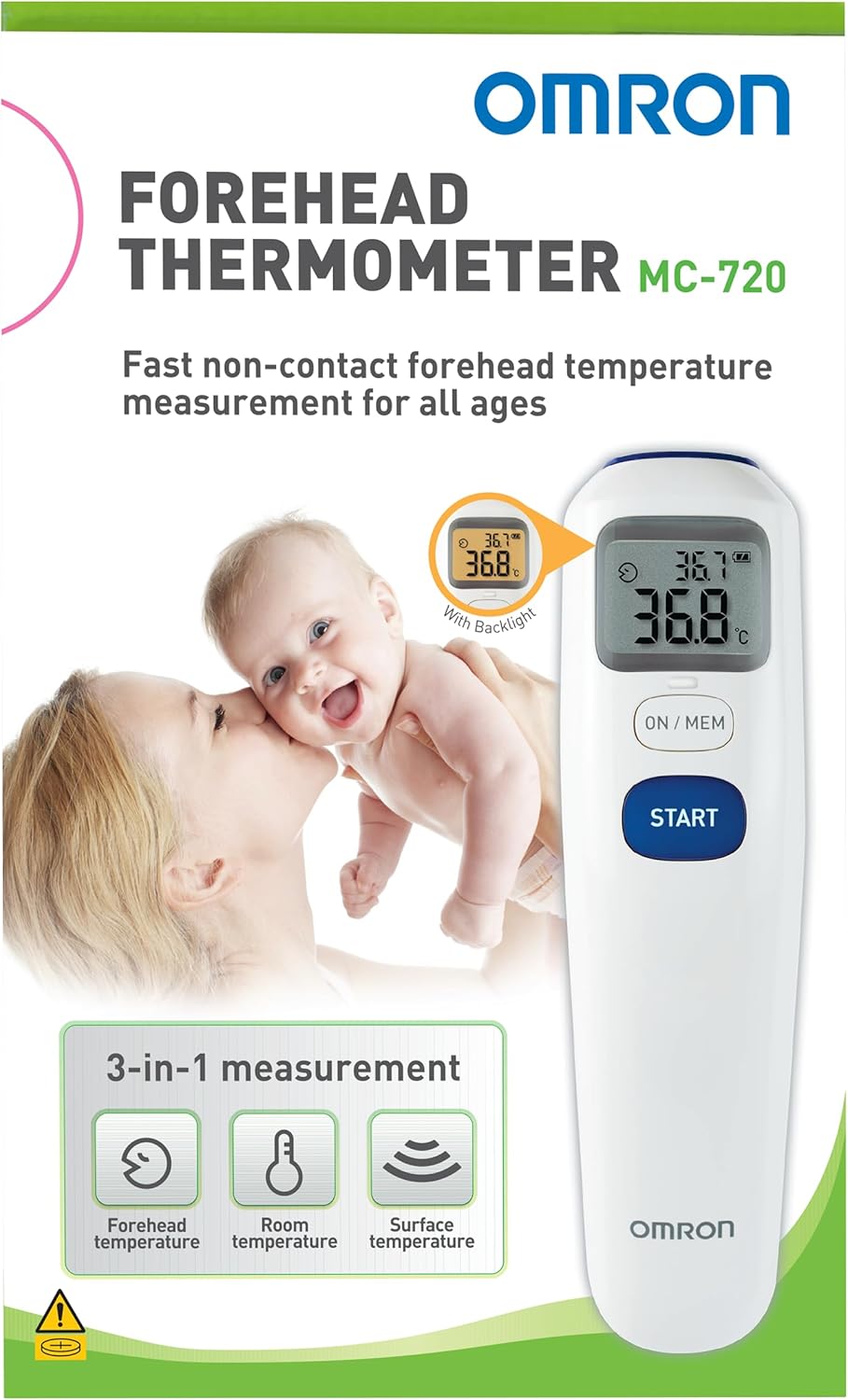
Figure 2: The Omron MC-720 Thermometer shown in its retail packaging, highlighting its use for infants.
- Press the ON/MEM button to turn on the device.
- Hold the thermometer with the sensor facing the center of the forehead, approximately 1 to 3 cm (0.4 to 1.2 inches) away. Ensure there is no hair, sweat, or cosmetics on the forehead.
- Press the START button. The measurement will complete in approximately one second, and the temperature will be displayed.
- A long beep indicates the measurement is complete. If the temperature is high, a series of short beeps will sound.
- The display will illuminate with a backlight for easy reading.
2. Switching Between Celsius and Fahrenheit
The thermometer can display temperatures in either Celsius (°C) or Fahrenheit (°F). To switch between units:
- With the device turned off, press and hold the START button.
- While holding START, press and hold the ON/MEM button for more than 3 seconds.
- The display will show the current unit (°C or °F). Release both buttons.
- Press the ON/MEM button again to toggle between °C and °F.
- Press the START button to confirm your selection and exit the setting mode.
3. Room and Surface Temperature Measurement
In standby mode, the thermometer automatically displays the ambient room temperature. To measure surface temperature:
- Turn on the thermometer by pressing the ON/MEM button.
- Press the ON/MEM button again to cycle through the measurement modes until the surface temperature icon (a small droplet) appears.
- Point the sensor at the surface you wish to measure (e.g., baby bottle, bath water) and press the START button.
- The surface temperature will be displayed.
4. Memory Function
The Omron MC-720 stores the last 25 measurement readings. To recall past readings:
- With the device turned off, press the ON/MEM button.
- While the room temperature is displayed, press the ON/MEM button again to enter memory mode.
- Each subsequent press of the ON/MEM button will cycle through the stored readings, from most recent to oldest.
Maintenance
1. Cleaning the Thermometer
To ensure accurate readings and hygienic use, regularly clean your thermometer:
- Wipe the main body of the thermometer with a soft, dry cloth.
- For the sensor lens, gently wipe with a cotton swab or soft cloth moistened with alcohol. Do not use abrasive cleaners or immerse the device in water.
- Ensure the sensor lens is completely dry before storing or using the thermometer.
2. Storage
Store the thermometer in a clean, dry place, away from direct sunlight, extreme temperatures, and humidity. Always replace the protective cap over the sensor when not in use.
Troubleshooting
| Problem | Possible Cause | Solution |
|---|---|---|
| "Lo" displayed after measurement | The measured temperature is too low for the thermometer to register (below 34°C / 93.2°F). | Ensure proper contact or proximity to the measurement area. This is not an error for body temperature if the reading is genuinely low. |
| "Error" displayed | Measurement taken too quickly after a previous reading, or an environmental issue. | Wait a few seconds for the "head" indicator to stop blinking before taking another measurement. Ensure stable ambient conditions. |
| Inaccurate readings | Dirty sensor lens, incorrect measurement distance, or environmental factors. | Clean the sensor lens. Maintain the recommended 1-3 cm distance from the forehead. Avoid strong air currents or direct sunlight during measurement. |
| No power / Low battery indicator | Battery is depleted or incorrectly installed. | Replace the CR123A battery, ensuring correct polarity. |
Specifications
| Feature | Detail |
|---|---|
| Model Number | MC720 |
| Product Dimensions | 5.91 x 1.57 x 5.91 inches; 8.11 ounces |
| Power Source | Battery Powered (1 CR123A battery included) |
| Measurement Modes | Forehead, Room, Surface |
| Measurement Time | 1 Second Reading |
| Display Type | Digital |
| Special Feature | Non-Contact |
| Color | White |
| Outer Material | Plastic |
| Age Range (Description) | Infant (suitable for all ages) |
| Product Care Instructions | Wipe Clean |

Figure 3: Side view of the Omron MC-720 Thermometer packaging, detailing product specifications.
Warranty and Support
For detailed warranty information and customer support, please refer to the warranty card included in your product packaging or visit the official Omron website. Omron provides comprehensive support for its products.
You can also find additional resources and frequently asked questions on the Omron Store on Amazon.
Important Safety Information
Statements regarding dietary supplements have not been evaluated by the FDA and are not intended to diagnose, treat, cure, or prevent any disease or health condition. This product is a medical device and should be used according to the instructions provided.


