
1. Introduction
Thank you for choosing the VCM FS 2 Universal Wall Mount. This product is designed to securely mount flat screens ranging from 15 to 37 inches (38-94 cm) with a maximum weight of 15 kg. It features adjustable articulation for optimal viewing angles. Please read this manual carefully before installation and use to ensure proper setup and safe operation.
2. Safety Information
- Weight Limit: Do not exceed the maximum weight capacity of 15 kg (33 lbs).
- Screen Size: This mount is suitable for screens between 15 and 37 inches.
- Wall Type: Ensure the mounting surface (wall) can safely support the combined weight of the mount and your screen. Consult a professional if unsure.
- Installation: Improper installation can lead to serious injury or equipment damage. Follow all instructions carefully. If you are not confident in your ability to install the mount, seek professional assistance.
- Tools: Use appropriate tools for installation.
- Children: Keep children away from the installation area.
- Maintenance: Periodically check all screws and connections to ensure they remain secure.
3. Package Contents
Please verify that all components are present before beginning installation. If any parts are missing or damaged, contact VCM customer support.
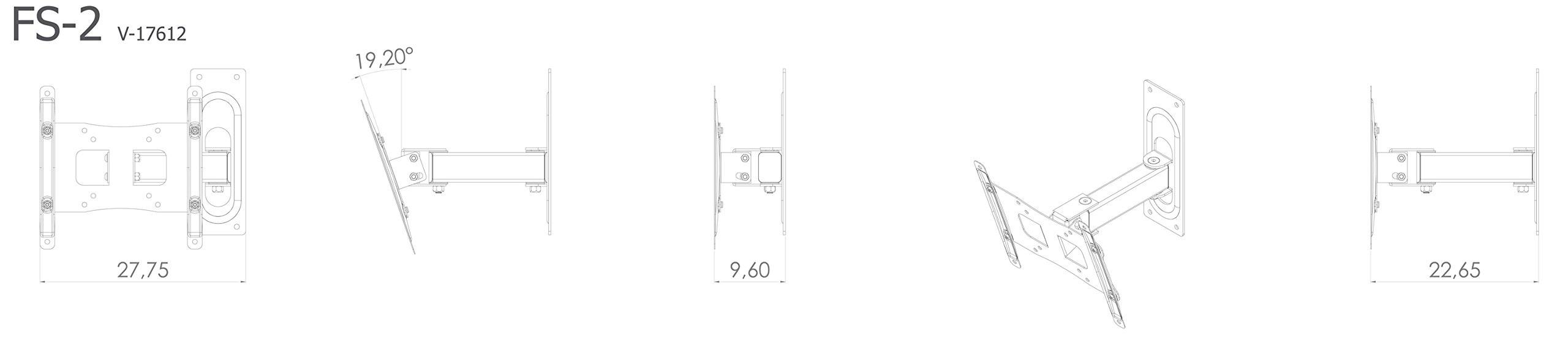
Figure 3.1: Included Hardware Components. This image displays a comprehensive set of screws, washers, wall plugs, and tools necessary for the installation of the VCM FS 2 wall mount, ensuring compatibility with various TV models and wall types.
- VCM FS 2 Wall Mount Assembly (partially assembled)
- Wall Plate
- TV Mounting Plate
- Articulating Arm
- Various Screws (for TV and wall)
- Washers and Spacers
- Wall Anchors/Plugs
- Allen Keys
- Instruction Manual
4. Setup and Installation
Follow these steps carefully to install your VCM FS 2 wall mount.
4.1. Pre-Installation Checks
- Identify your TV's VESA mounting pattern (e.g., 75x75mm, 100x100mm, 200x200mm). This mount supports VESA 75x75, 100x100, 100x200, 200x100, and 200x200 mm.
- Ensure your TV's weight does not exceed 15 kg (33 lbs).
- Determine the desired mounting height and location on the wall. Use a stud finder if mounting into wood studs.
4.2. Attaching the Wall Plate
- Hold the wall plate against the wall at the desired height and mark the drilling holes.
- Drill pilot holes according to the type of wall and the recommended drill bit size for the provided wall anchors.
- Insert wall anchors (if required for your wall type).
- Secure the wall plate to the wall using the appropriate screws and washers. Ensure it is level and firmly attached.
4.3. Attaching the TV Mounting Plate to Your TV
- Carefully place your TV face down on a soft, clean surface.
- Align the TV mounting plate with the VESA holes on the back of your TV.
- Select the correct screws, washers, and spacers from the hardware kit that fit your TV's mounting holes.
- Secure the TV mounting plate to the TV. Do not overtighten.
4.4. Mounting the TV to the Wall Plate
- With assistance, carefully lift the TV with the attached mounting plate.
- Hook the TV mounting plate onto the articulating arm of the wall mount.
- Secure the TV to the articulating arm using the provided locking mechanism or screws, as indicated in the assembly instructions.
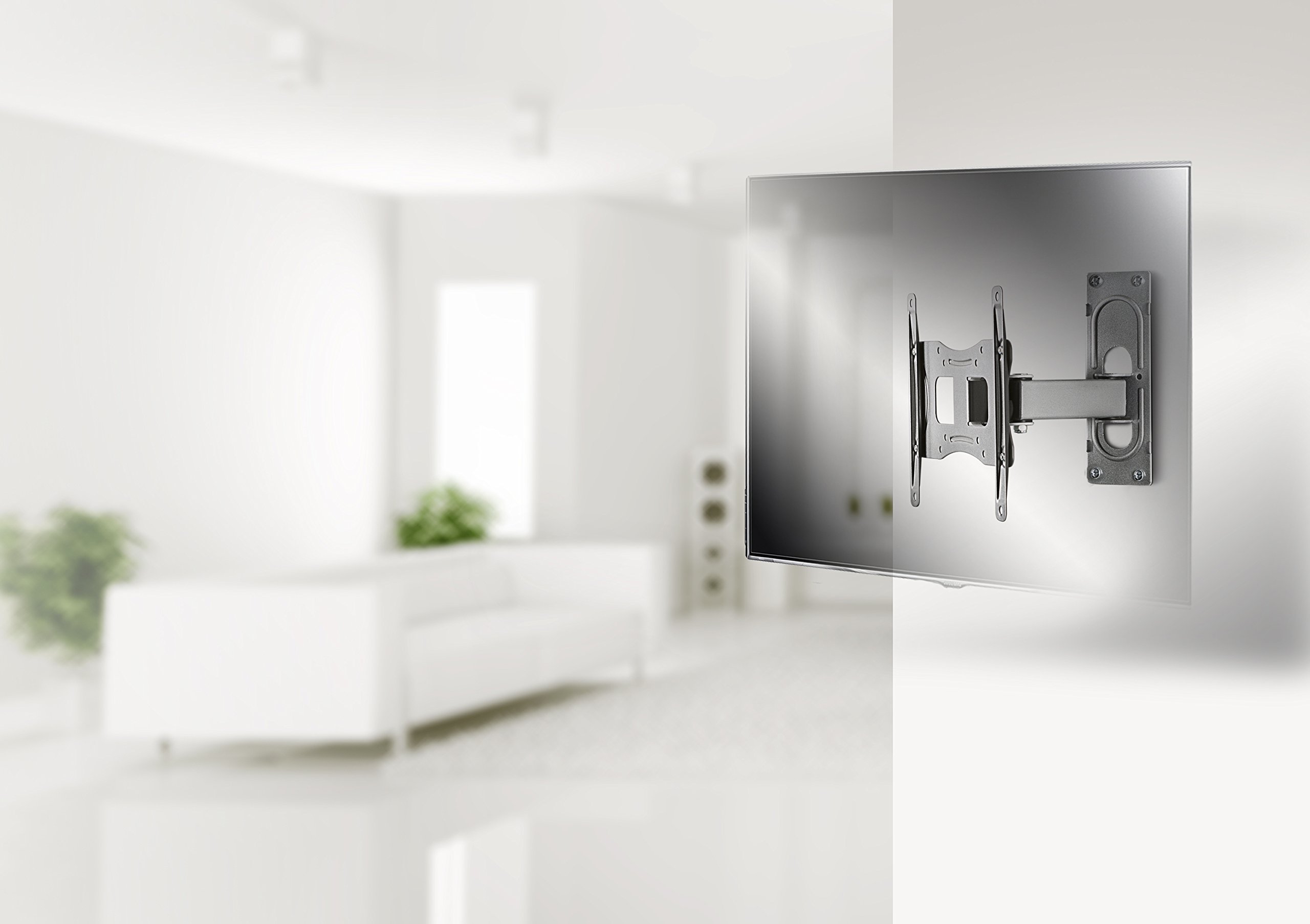
Figure 4.1: Example Installation. This image illustrates the VCM FS 2 wall mount with a television installed in a contemporary room setting, demonstrating its discreet profile and functional integration.
5. Operating Instructions
The VCM FS 2 wall mount offers flexible viewing options:
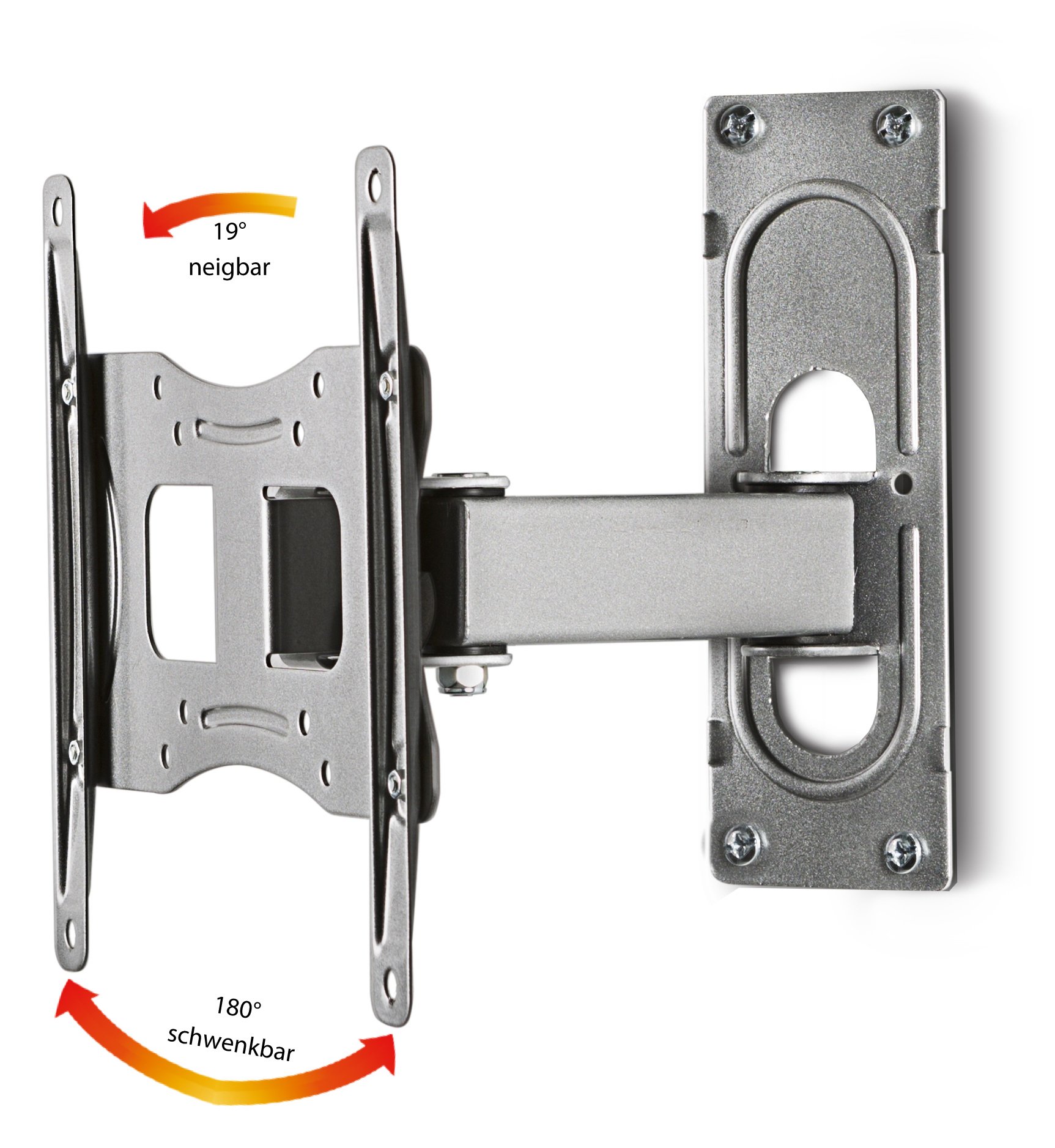
Figure 5.1: Articulation Capabilities. This diagram highlights the mount's ability to tilt up to 19 degrees and swivel up to 180 degrees, providing versatile viewing angles.
- Swivel: The mount can swivel up to 180 degrees (90 degrees left and 90 degrees right) to adjust your screen's horizontal viewing angle. Gently push or pull the screen to the desired position.
- Tilt: The screen can be tilted up to 19 degrees (upwards or downwards) to reduce glare or optimize vertical viewing. Loosen the tilt adjustment screws (if applicable), adjust the angle, and then re-tighten to secure.
- Wall Distance: The mount allows for a minimum distance to the wall of 9.6 cm and a maximum distance of 22.7 cm, providing flexibility for screen positioning.
6. Maintenance
- Cleaning: Clean the mount with a soft, dry cloth. Do not use abrasive cleaners or solvents.
- Periodic Checks: Regularly inspect all mounting screws and connections to ensure they are tight and secure. Re-tighten if necessary.
- Damage: If any part of the mount appears damaged, discontinue use and contact VCM customer support.
7. Troubleshooting
- Screen is not level: Check the wall plate installation to ensure it is perfectly horizontal. Adjust if necessary.
- Screen sags or does not hold position: Ensure all tilt and swivel adjustment screws are tightened correctly. Verify that the TV weight does not exceed the mount's capacity.
- Difficulty with articulation: Check for any obstructions. Ensure all moving parts are free and not over-tightened.
8. Specifications

Figure 8.1: Detailed Dimensions. This technical drawing provides precise measurements for the VCM FS 2 wall mount, including its length, width, height, and articulation ranges.
| Feature | Specification |
|---|---|
| Model Number | 17612 |
| Brand | VCM |
| Material | Metal |
| Color | Silver |
| Compatible Screen Size | 15 - 37 inches (38 - 94 cm) |
| Maximum Weight Capacity | 15 kg (33 lbs) |
| VESA Compatibility | 75x75, 100x100, 100x200, 200x100, 200x200 mm |
| Tilt Angle | Up to 19 degrees |
| Swivel Angle | Up to 180 degrees (90 degrees left / 90 degrees right) |
| Minimum Wall Distance | 9.6 cm |
| Maximum Wall Distance | 22.7 cm |
| Product Dimensions (L x W x H) | 22 x 22.75 x 22.65 cm (approximate, depending on extension) |
9. Warranty and Support
The VCM FS 2 Universal Wall Mount comes with a 2-year warranty from the date of purchase. This warranty covers manufacturing defects under normal use.
For technical support, missing parts, or warranty claims, please contact your retailer or VCM customer service. Please have your model number (17612) and proof of purchase ready.
Manufacturer: VCM