
Introduction
The iClever BoostCube 2nd Generation 24W Dual USB Wall Charger is designed to efficiently charge two devices simultaneously. Featuring SmartID Technology, it intelligently identifies your connected devices to deliver optimal charging speed. Its compact design with a foldable plug makes it suitable for travel.

Image: The iClever BoostCube 2nd Generation 24W Dual USB Wall Charger, a white, compact device with two USB ports and foldable prongs.
Safety Information
Please read and follow these safety guidelines to ensure safe operation and prolong the life of your charger:
- The USB wall charger has an estimated service life of two years. Beyond this period, potential safety hazards may arise.
- Keep the charging USB ports clean to ensure proper connection and prevent issues.
- If the temperature of the charging connector becomes excessively high during use, immediately discontinue use and replace the charging cable.
- Always unplug the charger from the wall socket when it is not in use or when no devices are being charged.
- The charger incorporates multiple protection mechanisms against overheat, over-current, over-voltage, and short-circuit to safeguard your devices and ensure user safety.
- A 3A cable is recommended for optimal and safe use with this charger.
Product Features
- Dual USB Output: Equipped with two USB ports, providing a total of 24W (4.8A) output to charge two devices simultaneously.
- SmartID Technology: Automatically detects the connected device and delivers the optimal charging current for efficient and safe charging, particularly for Apple iPhone/iPad series. Note: This technology does not support Quick Charge (QC 3.0/2.0) for devices like Samsung Galaxy or Note series.
- Wide Compatibility: Compatible with a broad range of electronic devices including iPhones, Samsung phones, HTC, Nexus, Blackberry, Bluetooth speakers, headsets, iPads, and power banks.
- Advanced Safety Features: Built-in safeguards protect against overheating, over-current, over-voltage, and short-circuit conditions.
- Foldable Plug Design: Features a foldable AC plug for enhanced portability and convenience, making it ideal for travel.
- Compact and Portable: Designed to be small and lightweight, fitting easily into a bag or pocket.
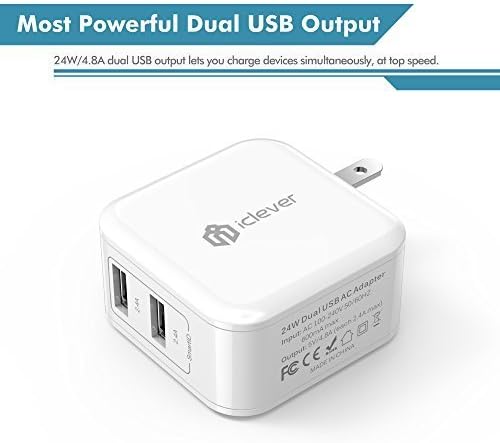
Image: Close-up of the iClever BoostCube showing the two USB ports and electrical specifications.

Image: The iClever BoostCube demonstrating its foldable plug design for portability.
Setup
- Unfold the Plug: Gently pull out the foldable prongs from the charger body until they lock into place.
- Connect to Power Outlet: Insert the charger into a standard AC wall outlet (100-240V).
- Connect Devices: Use appropriate USB charging cables (a 3A cable is recommended) to connect your devices to the USB output ports on the charger.

Image: The iClever BoostCube plugged into a power strip, simultaneously charging a smartphone and a tablet.
Operating Instructions
Once connected, the iClever BoostCube will automatically begin charging your devices. The SmartID Technology will detect the power requirements of each connected device and deliver the most efficient charging current.
- A hidden blue LED indicator light will illuminate when the charger is actively charging a device.
- You can charge one or two devices simultaneously. The total output is shared between the two ports.
- To stop charging, simply disconnect your device(s) and unplug the charger from the wall outlet.

Image: The iClever BoostCube showing the blue LED indicator light within one of its USB ports, indicating active charging.
Maintenance
Proper maintenance ensures the longevity and safe operation of your iClever BoostCube charger:
- Cleaning: Use a dry, soft cloth to wipe the exterior of the charger. Ensure the USB ports are free from dust and debris. Do not use liquid cleaners.
- Storage: When not in use, fold the prongs back into the charger body and store it in a cool, dry place away from direct sunlight and moisture.
- Cable Care: Always handle charging cables by the plug, not the cable itself, to prevent damage. Avoid bending or crimping cables sharply.
Troubleshooting
| Problem | Possible Cause | Solution |
|---|---|---|
| Device not charging or charging slowly. |
|
|
| Charger feels excessively hot. |
|
|
| Blue LED indicator not lighting up. |
|
|
Specifications
| Feature | Detail |
|---|---|
| Model Number | IC-TC02 |
| Product Dimensions | 2.1 x 2.1 x 1.1 inches (53 x 53 x 28.5 mm) |
| Item Weight | 2.88 ounces |
| Input Voltage | AC 100-240V, 50/60Hz |
| Output | 5V / 4.8A (2.4A Max per port) |
| Total USB Ports | 2 |
| Connector Type | USB Type-A |
| Color | White |
| Special Feature | Foldable Plug, SmartID Technology, Travel-friendly |
| Compatible Devices | iPhones (11/11Pro/11Pro Max/X/XR/Xs/Xs Max/8/8 Plus/7/7/6/6S/Plus), iPads (Air/2, mini 4/3/2/1, Pro), Samsung Galaxy (Note 10/A10/S10+/S9/S9 Plus/S8/S8+/S7/S7 Edge/S6/S6 Edge/S5/Note 9/8), Google Nexus 6P, Google Pixel 2 XL, HTC One (M9+/M9/A9/M8/E8), LG (U, G Stylo, G6/G5/G4/G3, V20), Blackberry, Nokia, Motorola, Sony, Huawei, and other USB-powered devices. |
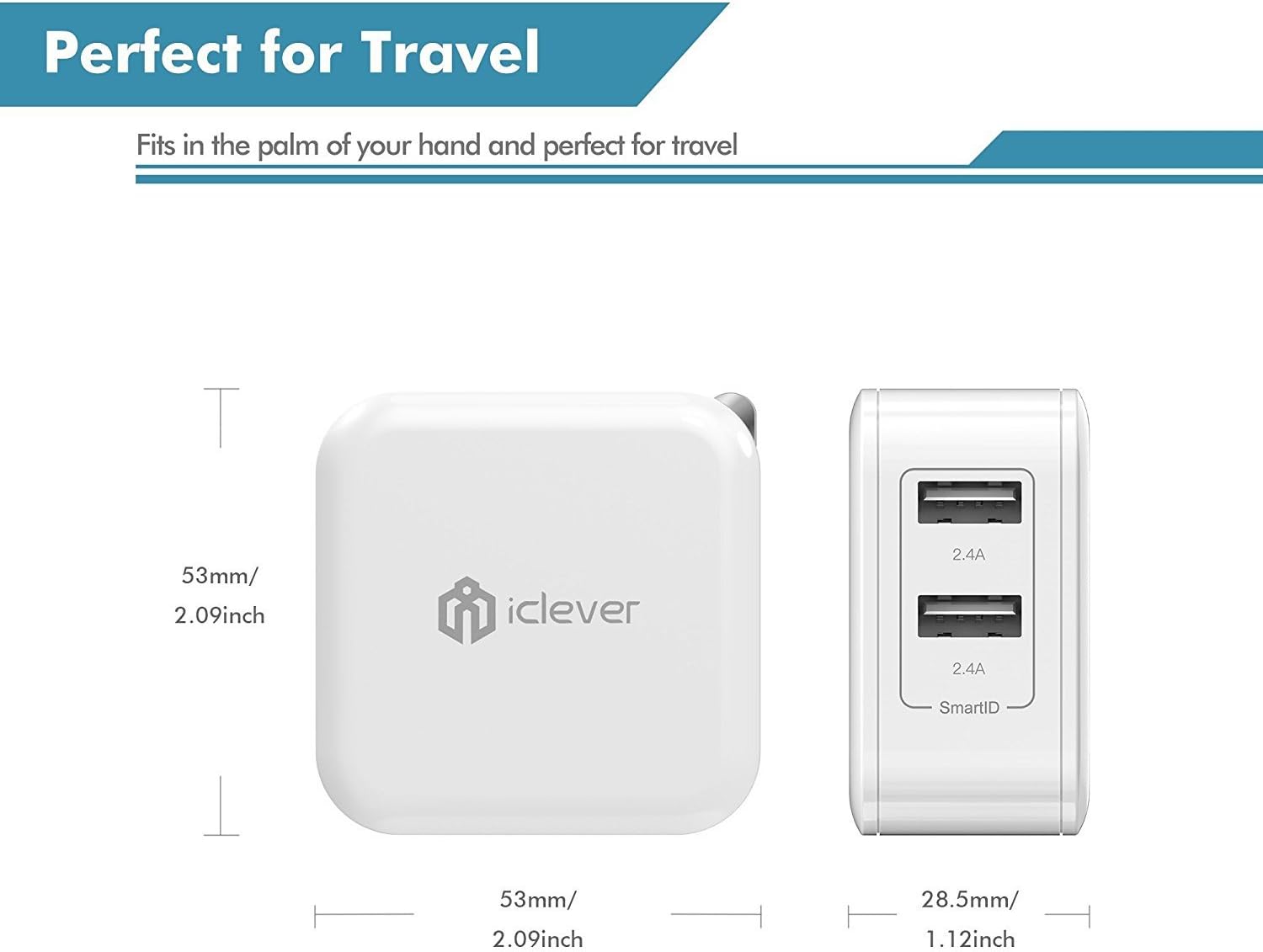
Image: Diagram showing the compact dimensions of the iClever BoostCube charger.
Warranty and Support
The iClever BoostCube 2nd Generation 24W Dual USB Wall Charger comes with an 18-month worry-free warranty and reliable customer service.
For any questions, concerns, or technical assistance, please contact iClever customer support. Refer to the contact information provided in the product packaging or visit the official iClever website for support details.
What's in the Box:
- iClever 24W Dual Wall Charger (Model: IC-TC02)
- User Manual


