
1. Introduction
This manual provides essential instructions for the safe and efficient operation, maintenance, and care of your Tiger PDU-A30U-K Electric Hot Water Boiler and Warmer. Please read this manual thoroughly before initial use and retain it for future reference.
The Tiger PDU-A30U-K is designed to provide hot water on demand with various temperature settings and energy-saving features. Its stainless steel construction ensures durability and ease of cleaning.
2. Safety Information
Important Safety Precautions:
- Always place the unit on a stable, heat-resistant, and level surface.
- Do not immerse the appliance, power cord, or plug in water or other liquids.
- Ensure the power cord is securely connected and not damaged. The magnetic power cord is designed for safety and can be removed easily.
- Do not operate the unit with an empty water tank. Always ensure water levels are above the minimum mark.
- Avoid touching hot surfaces. Use handles and knobs. Steam emitted during operation is hot.
- Keep out of reach of children. The auto-lock function prevents unintentional dispensing.
- Unplug the unit from the outlet when not in use and before cleaning.
- Do not use the appliance for purposes other than its intended use.
- Do not leave the unit under cabinets during operation to allow steam to escape.
3. Product Overview
Familiarize yourself with the components and controls of your hot water boiler.

Figure 1: Front view of the Tiger PDU-A30U-K Electric Hot Water Boiler and Warmer. This image displays the main body, water level indicator, and control panel.
Control Panel Features:

Figure 2: Detailed view of the LCD control panel. It shows buttons for Re-Boil/Timer, Energy Saving, Temp. Set, Unlock, and the Dispense button, along with the digital temperature display and indicator lights.
- LCD Display: Shows current temperature and settings.
- Re-Boil/Timer Button: Initiates re-boiling or sets the sleep timer.
- Energy Saving Button: Activates energy-saving mode.
- Temp. Set Button: Selects desired keep-warm temperature (158°F, 176°F, 194°F, 208°F).
- Unlock Button: Unlocks the dispense function for safety.
- Dispense Button: Releases hot water once unlocked.
- Water Level Indicator: Transparent window on the front to monitor water volume.
- Removable Lid: For easy filling and cleaning.
- Magnetic Power Cord: Detachable for safety and convenience.
4. Setup
- Unpacking: Carefully remove the unit from its packaging. Retain packaging for future transport if needed.
- Initial Cleaning: Before first use, wash the interior of the water tank and the removable lid with warm water and a mild detergent. Rinse thoroughly.
- Placement: Place the boiler on a flat, stable, and heat-resistant surface, away from walls or other appliances to allow for proper ventilation and steam release.
- Filling the Water Tank: Open the lid and fill the tank with fresh water up to the "MAX" fill line. Do not overfill.
- Power Connection: Connect the magnetic power cord to the unit's power inlet and then plug it into a standard electrical outlet. Ensure the outlet voltage matches the unit's requirements.

Figure 3: Side view of the water boiler, highlighting the magnetic power cord connection point at the base.
5. Operating Instructions
5.1. Boiling Water
- After filling the tank and connecting power, the unit will automatically begin boiling the water to 208°F (98°C). The LCD will display the current temperature.
- Once boiling is complete, the unit will switch to the keep-warm function at the last selected temperature.
5.2. Setting Keep-Warm Temperature
- Press the "Temp. Set" button repeatedly to cycle through the available keep-warm temperatures: 158°F (70°C), 176°F (80°C), 194°F (90°C), and 208°F (98°C).
- The selected temperature will be displayed on the LCD. The unit will maintain this temperature.
5.3. Dispensing Water
- To dispense water, first press the "Unlock" button. The unlock indicator will illuminate.
- Place your cup or container under the dispenser spout.
- Press and hold the "Dispense" button to release hot water. Release the button to stop dispensing.
- The auto-lock feature will re-engage after a short period of inactivity for safety.
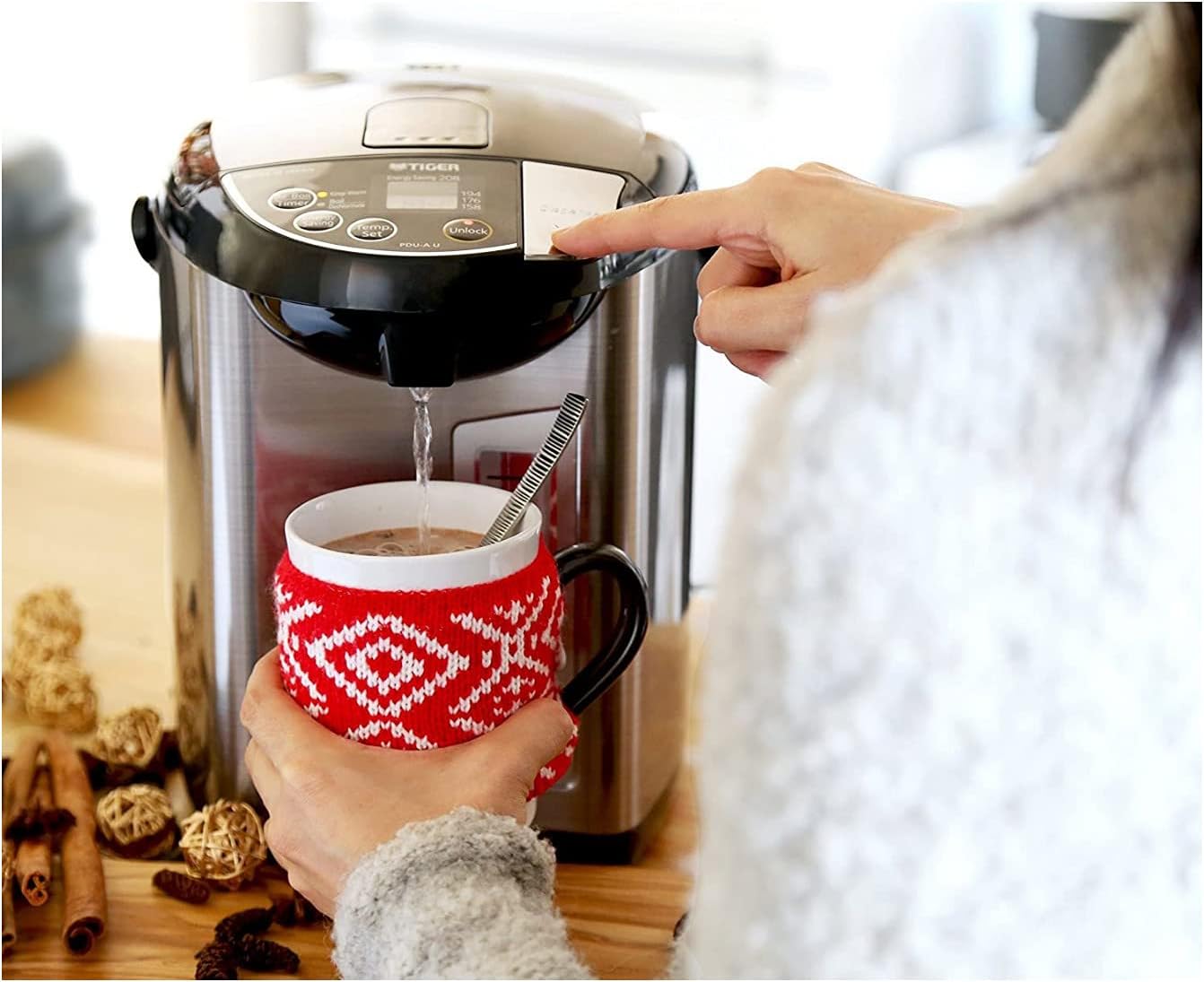
Figure 4: A user pressing the dispense button to fill a mug with hot water from the boiler.
5.4. Re-Boil Function
If the water temperature has dropped below the desired keep-warm setting, or if you wish to re-boil the water to 208°F (98°C) for dechlorination, press the "Re-Boil/Timer" button once. The unit will heat the water back to boiling point.
5.5. Energy Saving Timer
The unit features a sleep timer to save energy. Press the "Re-Boil/Timer" button repeatedly to select a 6-hour or 9-hour timer. During the timer period, the unit will stop heating and resume heating to the set temperature after the timer expires.
6. Maintenance and Cleaning
Regular cleaning ensures optimal performance and longevity of your appliance.
- Exterior Cleaning: Wipe the exterior with a soft, damp cloth. Do not use abrasive cleaners or solvents.
- Interior Cleaning (Daily): After each use, or daily, empty any remaining water. The removable lid can be detached for easier access to the interior. Wipe the interior with a soft sponge.
- Mineral Deposit Removal (Citric Acid Cleaning): Over time, mineral deposits (scale) may accumulate.
- Fill the tank with water up to the "MAX" line.
- Add approximately 1 tablespoon of citric acid (food-grade) to the water.
- Close the lid and plug in the unit.
- Initiate a boil cycle. Some models may have a dedicated "Citric Acid Cleaning" function; refer to the control panel for specific instructions.
- After the cycle, unplug the unit, let it cool, and thoroughly rinse the interior several times with fresh water to remove all citric acid residue.
- Lid Cleaning: The removable lid can be washed separately with warm, soapy water. Ensure all parts are dry before reattaching.
- Storage: When not in use for an extended period, ensure the unit is clean, dry, and stored in a cool, dry place.
7. Troubleshooting
| Problem | Possible Cause | Solution |
|---|---|---|
| Unit does not power on. | Power cord not connected; outlet malfunction. | Ensure power cord is securely connected. Check if the outlet is functional with another appliance. |
| Water is not heating. | Low water level; unit in energy-saving mode; malfunction. | Add water to above the minimum line. Check if the energy-saving timer is active. If problem persists, contact support. |
| Water dispensing is weak or slow. | Mineral buildup in dispenser; low water level. | Perform citric acid cleaning. Ensure sufficient water in the tank. |
| Water has an unusual taste or odor. | Mineral buildup; improper cleaning. | Perform thorough citric acid cleaning and rinse well. Use filtered water if tap water quality is an issue. |
| Auto-lock engages too quickly. | Normal operation. | This is a safety feature. Press "Unlock" before each dispense. |
If you encounter issues not listed here or if solutions do not resolve the problem, please contact Tiger customer support.
8. Specifications
- Model: PDU-A30U-K
- Capacity: 3.0 Liters (3.2 Quarts)
- Color: Stainless Black
- Dimensions (L x W x H): 12" x 9.1" x 9.8" (30.5 cm x 23.1 cm x 24.9 cm)
- Weight: 5.7 lbs (2.59 kg)
- Keep-Warm Temperatures: 158°F (70°C), 176°F (80°C), 194°F (90°C), 208°F (98°C)
- Special Features: LCD Digital Display, One-Touch Preset, Temperature Control, Energy Saving Timer (6h/9h), Re-Boil Function, Auto-Lock Dispense, Removable Lid, Magnetic Power Cord.
- Material: Stainless Steel interior and exterior.

Figure 5: Diagram illustrating the dimensions (length, width, height) of the Tiger PDU-A30U-K unit.
9. Warranty and Support
For warranty information and customer support, please refer to the warranty card included with your product or visit the official Tiger Corporation website. Keep your purchase receipt as proof of purchase.
Manufacturer: Tiger Corporation
